 Modify Tender for Step Tender Shipment - Notify All Service Providers
This feature, when running the Modify Tender action against your Step Tender shipments, allows you to configure the application to have the Modify Tender action apply to all of the outstanding tender offers for the Step Tendered shipment. The default/previous behavior will only send the Modify Tender notification to the most recently added Step Tender Service Provider.
In the example below, the application has been configured to send the Modify Tender notification to all of the service providers involved in the Step Tender. In this example, there are three service providers who are participating Carrier01, Carrier02 and Carrier03. Before the Modify Tender action is run, the Online Booking/Tendering screens shows the status of the services providers involved in the Step Tender for shipment 27421.
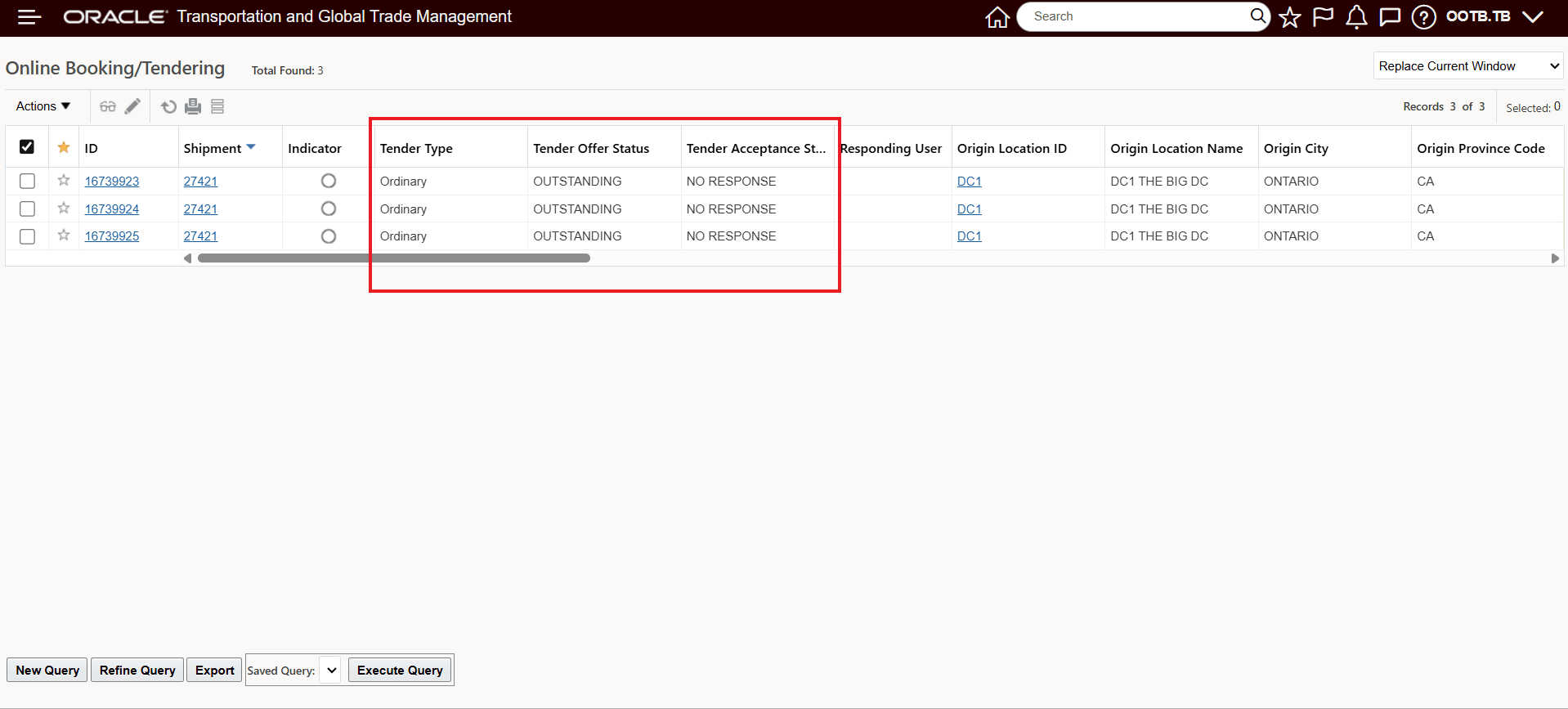
Active Step Tender - Three Service Providers - Shipment 27421
Now, the Modify Tender action is run against the active Step Tender shipment 27421 as shown below.
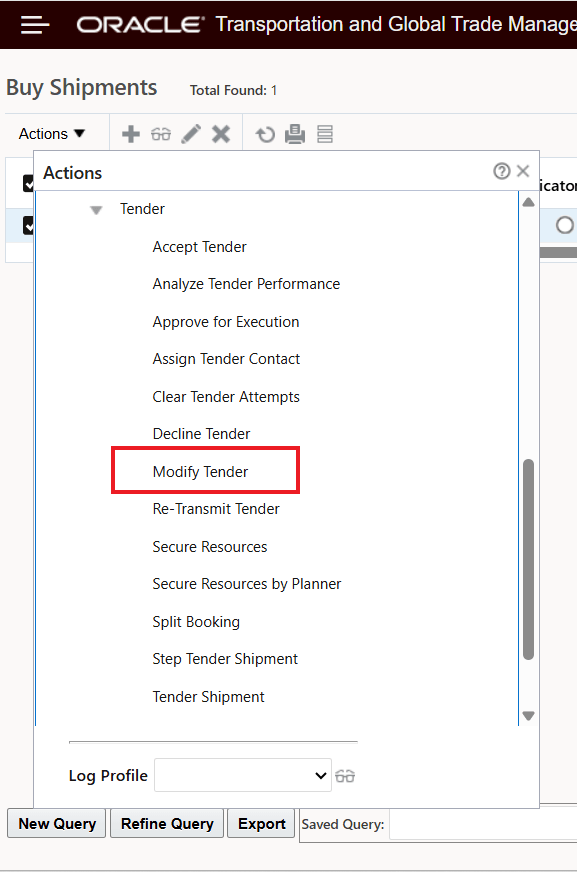
Modify Tender Action
The Modify Tender action - will - with the property glog.tender.steptender.enableModifyStepTender set to true, send the modify notification to all of the service providers involved in the Step Tender. The Online Booking/Tendering screen now shows the Modify Tender sent to all three of the service providers involved.
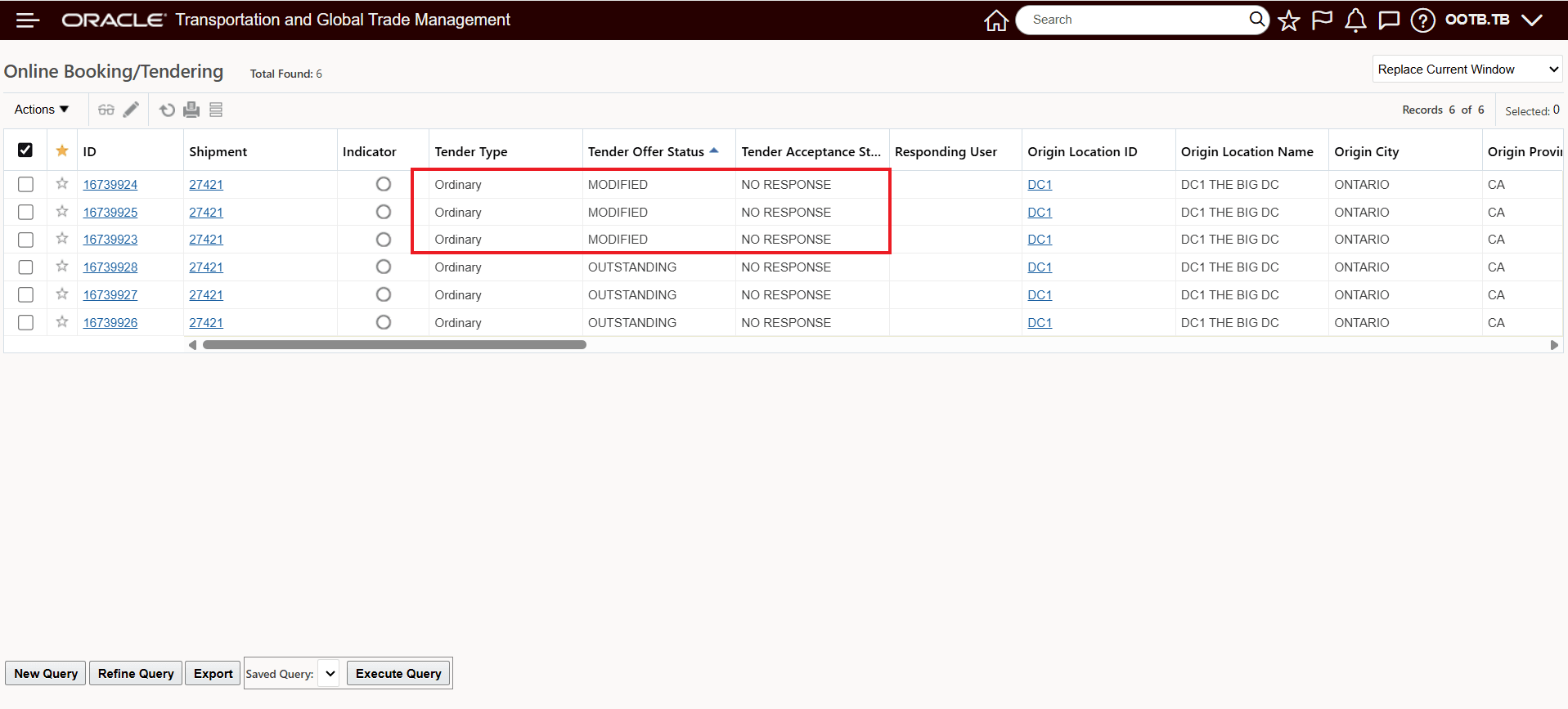
Online Booking/Tendering - Modified Tender Notification Sent For All Service Providers
Each service provider receives email notification for the modified tender - as shown below.
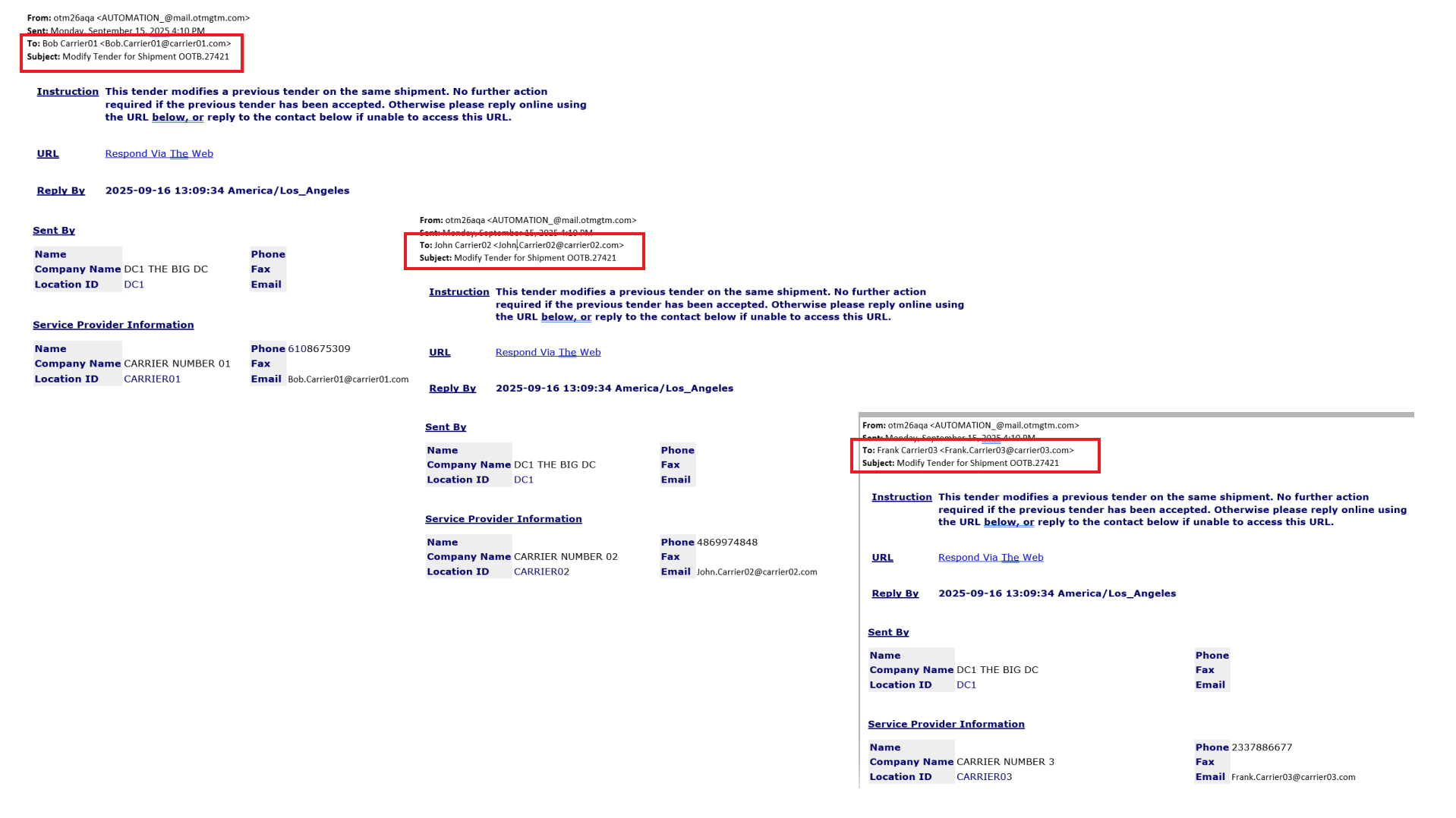
Modified Tender Email Notification
In the example below, the default/previous behavior is provided to highlight the differences. The scenario is the same as above - however - in this case the property - glog.tender.steptender.enableModifyStepTender has been set to the default value of false, in this case only the last service provider added to the step tender will receive the Modified tender notification. In this case that will we Carrier03.
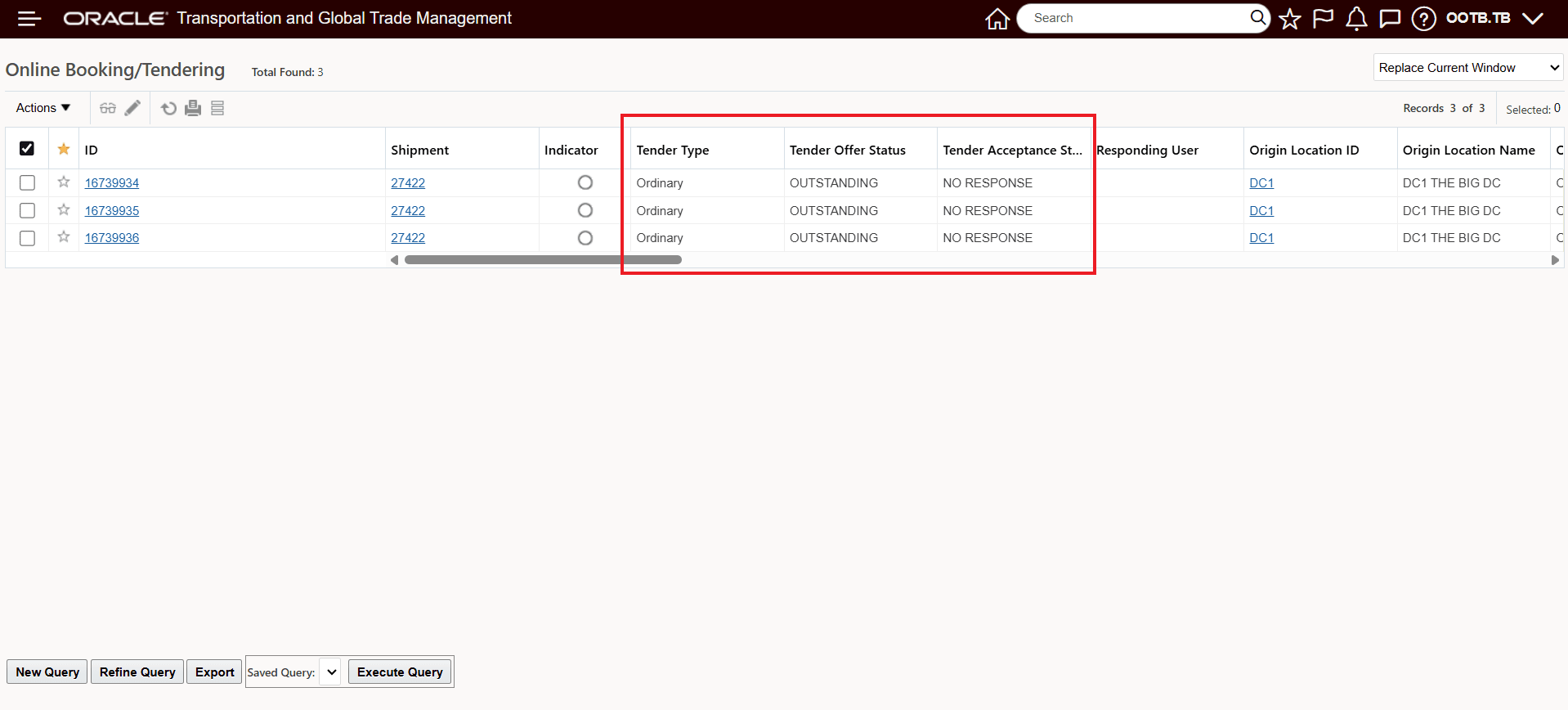
Step Tendered Shipment Three Service Providers
The Modify Tender action is run against the shipment. Note that Carrier03 is the last service provider added to the step tender.
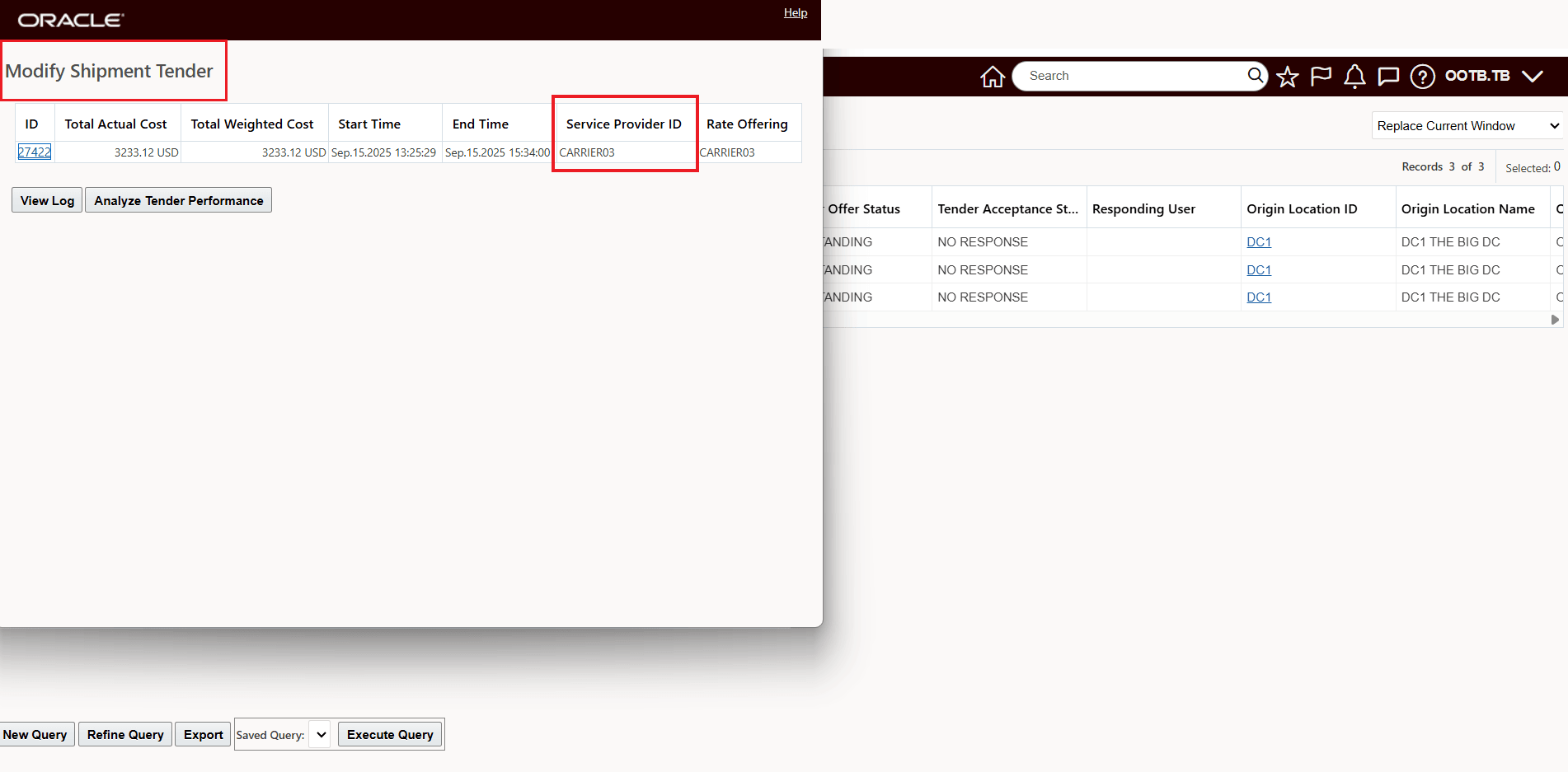
Modify Tender Action
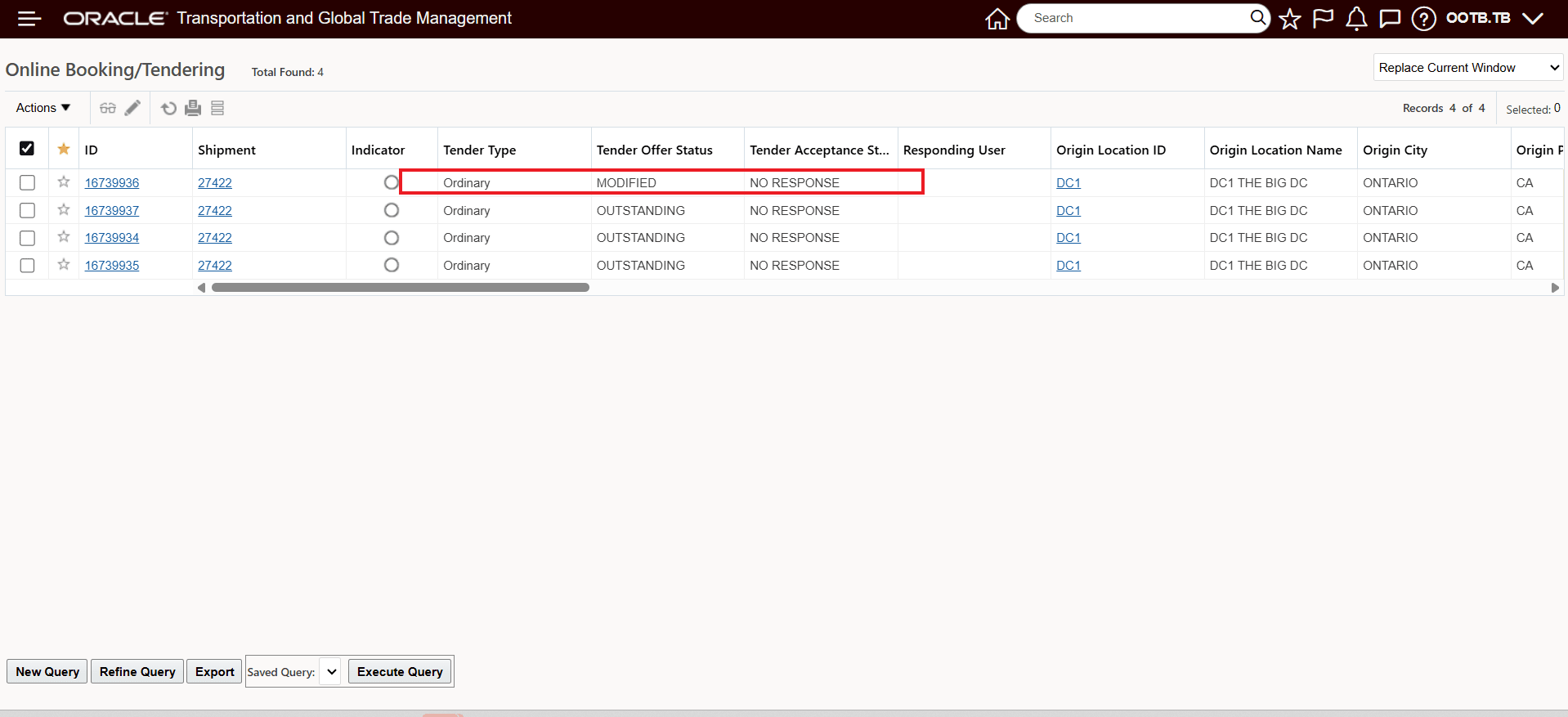
Modified Tender Only Provided For The Last Service Provider Added - Carrier03
The Modified tender for Carrier03 is below.
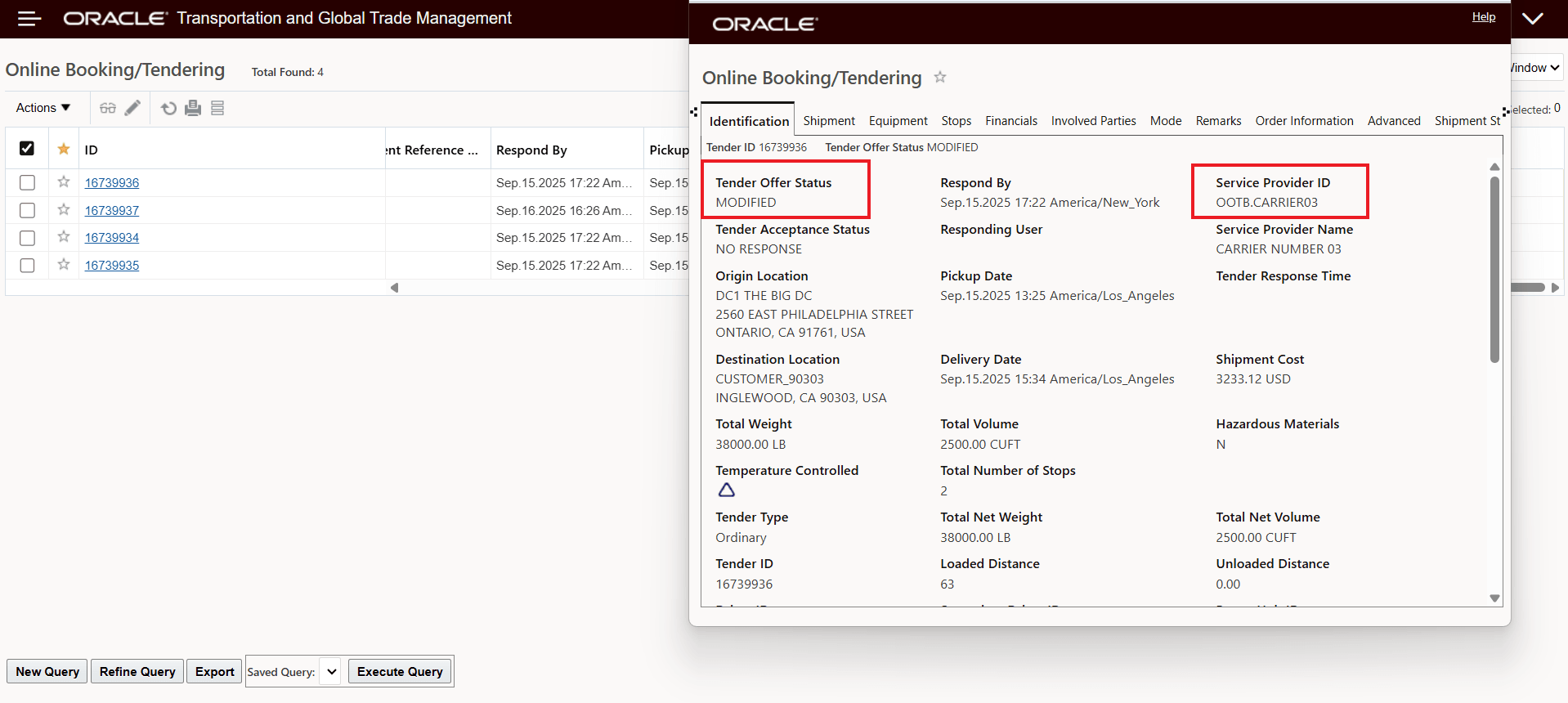
Single Modified Tender
Business Benefit: This feature ensures that all participating service providers are promptly and equally informed of changes, reducing miscommunication, minimizing delays, and improving transparency and responsiveness in the tender process. This leads to improved collaboration, faster decision-making.
Steps to enable and configure
To enable the new functionality, where all participating service providers will be included in the Modify Tender action processing, the property glog.tender.steptender.enableModifyStepTender needs to be set to true, the property default is false - which is provided for backward compatibility.
To set the property - glog.tender.steptender.enableModifyStepTender - you will need to navigate to Configuration and Administration > Property Management > Property Sets.
NOTE: Only the DBA.ADMIN user can access and use the Property Sets page.
The property glog.tender.steptender.enableModifyStepTender should then be set to true - as noted - the default value is false.