Enable Time Based Rates
This Optional Feature, when enabled, for Rate Offerings with the Use Time Based Rates checked, will first compute the arrival and departure date/time at the shipment and shipment stop levels based on the Transport Mode, Service Provider, Rate Offering, and Rate Service. Once the times are established the application proceeds to rate the shipment. If the Use Time Based Rates checkbox is not checked, the application performs the standard rate first and then calculates the shipment dates/times.
Business Benefit: For time dependent rates - for example, the rates provided by Digital Freight Brokers, this feature, when enabled, provides an accurate shipment stop time as an input to the rating process.
Steps to enable and configure
To take advantage of the new logic - in addition to enabling the Optional Feature (instructions below), you must also - for your Rate Offerings where you wish to have Time Based Rates enabled, check the "Use Time Based Rates" option.
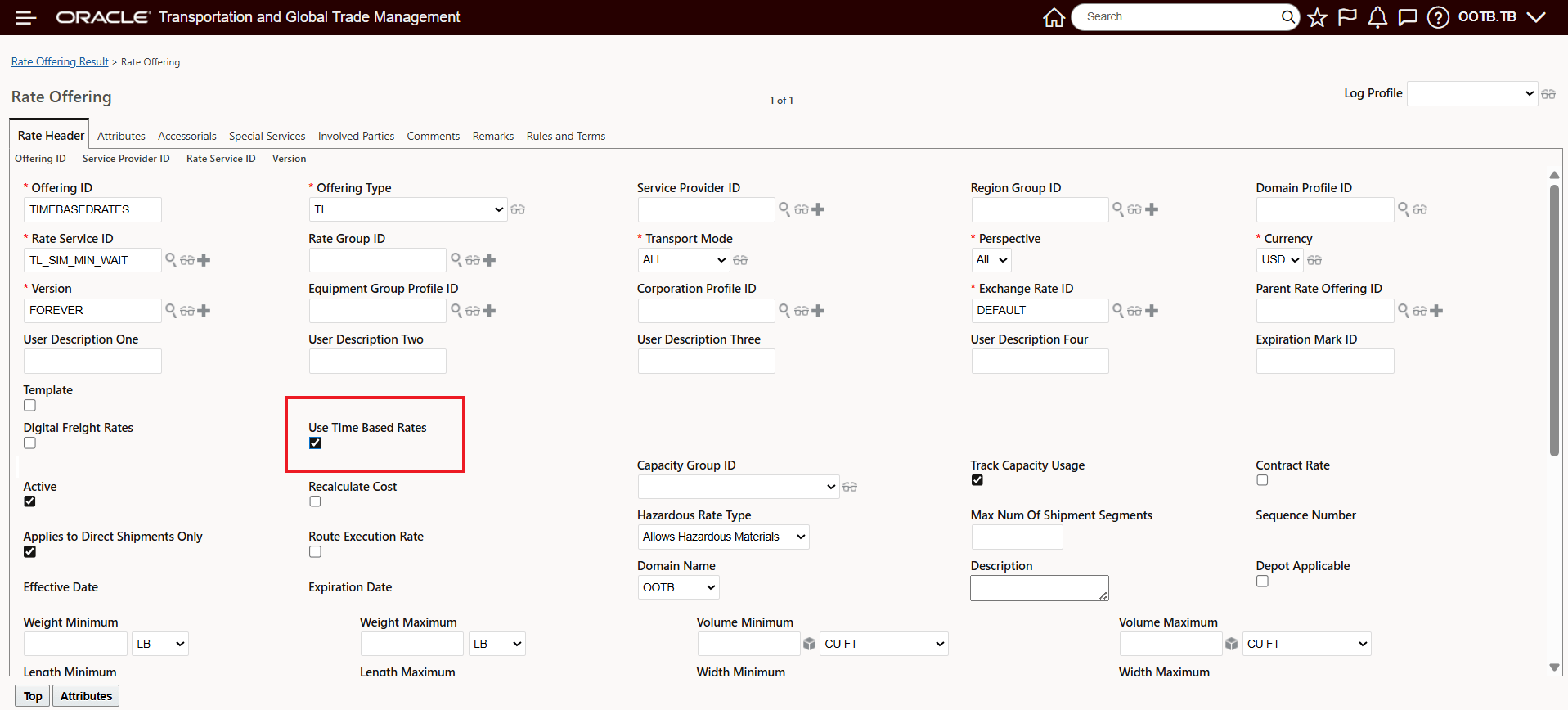
Rate Offering - Check Use Time Based Rates
To change the Opt In state for this feature:
- Go to the Optional Feature UI - Configuration and Administration > Property Management > Optional Features.
Your user must have the DBA.ADMIN user role to use this functionality.
- Select the Enable Time Based Rates feature.
- Run the Action to Opt Out or Opt In.