 LNM - SCP to OTM Integration to Pull Forecast Orders
This feature will enable users to pull SCP (Supply/Value Chain Planning) orders using SCP Plan ID into OTM, and then use those orders to create forecast in terms of Equipment/weight/volume/cost etc for a specific time period.
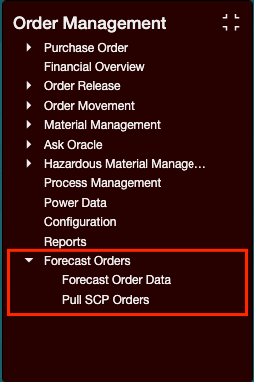
Forecast orders menu
User can initiate pulling forecast orders using the option 'Pull SCP orders' from the menu.

Pull SCP Orders
User needs to select External system ID and then select the Plan name, start/end date and Order type from the screen. For this release, only 2 order type are supported (Planned and Purchase orders).
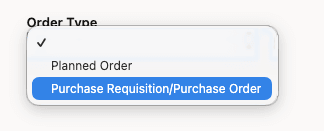
Order Type
User can also initiate pulling orders from Order release process management screen:
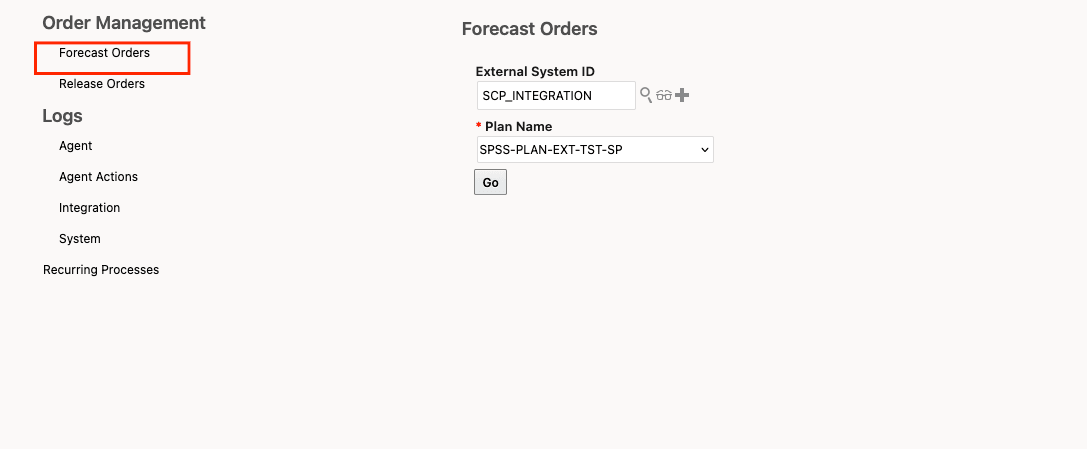
Pull SCP Orders using process management
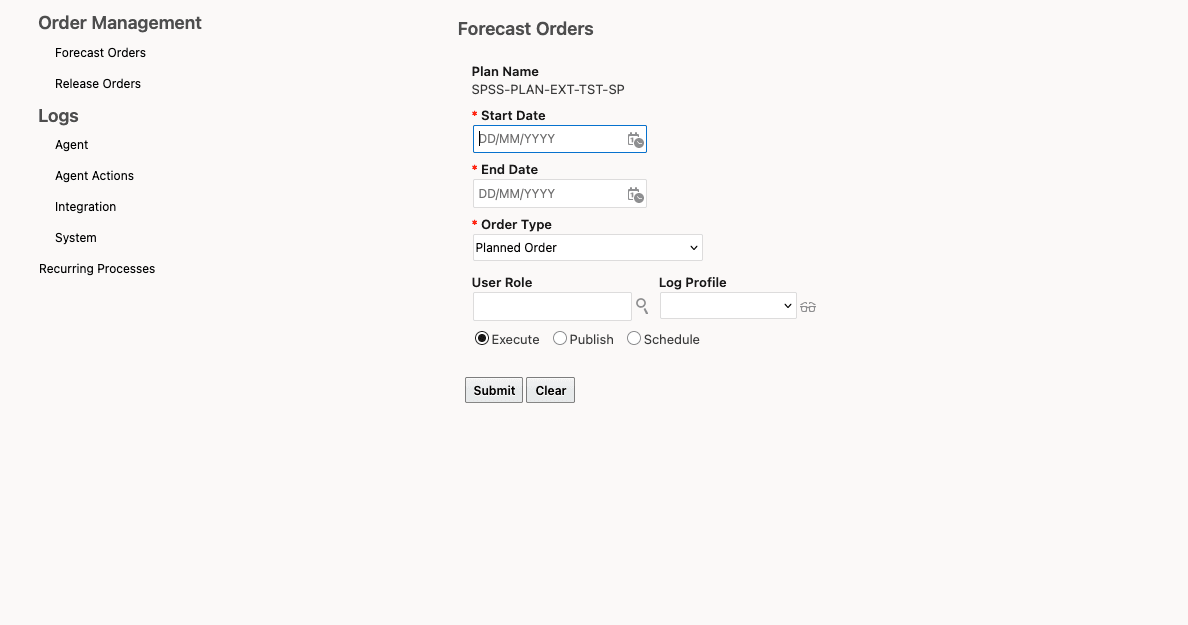
Schedule pulling SCP orders
Once orders are pulled, user can verify the status from 'Forecast Order Data' screen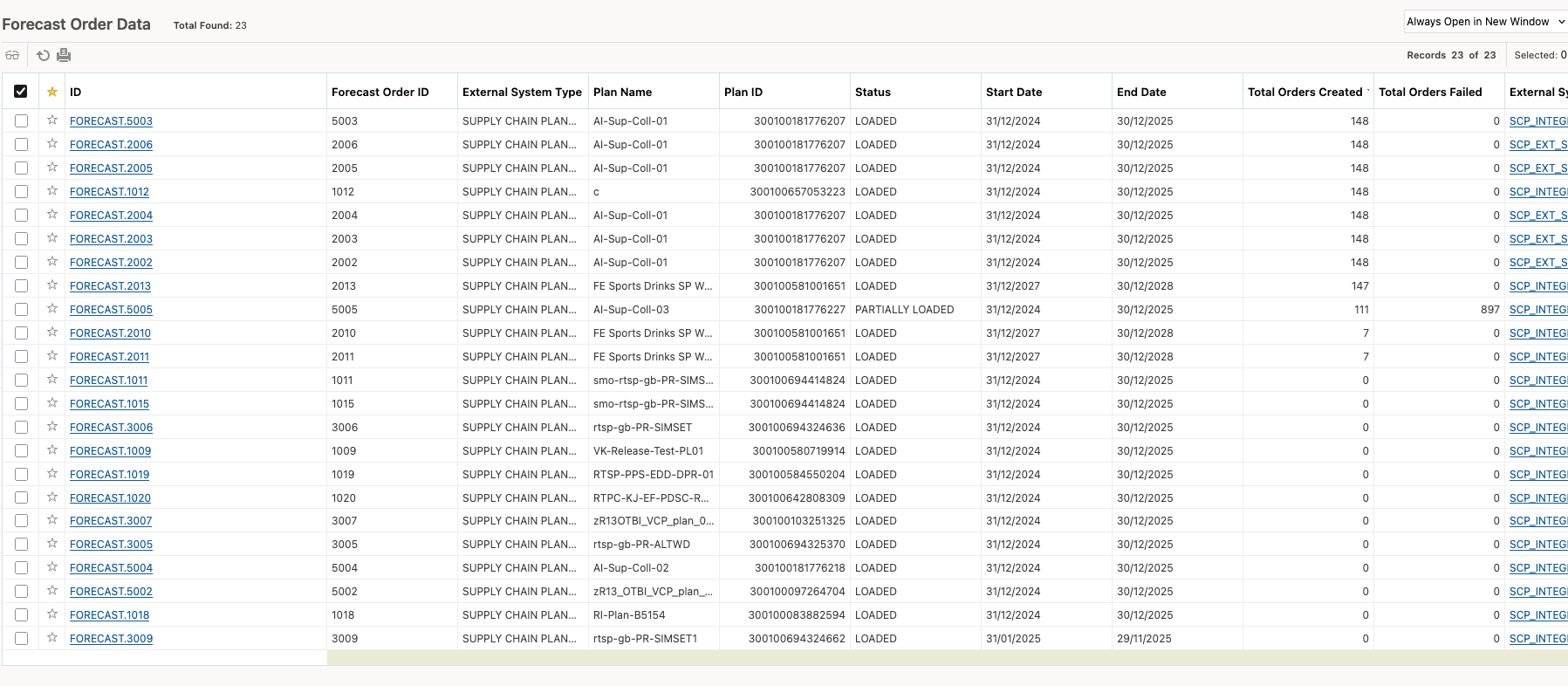
Forecast Order Data
Following properties were created to control various aspects of forecast orders.
| Property | Details |
|---|---|
| glog.business.forecastorders.externalrest.pagination.limit | The property limits the number of records the forecastorders REST API returns when dealing with large datasets. |
| glog.business.forecastorders.masterDomainName | Property to define the master data (Items, Locations) domain name. User can use the same domain where forecast orders are maintained or a different domain that centrally stores master data. |
| glog.business.forecastorders.pullOrderDomainName | Property to define the domain name where the orders has to be pulled. It is strongly advisable that customer create a separate domain (for example 'FORECAST') to pull SCP orders in order to keep them separated from operational orders. |
Business Benefit: This feature provides an out-of-the-box integration between Oracle Supply Chain Planning (SCP) orders and Logistics Network Modeling (LNM) to support modeling transportation capacity forecasting requirements using LNM.
Steps to enable and configure
User need to create External System with the corresponding SCP URL and include the User Name and Password.
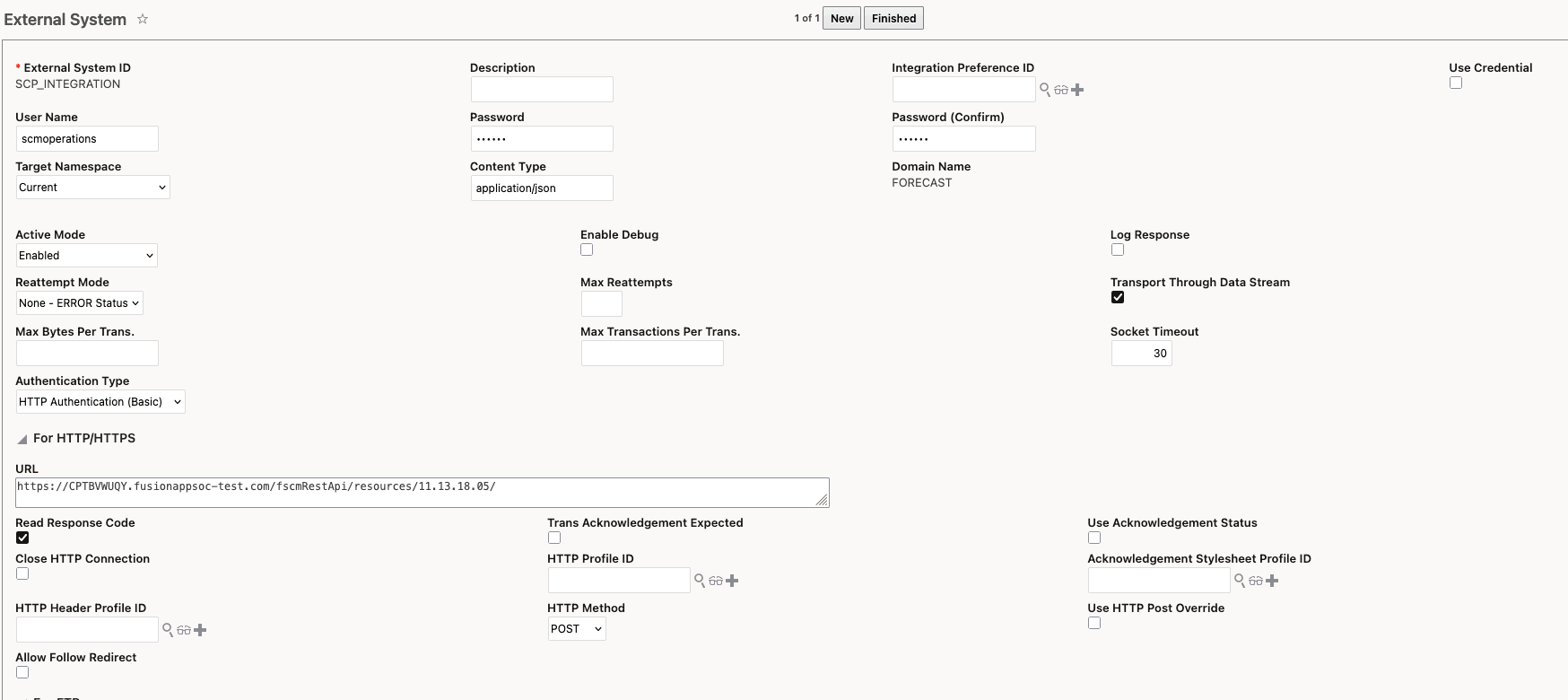
External System
This solution is designed assuming master data sync between SCP and OTM through common 'source of truth'. For SCP ORG Id, which will come as destination location into OTM, user needs to mention the ORG id as that of location refnum - 'SCP_LOC_ID'. System will check to match either the location ID or location refnum value to get the order destination location.
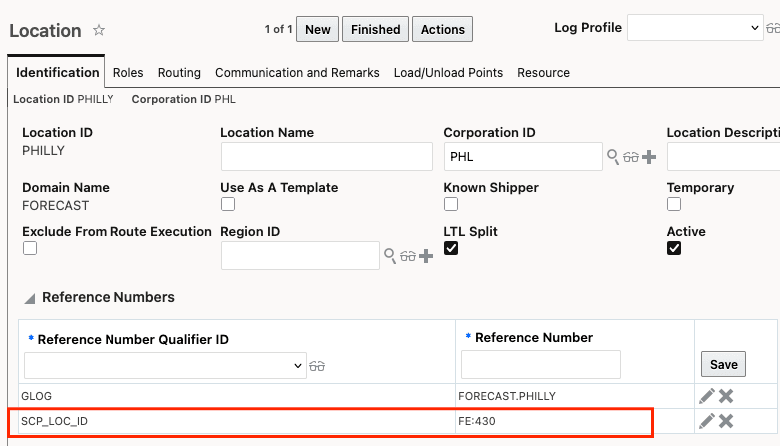
location refnum for SCP ORG Id
Tips and considerations
It is sincerely advised to use this feature only in LNM or TEST env. since this solution involves bringing non-operational orders into the system for forecasting, please avoid using this solution on live (production) env.