 LNM - Project level Data Rule
This feature will allow user to add data rules at the project level as well. This will allow user to keep repeated data rules at project level and allow unnecessary duplication at the scenario level.
If we have project level data rules, that data rule will be applicable to all scenarios and their data-rule order will be first to execute.
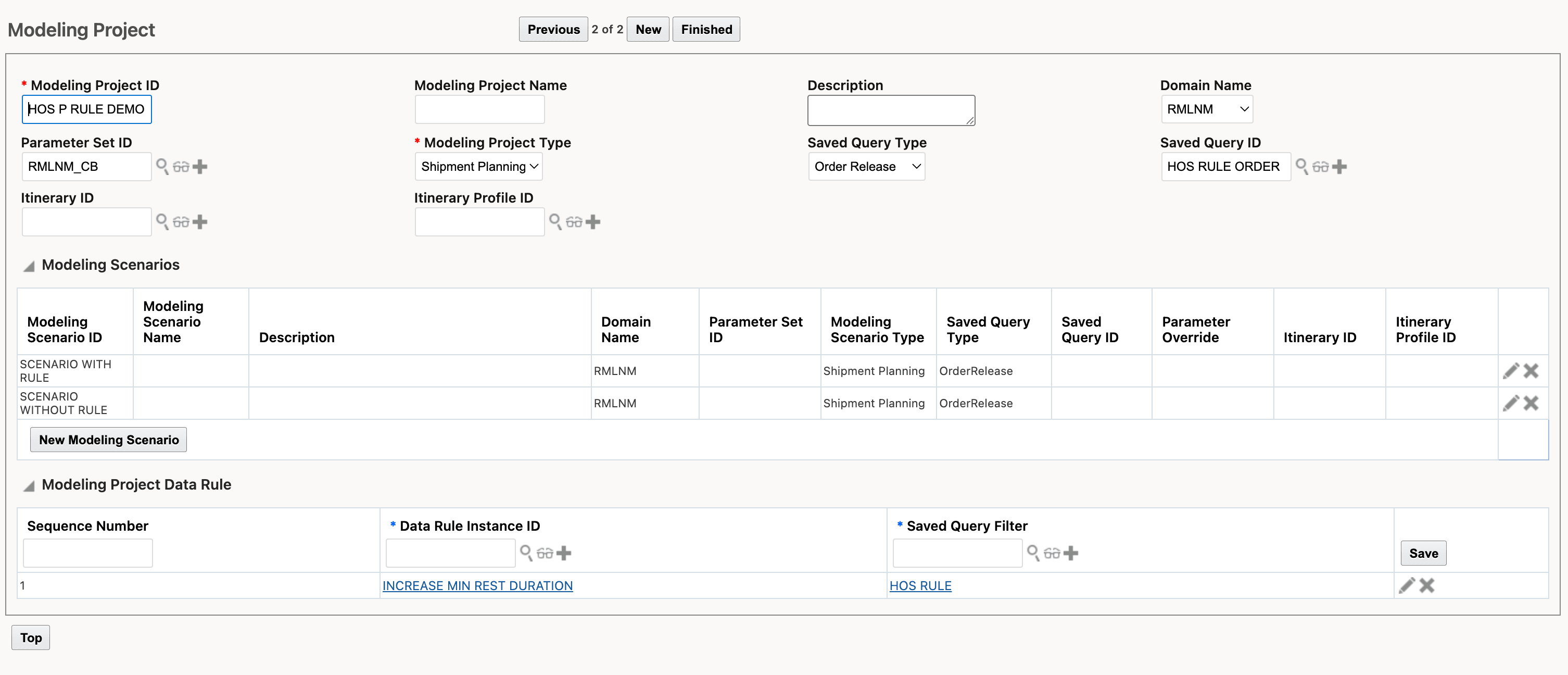
New/Edit Modeling Project Screen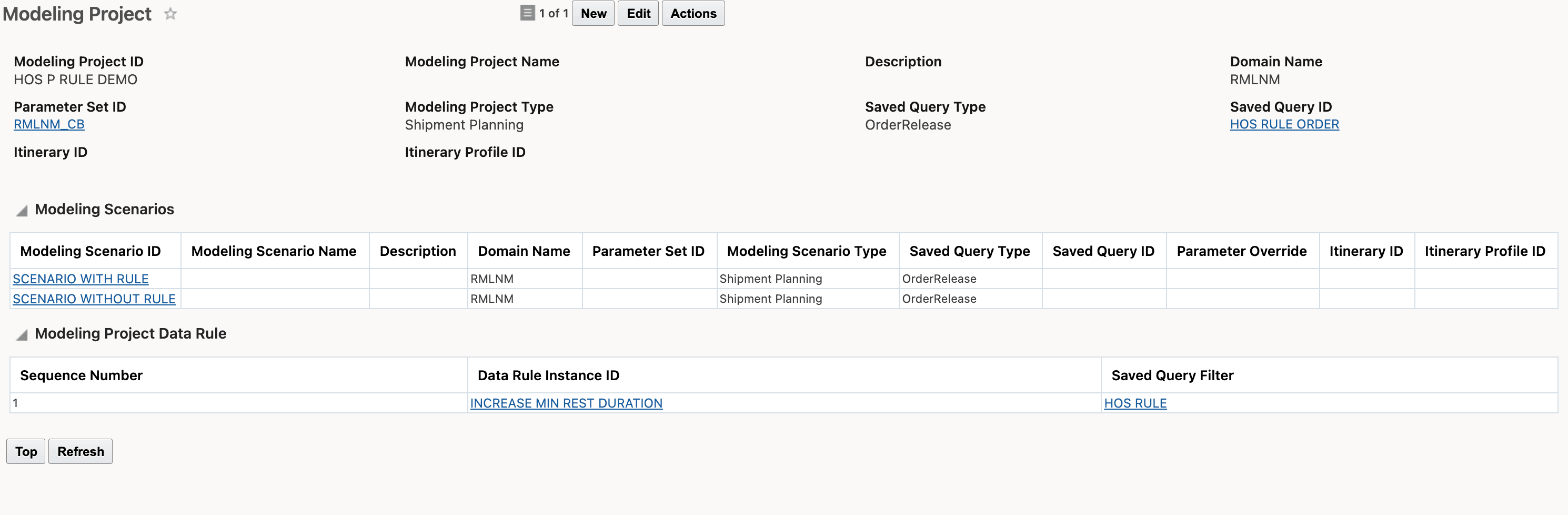
View Modeling Project
- Data Rules apply as in sequence mentioned while adding rule in Project.
-
All the Data Rules in Project applies on objects first before any rule from Scenario.
-
If any Data rule defined in both Project and Scenario then Project level data rule applies first on the object and on top off Project level data rules changes scenario data rule applies.
Business Benefit: For your Data Rules that apply to all the Modeling Scenarios in a Modeling Project, this feature will allow you to define the Data Rules one time at the Modeling Project level and then have those Data Rules apply to all of the Modeling Scenarios in the Modeling Project - avoiding unnecessary Data Rule duplication at the Modeling Scenario level.
Steps to enable and configure
You don't need to do anything to enable this feature.
Tips and considerations
If the same data rule is at both project and scenario level, in that case both data rules will be executed (same data rule twice).