Shipment Metrics Workbench
As part of Bulk Plan, there is now a button to access a new workbench that is designed to provide metrics on the shipments that were created. The Bulk Plan already includes a metrics tab for the entire bulk plan and not for individual shipments. Now it is easy to see the metrics for each shipment and sort and analyze the quality of each shipment.
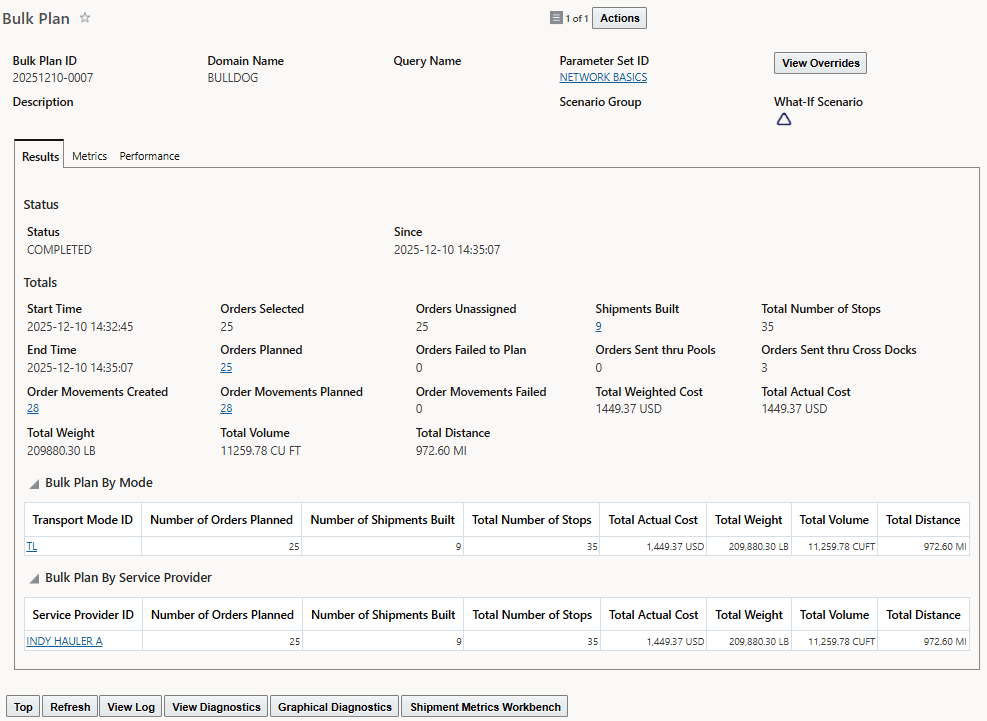
Bulk Plan now has new button
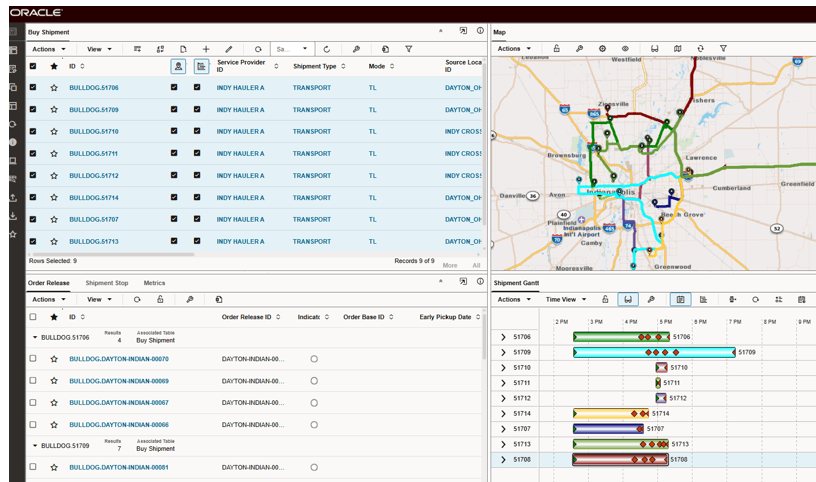
New Workbench
There is a new tab on the lower left pane that contains a screen set for Shipment Metrics. A new test case has been added to show the metrics in the new screen.
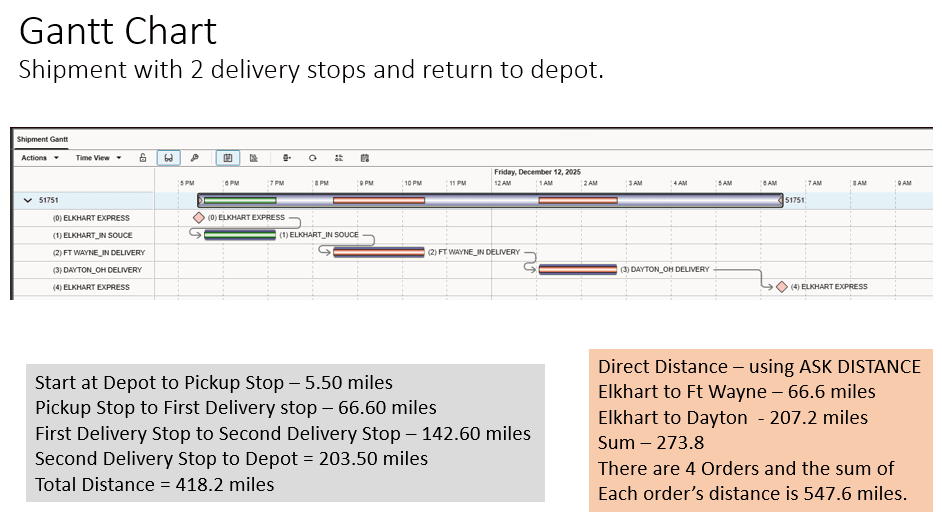
Gantt Chart for Test Case
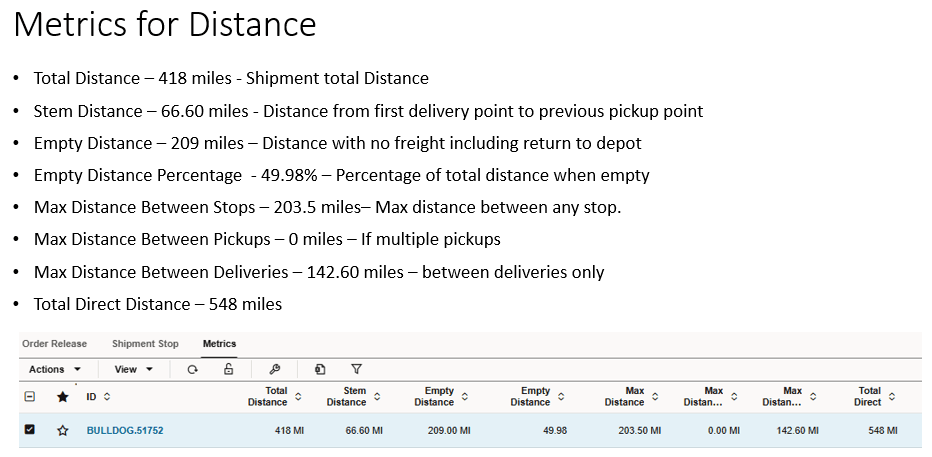
Metrics for Distance
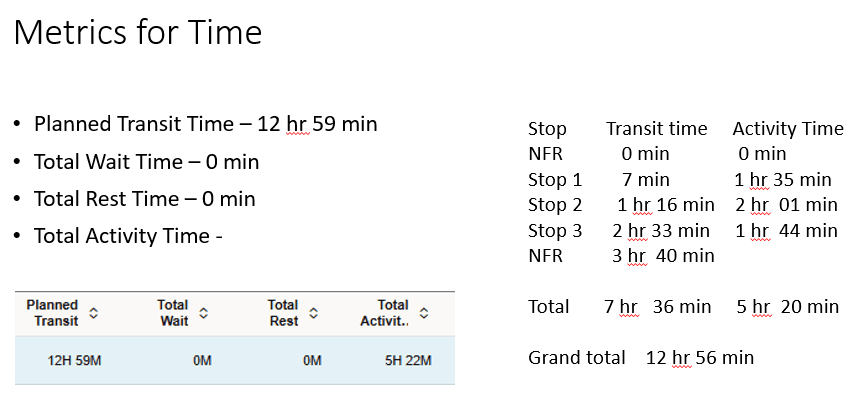
Metrics for Time
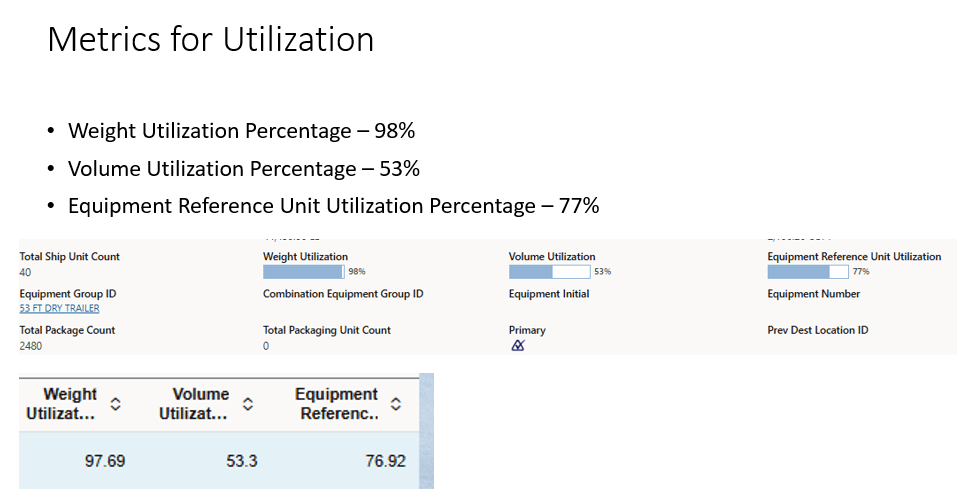
Metrics for Utilization
Business Benefit:
This is a very handy diagnostics tool that is instantly available if needed. The columns can be sorted. For example, some people would like to monitor wait time and see which shipments may fall outside a comfortable threshold. Instead of searching, this information is available immediately. This type of information is very helpful in diagnostics too.
Steps to enable and configure
This feature is enabled as part of Bulk Plan. There is no additional work to do. The client may configure a new workbench if desired. The client may configure a new screen set if desired.
Tips and considerations
Many of the Metrics are derived fields. Other metrics, which may be desired, should submitted as Idea Lab Requests.