 Rate Cost Sort Options
This feature provides the option to sort your Rate Cost on your Rate Record UI based on the charge sequence (default) or by the Rate Cost Effective and Expiration dates - new option.
Default/previous behavior - with the property "glog.RateGeoCost.SortByChargeSequence" set to "true" the Costs sort for Rate Cost does not consider the Effective and Expiration Dates, the sort is based on the Charge Sequence, as shown below.
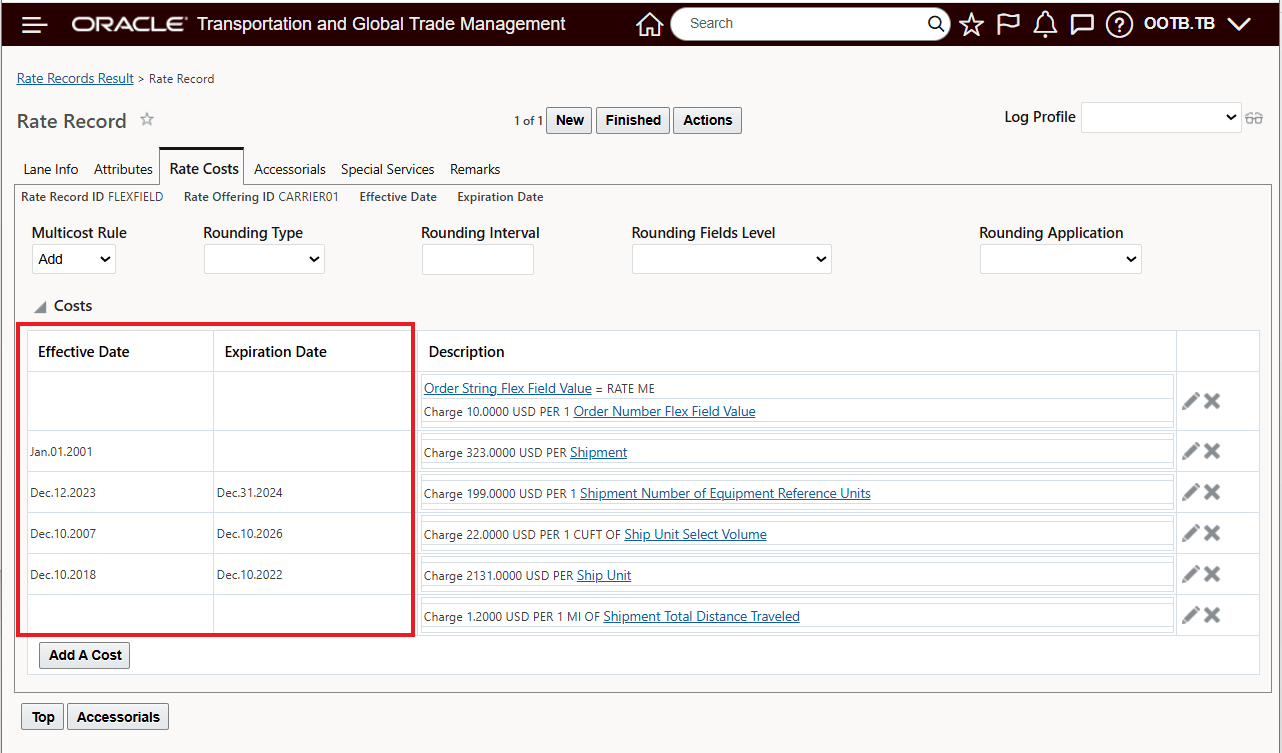
Default Sort - Charge Sequence
New behavior, if the property "glog.RateGeoCost.SortByChargeSequence" is set to "false" then the Rate Costs are sorted based on the Effective and Expiration dates, as shown below.
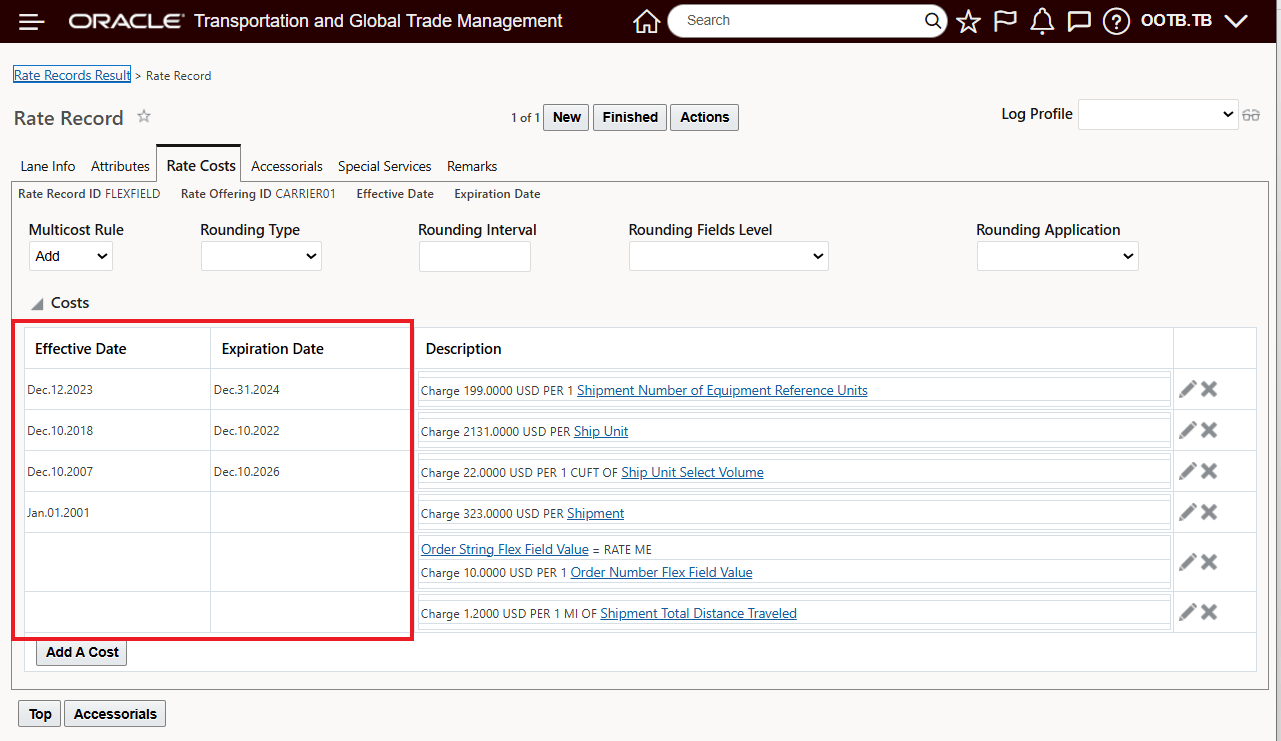
New Behavior - Sort By Effective and Expiration Dates
Business Benefit: The new sort option makes it easier for you to manage and review your Rate Cost by their effective periods.
Steps to enable and configure
To take advantage of the new behavior - you will need to se the property "glog.RateGeoCost.SortByChargeSequence" to "false".
To change the property value, navigate to Configuration and Administration > Property Management > Property Sets.
Note: Your user must have the DBA.ADMIN user role to use this functionality.
Tips and considerations
The sort option provided by the "glog.RateGeoCost.SortByChargeSequence" will be sorted within Cost Groups, if your User Preferences “Use Rate Record Cost Groups” is set.
As with any property changing the property "glog.RateGeoCost.SortByChargeSequence" from its default value will change the sort for all users.