 Redwood: Capture Pallet Images during Receiving and Palletizing
You can now capture and upload images in real-time during operations like Receiving and Palletizing. This feature gives warehouse managers visibility into inspect the condition and validate the pallet Received in the warehouse. By capturing real-time images, we expand the capabilities of our WMS and improve warehouse operations.
- A new screen parameter "capture-pallet-image" with options "Yes/No" is introduced to the Mobile Receive by Shipment/Load transaction.
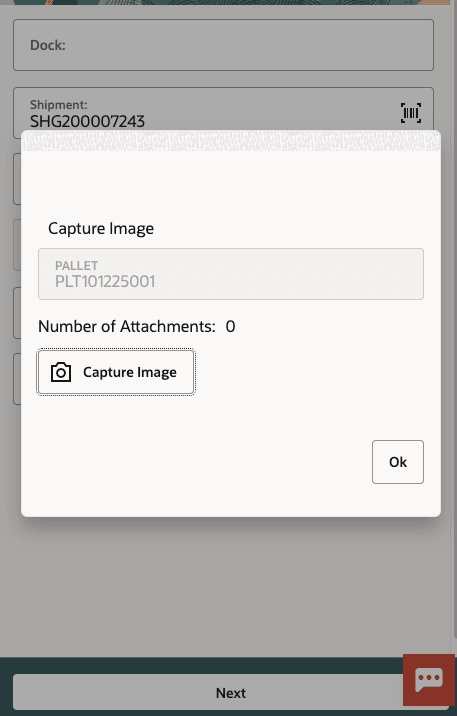
Receiving Pallet
NOTE: On Mobile device, you can only capture images but cannot attach existing images. Multiple images can be uploaded for a Pallet. The number of attachments is incremented with each image uploaded.
- If "capture-pallet-image" is:
- "No/Blank", the default palletize flow applies (no image capture).
- "Yes", the user can capture a pallet image when ending the pallet (CTRL-E).
- On ending the pallet, the system displays Image Capture screen. The captured image is linked to the pallet/LPN created.
NOTE: When you perform Mobile Palletize LPN transaction to palletize the LPNs, on hitting CTRL-E: End Pallet, the system displays Image Capture screen to capture pallet images.
For more information, refer WMS Online Help.
Steps to enable and configure
- Go to your desired module (Receive by Shipment/ Load, Palletize LPN transaction)
- Parameter > Screen Parameter “capture-pallet-image”
- Select you param choice, Yes/NO.
- Click Save.