Redwood: Improvements to Reslotting Workbench
We’ve added several improvements to the Reslotting Workbench UI that enhance visibility, data integrity, and user experience:
- Timestamp for Mismatch Records: The UI now displays the timestamp for when reslotting mismatch records are created, providing clearer record history and auditability.
- Improved Data Visualization: The “Mismatches by Location Ranking” chart now includes graph bars for zero values, ensuring a complete and accurate visualization of all data.
- Streamlined Task Template Selection: The task template dropdown has been optimized to only show relevant templates (“Replen LPN” and “Consol Replen”), making it easier for users to select the correct option.
- Data Integrity Check: Before generating reslotting tasks for selected mismatch records, the system now performs a final check to ensure the mismatches still exists. This helps maintain data integrity and prevents unnecessary task creation.
Improvements to Reslotting Workbench
We've enhanced the Reslotting Workbench UI to display the timestamp for when reslotting mismatch records are created, providing better visibility into record history.
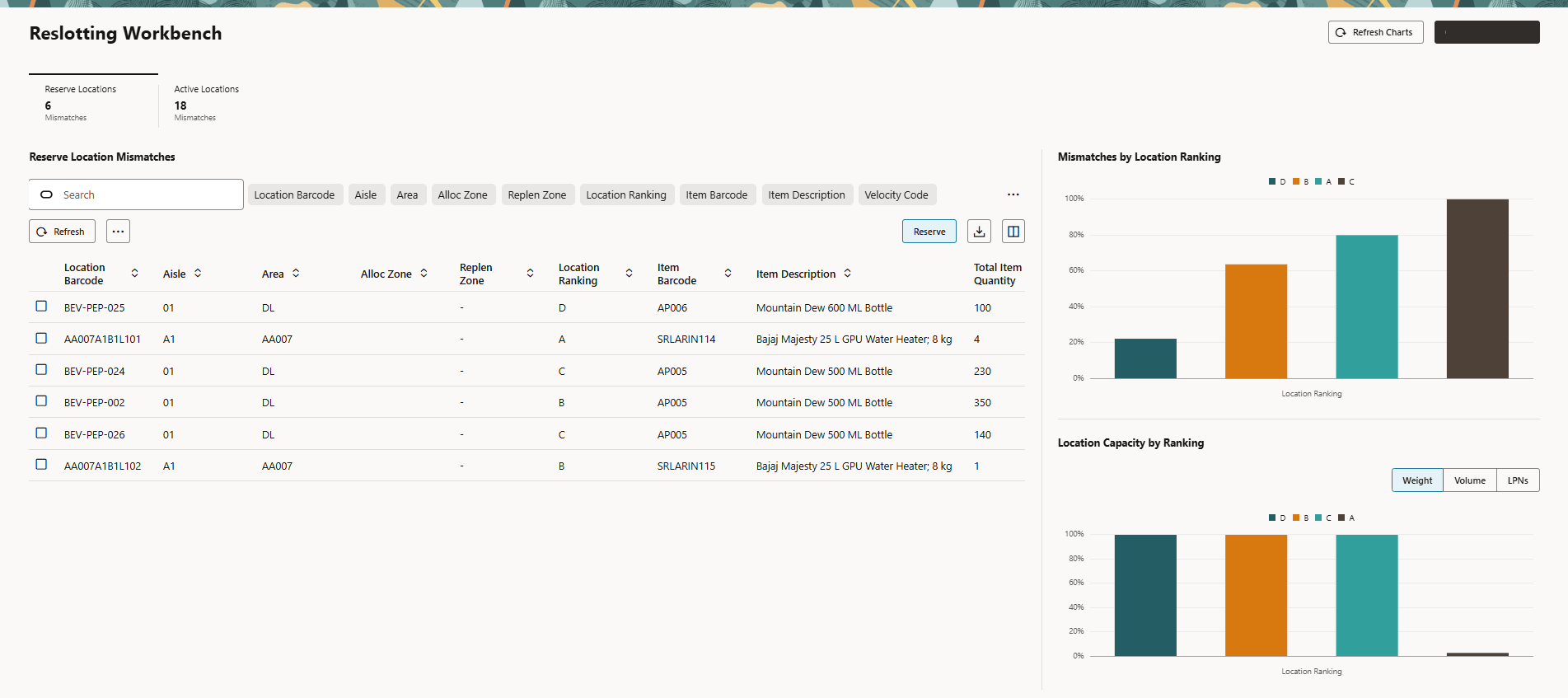
Reslotting Workbench UI
Steps to enable and configure
You don't need to do anything to enable this feature.