 Loading Point Penalty Considered in Ground and Ocean FCL Consols
This feature enhances both the Ground Consol and Ocean FCL Consol logic to include the Loading Point Penalty Matrix when planning orders into Ground or Ocean FCL Consols.
In the example below, five orders will be planned onto a Ground Consol, in the first run, the Use Load Point Penalties In Packing parameter will be set to False, in the second run the Use Load Point Penalties In Packing parameter will be set to True.
For both scenarios, the same Ground Consol, Equipment Group, Load Penalties and orders will be used - the only difference will be the Use Load Point Penalties in Packing parameter.
The Ground Consol is shown below, the Source Location contains the Load Penalties, the Consol supports up to four of the 53FT DRYVAN equipment groups.
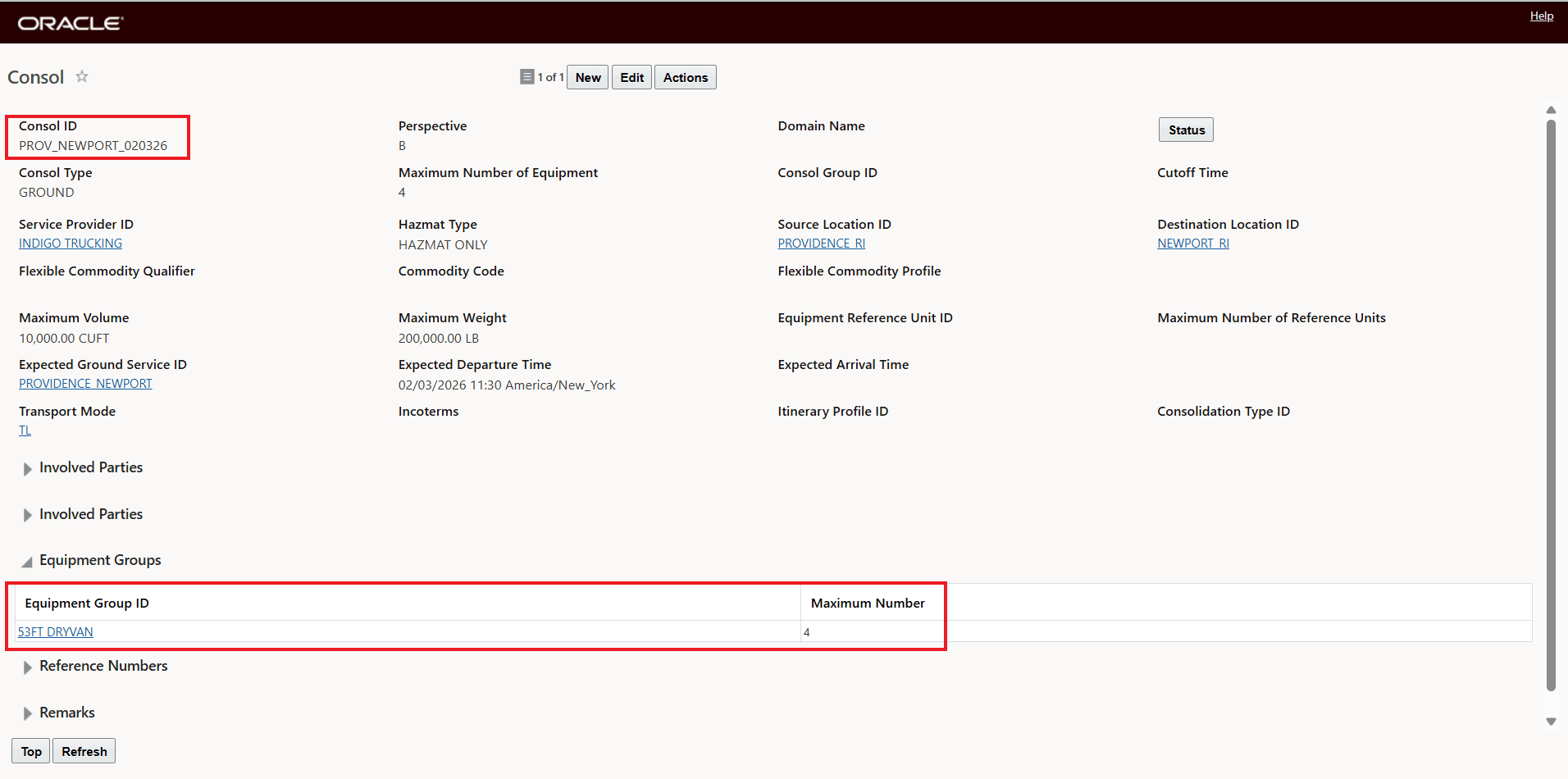
Ground Consol
The 53FT DRYVAN assigned to the Ground Consol is below. Each 53FT DRYVAN can hold up to 50,000 LBS and 5,000 CU FT.
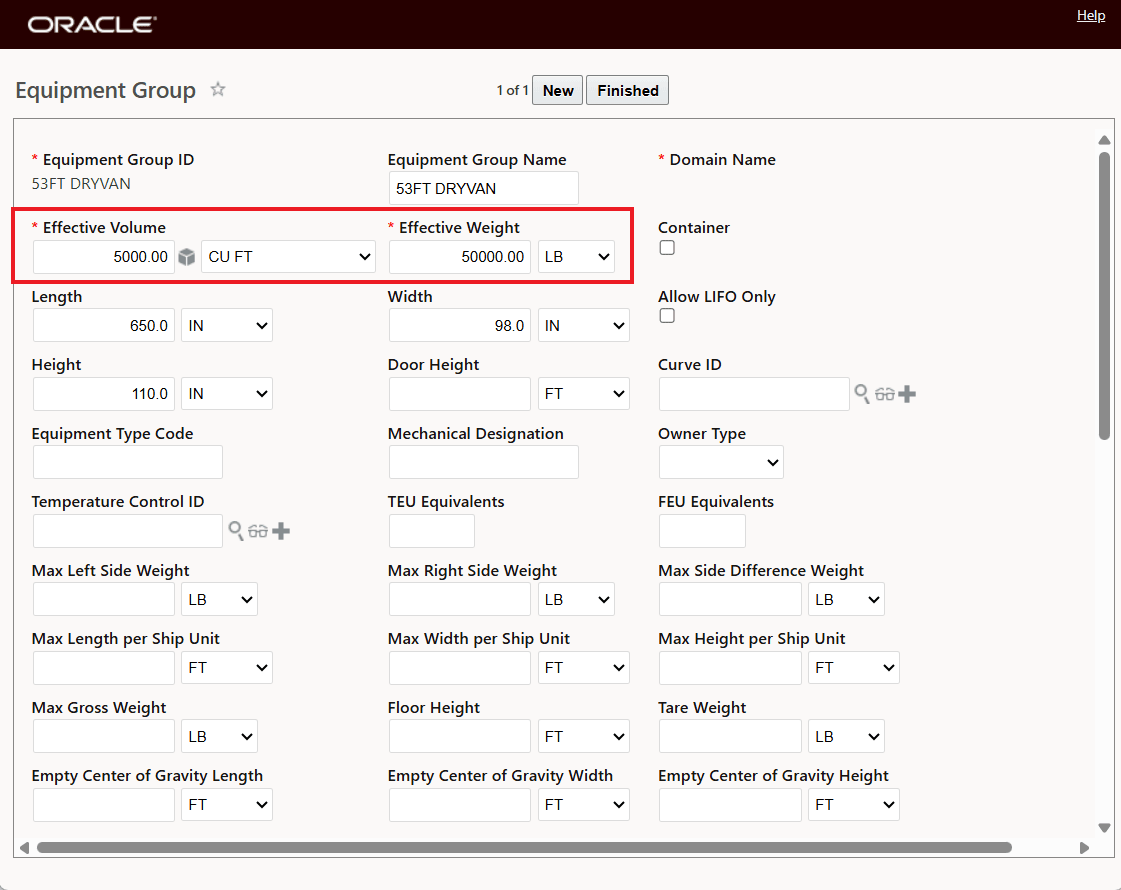
Equipment Group
The Load Point Penalty Matrix for the Source Location Province_RI and Equipment Group 53FT_DRYVAN is provided below.
For those unfamiliar with this functionality, the Load Point Penalty Matrix is used to help model how orders loaded at the same location are consolidated based on the different physical locations of those orders within the loading facility. These different physical locations and the relative loading effort required to load orders from different Load Points are modeled using the Load Points and the Penalty value, the higher the value the greater the penalty. Within the Container Optimization Logic, the Load Point Penalties represent consolidation preferences, the Container Optimization logic uses those preferences when consolidating orders onto shipments. As noted, the Load Point Penalty Matrix is only used when the Container Optimization logic parameter Use Load Point Penalties In Packing is set to True.
The Load Point Penalty Matrix page is accessed via Shipment Management > Power Data > Location> Load Point Penalty Matrix.
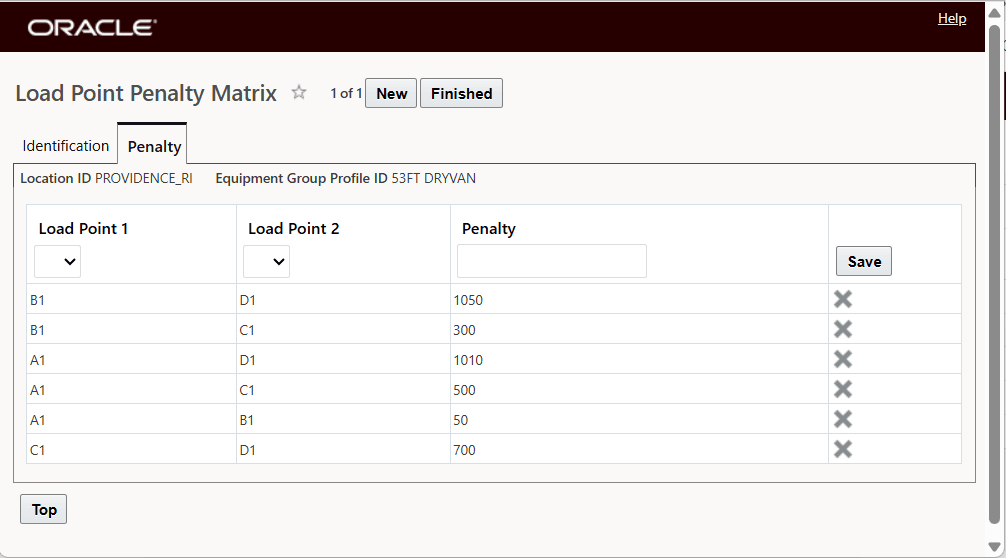
Load Point Penalty Matrix
The Load Point values used to navigate the Load Point Penalty Matrix (above) are provided on the orders and are set via the Set Load/Unload Points button.
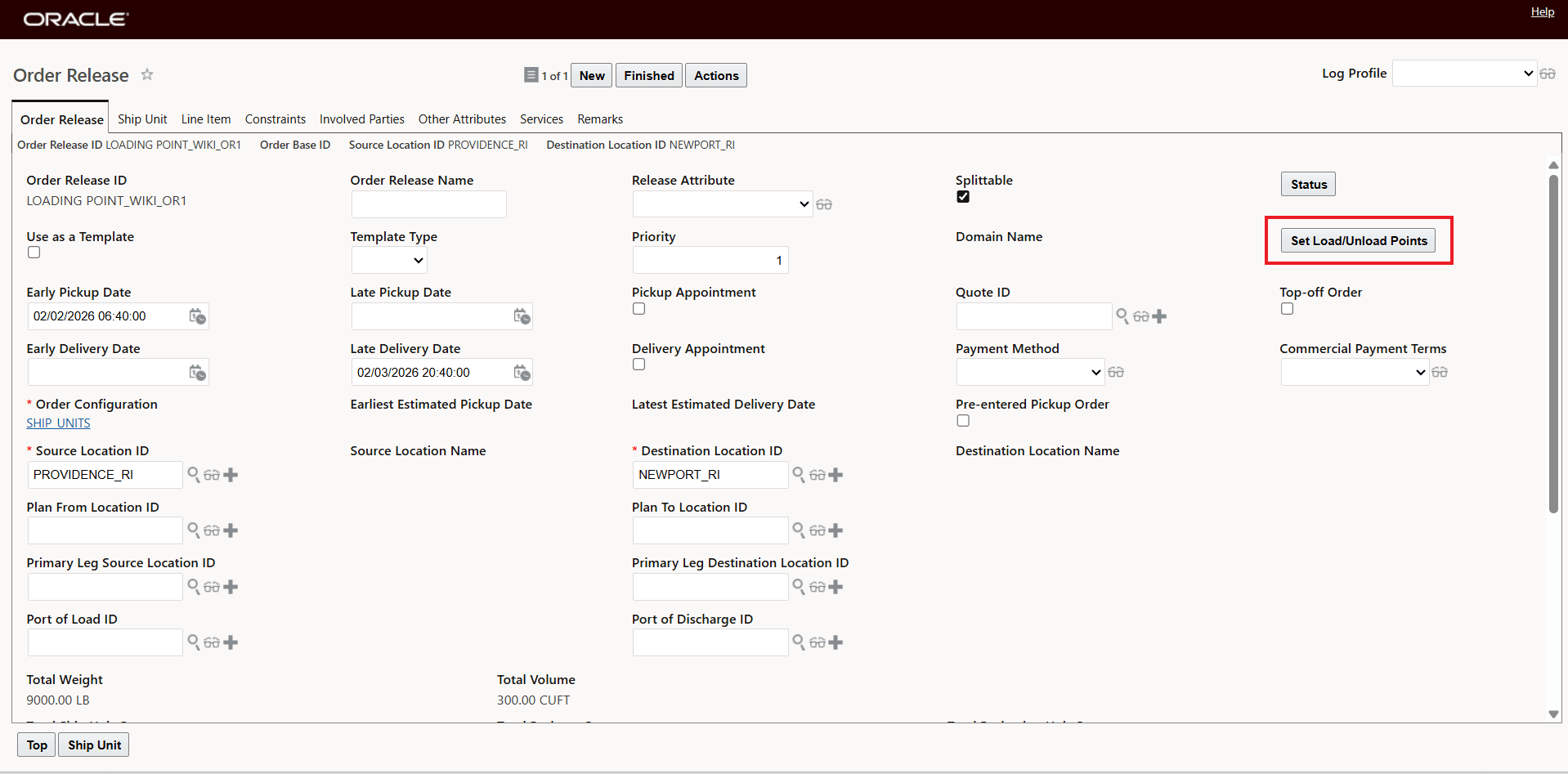
Order Release - Set Load/Unload Points
Using the order above as an example, the Load Point for the order release above is shown below - A1.
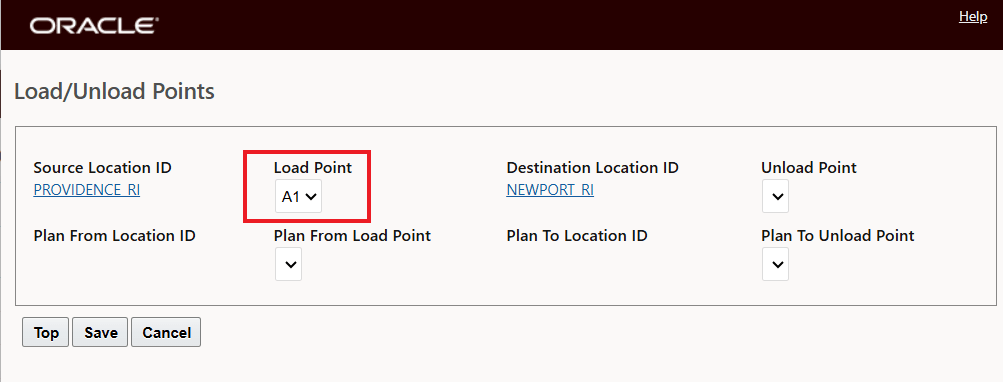
Load/Unload Points
The orders to be planned are below, the Load Points for the five orders are Order 1 - A1, Order2 - B1, Order3 - C1, Order4 - C1 and Order5 - D1. Given the capacity of the 53FT DRY VAN all five of the orders will be able to fit into one piece of equipment.
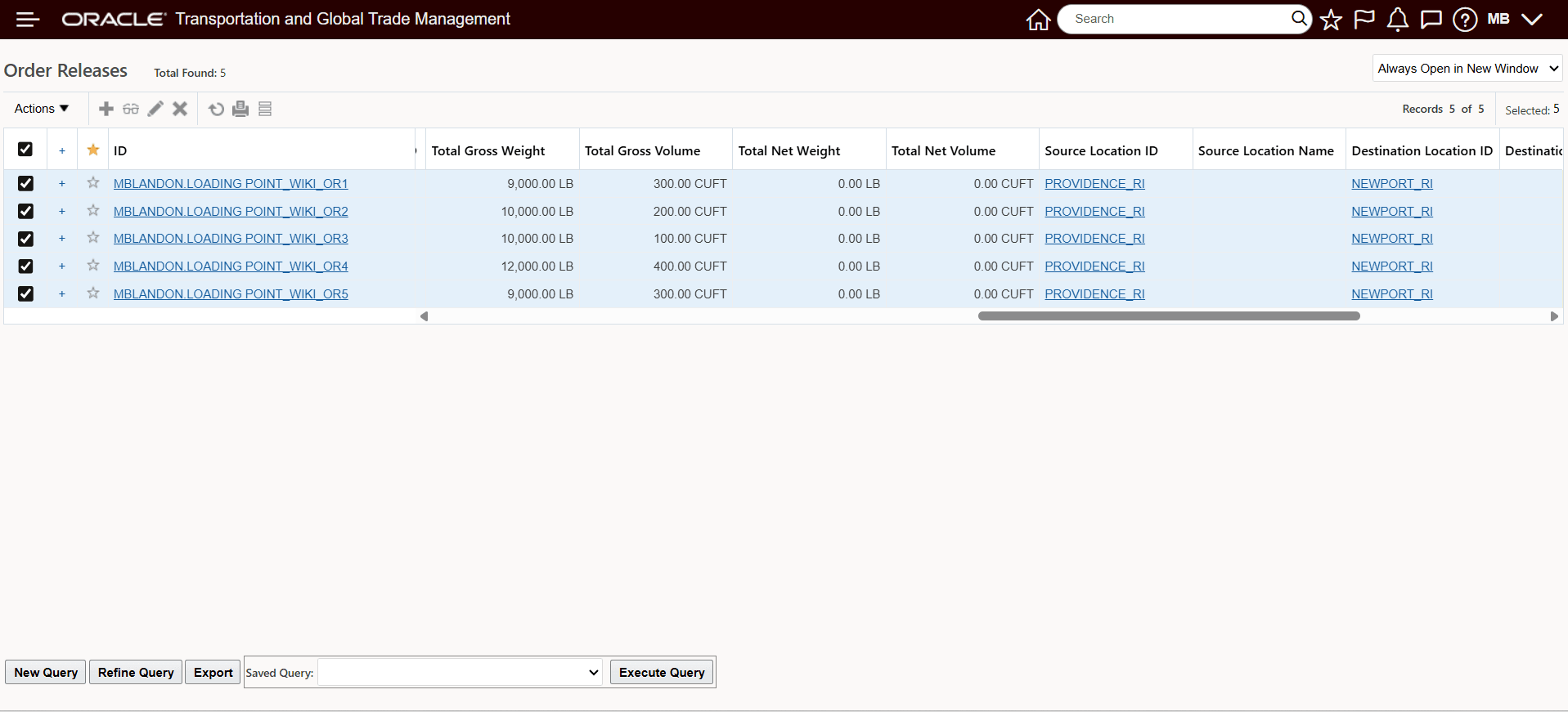
Order Releases
For the first run the parameter ... is set to False
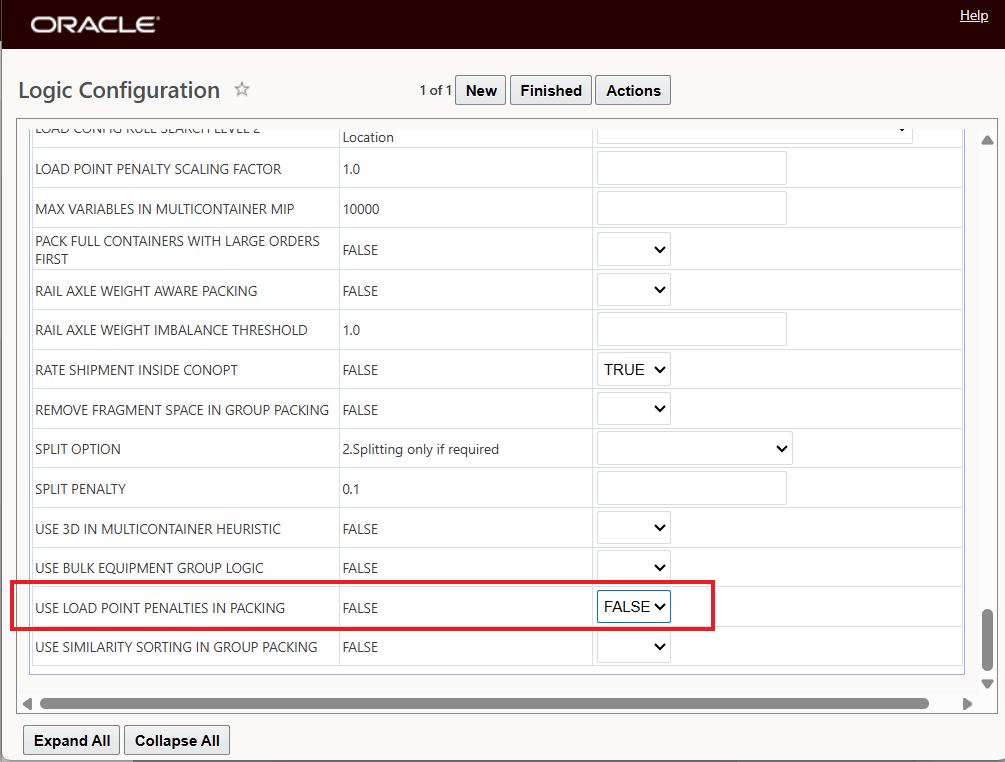
Parameter - Use Load Point Penalties In Packing - False
When the orders above are planned with the parameter set to false, all 5 orders are loaded into a single piece of equipment since the Load Point Penalties are not considered.
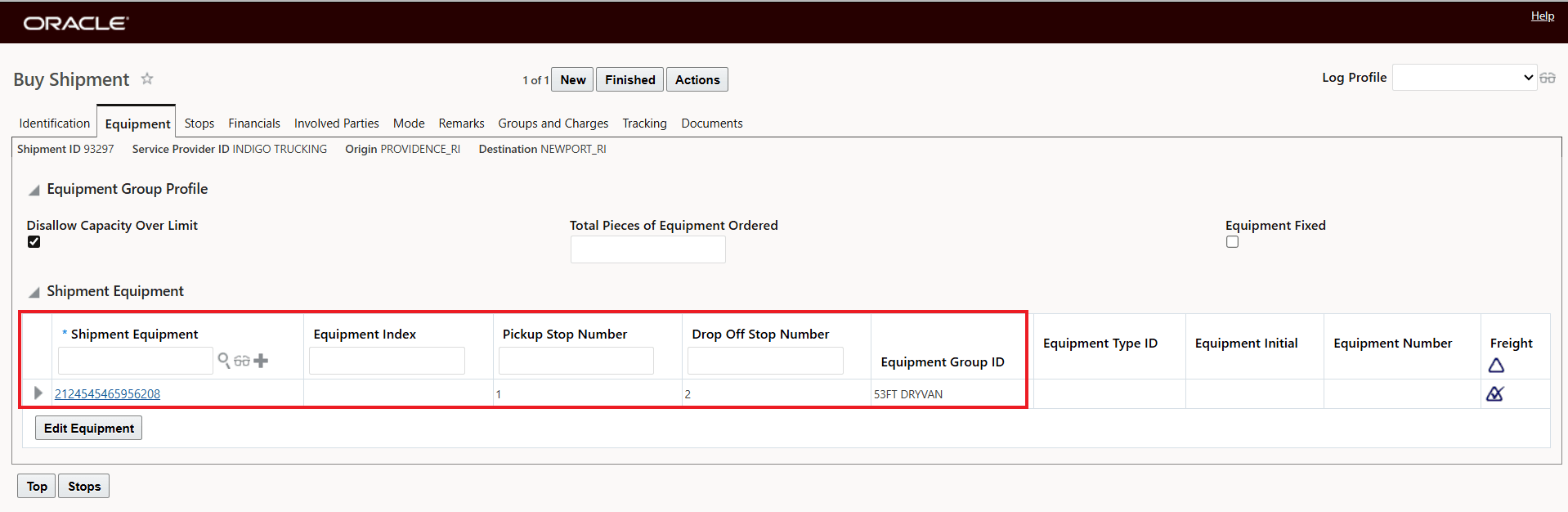
Ground Consol - All Five Orders In One Equipment
Below is a look at the ship unit level - one ship unit per order - all five loaded in one equipment.
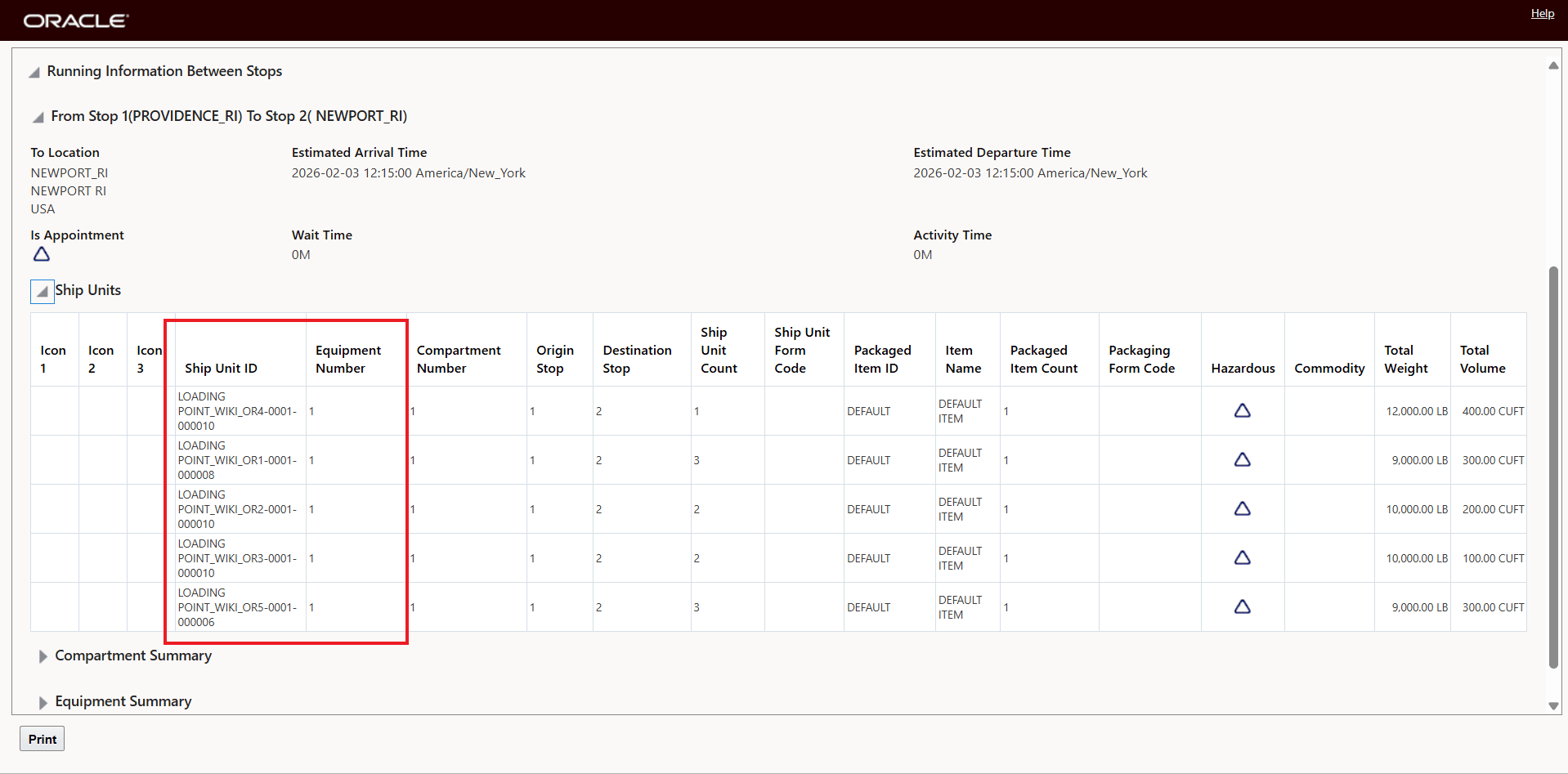
Ship Unit Level View
Re-running the same scenario as above with the Parameter - Use Load Point Penalties In Packing set to True - where the Load Point Penalty Matrix is considered, creates the solution below. In this case the penalties are taken into consideration and the consolidations of the orders in the two equipment used shows the impact of considering the loading penalty preference.
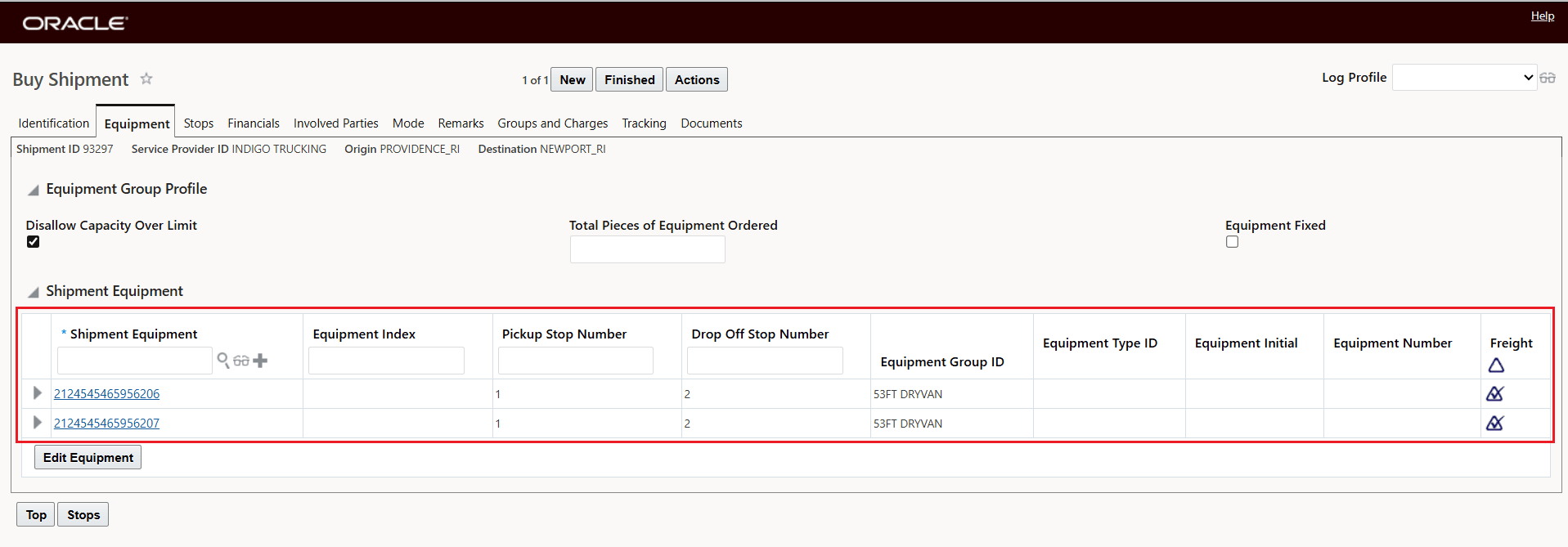
Ground Consol - Load Consolidation Shows Load Penalty Preferences
Considering the Load Penalty Matrix, the solution has now put Order3, Order4 and Order5 together in one of the available pieces of equipment and Order1 and Order2 together in another piece of equipment on the Consol.
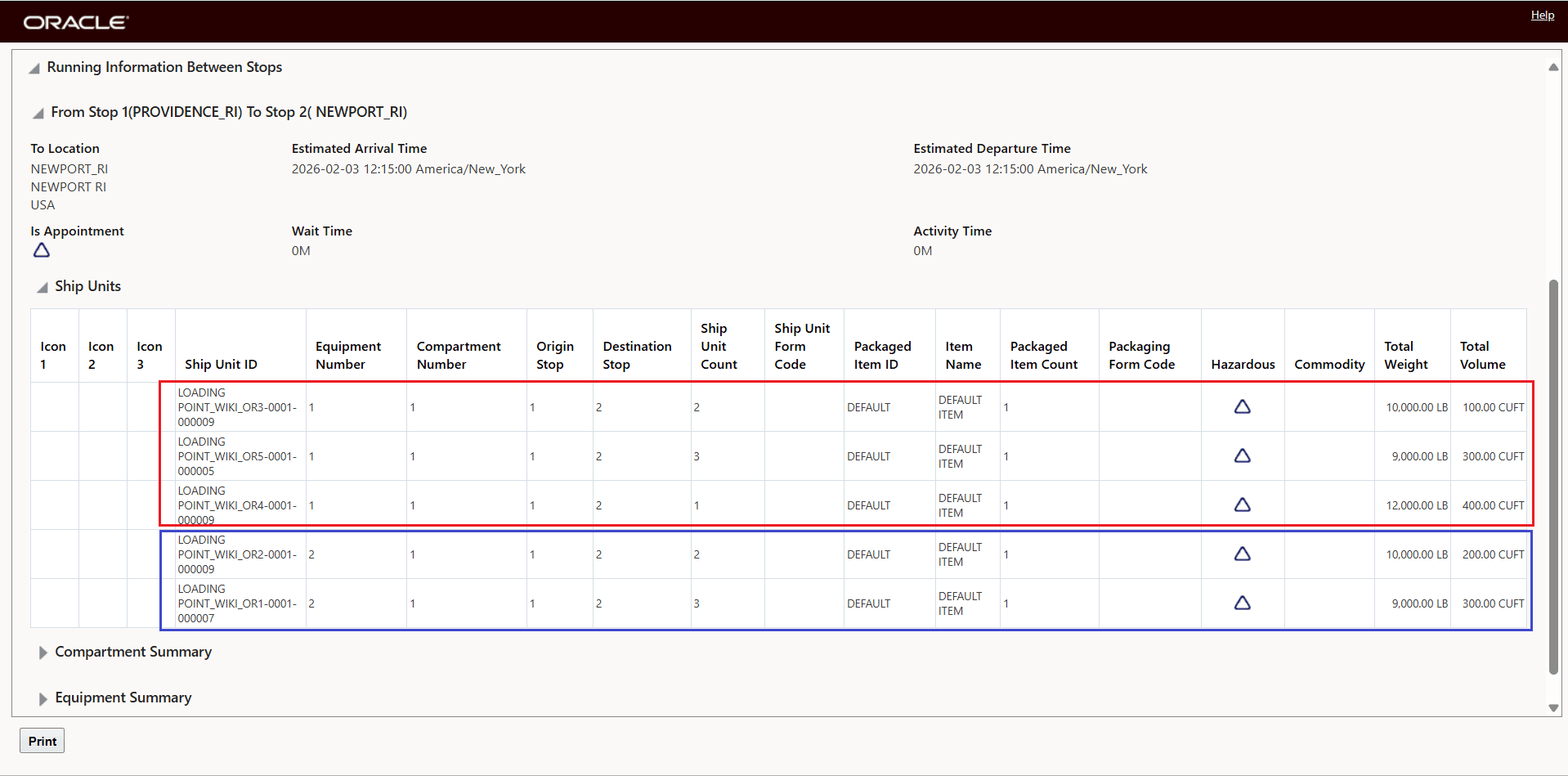
Ship Unit Level View Considering the Load Penalty Matrix
Business Benefit: For operations where the consideration of the Loading Point Penalty matrix is necessary to provide solutions that are operationally feasible and desirable, the inclusion of the Loading Point Penalty for Ground and Ocean FCL Consols will improve the solution quality of these consol shipments while eliminating decision support time previously spent on modifying shipment plans that did not consider the loading point penalties.
Steps to enable and configure
To take advantage of this feature the following prerequisites must be in place.
Load Point Penalty Matrix: Identification
- You will need to setup your Loading Point Penalty Matrix - navigate to Shipment Management > Power Data > Location> Load Point Penalty Matrix.
- The Load Point Penalty Matrix is used to help model how orders loaded at the same OTM location are consolidated, based on the different physical locations of those orders within the facility. These different physical locations are modeled using the Load Points defined on the location. The Load Point Penalties represent consolidation preferences, and OTM Container Optimization logic will use those preferences when consolidating orders onto shipments.
- You will need to set the Container Optimization Logic Parameter lUSE LOAD POINT PENALTIES IN PACKING to TRUE.
- You will need to setup either a Ground Consol or Ocean FCL Consol - navigate to Shipment Management > Group Management > Consols