 Bulk Secondary Charge Shipments Creation Action
This feature provides you with a Process Management action "Bulk Secondary Charge Shipments Creation" which allows you to create many secondary charge shipments at once. Unlike the UI action "Build Secondary Charge Shipments" , which deletes any existing secondary charge shipments before creating new ones, the Process Management action "Bulk Secondary Charge Shipments Creation" retains all existing secondary charge shipments, unless they match the same rule as the new ones, in which case the existing secondary charge shipments will be replaced. The ability to both retain previously created secondary charge shipments and add additional secondary charge shipments based on the secondary charge shipment rule will simplify period-end financial processing.
To run the "Bulk Secondary Charge Shipments Creation" action navigate to Shipment Management > Process Management > Bulk Secondary Charge Shipments Creation. Select a Perspective (Buy or Sell; Buy is the default) and then select Go as shown below.
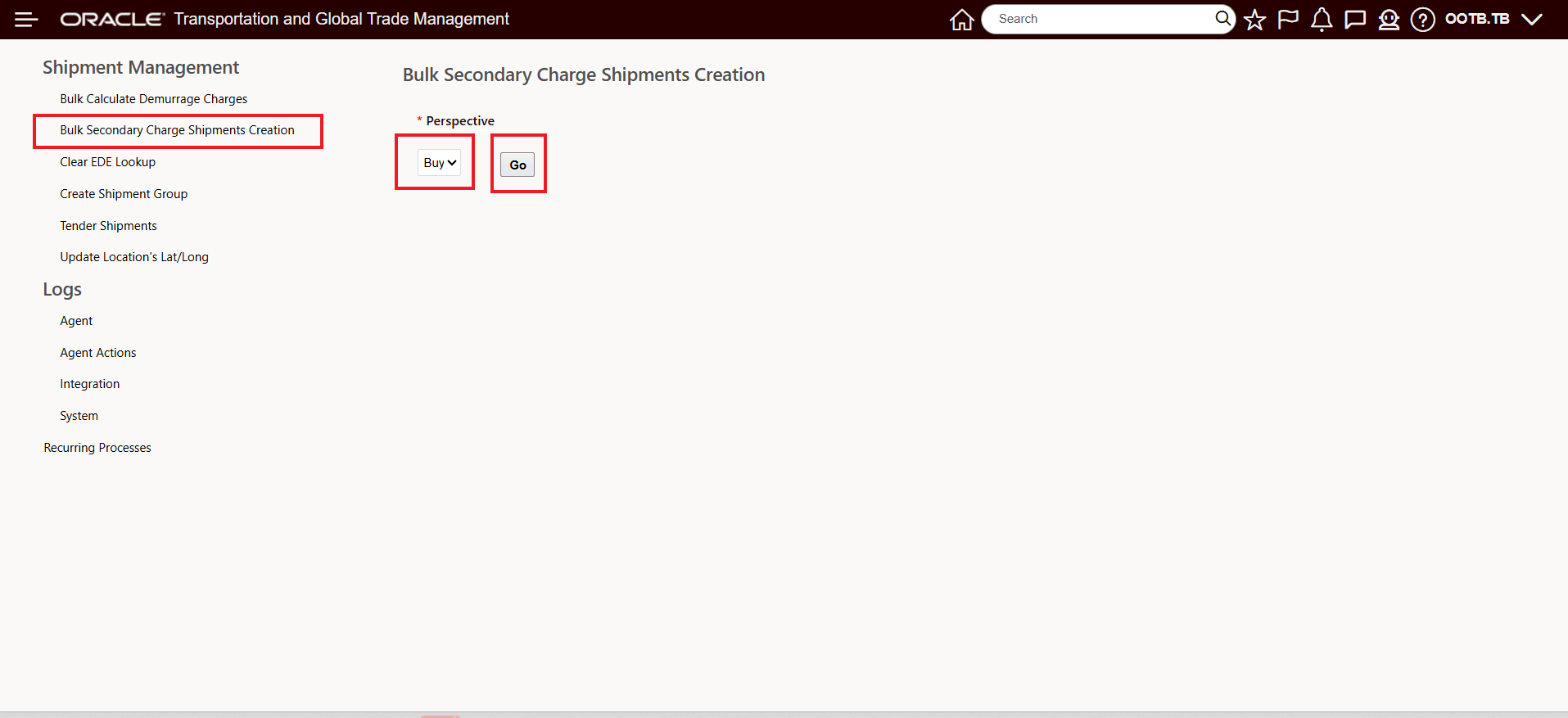
Process Management - Bulk Secondary Charge Shipment Creation
After selecting the Perspective and clicking Go the action input UI is provided, as shown below.
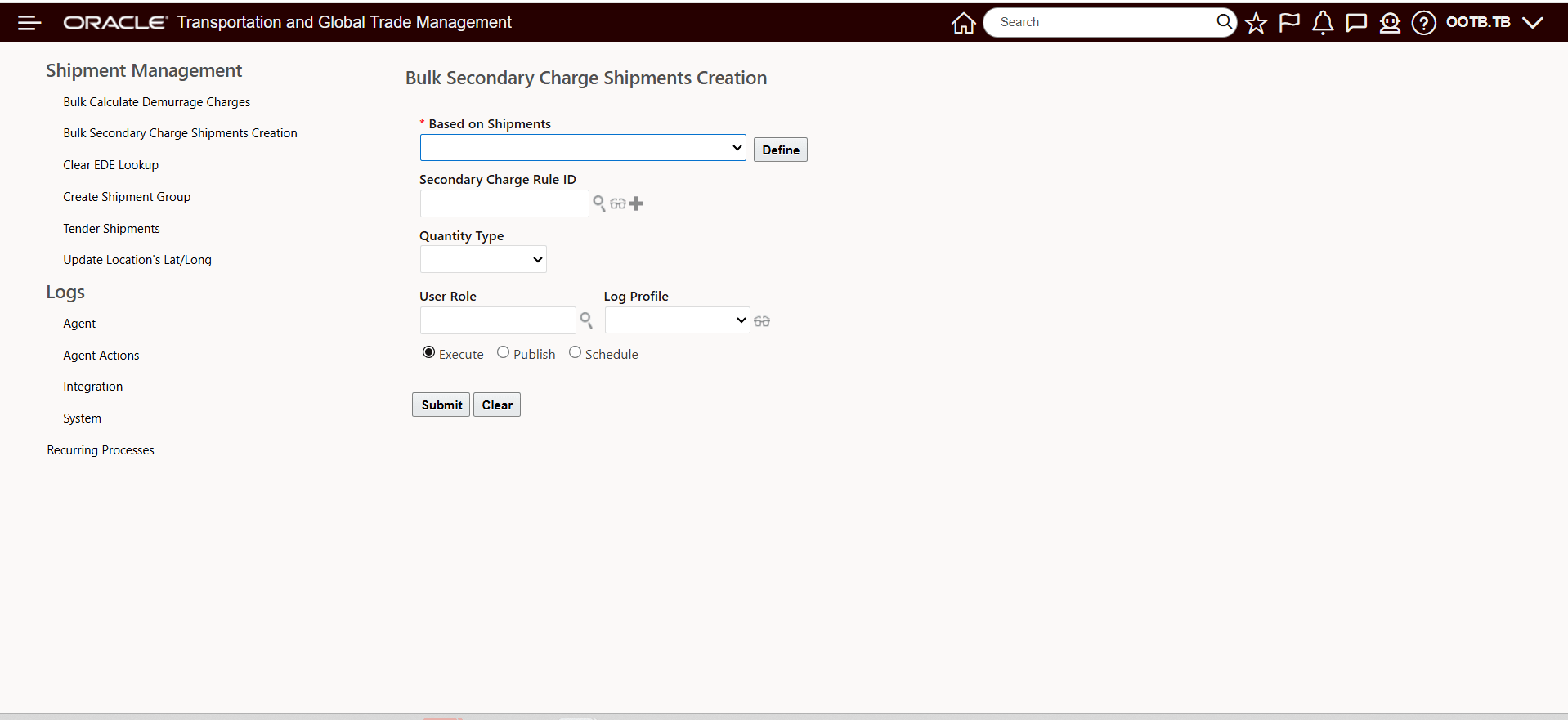
Process Management - Bulk Secondary Charge Shipment Creation Action Inputs
Action inputs include the following:
- Based on Shipments - You are required to select a Shipment Saved Query from the drop down that will identify the shipments you want to process.
- Then you will need to select either the desired Secondary Charge Rule ID, or Quantity Type:
- For Secondary Charge Rule ID:
- The application will create secondary charge shipments for all the secondary charge rules configured in the Secondary Charge Rule Profile for all shipments included in the saved query.
- If any shipment already has secondary charge shipments with the same rule, those existing records will be deleted and replaced with new ones. Any secondary charge shipments with other rules will remain unchanged.
- For Quantity Type:
- The application will identify and use all secondary charge rules that match the selected quantity type selected from the dropdown - All, Picked Up, Planned, Planned Picked Up, Planned Received, Received.
- Secondary charge shipments will be created based on these rules that are identified as per the quantity type selected.
- If shipments already have secondary charge shipments for these rules, those will be deleted and replaced. Others will remain unchanged.
- For Secondary Charge Rule ID:
- User Role, Log Profile, Execute, Publish and Schedule are standard Process Management inputs.
- When complete - Submit the action to create the secondary charge shipments.
Business Benefit: This enhancement speeds up bulk secondary charge processing while reducing manual rework by preserving existing charge records and only refreshing the applicable ones. It improves billing accuracy and operational efficiency, especially during high-volume periods like month-end close.
Steps to enable and configure
You don't need to do anything to enable this feature.