 Open Tender - Service Provider Bid Increase Check
This feature provides you with a new property which when configured will disallow your Service Providers from entering subsequent bids for an Open Tender (Spot Bid Tender and Broadcast Tender) that is higher than their previously submitted bid.
When the property glog.webserver.opentender.validateBidIncrease is set to true the application will not allow the Service Provider to enter a bid that is greater than their last bid.
In the example below, the property glog.webserver.opentender.validateBidIncrease is set to true. When the Service Provider attempts to enter a bid higher than their initial bid of 472 USD, the attempt to enter a higher bid results in an error message being displayed and the higher bid amount not being accepted.
Initially the Service Provider enters a bid of 472 USD - as shown below.
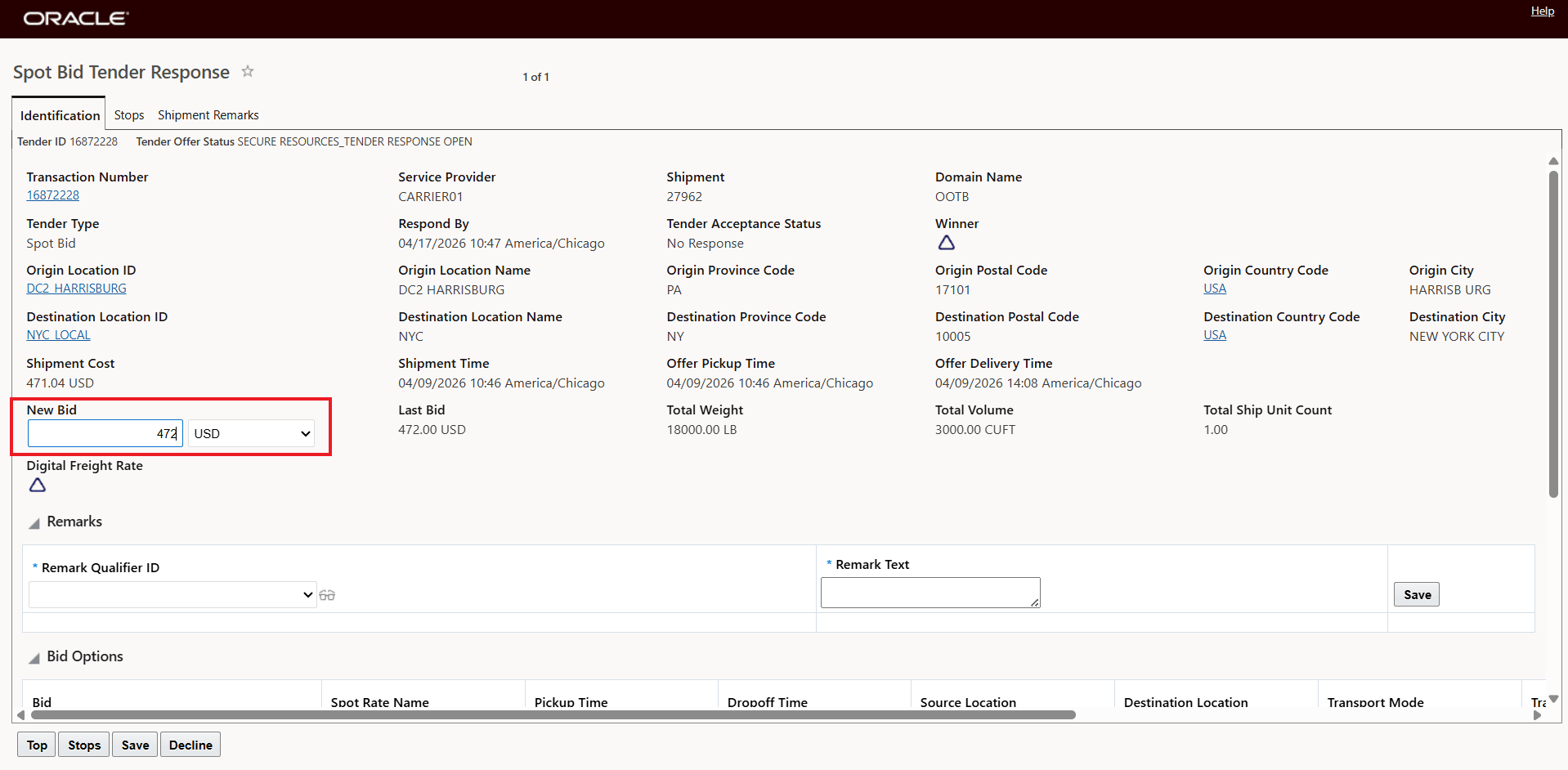
Initial Bid Entry
The Service Provider then attempts to enter a subsequent bid of 500 USD - which is higher than their initial bid entry of 472 USD, when the Service Provider attempts to save the bid for 500 USD the warning below is shown and the new higher bid is not accepted.
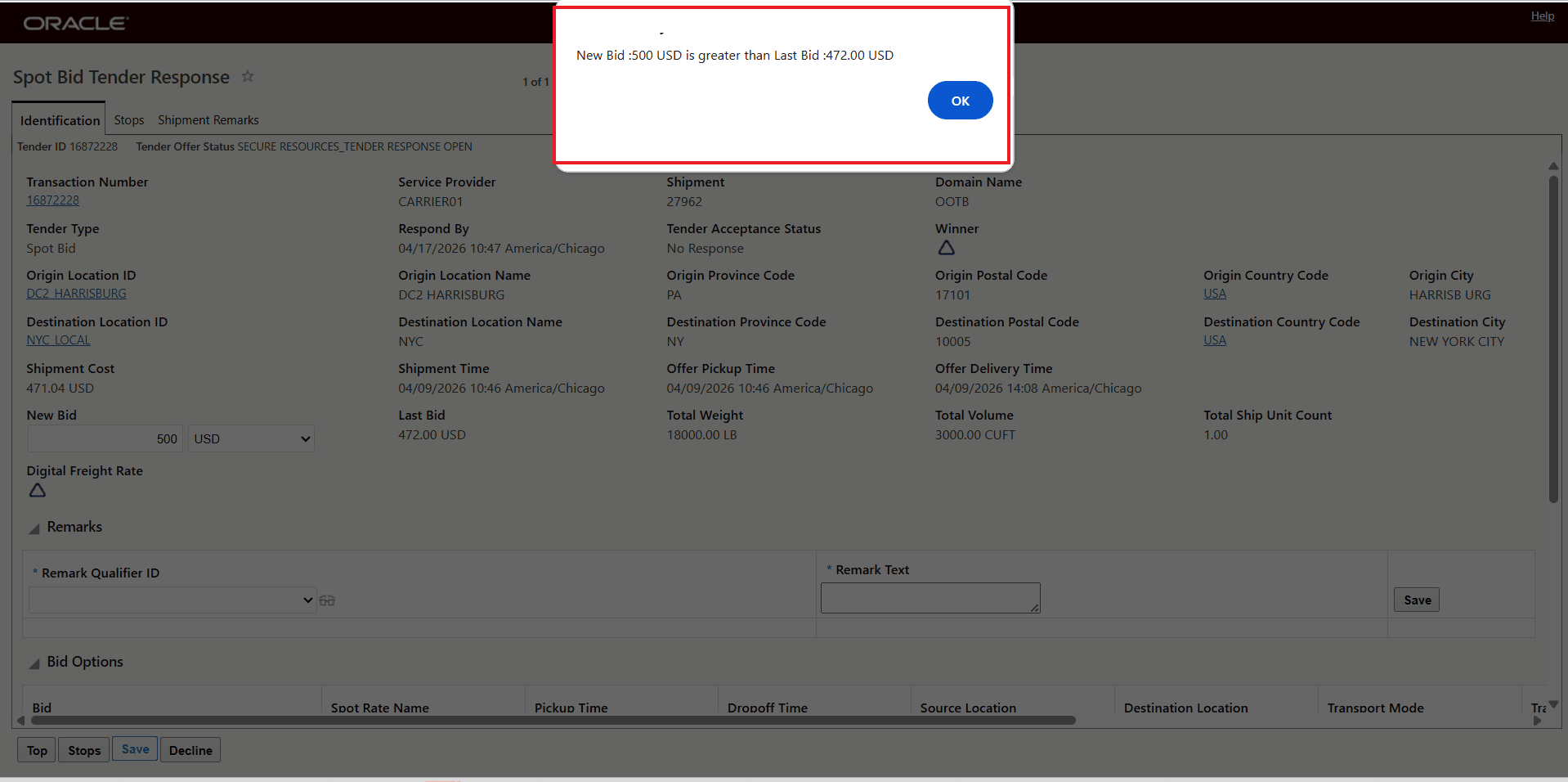
Higher Bid Entered - Warning Message
When the property is set to the default value of false, the higher bid of 500 USD is accepted - as shown below.
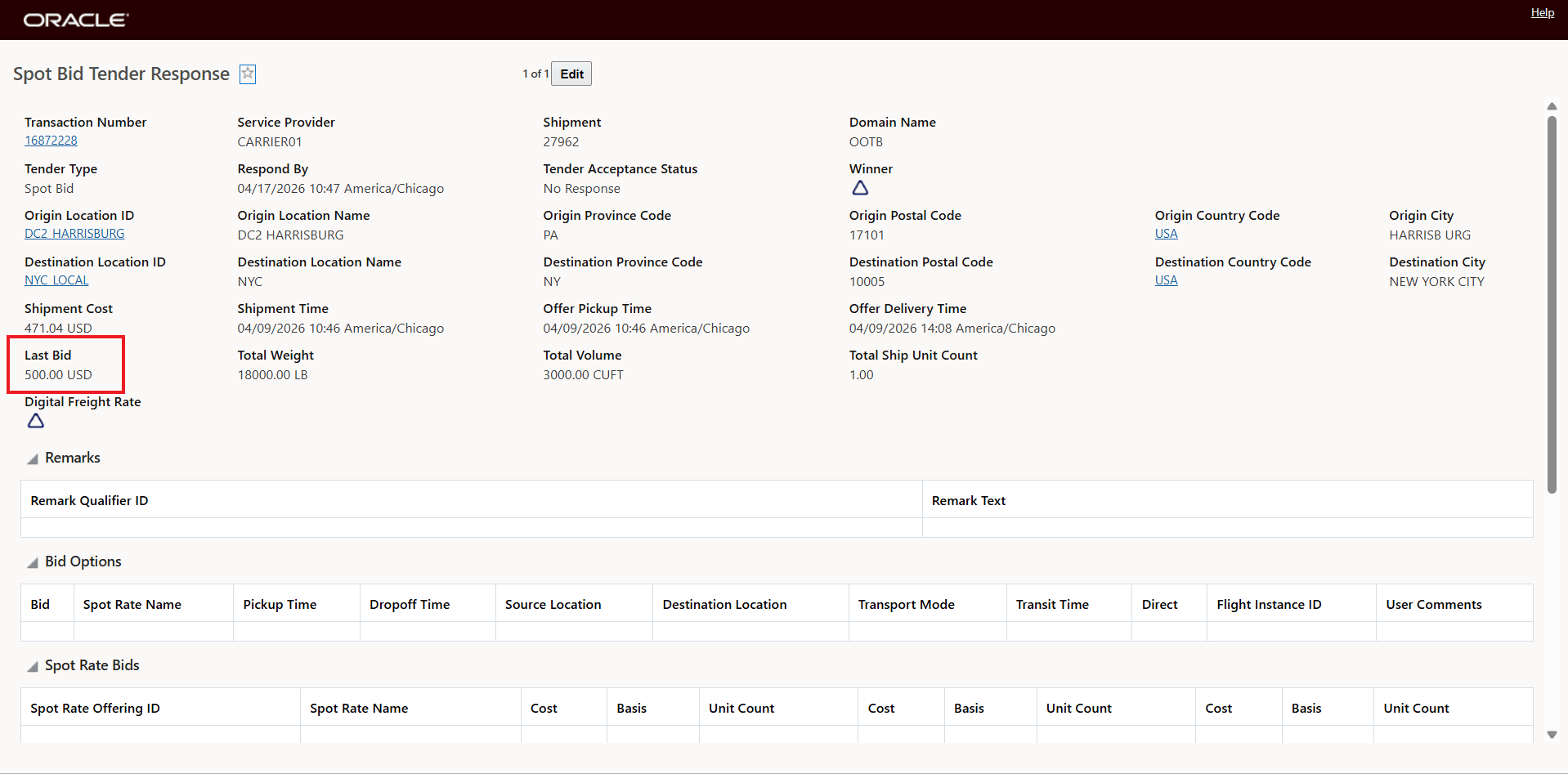
Property Set to Default = false - Hight Bid Accepted
Business Benefit: This feature allows you to enforce a rule that ensures that New Bids submitted by a Service Provider are lower than their Last Bid. By enabling this control, you setup a bidding process where bids move in a decreasing direction—eliminating the need to spend time checking if newly entered bids are less than previously entered bids.
Steps to enable and configure
If you wish to change the default value for the property glog.webserver.opentender.validateBidIncrease you will need to do the following:
Navigate to Configuration and Administration > Property Management > Property Sets.
NOTE: Only the DBA.ADMIN user can access and use the Property Sets page.
glog.webserver.opentender.validateBidIncrease set the property to the desired value true or false - by default the property is set to false
- Default setting. Existing behavior - entered bid values are not validated against the previous values.
- ?When the property is set to true the Service Provider's new bids will be validated against the previous bid value and the value entered for the new bid must be lower than the last bid. If the new bid is greater than the previous bid an alert will be provided, and the new bid will not be accepted.
Tips and considerations
When the property glog.webserver.opentender.validateBidIncrease is set to true the Service Provider's subsequent bids must be lower than their last bid. The validation logic is as follows:
- For Online Booking/Tendering screens, if the currency of the new bid differs from the last bid, the application will display an error message and reject the bid.
If the currency of the new bid is same as that of the last bid, but the new bid is greater than the last one, then the application will display an alert and prevent submission. - For the Spot Bid screen, validation will take place at the time of saving the data.
If the property is set to false, the Service Provider is allowed to enter new bids that are higher than the last bid. The default: is false -the previous behavior.
There is a previously provided property (from 21C) glog.webserver.opentender.validateLastBid which supports the opposite scenario - when this property is set to true, the Service Provider's subsequent bids must be higher than the last bid for their open tenders.
In the example below, both of the properties are set to true as shown below.
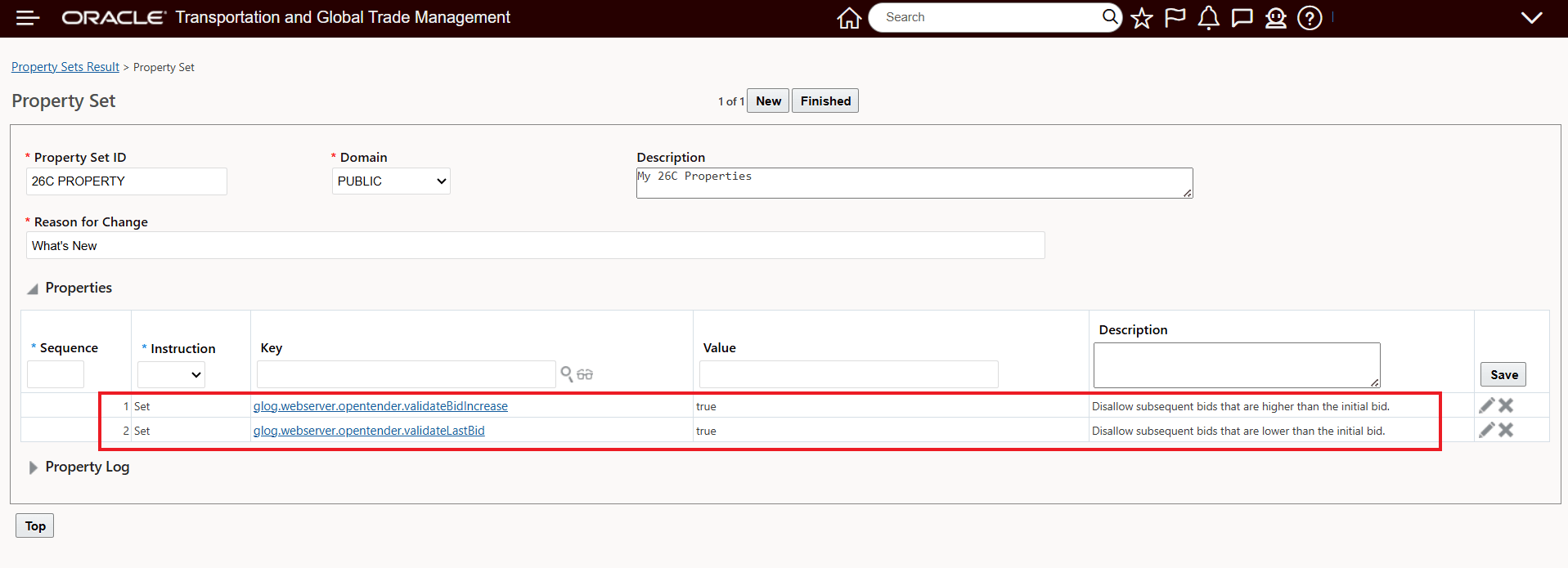
Single Bid Entry Setup
With the setup above, for your Open Tenders, the Service Provider will only be able to enter one bid/their best and final bid for the Shipment.
In the example below, the Service Provider enters their initial/only bid for the shipment of 500 USD. Note that this example is being shown in the Online Booking/Tendering screen - the bid is being entered using the property glog.webserver.opentender.validateLastBid was designed to work in this UI.
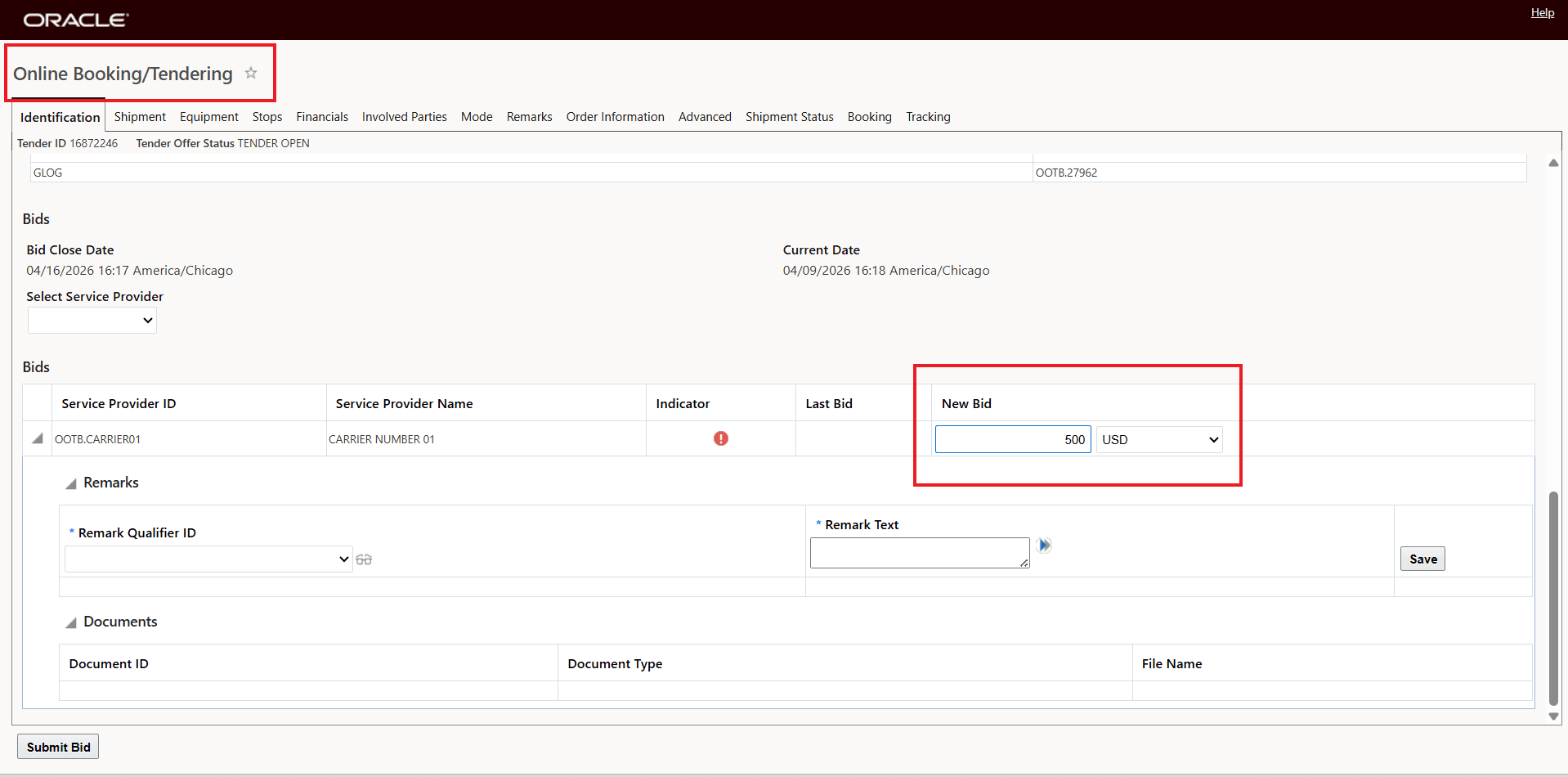
Initial Bid Entered - 500 USD
When the Service Provider attempts to enter a new bid that is higher (600 USD) the bid is not allowed, as shown below. This is disallowed by the property glog.webserver.opentender.validateBidIncrease set to true
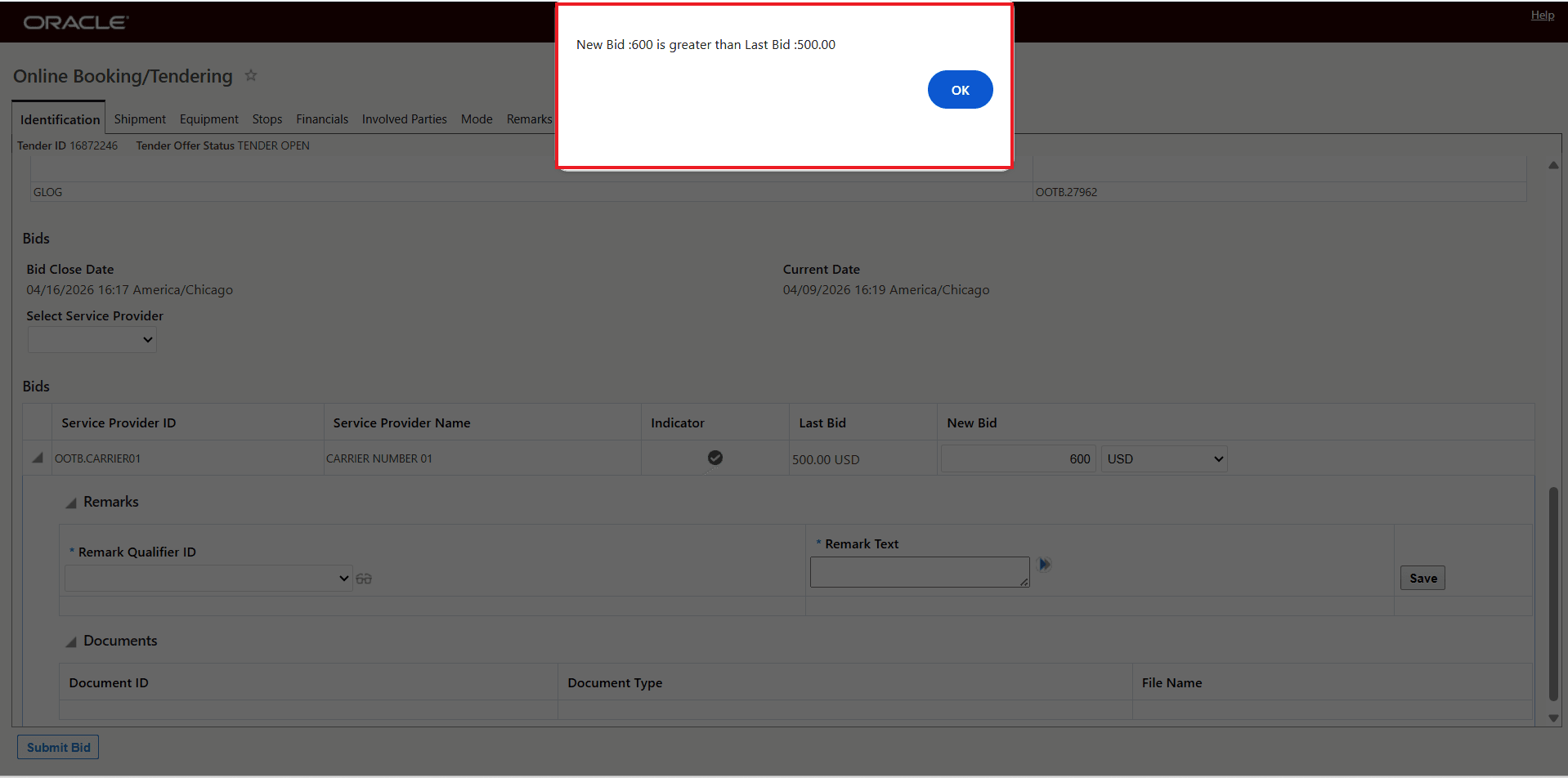
New Higher Bid Not Allowed
When the Service Provider attempts to enter a new bid that is lower (475 USD) the bid is not allowed, as shown below. This is disallowed by the property glog.webserver.opentender.validateLastBid set to true
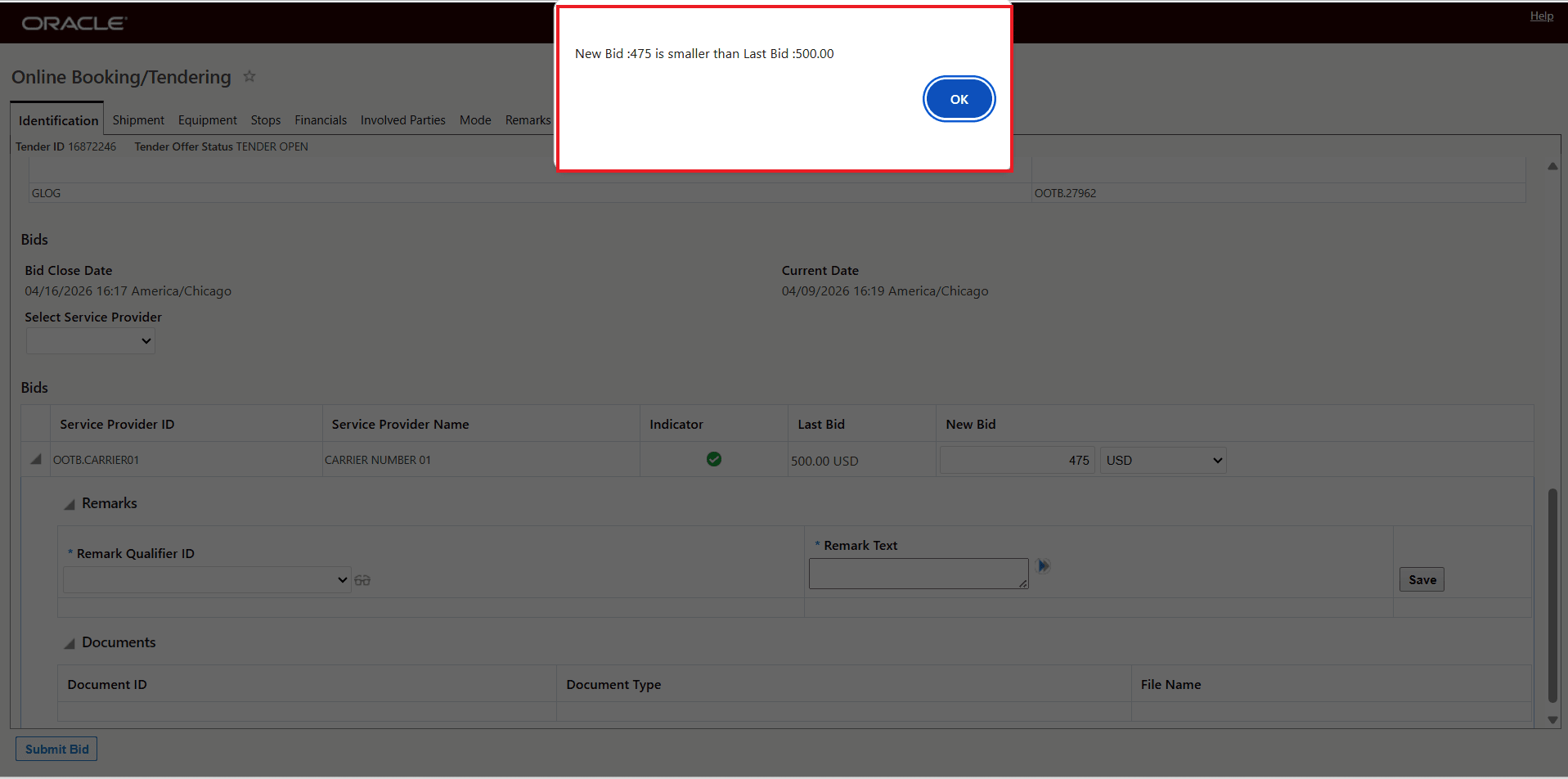
New Lower Bid Not Allowed