 Transportation Operational Intelligence (TOI) Event Lat/Long
This feature extends the Transportation Operational Intelligence (TOI) Shipment Tracking Event Dimension folder to include Event Latitude and Event Longitude data. By exposing tracking event latitude and longitude coordinates directly in the reporting structure, you can more easily support map-based visualizations, geographic trend analysis, and location-aware operational reporting.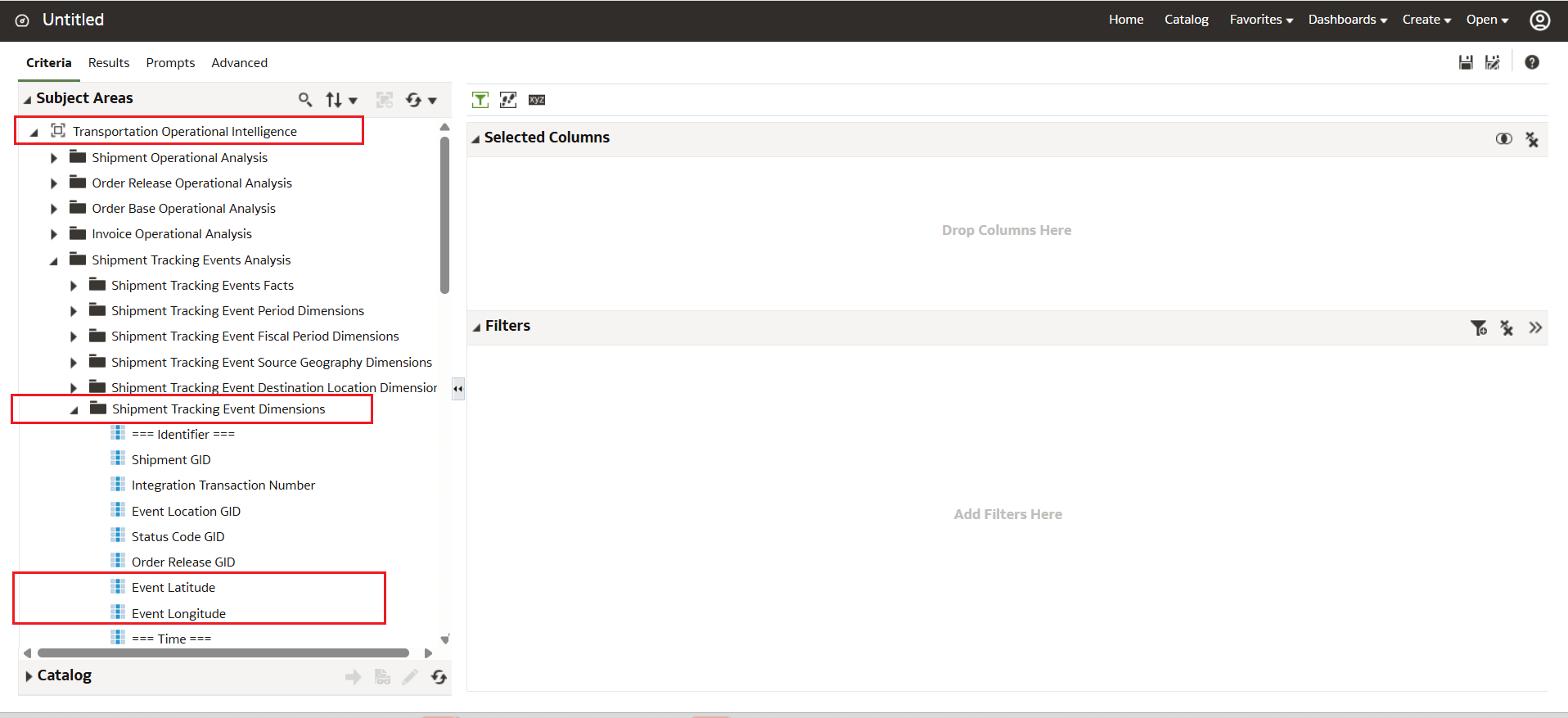
Event Latitude and Longitude Fields
Business Benefit: This feature helps you improve shipment visibility and geographic reporting by making location coordinate data readily available within shipment tracking analytics.
Key benefits include:
- Reduced manual effort when building location-based reports
- Improved operational visibility through geographic analysis
- Easier integration with mapping and visualization tools
- Better support for route monitoring and shipment event tracking
Steps to enable and configure
- Navigate to the TOI reporting or analytics area where Shipment Tracking Event Dimensions are available.
- Open the Shipment Tracking Event Dimensions folder within your reporting subject area.
- Locate the new fields:
- Event Latitude
- Event Longitude
- Add these fields to existing or new reports, dashboards, or analytics views as needed.
- Use the fields for:
- Geographic filtering
- Map visualizations
- Regional shipment analysis
- Location-based operational reporting
Tips and considerations
- Latitude and Longitude values are only available when geographic coordinate data exists for the shipment tracking event.
- Reports or dashboards using mapping visualizations may require compatible analytics or third-party visualization tools.
- Consider combining coordinate fields with shipment status, event timestamps, carrier, or location dimensions for more meaningful operational insights.
- Geographic precision depends on the quality and availability of the underlying shipment event data.
- Existing reports are not automatically updated to include the new fields. You must manually add them to custom analytics or dashboards.