 Order Releases for Shipment Stop - Public Saved Query
This feature provides you with a PUBLIC saved query ORDER RELEASES FOR SHIPMENT STOP that you can use to configure an Enhanced Workbench to show the Order Release(s) related to a Shipment Stop.
In the example below, the shipment has five order releases that are all picked up at the first stop (Seattle), there are two order releases being delivered in Orlando, the second stop and then three order releases being delivered at Naples, the third stop.
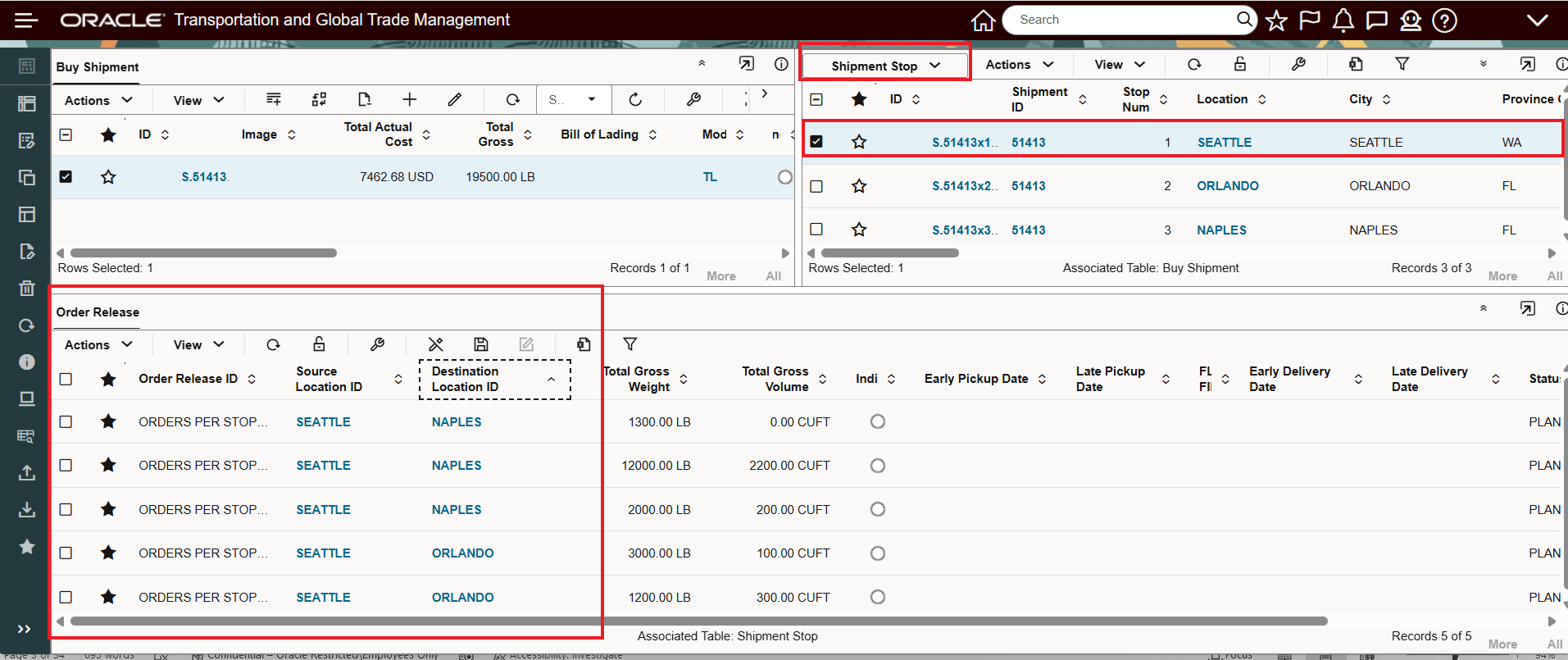
Order Releases For Shipment Stop - Saved Query Example - Stop 1 Pickup
Selecting the second stop, Orlando, limits the order releases shown to only the two orders being delivered at the Orlando stop.
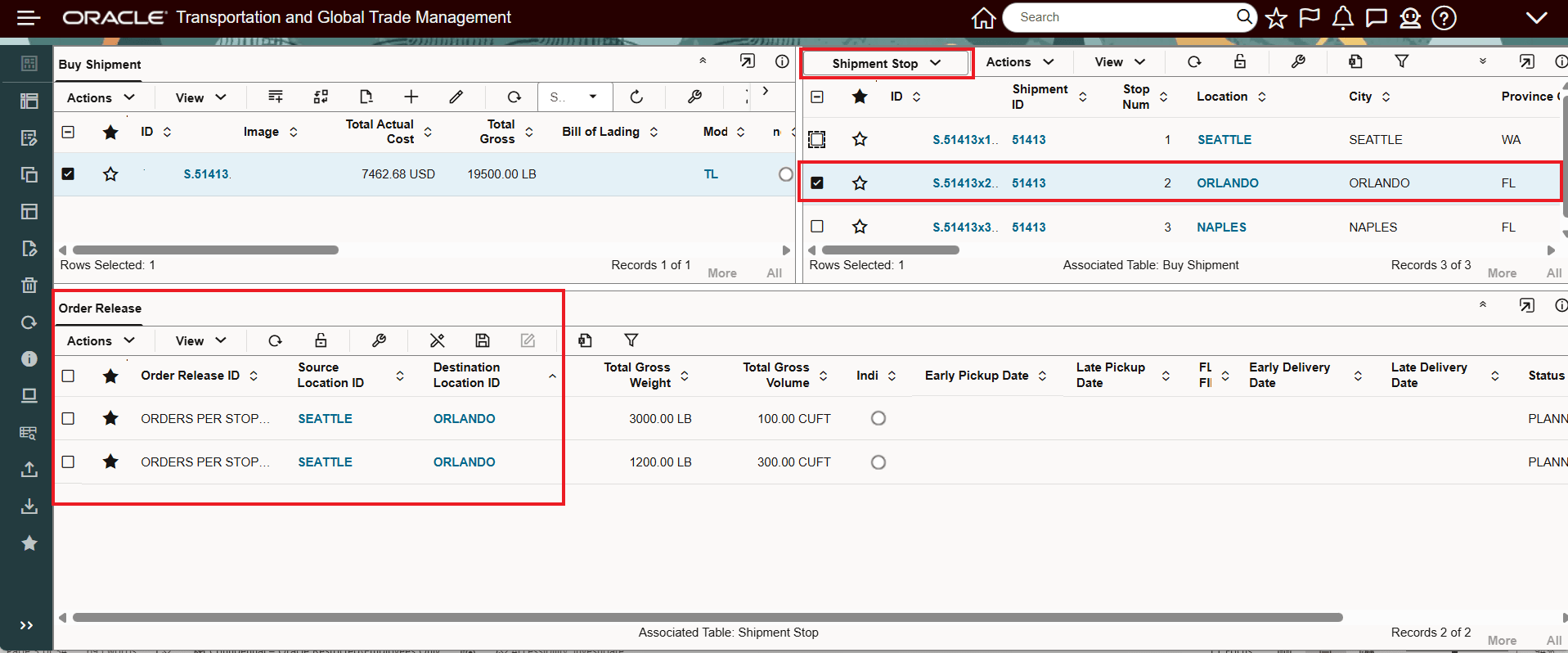
Selecting the third stop, Naples, limits the order releases shown to only the three orders being delivered at the Naples stop.
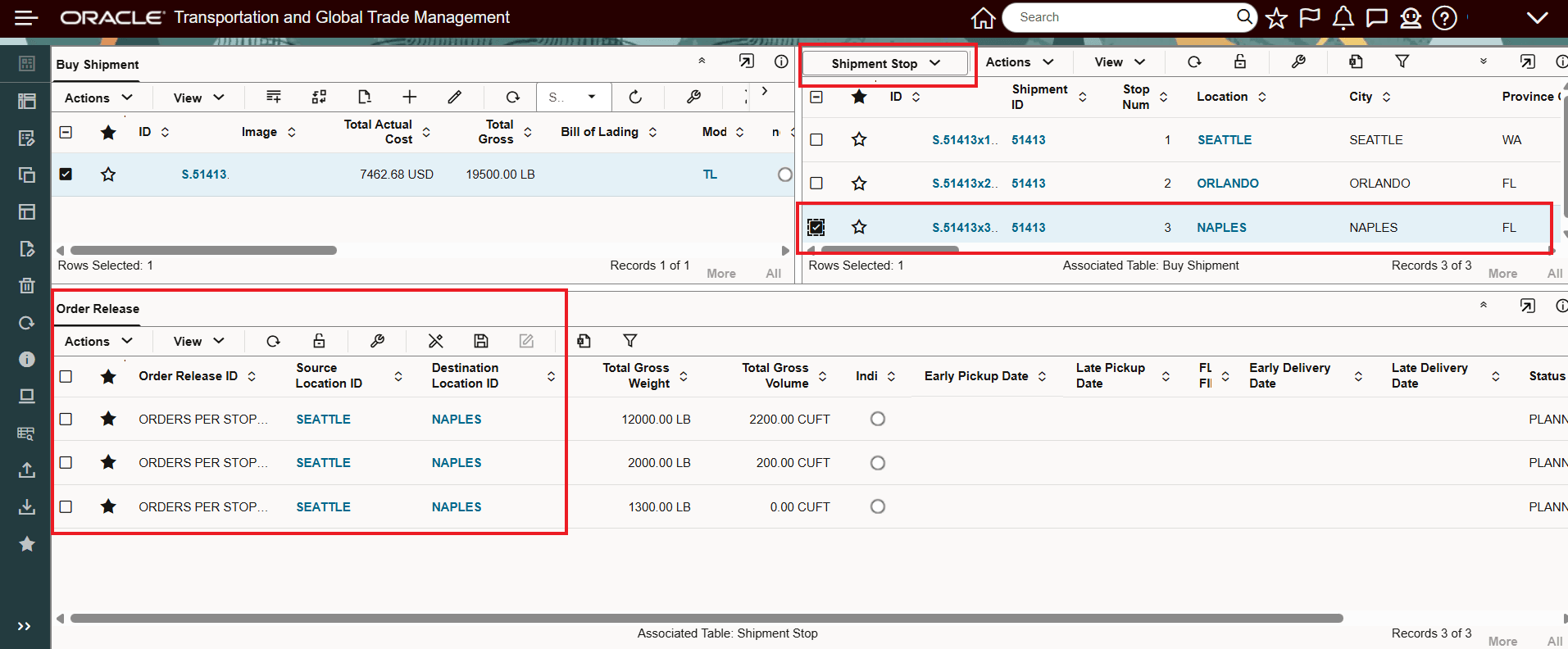
Order Releases For Shipment Stop - Saved Query Example - Stop 3 Delivery
Business Benefit: This usability feature simplifies the steps required to configure an Enhanced Workbench to show the Order Releases related to a Shipment Stop.
Steps to enable and configure
To take advantage of this feature you will need to either modify an existing Enhanced Workbench or create a new Enhanced Workbench to take advantage of the PUBLIC saved query.
The assumed setup is an Enhanced Workbench with Shipments, Shipment Stops and Order Releases. With the Shipment and Shipment Stops tables configured, the sample setup for the Order Release table is provided below.
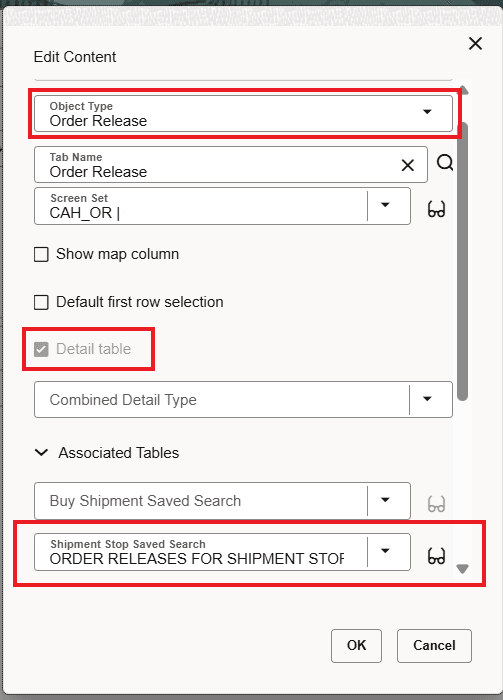
Order Release Table Configuration With Order Release For Shipment Stop Saved Query