Inline Edit Always Shows External ID (XID)
This feature changes the behavior for the Enhanced Workbench Inline Edit so that the External ID (XID) is now always shown. Previously, the option to switch from the Global Identifier (GID) to the External Identifier (XID) was controlled using the Logic Configuration Parameter SHOW XID IN INLINE EDIT. With this enhancement, you no longer need to configure your Enhanced Workbenches to show the XID, showing the XID is now the only supported behavior.
With this improvement, the Logic Configuration Parameter SHOW XID IN INLINE EDIT is no longer considered and will be removed in a future release.
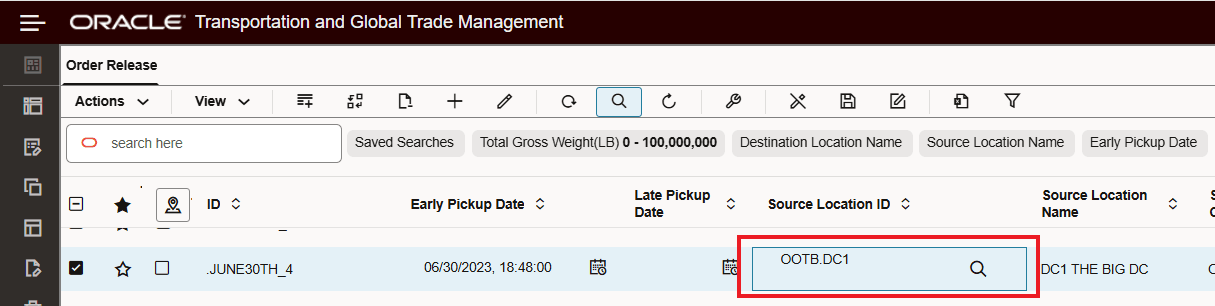
When you initiate an Inline Edit, the value shown for the current value will always show the External ID (XID) as shown below.

XID Only
In previous versions, the default behavior was to show the starting ID value as a Global Identifier (GID) as shown below. This option is no longer supported, the value will only be displayed as a XID.
No Longer Supported - GID Default With Option to Show XID
Business Benefit: This feature allows you to work more efficiently by always displaying the recognizable business identifiers (XID) instead of displaying the global identifier (GID) for your records when performing Inline Editing or Mass Update..
Steps to enable and configure
You don't need to do anything to enable this feature.
Tips and considerations
Note: With this enhancement, the option of showing the Global Identifier (GID) is no longer available, only the External ID (XID) will be shown.
The Logic Configuration Parameter SHOW XID IN INLINE EDIT is no longer considered and will be removed in a future release.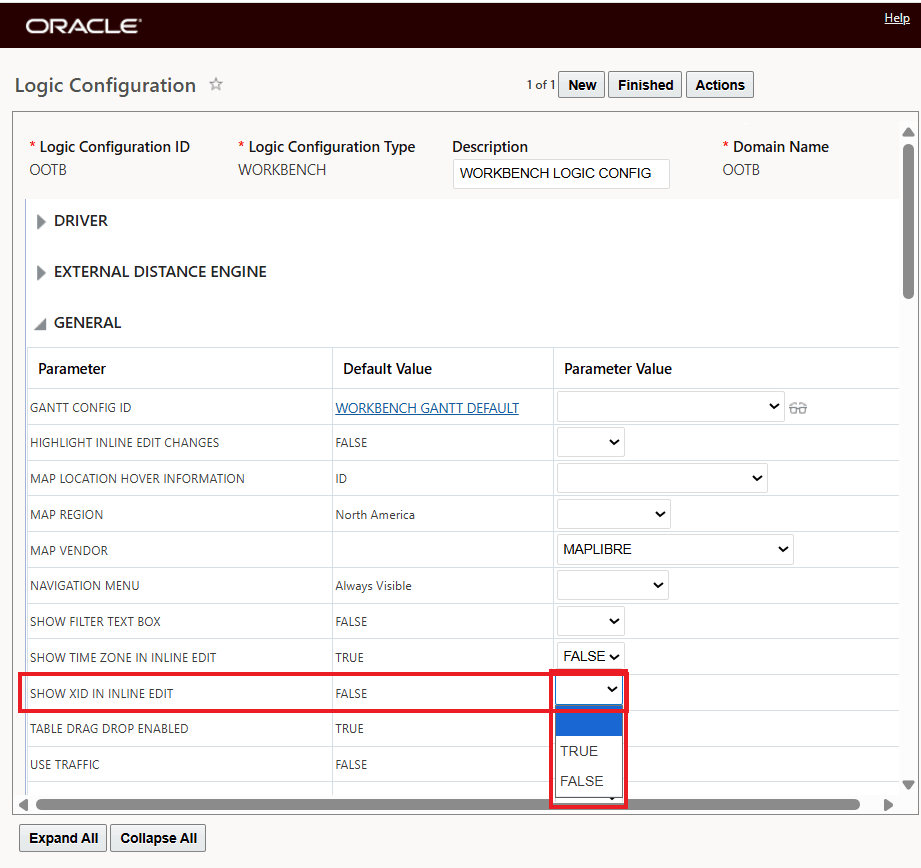
No Longer Considered Logic Configuration Parameter