 Single Transaction Option for Workbench Inline Editing and Mass Updates
This feature introduces a new logic configuration parameter that gives you greater control over how Inline Edits and Mass Updates are processed in Workbench detail tables. With this enhancement, you can choose to save all updates as a single transaction, helping reduce duplicate parent-level notifications and minimizing unnecessary downstream processing.
Previously, when records in Workbench detail tables were updated through Inline Edit or Mass Update, MOD events were triggered for each affected record. In cases where parent record notifications were enabled, this also resulted in multiple parent-level MOD events being triggered. This feature helps address that issue by allowing updates to be consolidated into a single transaction.
The logic configuration parameter provided is 'USE SINGLE TRANSACTION FOR DETAIL TABLE UPDATES'. This parameter controls the transaction scope for Workbench Inline Editing and Mass Update in detail tables.
- The default for the parameter is FALSE, which matches the previous behavior. When set to FALSE - each updated record is persisted in separate database transaction, multiple parent MOD events are triggered - one for each record, only the failed records are rolled back.
- The new behavior - when the 'USE SINGLE TRANSACTION FOR DETAIL TABLE UPDATES' is set to TRUE all of the updated records will be persisted in a single database transaction, only one parent MOD event is triggered per save, if any records fails to save or fails post-action checks, the entire operation is rolled back; and no records are committed.
Business Benefit: This feature reduces duplicate notifications, and repeated automation processing when updating multiple detail records in Workbench using Inline Edit and/or Mass Update..
Key business benefits include:
- Reduces repeated execution of agents and integrations for the same parent object
- Minimizes partial-update scenarios when all records must succeed together
- Provides your flexibility to choose the best processing model for your implementation.
Steps to enable and configure
- Navigate to the Logic Configuration Parameters area in your application configuration settings.
- Shipment Management > Power Data > General > Logic Configuration
- Master Data > Power Data > Configurations > Logic Configurations
- Locate the parameter in the General section:
- USE SINGLE TRANSACTION FOR DETAIL TABLE UPDATES
- Set the parameter based on your preferred processing behavior:
- TRUE
New behavior - All edited records are processed in a single transaction.
- TRUE
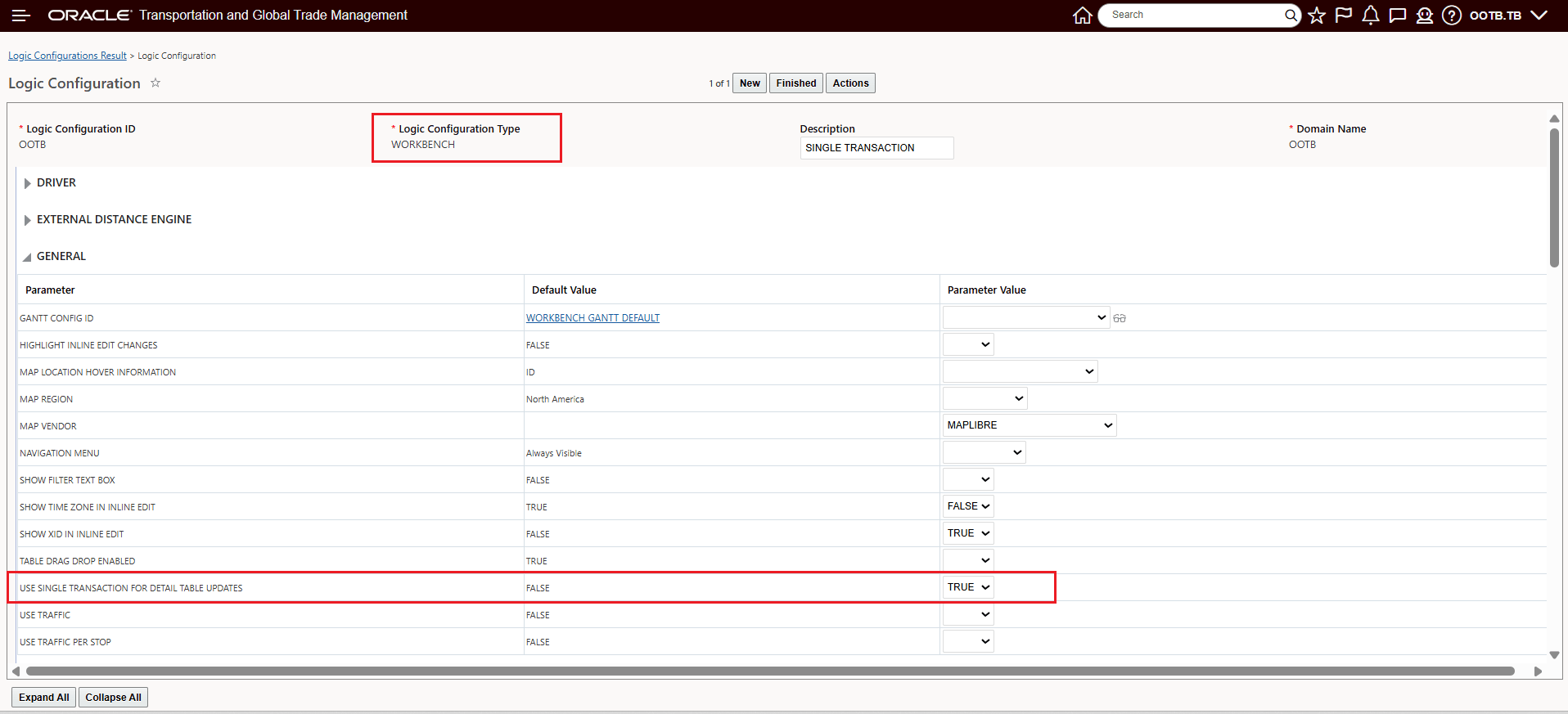
Use Single Transaction For Detail Table Updates - New Behavior = TRUE
- FALSE (default)
Original behavior - Each edited record is processed independently.
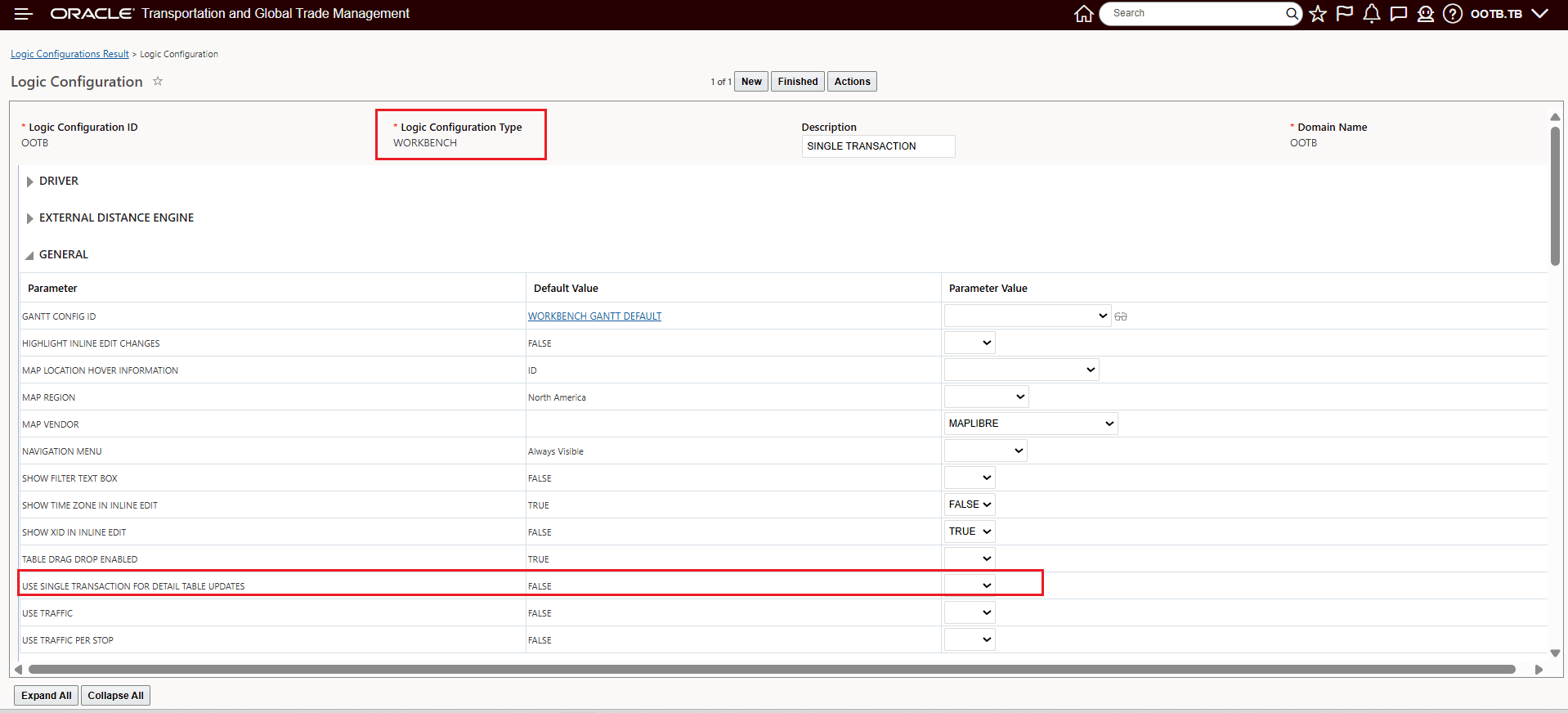
Use Single Transaction For Detail Table Updates - Default = FALSE
- Save the configuration change.
Tips and considerations
The table below provides a side-by-side view for how the different settings for the parameter will behave in different use case scenarios.
| Scenarios |
USE SINGLE TRANSACTION FOR DETAIL TABLE UPDATES = TRUE - New Behavior |
USE SINGLE TRANSACTION FOR DETAIL TABLE UPDATES = FALSE - Original Behavior |
|---|---|---|
| Scenario 1: Inline Edit 2 records - Both are successful. |
2 Shipment Stop MOD events are triggered for each record. But only 1 Shipment MOD event is triggered because it is a single transaction. |
2 Shipment Stop MOD events for each record and 2 SHIPMENT MOD events are triggered. |
| Scenario 2: Inline Edit 2 records - One fails post action checks and the other passes. |
Both the records are rolled back. Nothing is persisted. |
Only the failed record is rolled back, the other one is persisted. We receive 1 Shipment Stop MOD event and 1 Shipment MOD event. |
| Scenario 3: Mass Update 3 records - All are successful. |
3 Shipment Stop MOD events are triggered. But only 1 Shipment MOD event is triggered. |
3 Shipment Stop MOD events for each record and 3 Shipment MOD events are triggered. |
| Scenario 4: Mass Update 3 records - One fails post action checks and other passes. |
All 3 records are rolled back. None of them are persisted. |
Only one record is rolled back. Other 2 records are persisted. For the passed records, we receive 2 Shipment Stop MOD events and 2 Shipment MOD events. |
Below is an example of the error message that will be provided in scenarios like Scenario 2 when USE SINGLE TRANSACTION FOR DETAIL TABLE UPDATES = TRUE.
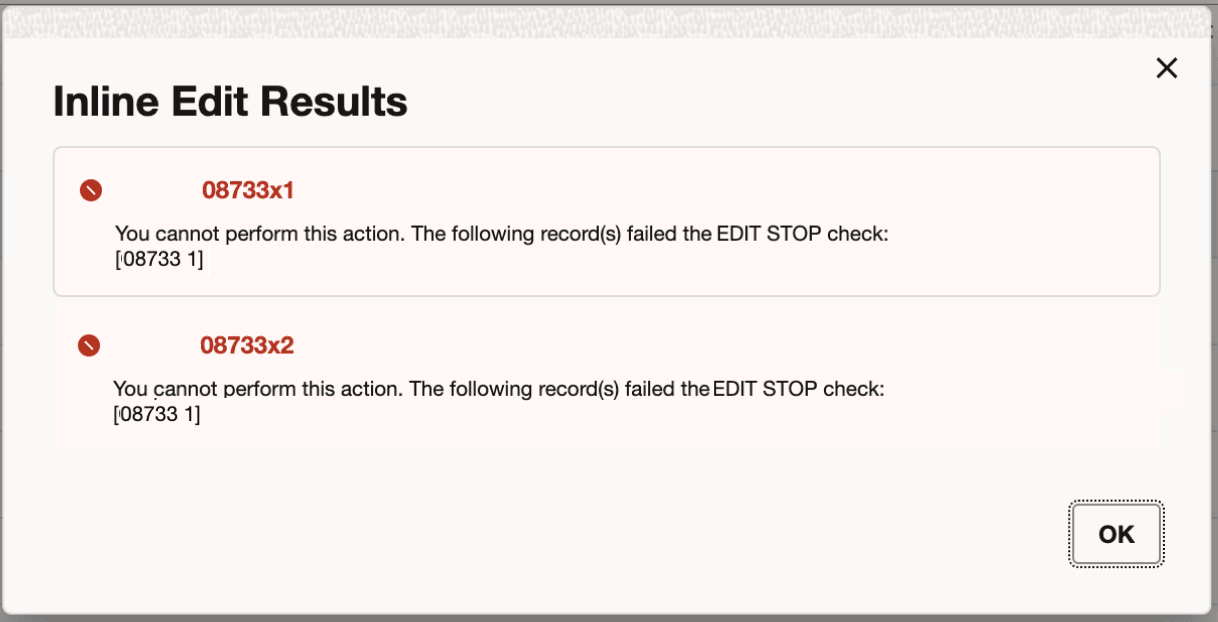
Scenario 2 - USE SINGLE TRANSACTION FOR DETAIL TABLE UPDATES=TRUE - Error Message