Protect Your HTML with Visual Editor Lock
This release introduces the Visual Editor Lock in Eloqua to give users more control over how the editor handles underlying HTML—addressing feedback that changes made in the Visual/Design view could sometimes modify HTML in unexpected or undesirable ways. The enhancement is designed to help teams preserve HTML integrity while still enabling visual editing when needed.
When locked, the Design view is read-only, so you can safely work in Code without unintended changes.
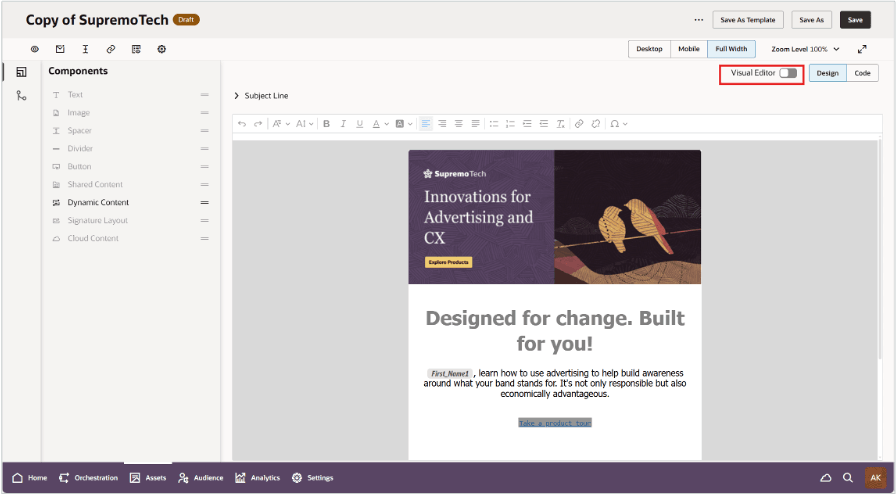
Visual Editor Lock in Editor UI
Business Benefits:
- Improved HTML integrity and predictability: Reduces unintended markup changes that can affect rendering, tracking, or brand compliance.
- Greater authoring control: Makes it explicit when visual edits are allowed, helping advanced users and template owners maintain clean, validated HTML.
Steps to enable and configure
- Note: Redwood HTML Email Editor is currently available through Controlled Availability. Thus, if you've not already opted in for Controlled Availability access for editor, you will need to submit a service request(SR) through Oracle Support.
- Once enabled, there are no additional steps to start using the new visual editor lock enhancement.
Tips and considerations
- The Visual Editor is locked by default
- Stay locked when code fidelity is critical
- Unlock only when visual edits are needed
- No change to protected templates - they'll continue to have a visual editing experience