Standalone Landing Pages for Flexible Campaign Execution
With this update, you can create and manage standalone landing pages as reusable assets independent of tactics. This expands landing page usage beyond tactic-driven workflows, enabling support for paid and organic campaigns, always-on experiences, and partner initiatives.
All landing pages are created from templates, helping ensure consistency and faster page creation. You can continue to use tactic-managed landing pages when personalization or tactic-level execution is required.
Standalone landing pages give you control over publishing and lifecycle management, allowing you to launch and manage pages without relying on tactics.
Landing pages remain fully integrated with Fusion Marketing tracking and attribution. When used within tactics, they support personalized experiences and campaign-level insights.
This feature helps you streamline execution, improve asset reuse, and increase flexibility while maintaining centralized governance.
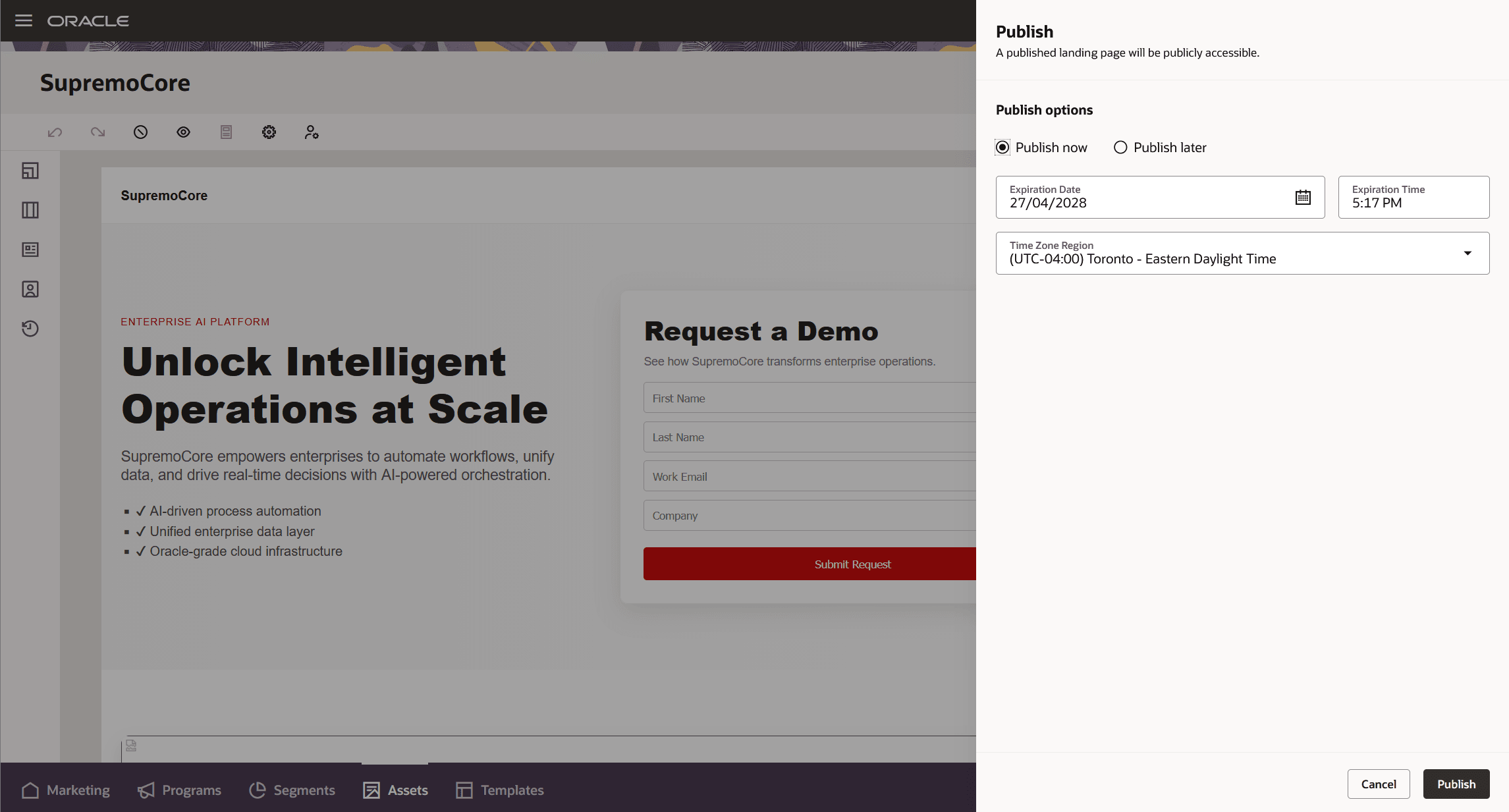
Creating a Standalone Landing Page
Business Benefits:
- Reduces time-to-market by enabling landing page creation and publishing without dependency on tactics or programs
- Expands use cases for landing pages across paid media, organic traffic, and always-on experiences
- Centralizes landing page management, improving discoverability and reuse
- Maintains engagement tracking across all landing pages, with enhanced attribution when used within tactics
Improves operational visibility with centralized lifecycle management and clear page status
Steps to enable and configure
While you do not need to do anything to enable this feature, Microsite configuration must be completed before publishing landing pages.
Tips and considerations
How to Start Using
- Create standalone landing pages from Marketing > Assets by selecting a template, customizing content, and publishing or scheduling the page. Ensure a microsite domain is selected before publishing.
Tips and Considerations
- All landing pages must be created from templates - pages cannot be built from scratch
- Use standalone landing pages for non-tactic use cases; use tactic-managed pages when personalization is required
- Leverage scheduling and expiration features (standalone pages only) to align landing pages with campaign timelines
- Edit standalone landing pages from the asset library; edit tactic-managed pages within the tactic
- Ensure proper attribution and personalization by linking landing pages to tactics where relevant
Access requirements
- Ensure users have appropriate roles:
- Marketing Specialist (View and Preview)
- Marketing Manager (Management)
- Marketing Administrator (Publishing)
- Requires the Marketing Orchestration Add-on for Fusion Unity Data Platform. Please contact your account manager for more information.