Streaming Data Collection Enhancements
This release introduced a series of enhancements to Streaming Data Collection, focused on improving usability, governance, and configuration control for tag management. These updates streamline how users create, configure, and manage data collection tags while reducing the risk of errors and unintended changes.
Improved Cookie Expiry Configuration
- Configure cookie expiration in days instead of milliseconds
- Default expiration set to 400 days for ease of use and consistency
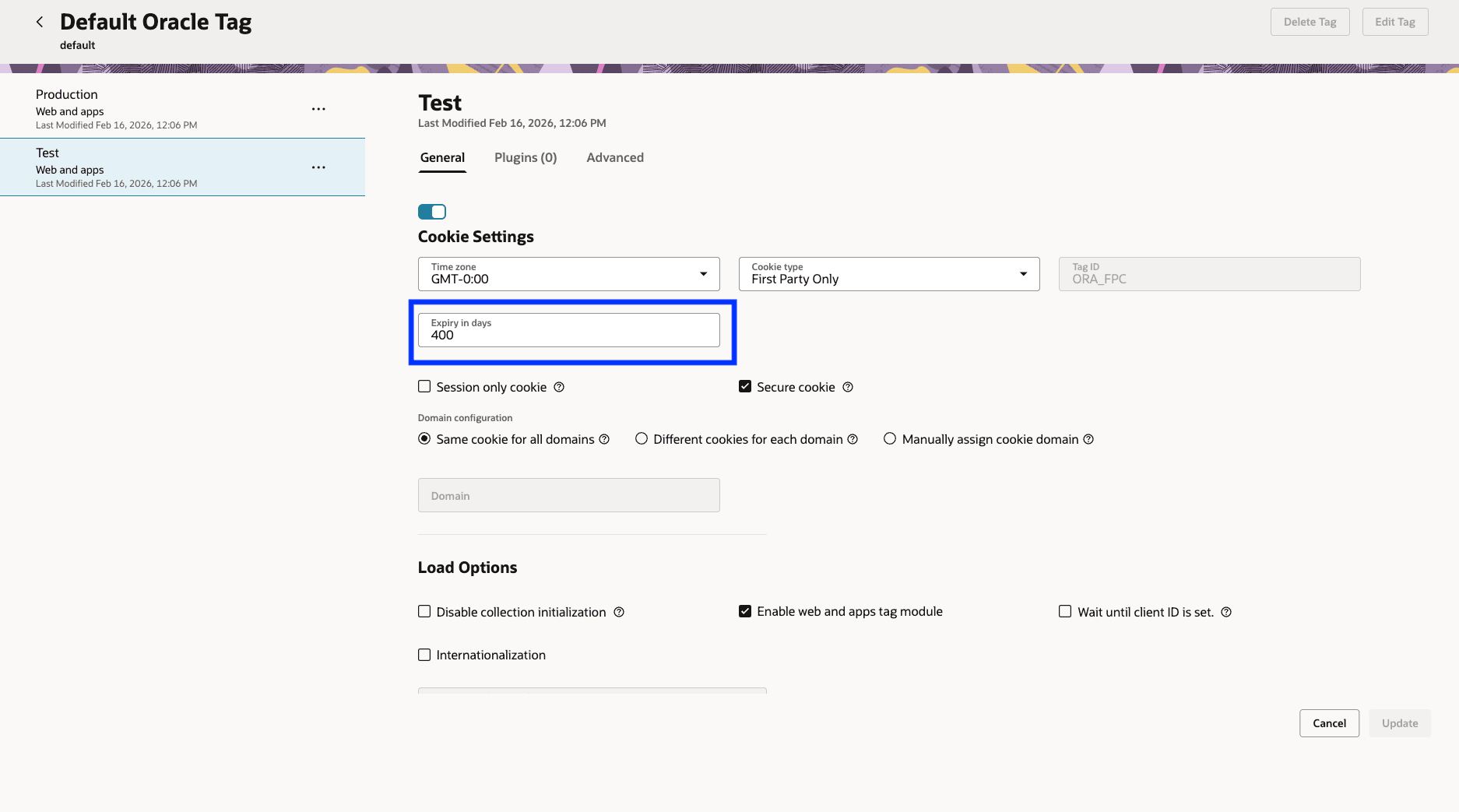
Cookie Expiry Configuration
Plugin Removal Confirmation
- Confirmation dialog added when removing standard plugins
- Prevents unintended configuration changes
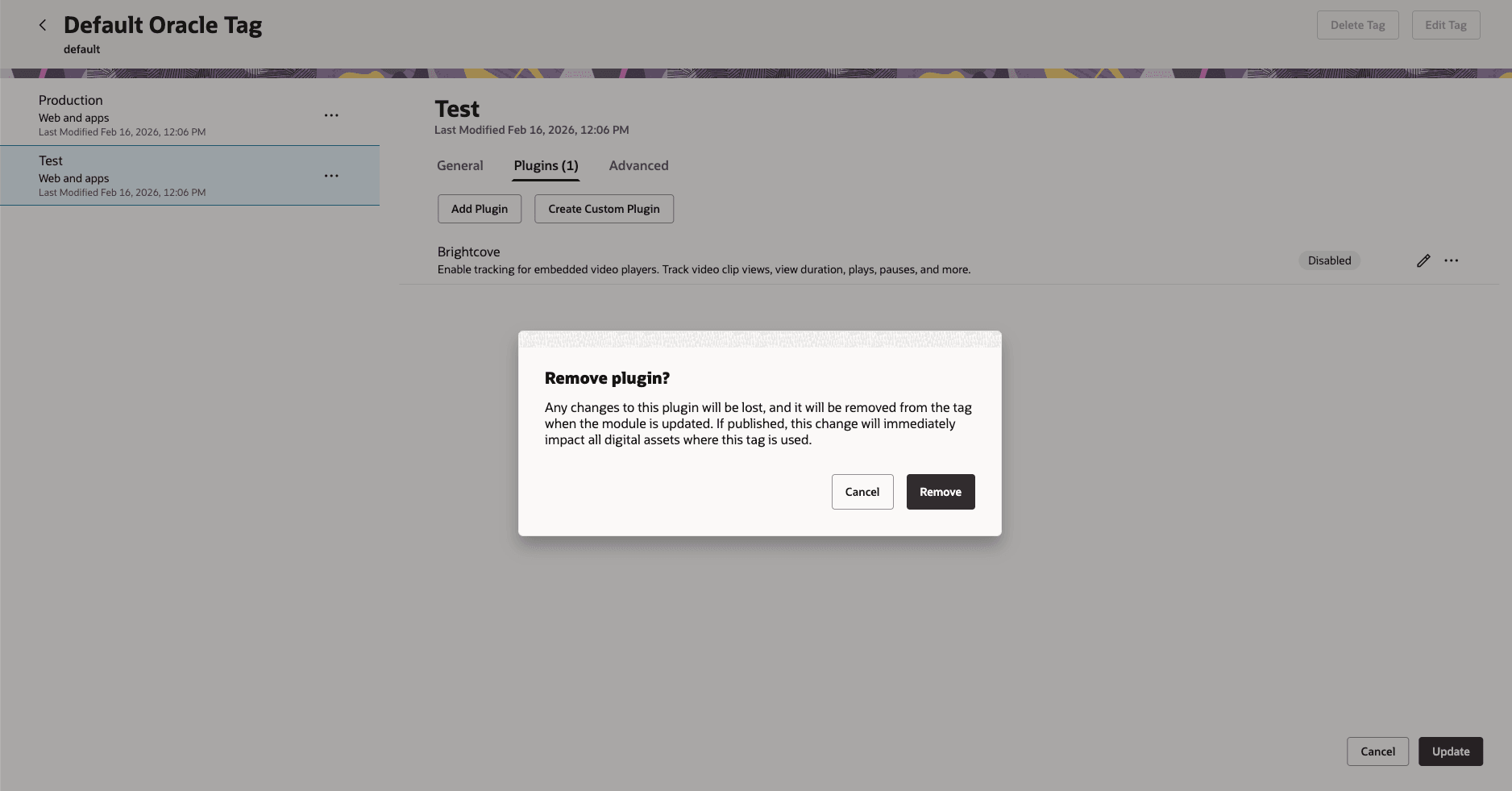
Confirmation Screen
Advanced Plugin Settings
- All plugins now support advanced configuration options in edit mode
- Provides greater flexibility and control over plugin behavior
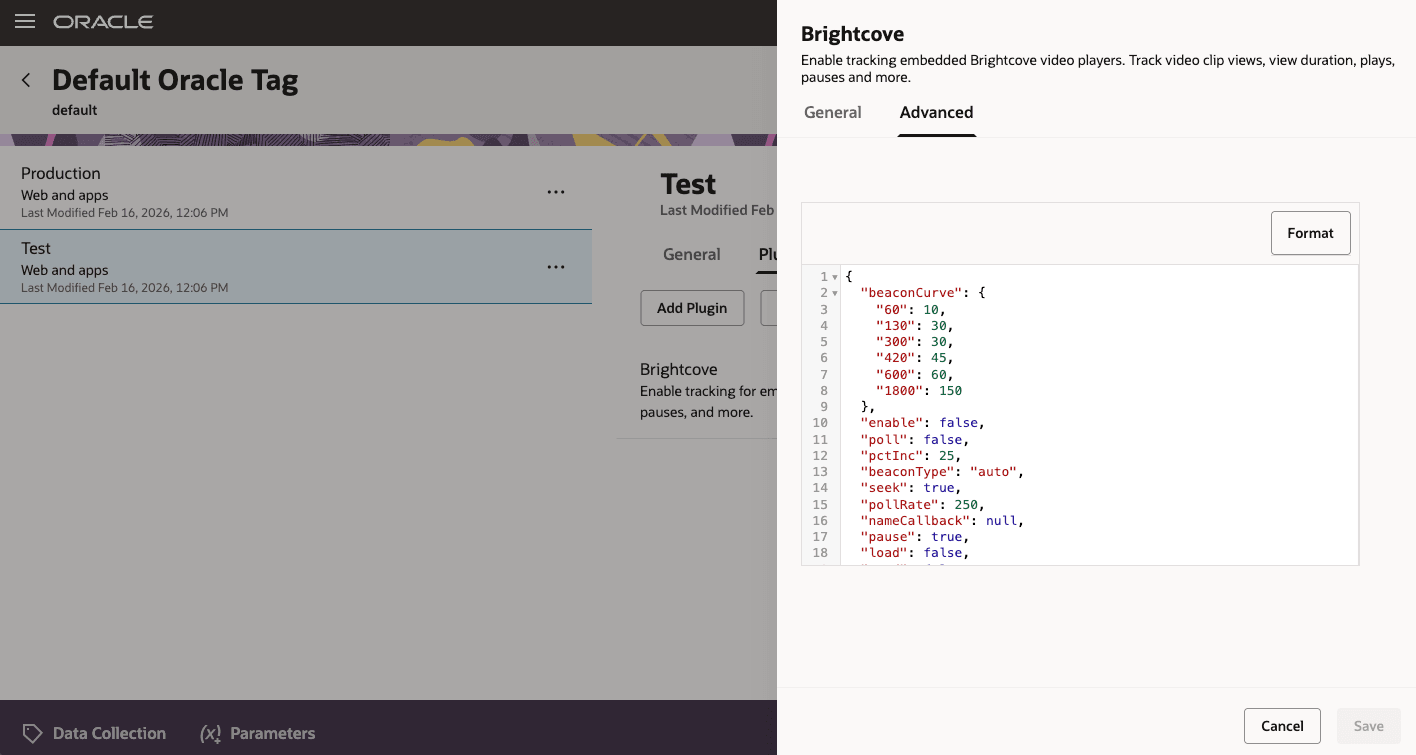
Sample of Advanced Plugin Setting Configuration
Enhanced Tag Creation Experience
- Guided Create Tag panel with contextual instructions
- Improves clarity and accelerates onboarding for new users
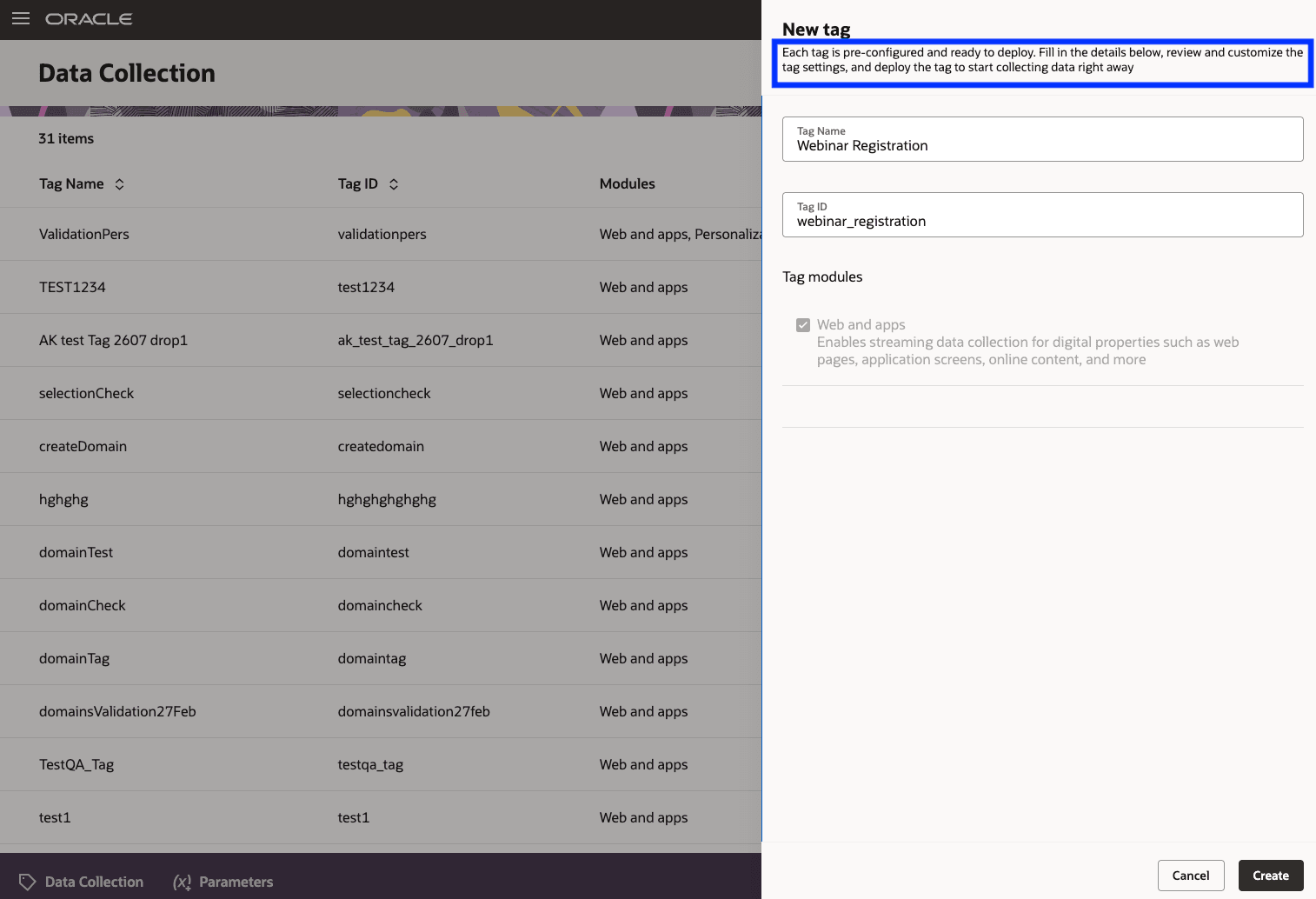
Tag Creation
Improved Tag Details Page
- Informational messaging clarifies:
- Production containers as read-only, live configurations
- Test containers as safe environments for validation prior to publishing
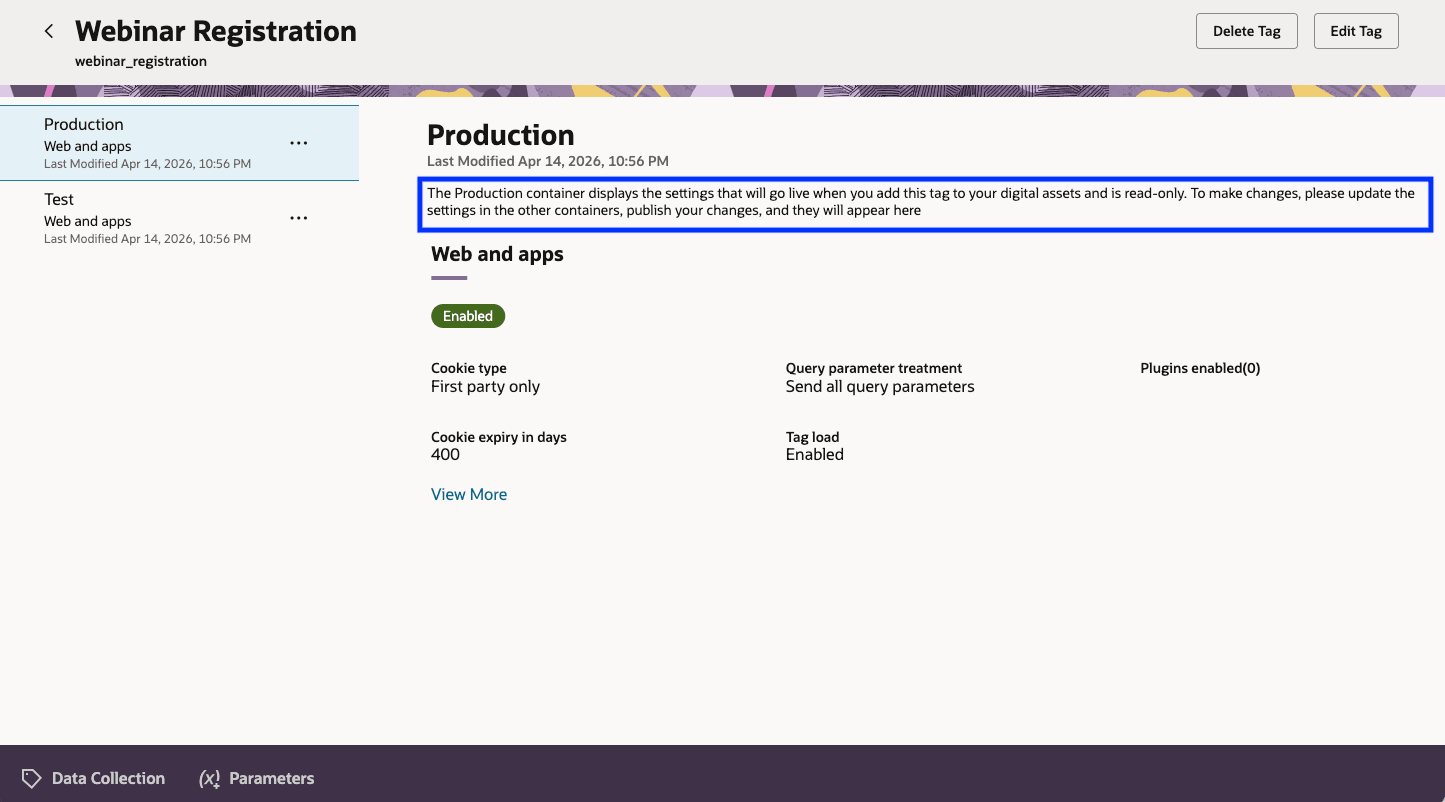
Preview of Tag Details Page
Edit Mode Safeguards
- Prompts users to save or discard changes before navigating away
- Confirmation dialogs triggered for key actions such as switching containers or exiting
- Restricts certain actions (e.g., delete tag) while editing is in progress
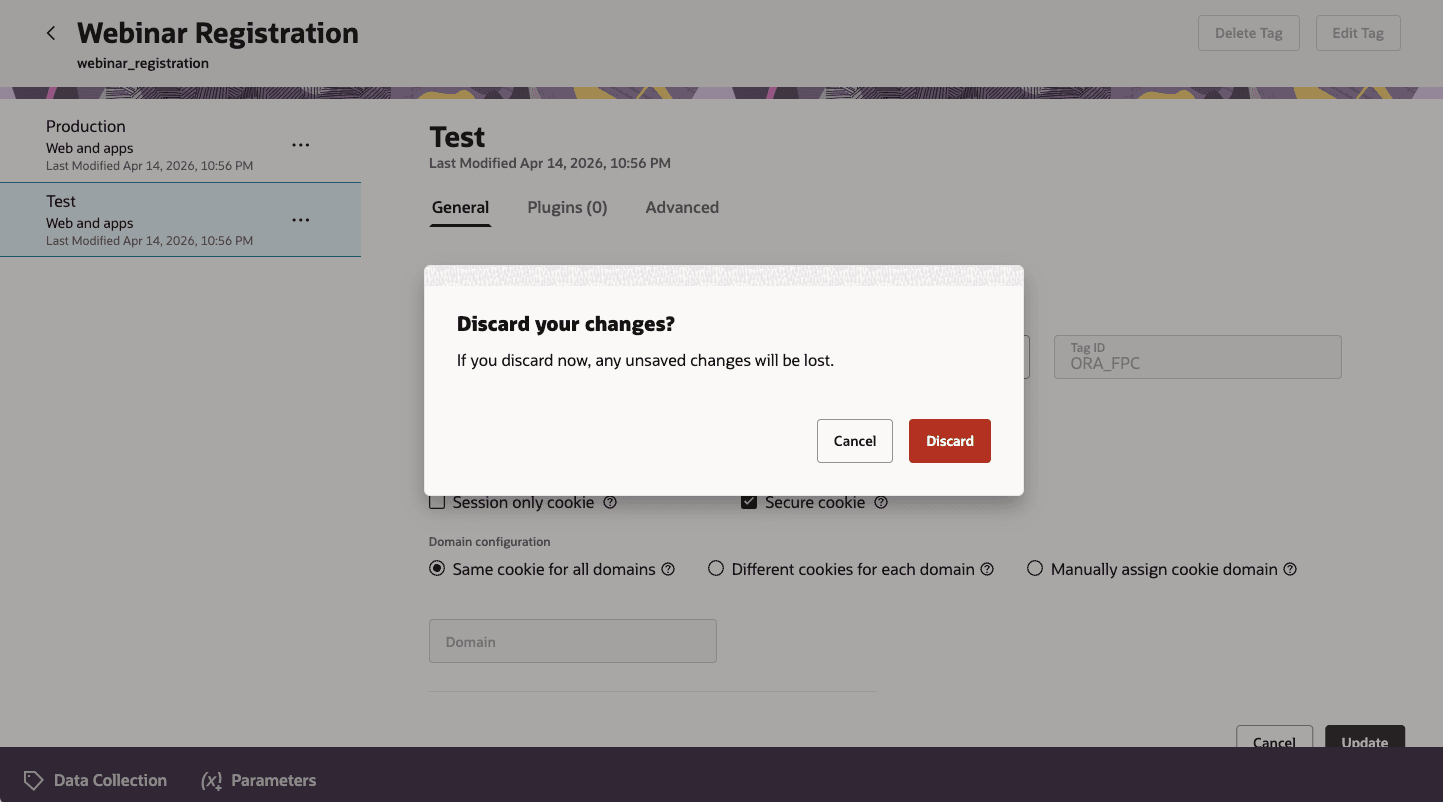
Editing Safeguard
Together, these updates deliver a more intuitive and controlled experience for both marketers and technical users managing data collection workflows.
Business Benefits:
- Simplifies configuration with more intuitive settings and defaults
- Reduces risk of accidental changes through confirmations and edit safeguards
- Improves onboarding and usability with guided experiences and contextual messaging
- Enhances operational efficiency when managing tags and plugins
- Strengthens governance with clearer separation between testing and production environments
Steps to enable and configure
You don't need to do anything to enable this feature.
Tips and considerations
How to Start Using
- Access updates directly within the Streaming Data Collection interface
Tips and Considerations
- Use the Test container to validate all configuration changes before promoting to Production
Access requirements
Access to this feature requires the following three roles:
| Duty Role | Role Description |
|---|---|
| Data Collection Tag Publishing | Manages tags through capabilities such as creating tags, deleting tags or modules, and publishing a container to production. |
| Data Collection Tag Management | Creates and edits tags, clones containers and their modules, and all related configurations. |
| Data Collection Tag Usage | Provides view-only access to all tags created for the account, allowing viewing the list of tags along with their metadata, configuration details, and plugins (as applicable). |