Precalculated Reference Segments
Fusion Unity has introduced precalculated reference segments, enabling users to refer to segments based on precomputed daily snapshots rather than dynamically reprocessing the original criteria. Unlike standard reference segments—which expand all logic into the parent segment—precalculated segments store and reuse their evaluated output. This approach is ideal for stable, reusable audiences such as personas or long-term market segments, improving performance and simplifying segment construction within Fusion Unity’s segmentation framework.
Business Benefits:
- Improves segment performance by reducing complexity and computation at runtime
- Accelerates segment counts and sample generation for faster analysis and activation
Steps to enable and configure
You don't need to do anything to enable this feature.
Tips and considerations
How to Start Using
- In the "Create" drawer, select "Precalculated". You will see a message that tells you how many precalculated reference segments have already been created in your instance. The message also shows the limit, which applies to the number of published precalculated segments. You can still create a new precalculated segment, even if the limit has been reached, but you will not be able to publish it until you have deleted an existing precalculated segment.
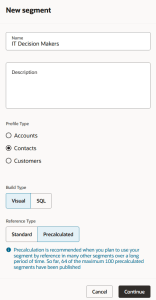
Create New Segment
- Add your segment criteria and publish your precalculated segment.
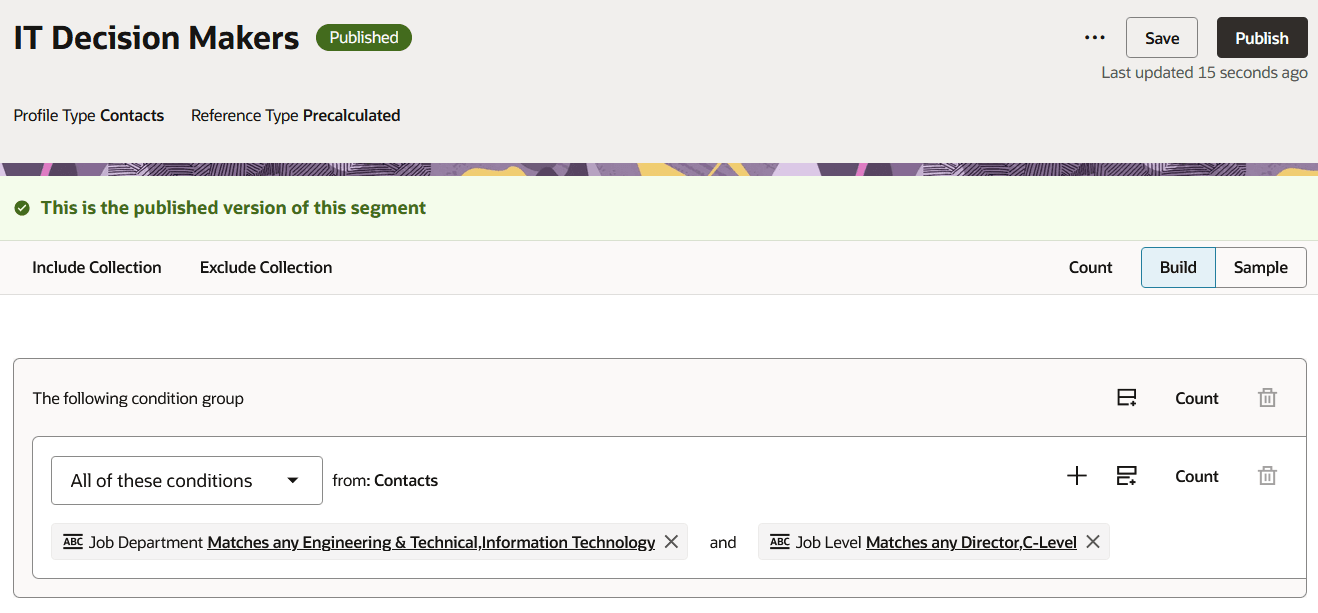
Publishing
- Add your precalculated segment as a reference segment wherever you need it.
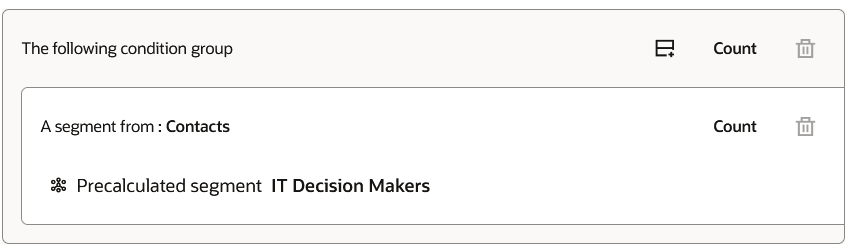
Reference Precalculated Segment
Tips and Considerations
- Only five standard reference segments can be used in a segment, but there is no limit on the number of precalculated reference segments.
- Precalculated segments are refreshed every day at midnight GMT.
- Precalculated segments may not be appropriate for segments with criteria that depend on streaming data.
- If you create a standard segment and later decide it should be a precalculated segment, you can use Save As to create a precalculated version.
- Precalculated segments can be created with both visual and SQL build types.