Redwood Experience: Campaign Canvas Early Preview
Access to the Redwood Campaign Canvas Early Preview is now available.
Built on Oracle's Redwood Design System, the new Campaign Canvas introduces a modern, intuitive campaign-building experience that simplifies campaign creation and lays the foundation for future innovation.
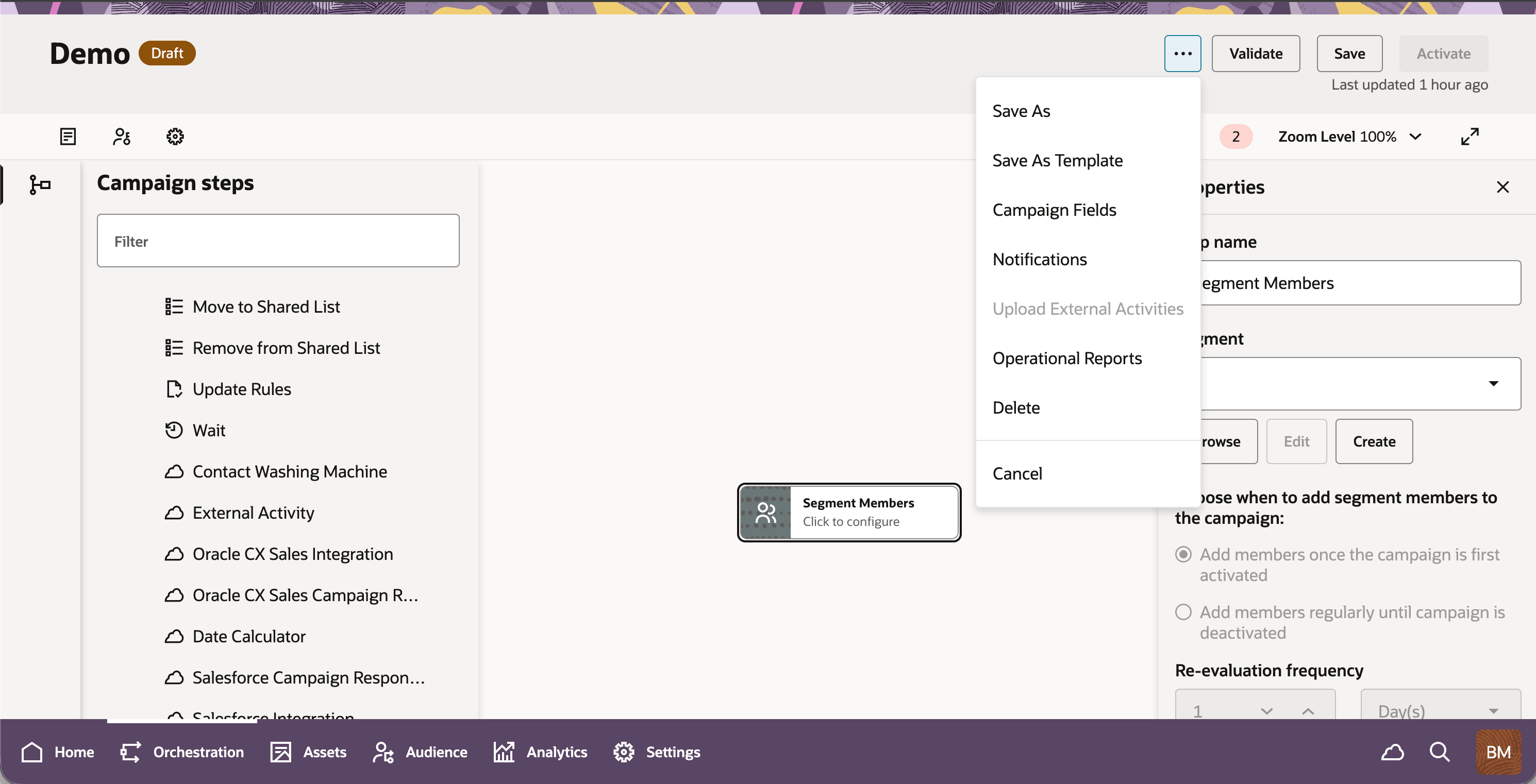
Redwood Campaign Canvas
The Redwood Campaign Canvas provides a modern campaign-building experience while supporting the core functionality marketers rely on today. The Early Preview includes:
- All standard campaign steps, including Audience, Asset, Decision, and Action steps
- Creating, deleting, editing, validating, scheduling, unscheduling, activating, and deactivating a campaign
- Campaign Fields, Settings, and Validation Errors
- Upload External Activities and all campaign Operational Reports
- A drag-and-drop campaign design with limitless bounds
- A modern Redwood user interface that simplifies navigation and improves usability
- Compatibility with existing campaign assets
Business Benefit:
- Modern, intuitive campaign experience designed for users of all skill levels and future-ready innovation.
Steps to enable and configure
To enable this feature you need to log a Service Request (SR).
To request access:
- Submit a Service Request (SR) through support.oracle.com
- Once approved, enable the Redwood Experience in your Eloqua environment
- Choose to enable the experience for either:
- Selected users
- Your entire site
Tips and considerations
As this is an Early Preview, some capabilities available in the classic Campaign Canvas are not yet included. Current limitations include:
- Notes
- Favorite Steps
- Copy & Paste of campaign steps
These capabilities are planned for future Redwood releases alongside the Campaign Template Editor.