Expiration Date Field in Attachment Details
In Redwood Experience pages, the Attachments framework now supports date-input fields in the attachment details view.
Users can enter a date indicating when an attachment is no longer valid.
This is an example that illustrators a Business License entity with an Expiration Date field in the attachment details drawer.
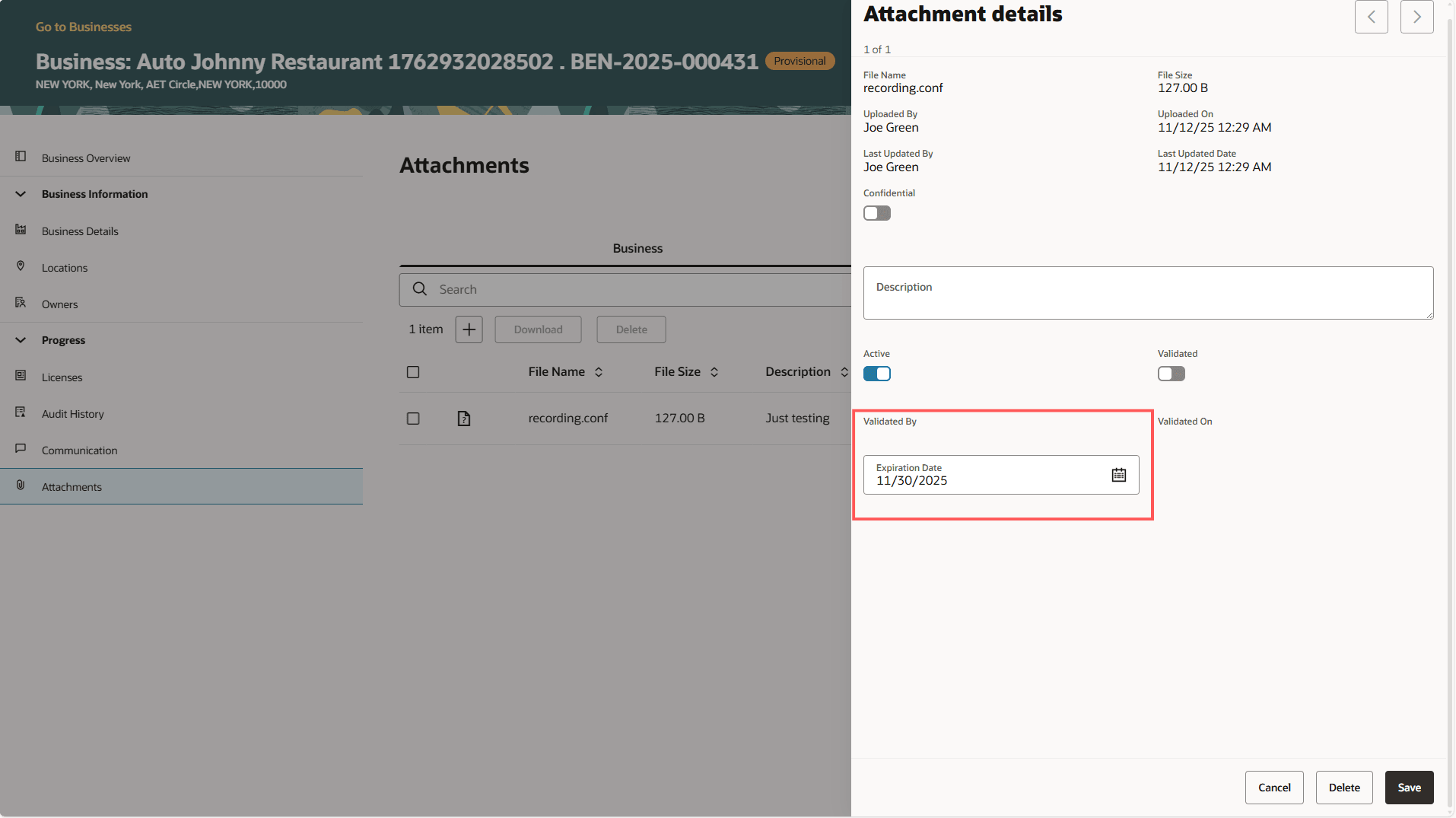
Business License Attachments Page
This helps you track and manage time-sensitive documents more effectively.
Steps to enable and configure
You don't need to do anything to enable this feature.
Key resources
See Using Community Development Permits, "Managing the Permit Application," Working with Application Attachments on the Oracle Help Center.