Redwood Experience for Dynamic Workflow and Responsible Party in Notice
The Redwood Experience user interface is now available for the workflow and the responsible party, featuring an enhanced look and feel in the Code Enforcement offering.
For dynamic workflows, users can view and manage case or incident processes through new stage and milestone views—allowing actions such as advancing stages, updating tasks, switching between active and historical workflows, and terminating workflows (with the proper privilege). The system also supports complex scenarios such as case migrations between workflow versions.
This example illustrates the Workflow page in Code Enforcement.
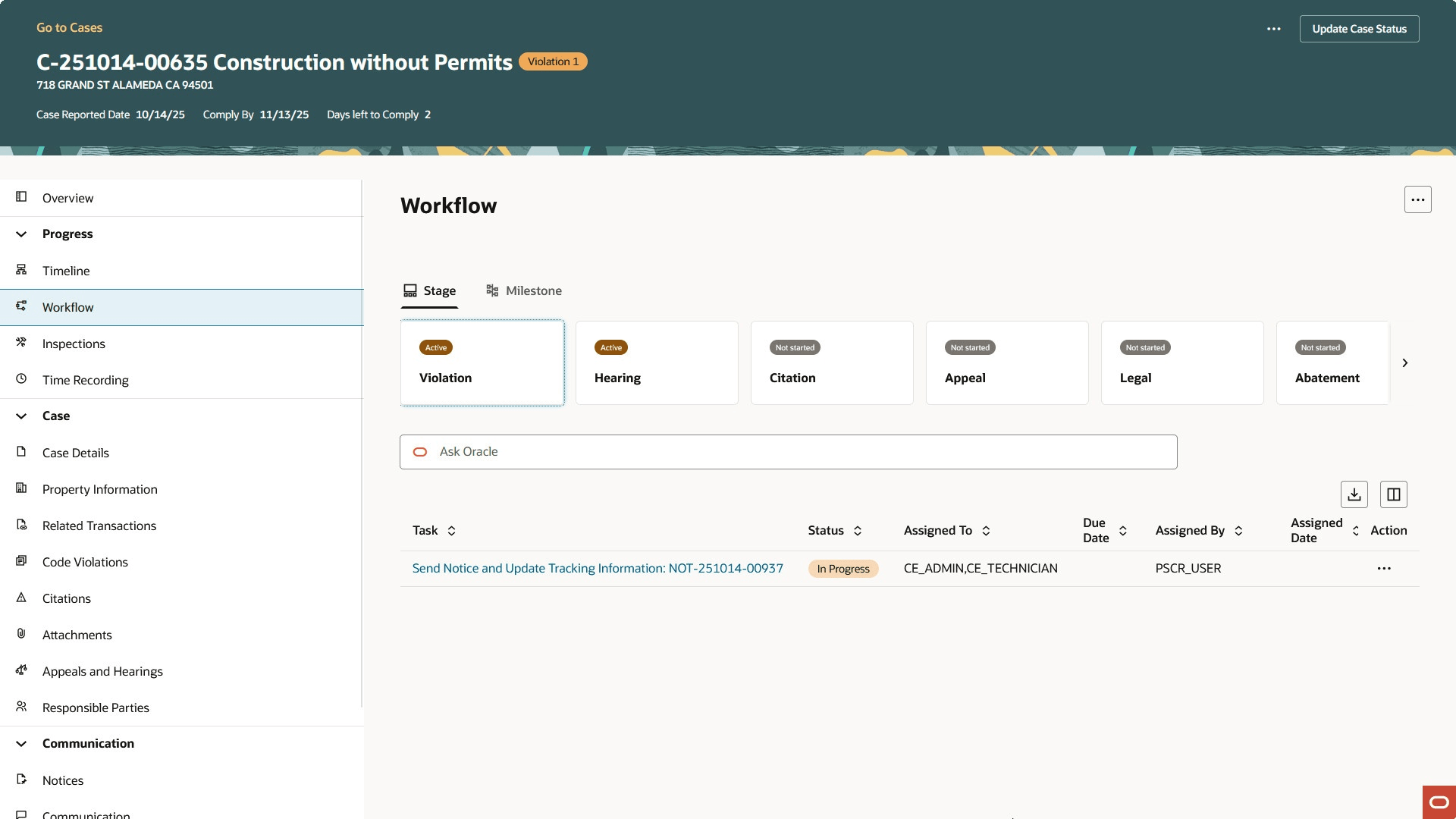
Code Enforcement Workflow Page
For the management of responsible party information in the Notices component, the new Redwood interface enables searching, adding, editing, and designating primary responsible parties for a given notice, with live validations and improved usability.
This example illustrates the responsible party section in the Review Case and Notice Details drawer in the Notices tab for Code Enforcement.
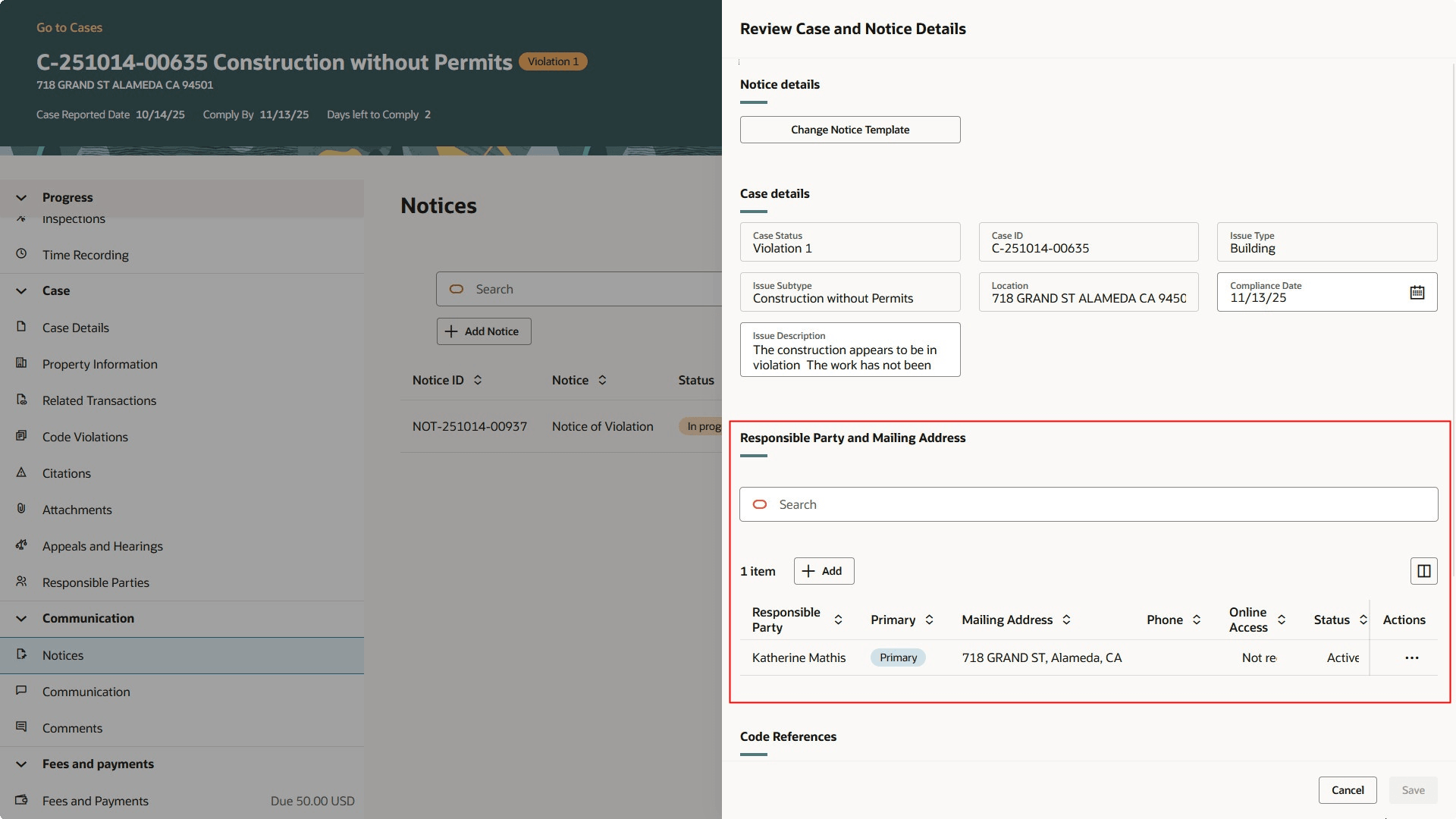
Review Case and Notice Details Drawer
The enhanced user experience streamlines the look and feel of workflow and responsible party in notice for Code Enforcement.
Steps to enable and configure
To enable this feature, you must ensure that you have the Redwood Experience for Code Enforcement enabled.
- Navigate to Setup and Maintenance > Offering: Code Enforcement > Change Feature Opt In.
- In the Public Sector Code Enforcement row, select the pencil icon in the Features column.
- Enable the row for "Redwood Experience for Code Enforcement".
- Click Done.
Key resources
- See Using Community Development Code Enforcement, "Managing Cases", Using Workflow in Code Enforcement
- See Using Community Development Code Enforcement, "Managing Cases", Working with Notices