Backdating of Incidents and Cases
Agency users can create incidents and cases with a reported date in the past, rather than defaulting to the current system date. When enabled, a new Reported Date field appears during intake, supporting accurate event and deadline tracking even when an incident is reported after it occurred.
This example illustrates a case intake form with the new Reported Date field and a past date selected.
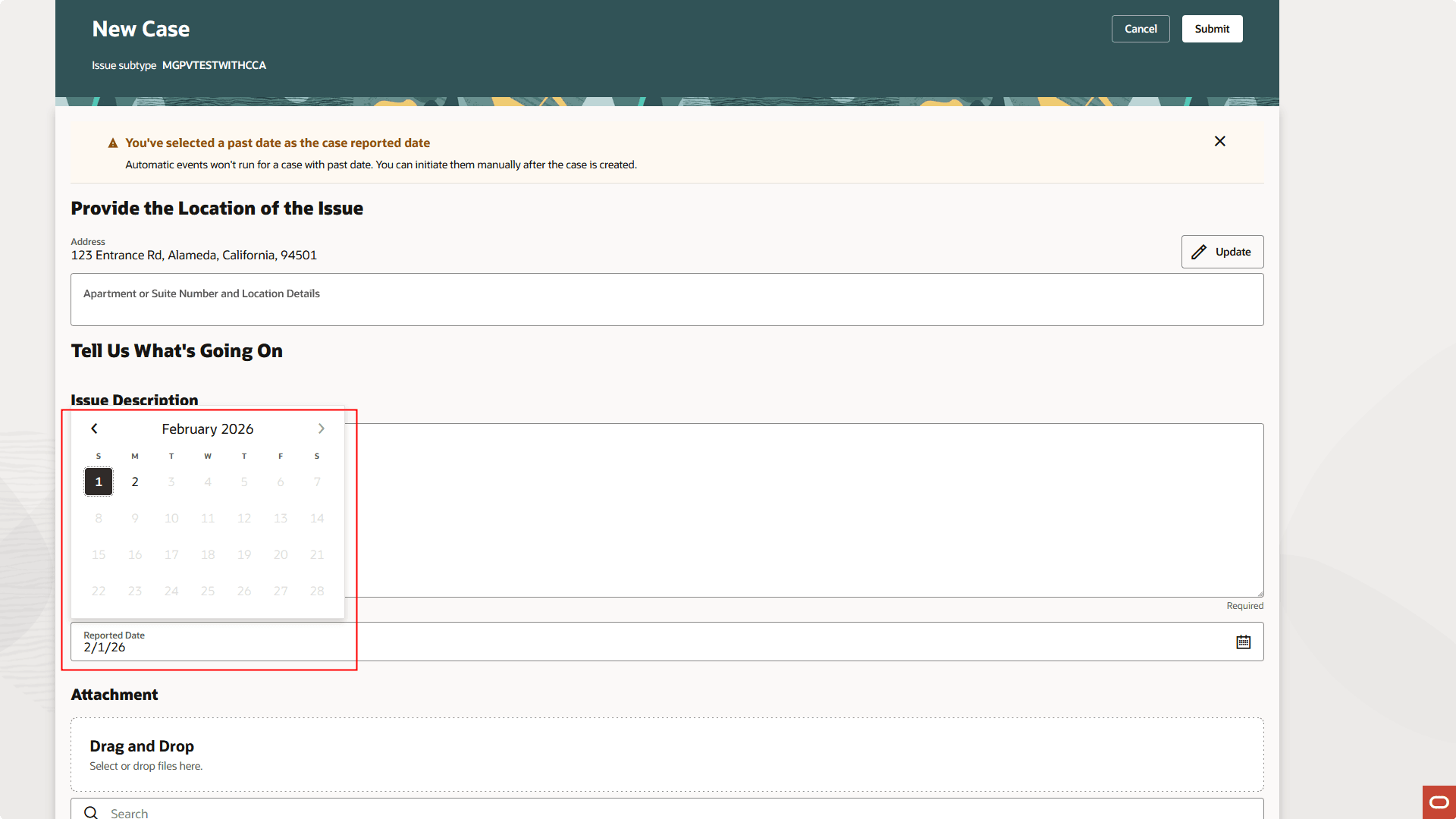
Case Intake Form Page
This allows agencies to select the date the case or incident was actually reported rather than the date it was entered into the system. This helps in instances, such as weekends or holidays, when incidents or cases may be reported but not entered directly into the system until the next business day.
Steps to enable and configure
You must enable this feature in Functional Setup Manager.
- Navigate to Setup and Maintenance of Offerings > Offering: Code Enforcement > Change Feature Opt In.
- Click on the pencil icon in the Features column of the Public Sector Code Enforcement row.
- Click on the pencil icon in the Issue Intake Configuration row.
- Enable one or both of the options for your agency.
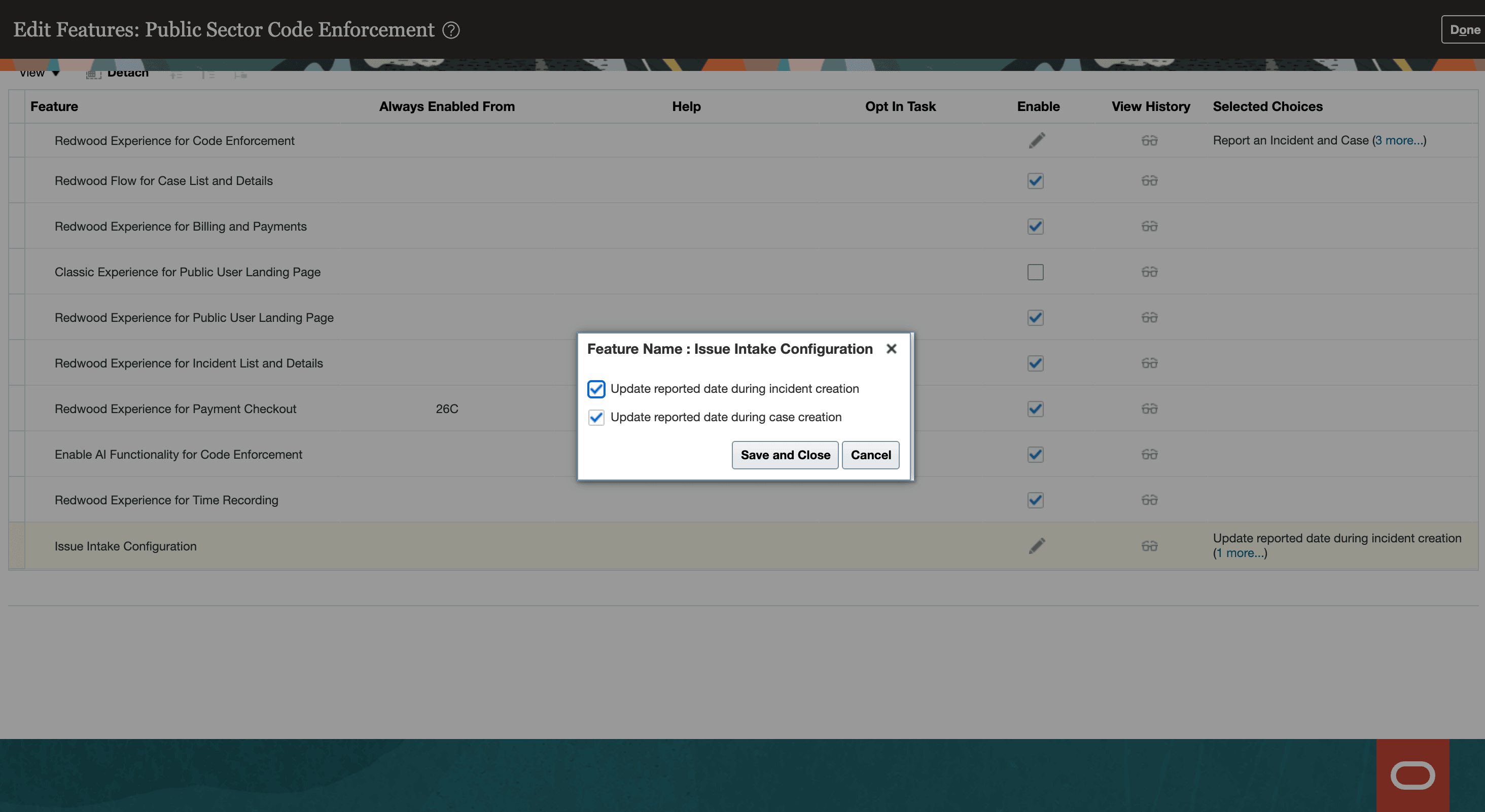
Functional Setup Manager - Issue Intake Configuration
Key resources
See Using Community Development Code Enforcement, "Code Enforcement Activities for Public Users", Reporting Issues on the Oracle Help Center.