New Code Enforcement Inspection Outcome and System Status
Code enforcement officers can now select an inspection result for an incident as Undetermined, when the inspection couldn't be completed or a decision couldn't be made. When an inspection is resulted as Undetermined, a new inspection is automatically scheduled. The Undetermined status and any comments entered are visible in the Incident details, Status history, and Worklists, ensuring transparency and enabling appropriate follow-up actions.
This example illustrates an initial inspection page for an incident displaying the option to choose the result as Undetermined.
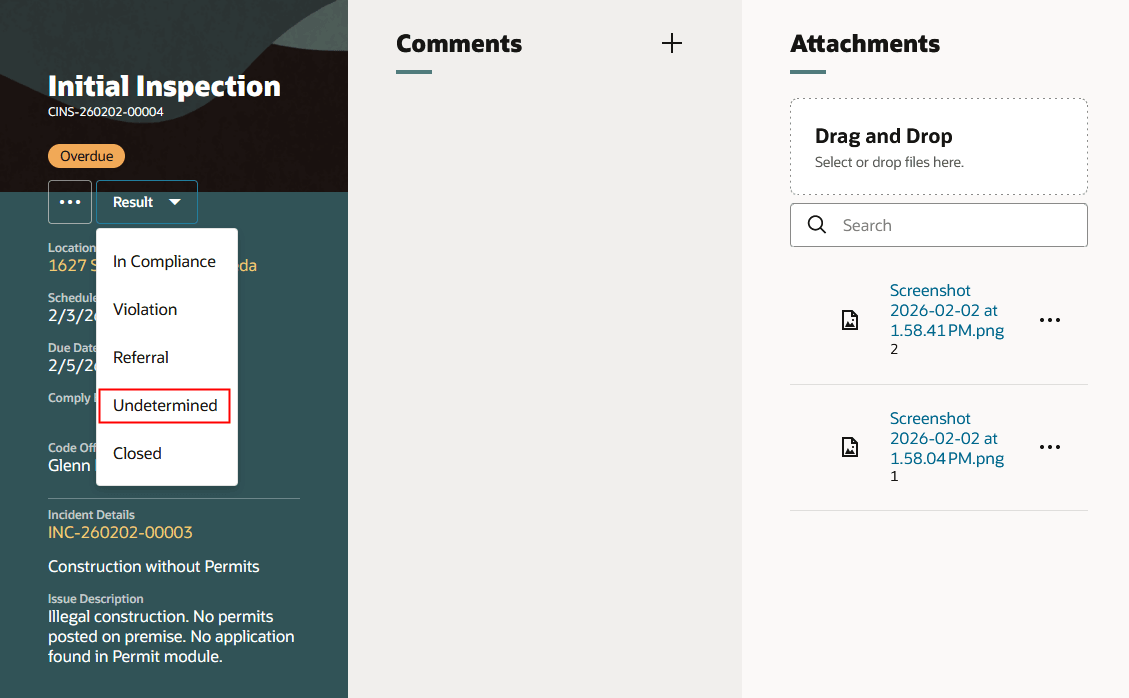
Initial Inspection Page for an Incident Displaying the Result Option Undetermined
This example illustrates a completed initial inspection page for an incident displaying the status as Undetermined the Incident Details section.
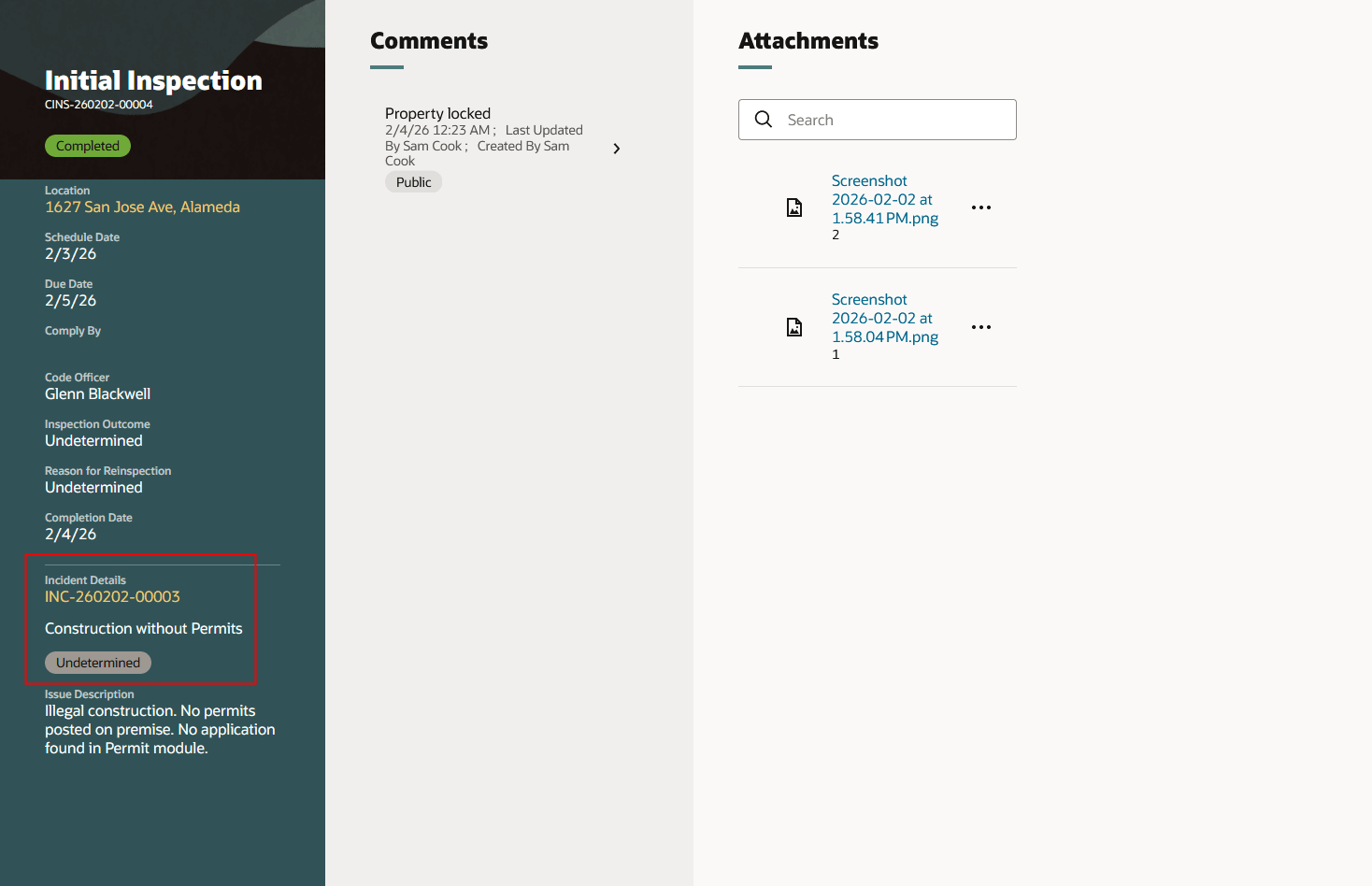
Initial Inspection Page for an Incident Displaying the Inspection Status as Undetermined
This allows agencies to set an inspection result for situations where an inspection can't be completed due to locked property, the owner is unavailable, or the inspection conditions are unclear.
Steps to enable and configure
You don't need to do anything to enable this feature.
Key resources
See Using Community Development Code Enforcement, "Managing Inspections", Reviewing Code Enforcement Inspection Details on the Oracle Help Center.