Accounts Receivable Customer Profile Classes
When you're integrated with Fusion Receivables, you can now see the customer profile classes you've created in Fusion Receivables. You can see a list of the customer profile classes and select one of the values from the Agency Receivable page. You can also see a list of the customer profile classes, and select a value, from the Record Type Receivable page. This allows agency staff to link customer profile classes to application types in Permitting and Licensing.
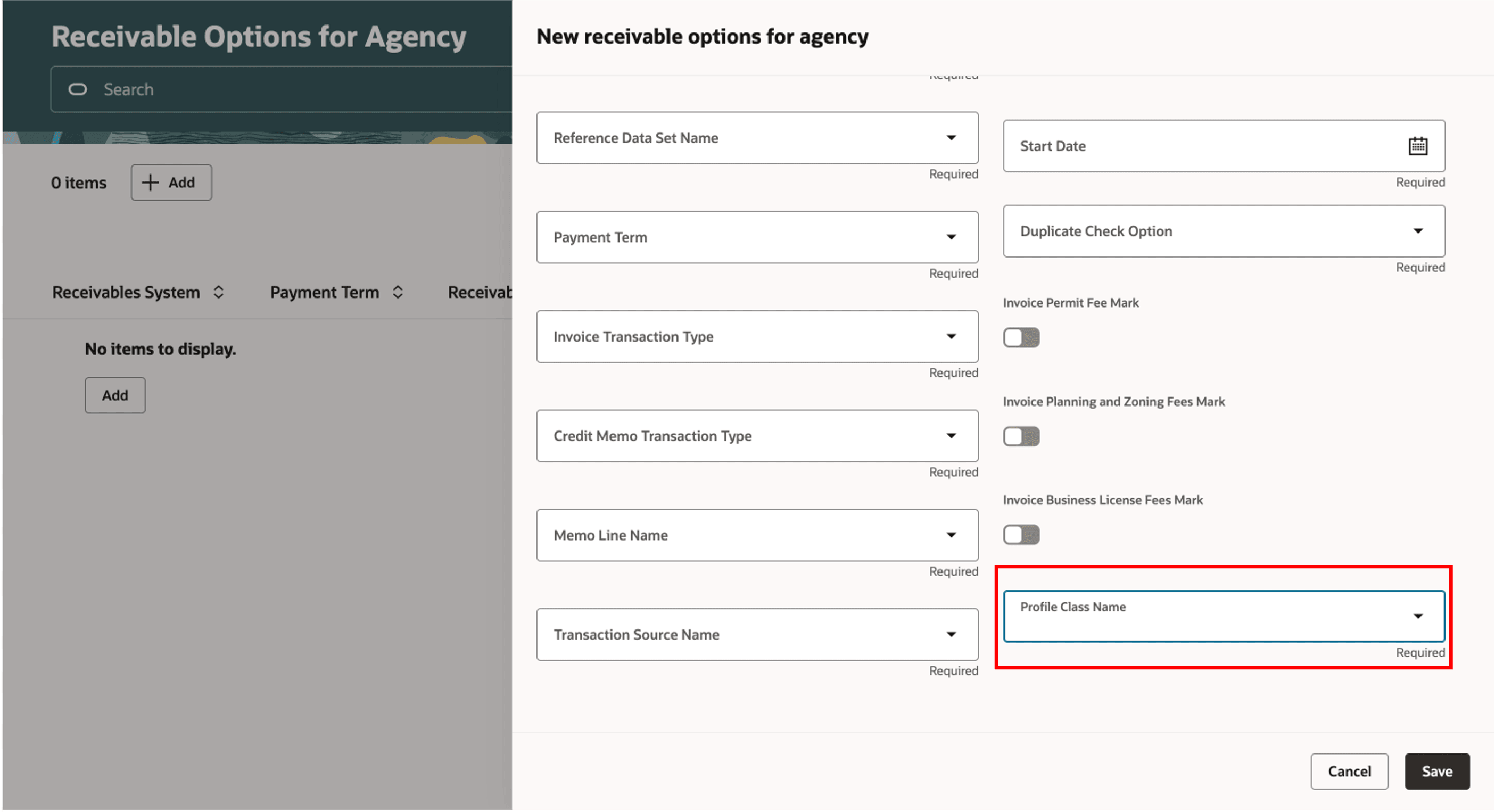
New Receivable Options for Agency
This features enables agencies to assess separate late charges and penalties on invoices in Fusion Receivables for each application type.
Steps to enable and configure
To enable this feature you need to:
- Create customer profile classes in Fusion Receivables. See Implementing Receivables Credit to Cash, "Define Customer", Manage Receivables Customer Profile Classes on the Oracle Help Center.
- Enable Accounting Framework in Accounting Framework Option.
- Navigate to Setup Maintenance of Offerings > Offering: Any > Change Feature Opt In.
- From the Accounting row, select the pencil icon in the Features column.
- From the Accounting Framework Option row, select the pencil icon in the Enable column.
- Enable Financials Cloud Applications.
- Select Save and Close.
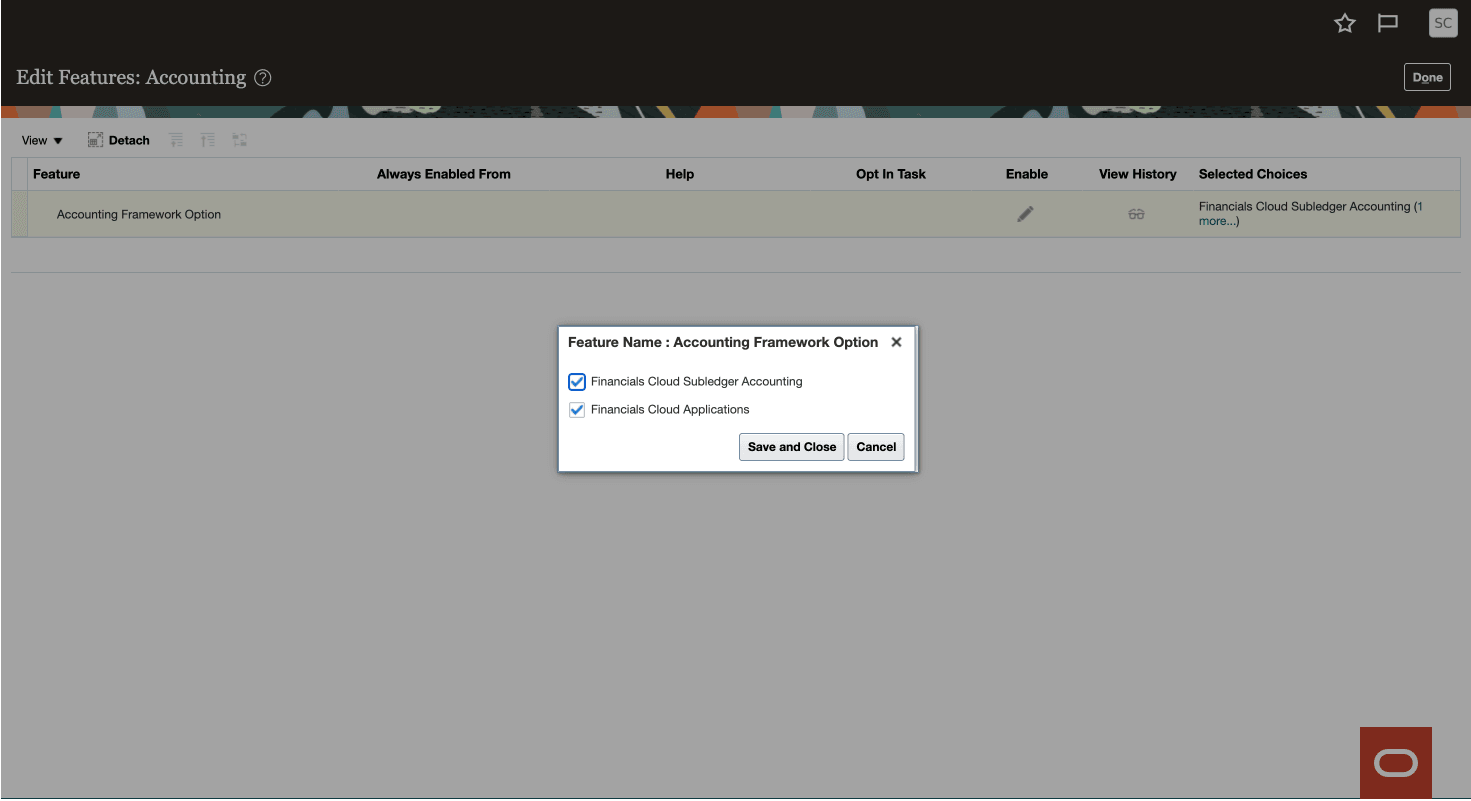
Accounting Framework Option
Tips and considerations
Assigning the customer profile class to Application Type, on the Record Type Receivable Options page, is optional. You don’t need to assign if the late charges and penalties are the same for all application types.
Key resources
- See Implementing Your Financial Framework, "Integrating with Oracle Receivables," Setting Up Record Type Receivable Options on the Oracle Help Center.
- See Oracle Permitting and Licensing: Integration with Oracle Receivables for Invoicing and Fees and Payments KB 177730 on My Oracle Support.
- See Implementing Receivables Credit to Cash, "Define Customer", Manage Receivables Customer Profile Classes on the Oracle Help Center.