Manage contacts on completed transaction by staff role
Agencies can now manage contacts on completed business license transactions without requiring an amendment. Business License Managers and Business License Specialists can add new contacts, update existing contact information, change contact access levels, and inactivate contacts directly from the Contacts tab on business license transactions in terminal statuses.
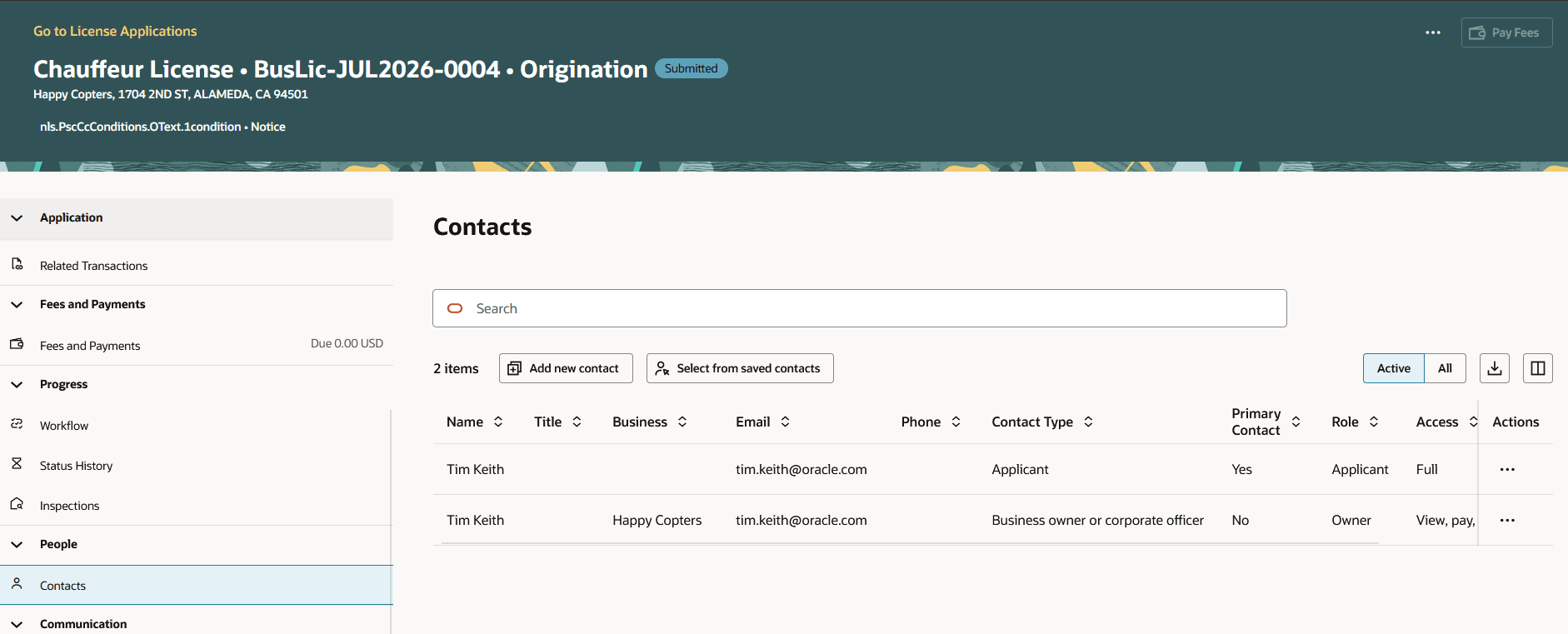
Business License Transactions - Contacts Tab
When agency staff make contact changes, the application automatically records and displays the contact's creation and last update information for agency users only. Applicants and public users do not see this audit information.
Agency staff can manage business license contacts more efficiently:
- Agency staff can update contact information on completed business license transactions without creating and processing an amendment.
- Agency staff can add new contacts, update existing contacts, change contact access levels, and inactivate contacts directly from the Contacts tab.
- Agency staff can track who created or last updated a contact through built-in audit information, improving accountability and reducing administrative effort.
Business Benefit: This enhancement enables agency staff to maintain contact information on completed business license transactions more efficiently, without creating an amendment, while supporting accountability through agency-only audit details.
Steps to enable and configure
You don't need to do anything to enable this feature.
Key resources
- See Using Business Licensing, "Managing License Application Details", Working with Application Contacts on the Oracle Help Center.
Access requirements
A new role has been delivered and assigned to the Business License Manager and Business License Specialist roles to grant access:
New business license role
|
Name |
PSC Business License Contacts Management with Elevated Access |
|
Code |
ORA_PSC_BL_CONTACTS_MANAGEMENT_ELEVATED_ACCESS_DUTY |
|
Description |
Allows users to add and update business license contacts regardless of application status. |