Initiate Conversation with AI Agent from Action Bar
Sales representatives currently use the Action Bar to work with the object on details pages. Action Bar provides smart action suggestions as the user types in action bar. To further improve user's conversational experience, this feature now allows them to initiate conversation with an AI agent from action bar by simply typing their question for the AI Agent in natural langue in action bar and have the AI agent respond to the question.
Provides users an easy and natural way to use AI agents directly in the workflow using natural language thereby eliminating discovery issues around how to use AI Agents.
Steps to enable and configure
These steps assume that you've already created AI Agents in Agent Studio for use with the different objects in Redwood Sales Applicaiton.
- Login as administrators and navigate to Setup and Maintenance Area.
- User Sales, Search for Task "Configure Action Bar"
- Click on the task
- Turn on the option "Enable AI Agents in Action Bar"
- For Each object where you would like to enable AI Agent conversation, select the object and the Agent Team for each object
- Click "Save" to save the configuration.
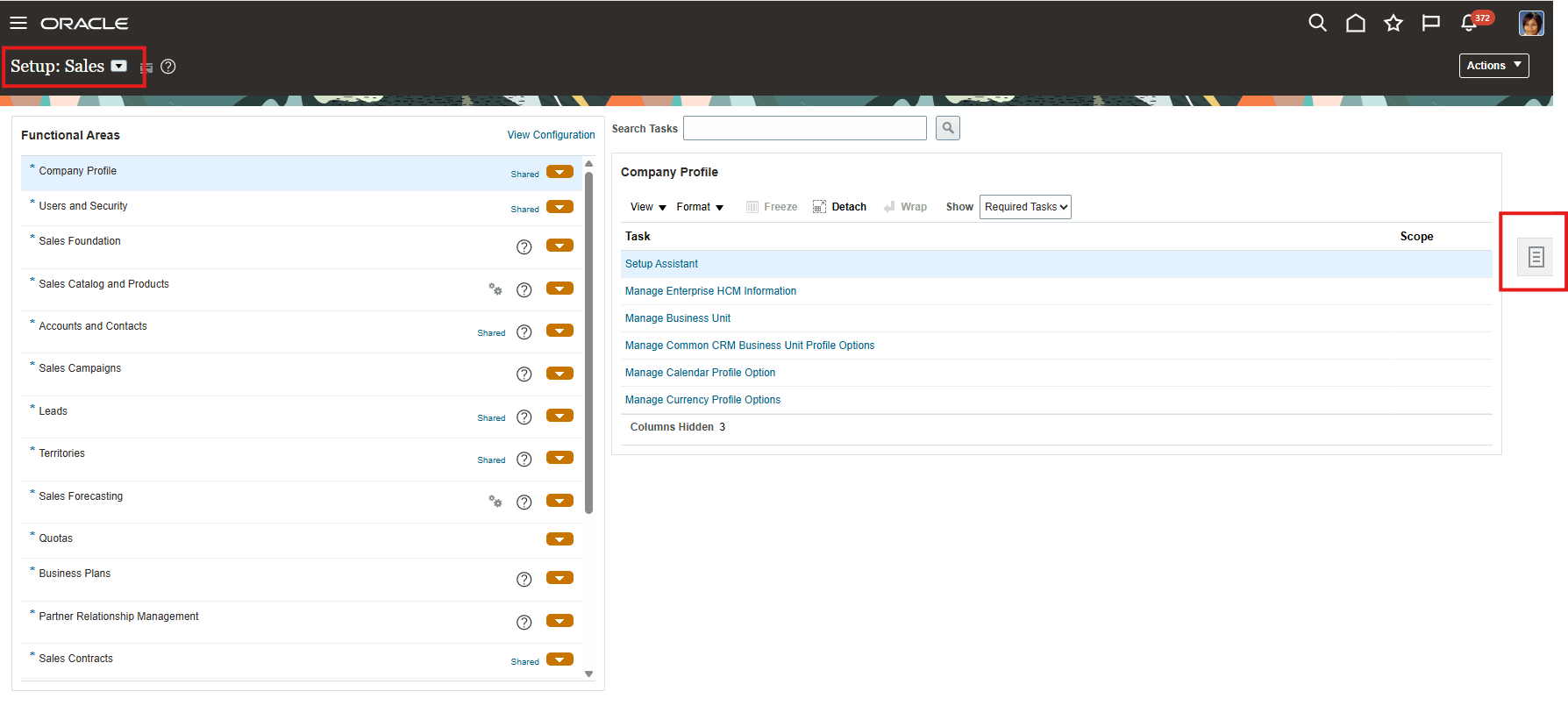
Search Task to Configure Action Bar

Search Task
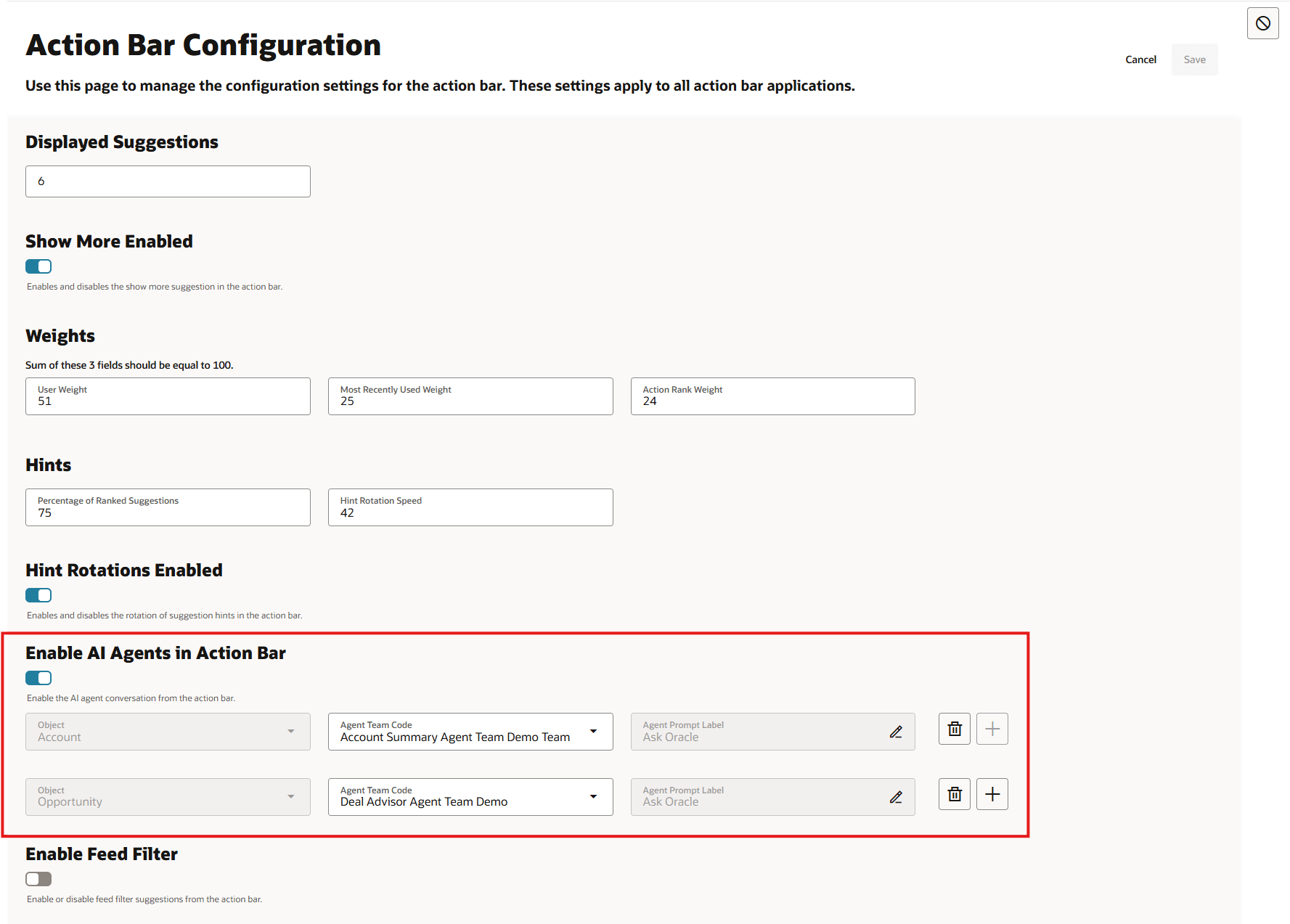
Configure Action Bar to use AI Agents
Tips and considerations
If you're not using Activity Feed or would like to turn off activity feed filters, use the same configuration page to turn off feed filtering as it will remove the Search (searches activity feed for the keyword) suggestion from action bar suggestions.