An AI Agent for Multiplan Migration
Automate migration of multiple compensation plans between environments using ESS processes. Use this feature when plans are being overhauled and you need to move tested compensation plans onto the production instance.
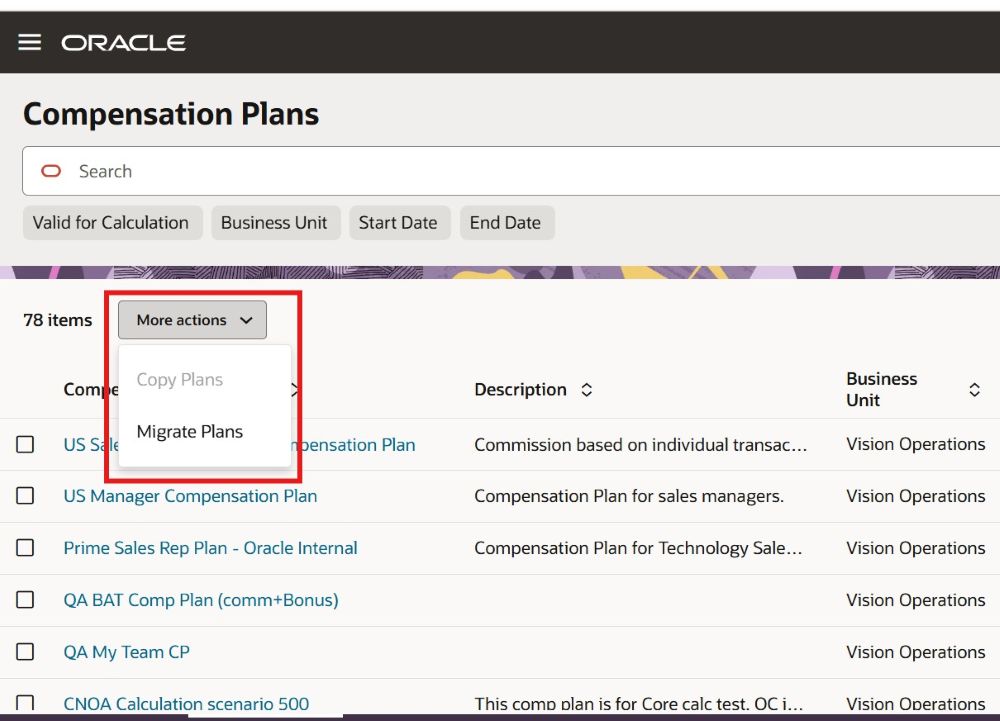
Initiate Migrate Plans
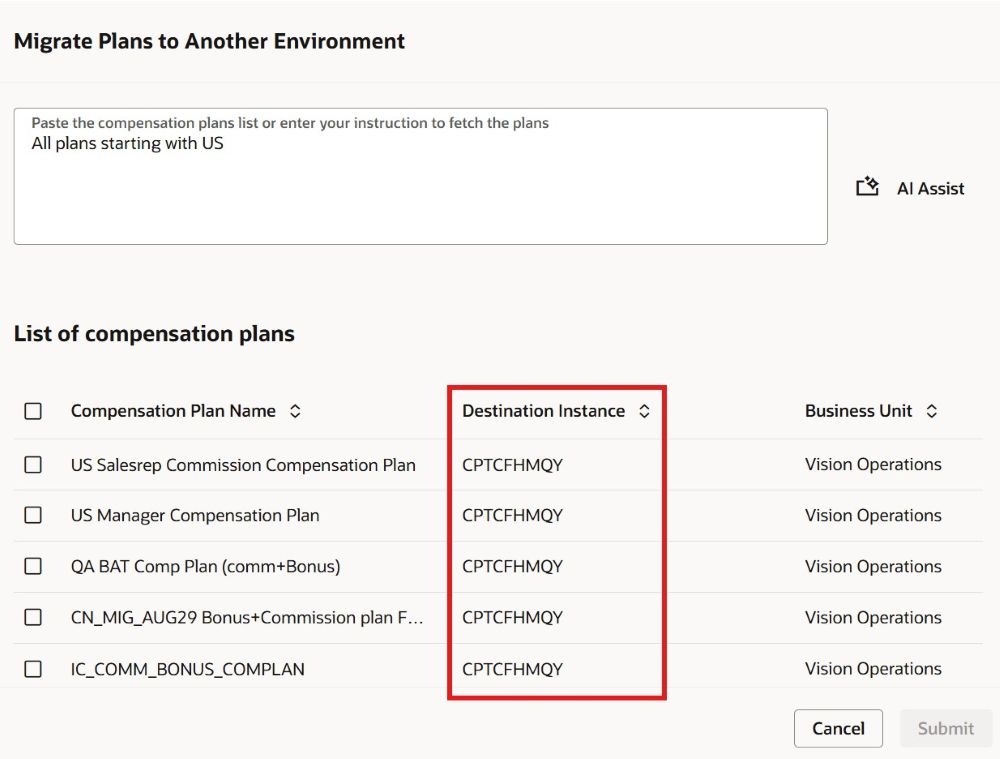
Migrate Plans to Another Environment
Plans are exported from the source environment to the UCM server, then imported into the target environment to create the new compensation plans. After you trigger the export job, the end-to-end export/import process runs automatically.
Many customers overhaul their compensation plans each year and to achieve this, they will clone the production plans onto a lower instance to modify and test the new plans. Once the plans are ready to be deployed onto the production instance, they can migrate the plans in masses using this feature. Th entire process can be kicked off from the lower environment without having to log onto the production instance.
Steps to enable and configure
Set destination environments.
Login as Incentive Administrator and setup destination environments using the Manage Parameters Task under Setup and Maintenance.
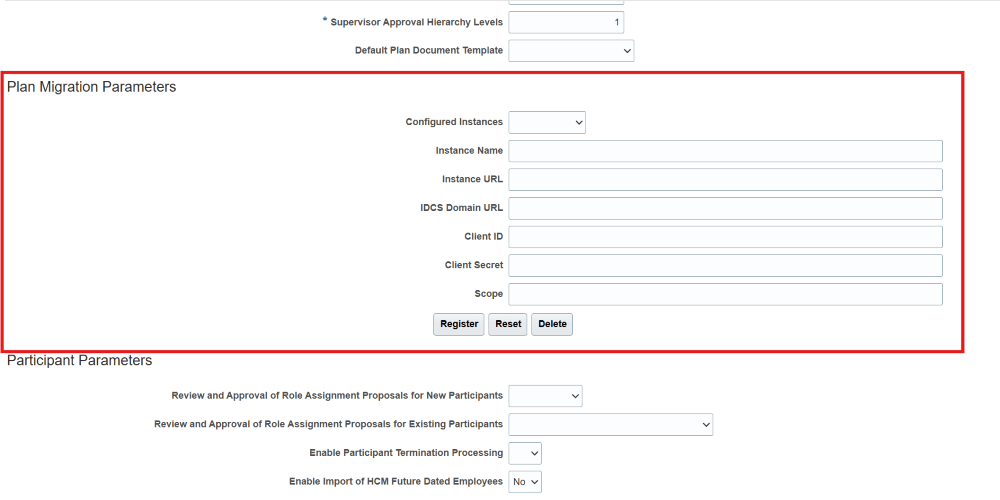
Register Destination Environments
Document link to the IDCS setup.
Tips and considerations
This features lets users create compensation plans in another environment. Only configure those environments in Manage Parameters where it is ok for the user to create compensation plans.
This is an ESS job that requires heavy processing. You will need to allow reasonable time to complete the process and the duration depends on the quantity and the complexity of the plans. Note that the plan import is incompatible with some other incentive compensation processes and so can block them from running if the import for large plans runs for a long time.
-
- Test the smallest and the largest plan individually to gauge the migration time. and note the time it takes to migrate.
- If your plans are large, choose just a few plans to migrate in one submission request.
- Try to migrate when you expect fewer users to be on the system or when other processing is not being done.
Access requirements
You will need the following roles:
- Incentive Compensation Plan Administrator
- Financial Integration Specialist