Service Contract Coverage Pricing for Oracle CPQ Running in Fusion
Oracle CPQ 26C supports a new Enable Contract Coverage pricing attribute to designate if an item is eligible to be covered under a service contract and apply the appropriate coverage pricing. When enabled the Enable Contract Coverage attribute synchronizes via Oracle Sales Product Information Management (SPIM) and is exposed in Part services, and honored by Oracle CPQ quoting and pricing coverage workflows.
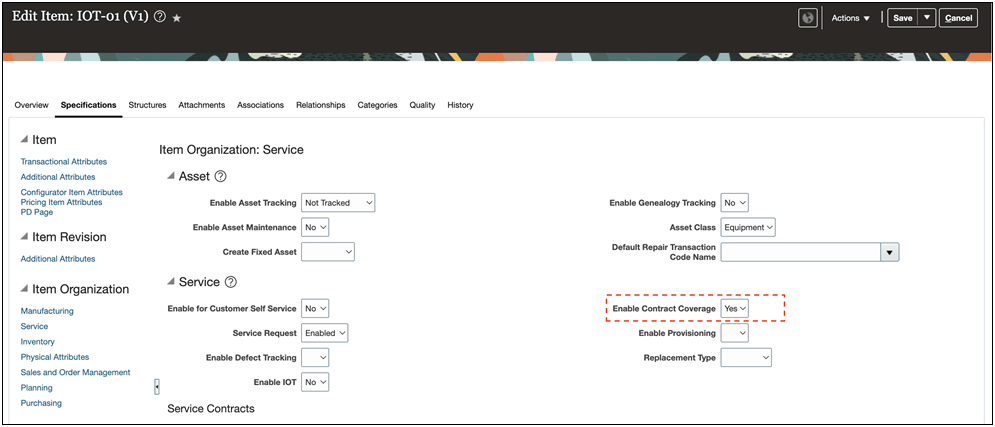
Organizations can align Oracle CPQ coverage eligibility with SPIM-managed product data, reduce manual handling of non-coverable items, and improve consistency of coverage behavior across product sync, quoting, and pricing execution.
Steps to enable and configure
CPQ administrators and implementation users with access to product sync configuration, Part schema/API management, and commerce process attribute configuration are required to enable and validate this functionality.
The feature requires schema and integration uptake and Commerce Process attribute enablement before quote behavior uses the new coverage eligibility flag.
Ensure product synchronization from Product Information Mangement (PIM) includes Enable Contract Coverage and related item-type schema values for parts and ‘Enable ContractCoverage Flag’ is enabled.
Complete the following steps to include the Enable Contract Coverage flag in your Standard Commerce process:
- Navigate to CPQ Admin > Quotes.
- Select the applicable Standard Commerce Process.
- Navigate to the Manage Transaction Line > Attributes section.
- Enter Type: Part Attribute Set in the Attributes search.
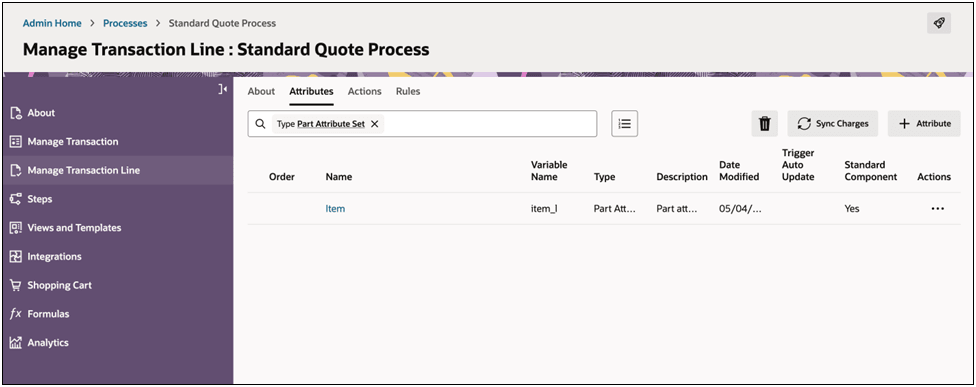
- Click on the Part Attribute Set link to edit the part attribute set details.
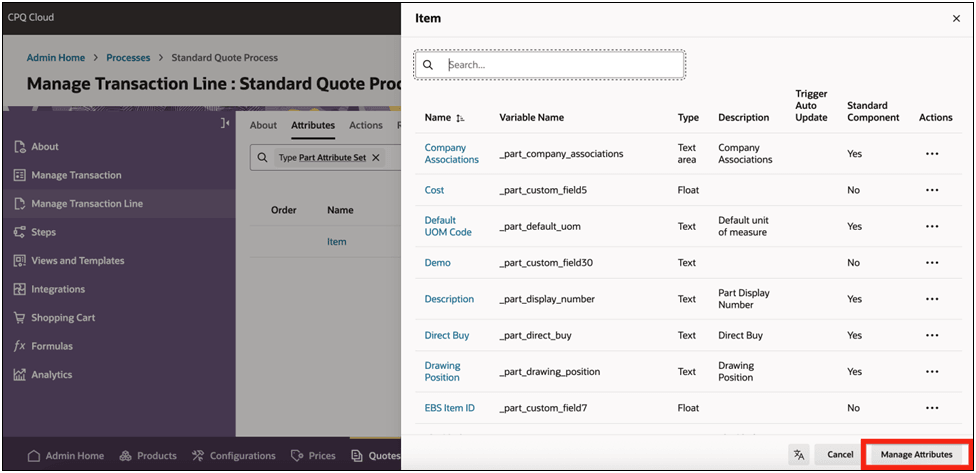
- Click Manage Attributes.
- Select Enable Contract Coverage.
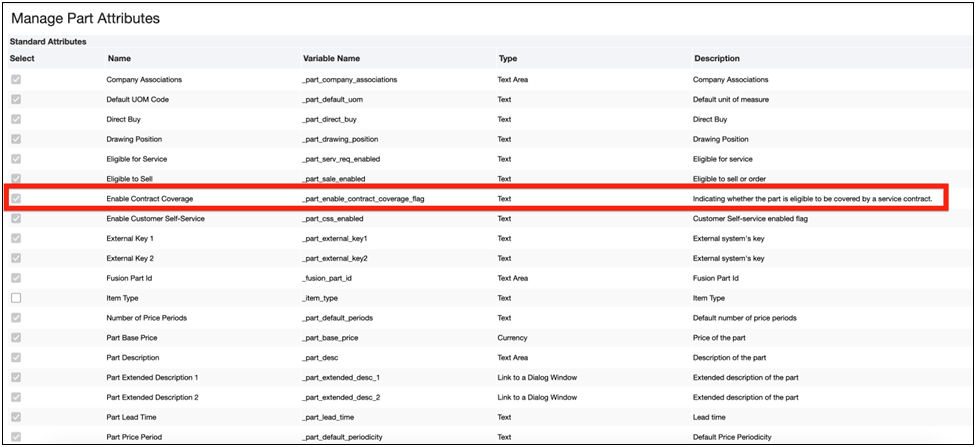
- Deploy the Commerce process.
Tips and considerations
- If the Commerce process does not include the new Enable Contract Coverage part field, the item eligibility logic cannot be applied based on this field.
- If needed for early validation flows, set the part
enableContractCoverageFlagvalues using the Part Setup Upsert REST API.