Indicate Manager Adjustments in Forecast Overview
From the Forecast Overview page, sales managers can now easily review the adjustments they have made to their or their direct reports' forecasts. By selecting a filter, they can view a summary of forecast adjustments at the resource, territory, or product group levels for either the opportunity and revenue-based sales forecasts.
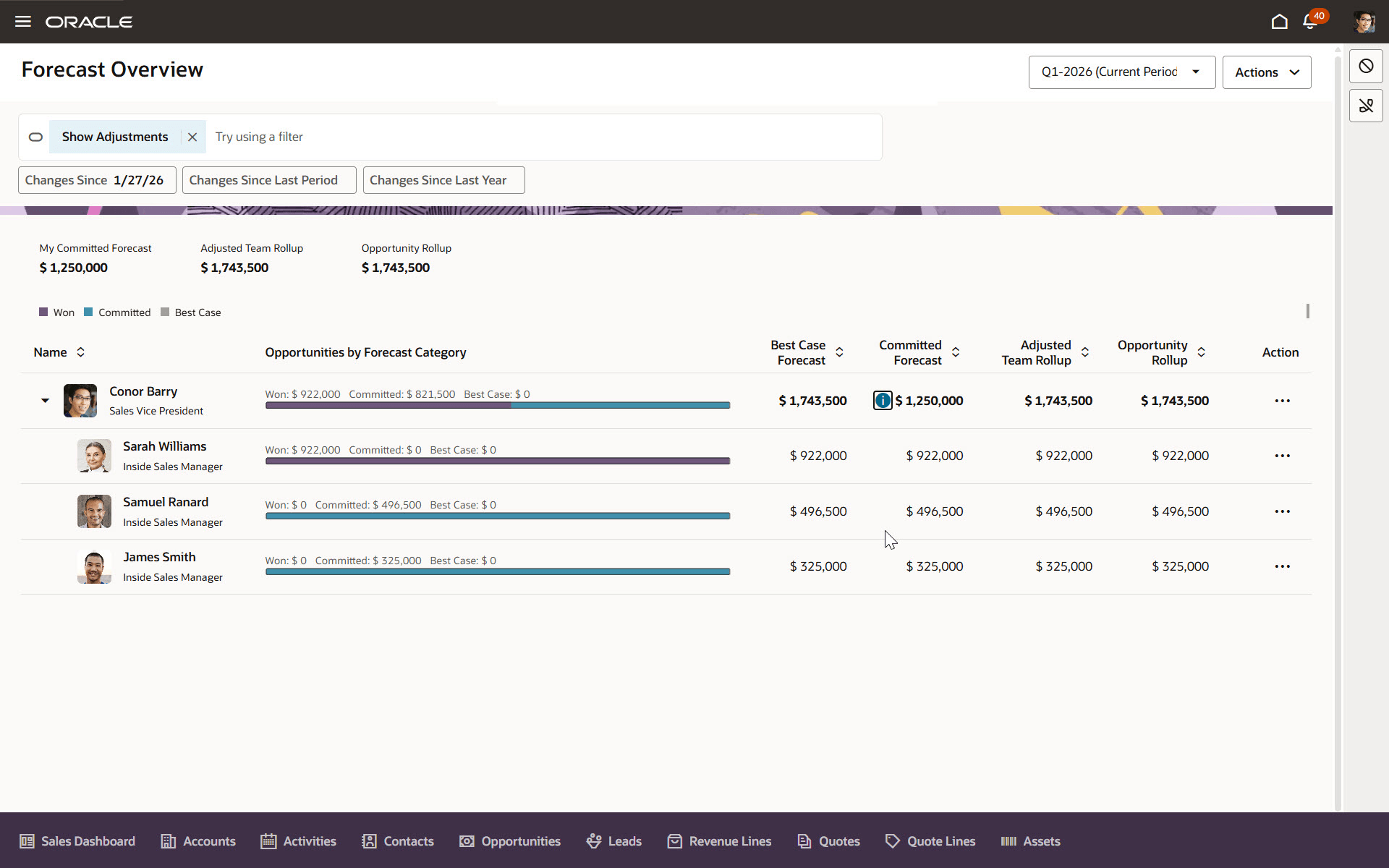
Manager Adjustment Indicator
This feature offers a quick and easy way for managers to view the adjustments made to their or their direct report’s forecast.
Steps to enable and configure
You don't need to do anything to enable this feature.
Key resources
For more information, see How do I get started with Sales Forecasting? and Sales Forecasting in Redwood - Using and Implementing Videos
Access requirements
This feature is available to sales managers and executives who have the Manage Sales Forecast from Digital Sales (ZSF_MANAGE_DIGITAL_SALES_FORECAST) privilege and the View Sales Forecast from Digital Sales (ZSF_VIEW_DIGITAL_SALES_FORECAST) privilege.