Show Forecast in Different Currencies
As a Sales Manager, you can view forecast numbers in different currencies from the forecast pages. For example, if you select a preferred currency, then the forecast numbers are shown in that currency; otherwise they're shown in the corporate currency. If you select another currency in the Forecast Overview page, then all numeric forecast and quota fields, metric cards, graphs, and hover-over values are displayed in the selected currency with the appropriate currency symbol.
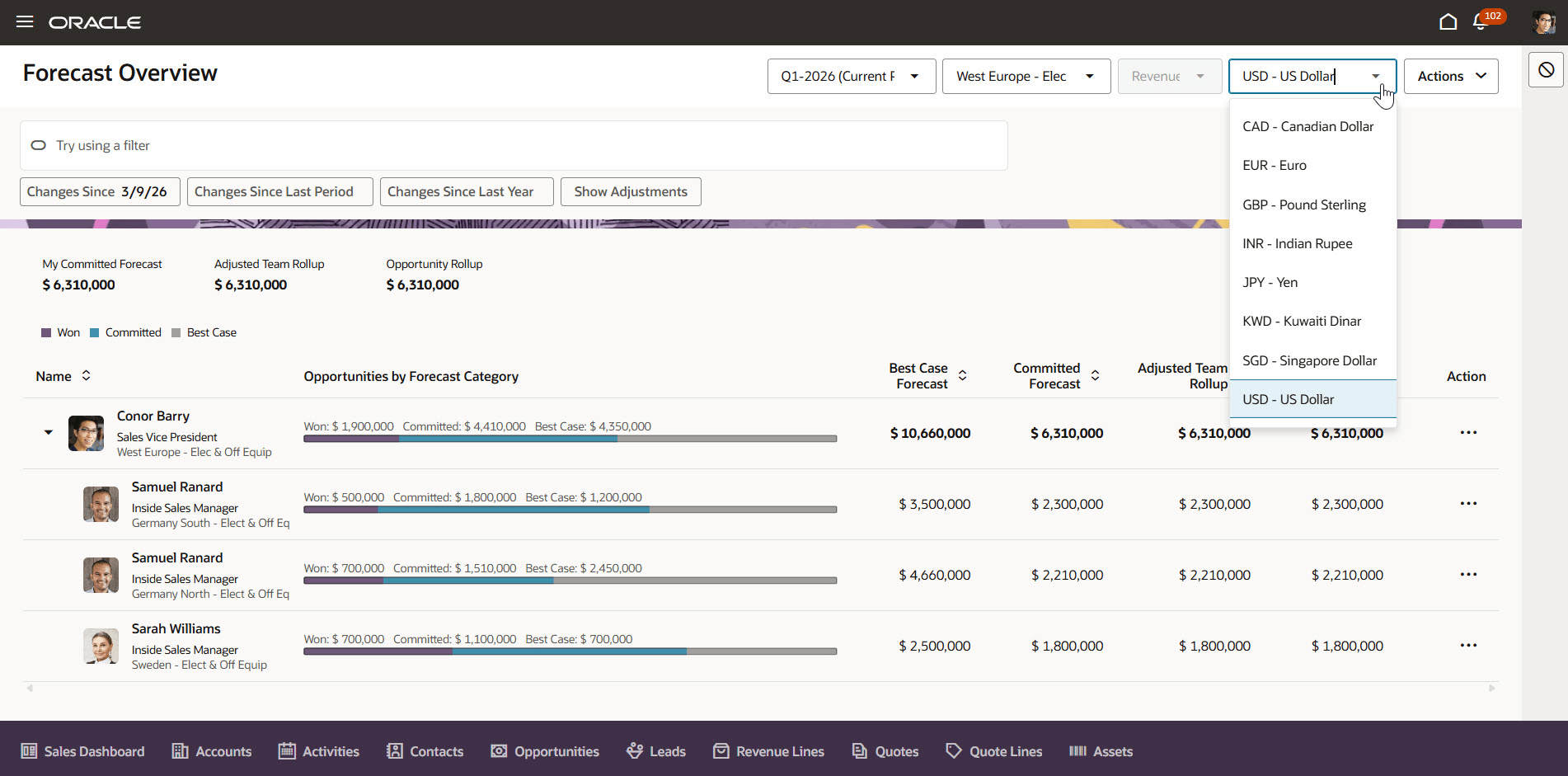
Currency Selection in Sales Forecasting
Viewing forecasts in different currencies helps sales managers interpret and compare monetary values consistently across regions, improving decision-making and reducing errors.
Steps to enable and configure
You don't need to do anything to enable this feature.
Tips and considerations
- If you select a currency in Regional Preferences, then forecast numbers will display in your chosen currency; otherwise, the corporate currency is used.
- The selected currency remains in effect for the duration of the session.
- You can update the currency on the Forecast Overview page, and your currency selection carries through to the Opportunities in Forecast page.
Key resources
For more information, see
How do I get started with Sales Forecasting?
Sales Forecasting in Redwood - Using and Implementing Videos
Access requirements
This feature is available to sales managers and executives who have the Manage Sales Forecast from Digital Sales (ZSF_MANAGE_DIGITAL_SALES_FORECAST) privilege and the View Sales Forecast from Digital Sales (ZSF_VIEW_DIGITAL_SALES_FORECAST) privilege.