AI-powered forecast guidance with Forecast Advisor
Use Forecast Advisor in Sales Forecasting to view an AI-generated forecast summary directly on the Forecast Overview page. The summary helps sales managers understand current-quarter forecast health, position against quota, pipeline coverage, forecast trends, monthly breakdowns, risks, and recommended actions. Users can open a Forecast summary drawer to view the the full forecast insights.
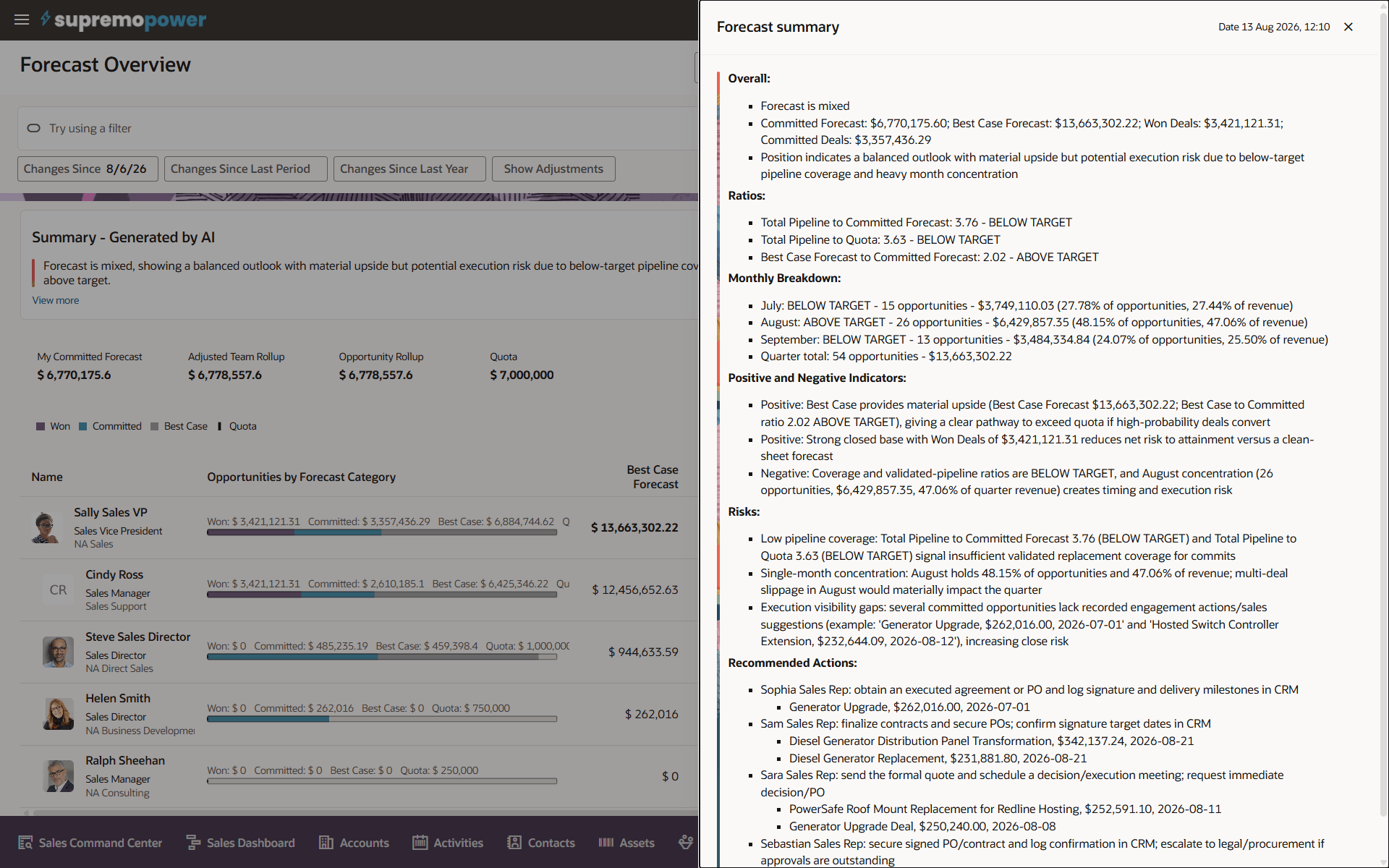
Forecast Summary
Forecast Advisor reduces the manual effort required to assess forecast health and identify where action is needed. Sales managers can quickly understand whether forecast commitments are on track, identify deal and pipeline risks, and focus coaching or follow-up actions on the opportunities most likely to affect forecast outcomes.
Steps to enable and configure
Generate forecast summaries for appropriate levels of the hierarchy for current and other active periods
Options are available using the forecast advisor for individual resources or territories, or forecast advisor orchestration for range of levels in the resource or territory hierarchy.
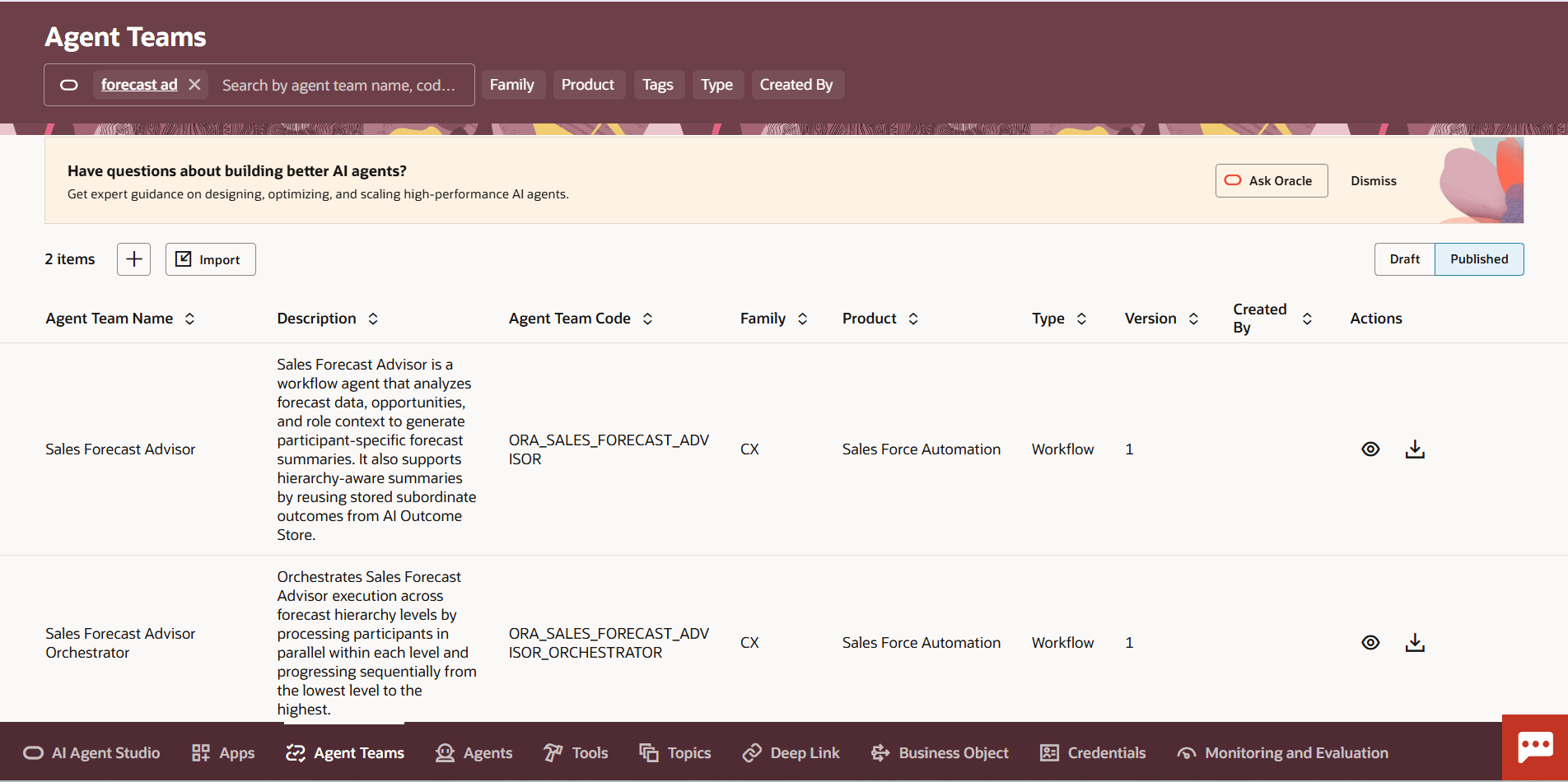
Sales Forecast Agent Teams in AI Studio
- Navigate to Tools -> AI Agent Studio
- Select Agent Teams
- Select Published and search for forecast advisor agent teams
- Run the Sales Forecast Advisor or Sales Forecast Advisor Orchestration agent team.
- Enter parameter values such as:
- Sales Forecast Advisor
- Period Name e.g. Q3-2026
- Participant Identifier - For opportunity forecasting use the resource identfier. For opportunity revenue forecasting use the territory identfier.
- Sales Forecast Advisor Orchestration
- Period Name e.g. Q3-2026
- Maximum Depth - The lowest level of the hierarchy (needs to be the sales rep level), e.g., 10
- Minimum Depth - The upper level of the hierarchy, e.g., if hierarchy levels are 1 to 10, and want advisor available for the bottom 6 levels, enter 4
- Sales Forecast Advisor
Tips and considerations
To have accurate forecast summaries for sales executives and managers, generate summaries for every lower level of the resource or territory hierarchy.
Key resources
For more information, see:
How do I get started with Sales Forecasting?
Sales Forecasting in Redwood - Using and Implementing Videos
Access requirements
This feature is available to users with the default Sales Manager and Sales VP job roles assigned, or users who have the Manage Sales Forecast from Digital Sales (ZSF_MANAGE_DIGITAL_SALES_FORECAST) privilege and the View Sales Forecast from Digital Sales (ZSF_VIEW_DIGITAL_SALES_FORECAST) privilege.