Manage Active Territories Using the Redwood Territories Experience
Sales administrators can manage active territories using the Redwood Territories experience. They can browse territories in a hierarchy, review AI-generated territory summaries, and manage territory details, members, and coverage from a single experience.
Sales administrators can:
- View active territories in a hierarchy.
- Review an AI-generated business summary of a territory’s details, members, and coverage.
- Create a territory using a CSV template.
- Update a territory's header information, owner, membership, and coverage.
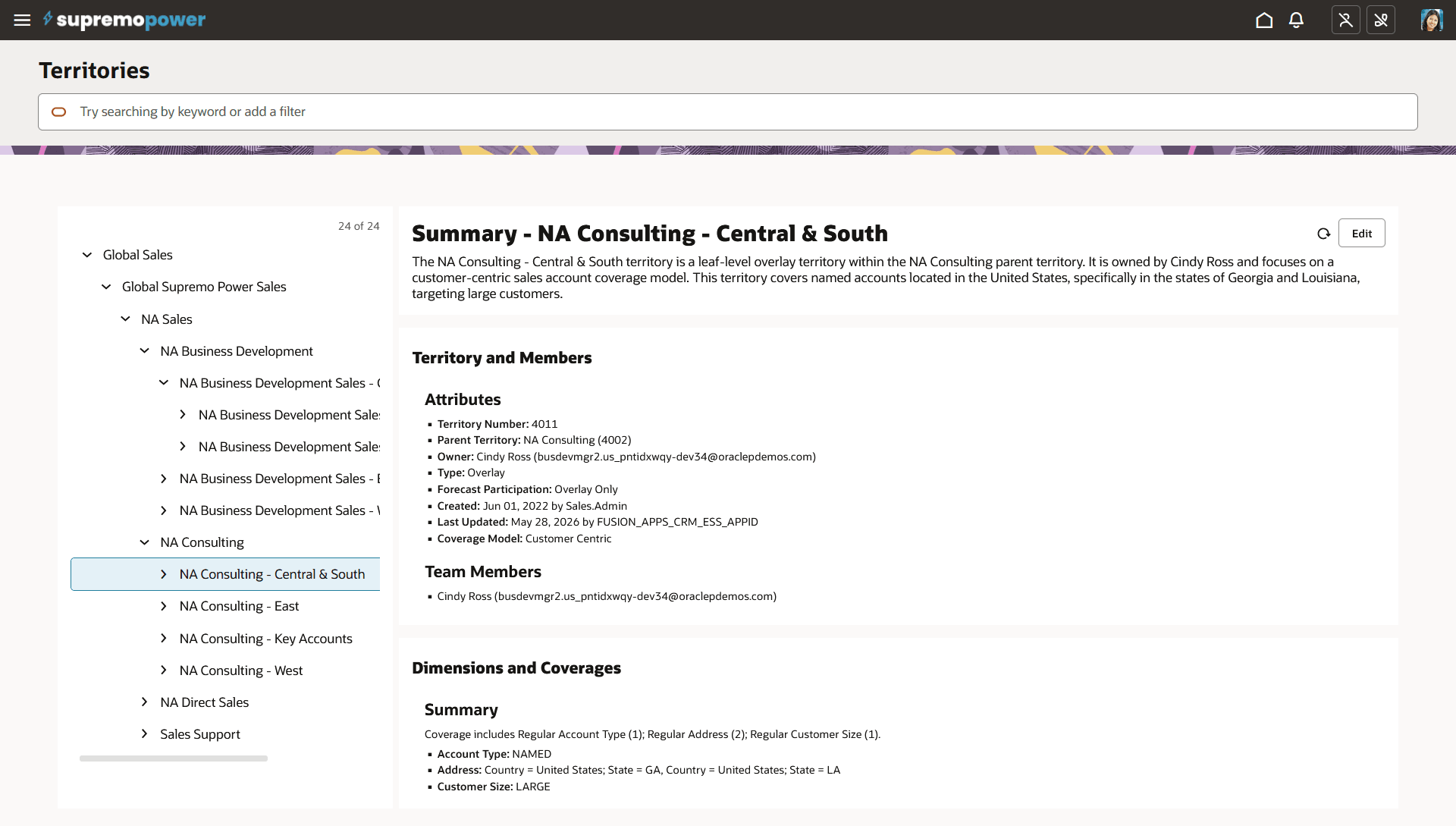
Browse Territories in Redwood User Experience
This feature provides sales administrators with a consolidated view of territory information and helps them efficiently review and maintain active territories.
Steps to enable and configure
No steps are required to enable this feature.
Tips and considerations
AI-generated territory summaries provide a concise business overview based on the territory's details, members, and coverage. Use the hierarchy view to understand territories in their organizational context.
Try it
- Navigate to Configuration > Sales Administration and select Territories.
- Browse the territory hierarchy.
- Select a territory to review its summary, attributes, team members, and coverage.
- Use Edit to update the selected territory as needed.
At this time, the Redwood experience does not support Draft Territories, Proposals, or Inheritance Territories.
Key resources
For more information, see:
Territory Management - Using and Implementing
Access requirements
This feature is available to sales administrators who have the Manage Sales Territories (MOT_MANAGE_SALES_TERRITORY_PRIV) privilege.