Unified Configuration experience for Oracle CPQ running in Fusion
Sales users can configure Oracle Product Information Management (PIM) Product Catalog-defined Assemble-to-Order (ATO) and Pick-to-Order (PTO) models in Oracle CPQ through a unified Redwood experience powered by Fusion Configurator. The configuration flow supports the same CPQ quoting experience whether rules are authored in CPQ or the Fusion Configurator.
Use the Unified Configuration user experience in Fusion to:
- Configure mutually exclusive and multiple-selection option classes.
- Select whole or decimal quantities within supported ranges.
- Apply cascading selections, required selections, conflict handling, and rule-based value assignments.
- Review calculated pricing and a running summary while configuring a model.
- Save the configured structure to the quote after configuration is complete.
Sales and channel users receive a consistent configuration experience across Oracle CPQ and Fusion products. The unified flow reduces context switching during quoting while allowing organizations to use PIM item structures and change-order processes to manage configuration content.
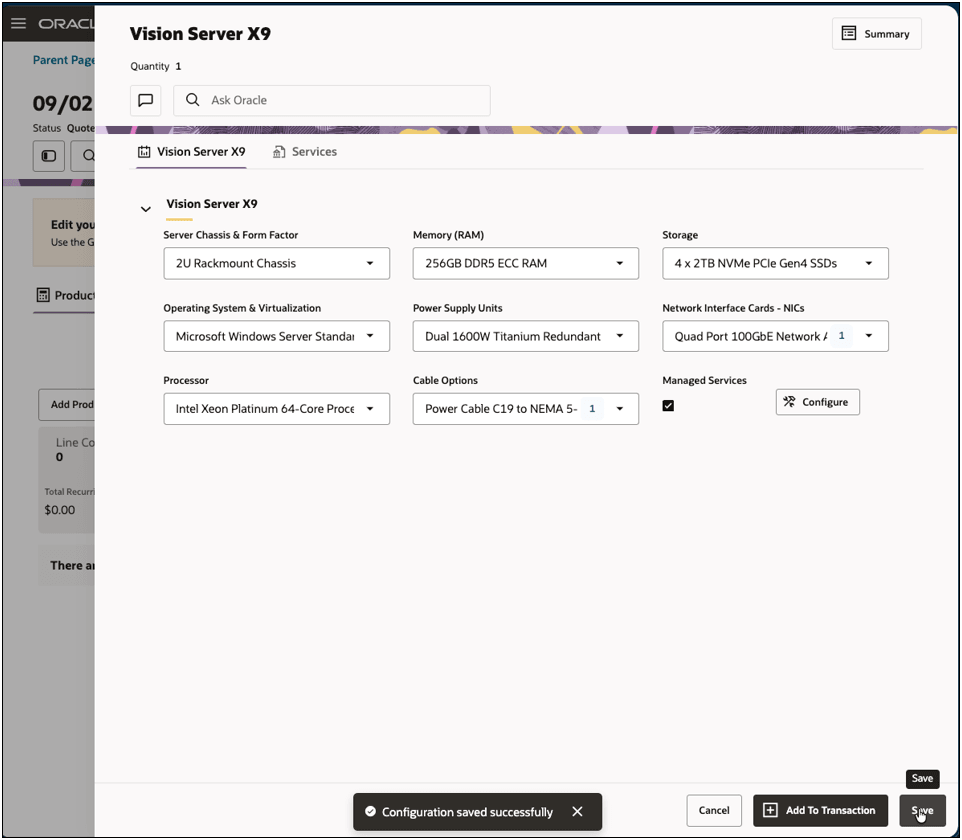
Steps to enable and configure
Access Requirement: To enable this feature, the Administrator User be assigned the Application Implementation Consultant (ORA_ASM_APPLICATION_IMPLEMENTATION_CONSULTANT_JOB).
To enable this feature, you must enable the Unified Oracle CPQ in Fusion opt in:
- Navigate to Offerings.
- Select Configure Price Quote and click View Features.
- Open Features by clicking the Edit (pencil) icon.
- Enable the Unified Oracle CPQ in Fusion opt-in.
To try out this feature:
- Select a PIM-defined PTO or ATO model in an Oracle CPQ quote.
- Configure the model in the Redwood configuration experience.
- Review the selected options, rules, and calculated pricing.
- Save the completed configuration to the quote.
Tips and considerations
- The feature applies when a selected product is a PIM-defined PTO or ATO models.
- There is no need to replicate these configurations in CPQ.
- Top-selling configuration recommendations and favorites are not supported with this feature.