AI Agent: Purchase Orders to Sales Orders Converter
Use an AI agent in Oracle Order Management to automatically convert a purchase order from a PDF file into a sales order. The agent will take the PDF files you upload that contain your purchase orders and convert them into sales orders.
Realize these benefits:
- You no longer have to manually enter a sales order when you have a purchase order.
- Reduce data entry errors.
- Speed up the process.
Try It
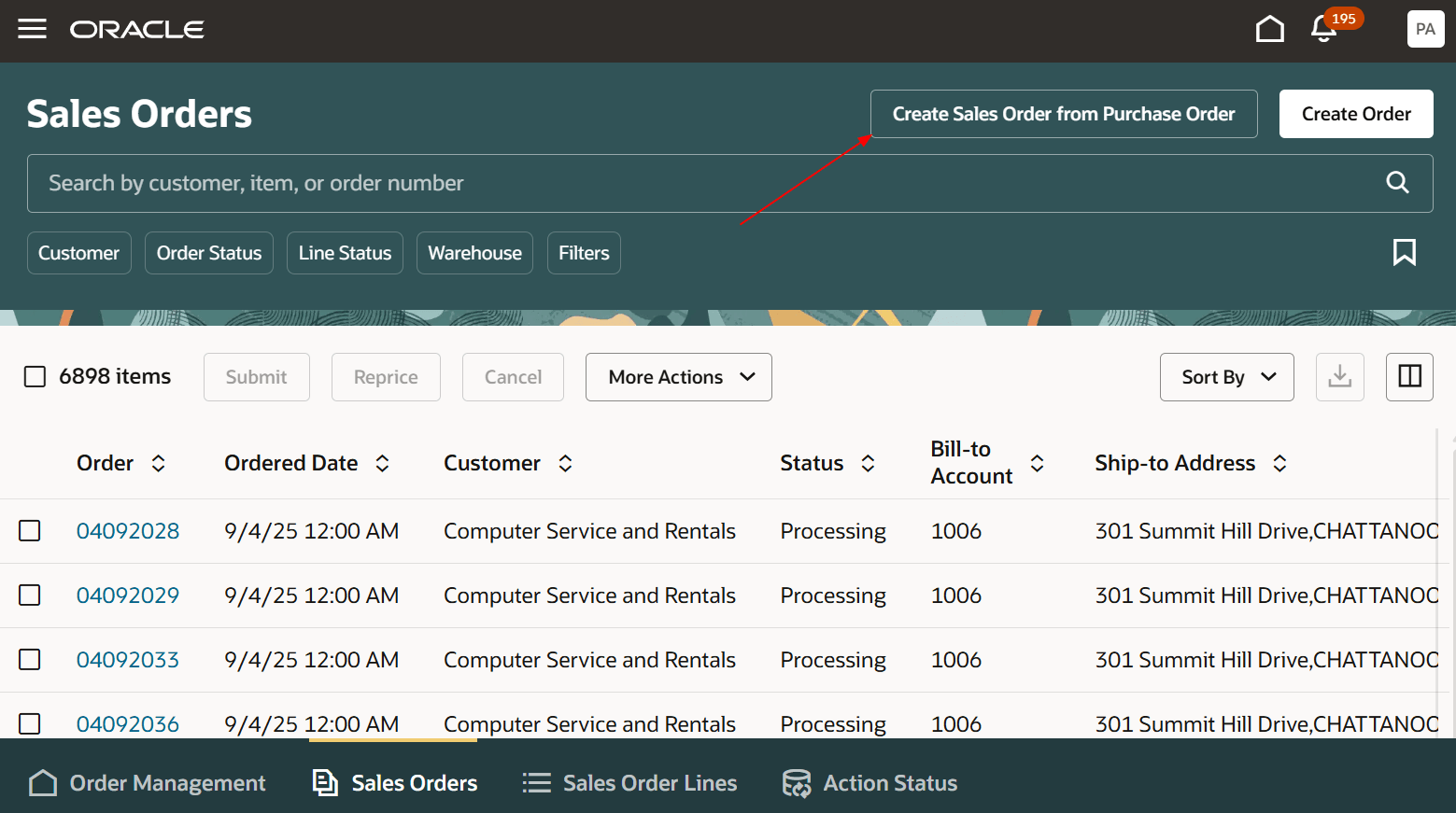
- Go to the Order Management work area, then click Sales Orders > Create Sales Orders from Purchase Orders:
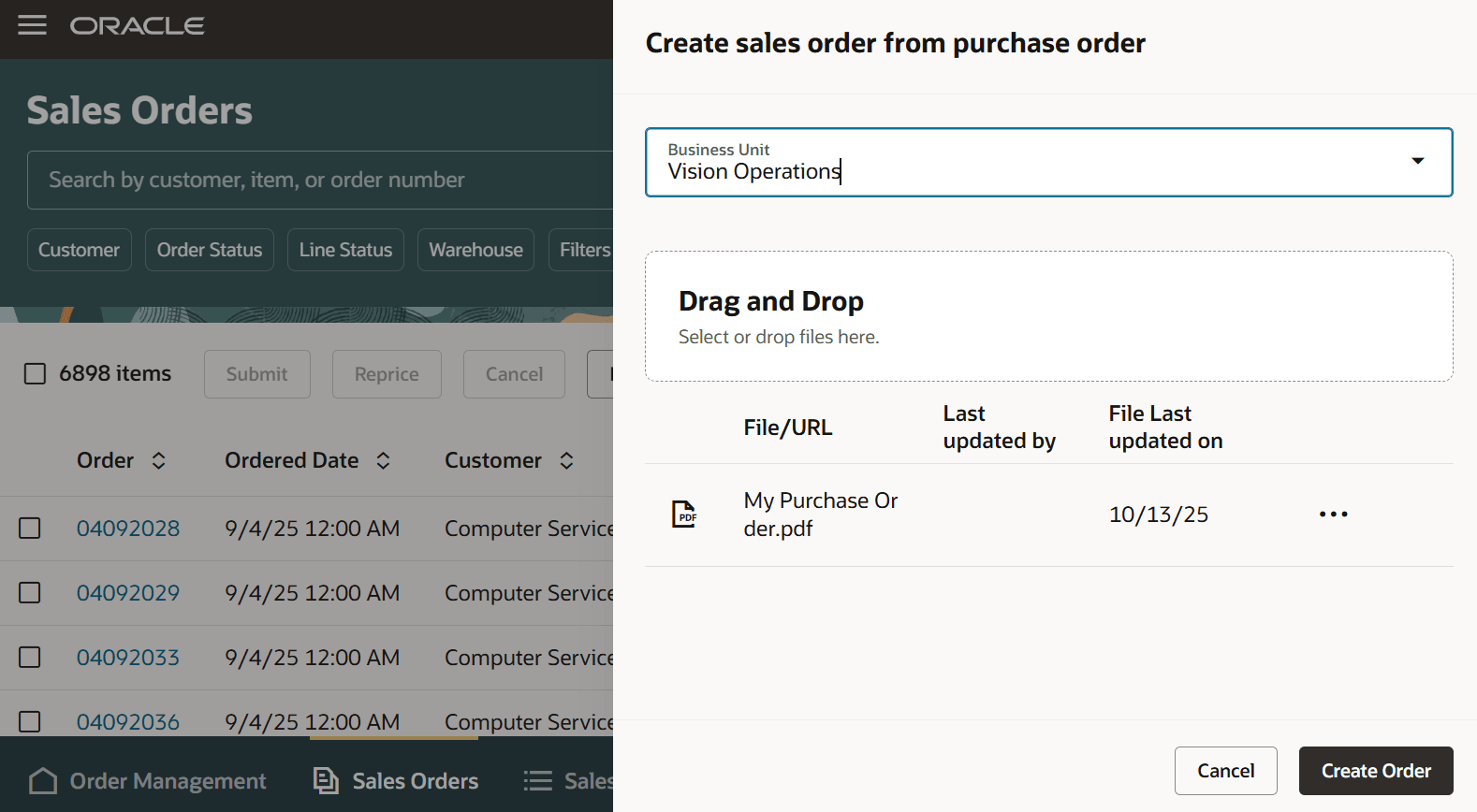
- Select your business unit, upload one or more PDF files that contain your purchase orders, then click Create Order:
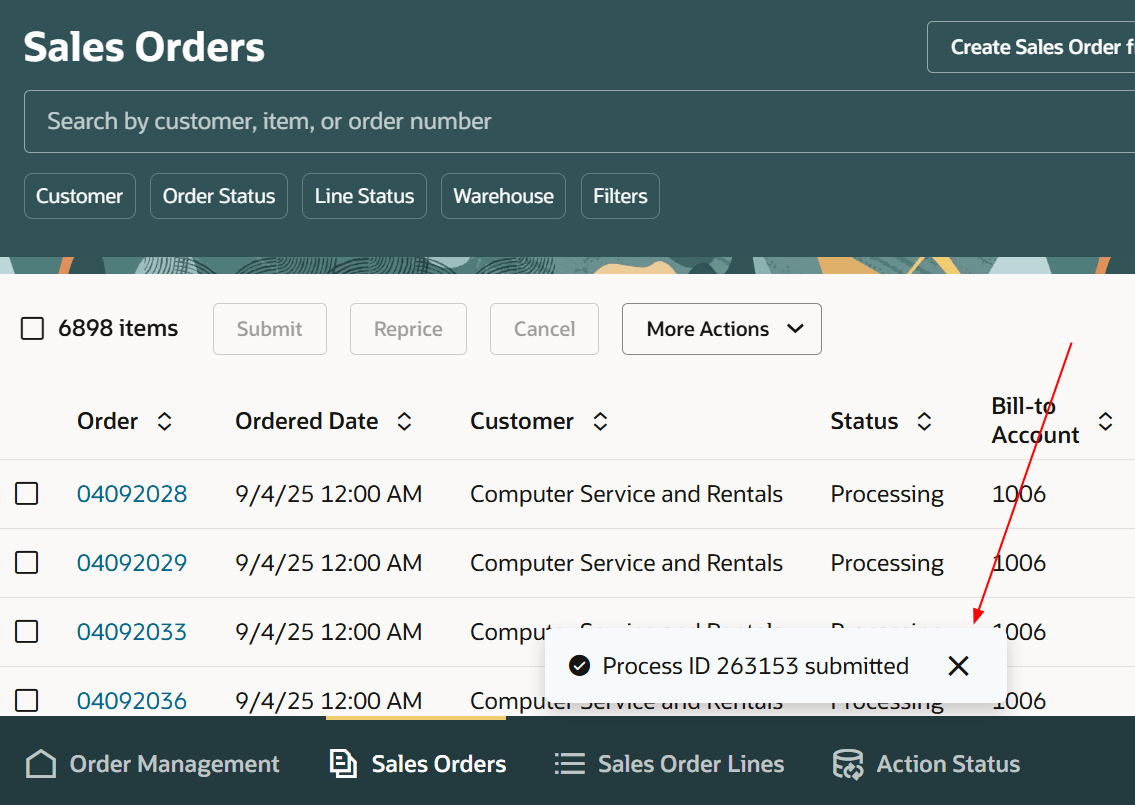
- Notice the process ID in the message, such as 263153:
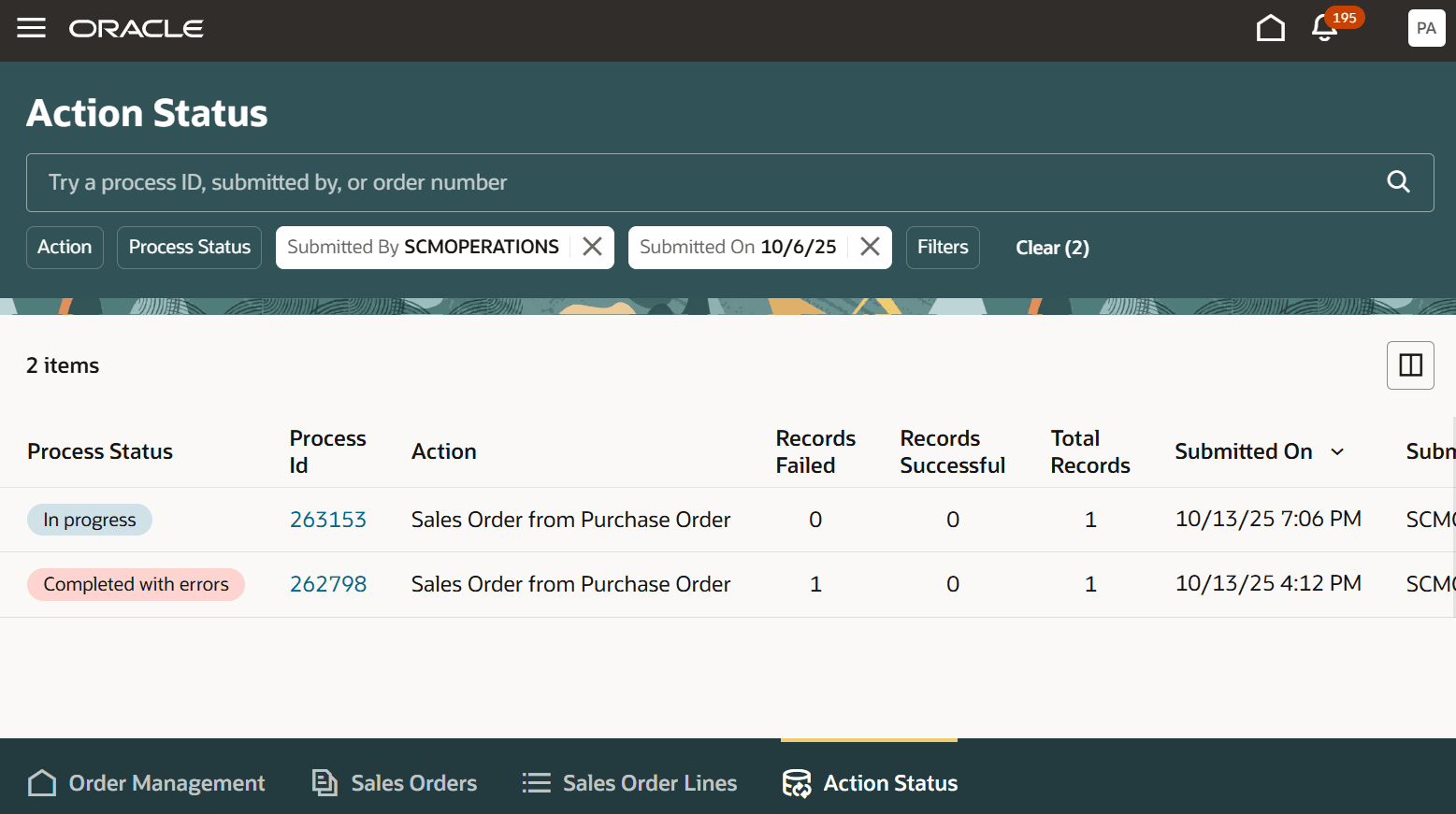
- Click Action Status, then click 263153 in the Process Id column:
Steps to enable and configure
- Make sure you have these roles:
- ORA_DR_FAI_GENERATIVE_AI_AGENT_SCM_ADMINISTRATOR_DUTY
- FAI_VIEW_AI_AGENT_WORKFLOW_DATA
- FAI_MANAGE_AI_AGENT_WORKFLOW_DATA
- Go to the Setup and Maintenance work area, then use the Manage Administrator Profile Values task to set the Enable VBCS Progressive Web Application User Interface (ORA_HCM_VBCS_PWA_ENABLED) profile to Y at the site level.
- Go to Home > Tools > AI Agent Studio, then search for Purchase Order to Sales Order Converter.
- Click Actions > Copy Template, enter a suffix, then click Continue. We recommend that you use the suffix to indicate versions, such as 1, 2, 3. For this example, assume you enter 1 for the suffix.
- Click Publish, then confirm that the agent's status is Published.
- Click Agent Teams, then query for Purchase Order to Sales Order Converter 1.
- Copy the value that's in the Agent Team Code attribute. For this example, assume it's PURCHASEORDERTOSALESORDERCONVERTOR_1.
- Go to Home > Order Management > Order Management (New) > Sales Orders, then click Settings and Actions > Edit Page in Visual Builder Studio.
- Set the convertPOtoSOAgentName attribute to PURCHASEORDERTOSALESORDERCONVERTOR_1.
- Verify that the Sales Order page displays the Create Sales Order from Purchase Order button.
To view a similar procedure that has screen prints, see AI Agent: Data Access Advisor for Sales Orders.
Tips and considerations
You must use Order Management's redesigned pages.
Your PDF must include values for these attributes:
- Customer
- Ordered Date
- Purchase Order Number
- Ship-to Address
- Item
- Quantity
- Unit Price
As an option, you can include a value for any other order attribute.
Note
- The purchase order can use a wide variety of formats, but it must clearly indicate the relationship between the attribute and its value. For example, the Customer cell on the purchase order's header must identify the customer.
- We recommend that you use the same attribute text that Order Management's sales order uses. For example, use Payment Method. Don't use Method.
- The values that you use for each attribute must meet Order Management requirements. To get an idea of what's possible, look at the values in an existing sales order. For example, select Shipping Method, then scan the values that are available in the pick list.
Key resources
Access requirements
To access the Oracle AI Agent Studio for Fusion Applications and manage SCM AI agents, users must be assigned a configured job role that contains these duty roles:
SCM Intelligent Agent Management Duty (ORA_RCS_SCM_AI_AGENT_MANAGEMENT_DUTY and ORA_RCS_SCM_AI_AGENT_MANAGEMENT_DUTY_HCM ? both duty role codes are required)
Fai Genai Agent SCM Administrator Duty (ORA_DR_FAI_GENERATIVE_AI_AGENT_SCM_ADMINISTRATOR_DUTY)
In the Security Console, filter by Roles and Privileges to find the SCM Intelligent Agent Management Duty role. Filter by Roles and Permission Groups to find the Fai Genai Agent SCM Administrator Duty role.
To interact with AI agents in product pages, users must be assigned a configured job role that contains this duty role:
Fai Genai Agent Runtime Duty (ORA_DR_FAI_GENERATIVE_AI_AGENT_RUNTIME_DUTY)
In the Security Console, filter by Roles and Permission Groups to find this duty role.
To allow users to interact with agents, you must also enable permission groups in the Security Console on those users configured job roles that contain the Fai Genai Agent Runtime Duty role. You can enable permission groups when you manage details for your configured job roles.
Users' configured job roles must also contain privileges that allow access to the pages where AI agents are enabled.
-
View Orders (FOM_VIEW_ORDERS_PRIV)