Assign Tasks to Requesters for Non-inventory Orders in the Bypass Count Tasks Workflow
You can now assign and notify containment tasks directly to requesters for recalled items on non-inventory orders that are in transit or delivered to expense locations. This brings requester-level actionability to scenarios that previously relied only on cost centers.
Count and Bypass tasks generated by Locate Recalled Parts are now created at the requester level for expense locations and in-transit shipments. If no requester exists on the transaction, tasks will default to the cost center.
Additionally, trace details now capture both requester and cost center from the source documents for expense receipts and inbound shipments - enhancing end-to-end visibility and auditability.
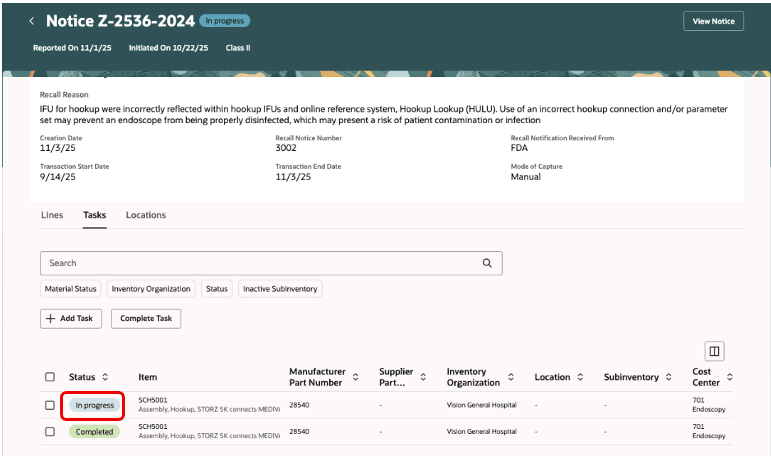
Containment task for expense location in In-progress status
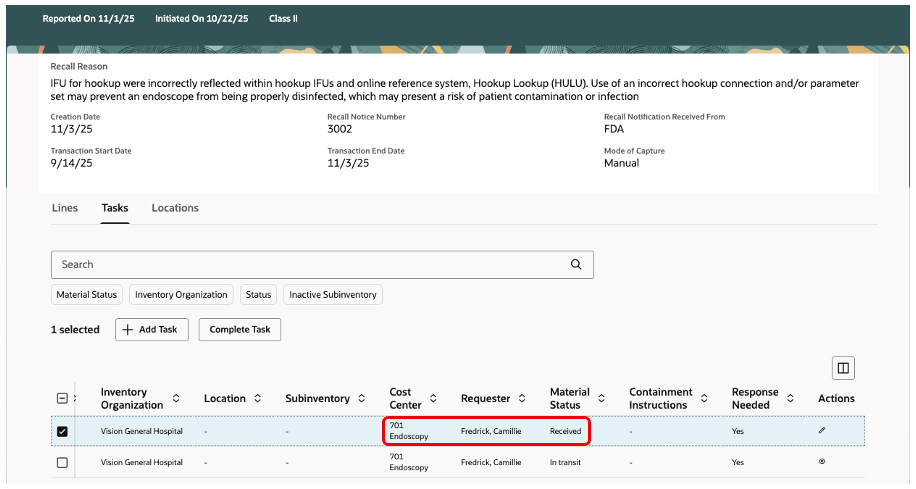
Containment task for expense location showing the requester
A default BPM rule now automatically sends FYI notifications to requesters for non-inventory orders that are in transit or received into expense locations.
Notifications are grouped by item, organization, cost center, and requester to prevent duplicates. You can also extend routing with your own BPM rules to notify additional users based on cost center, in addition to the requester.
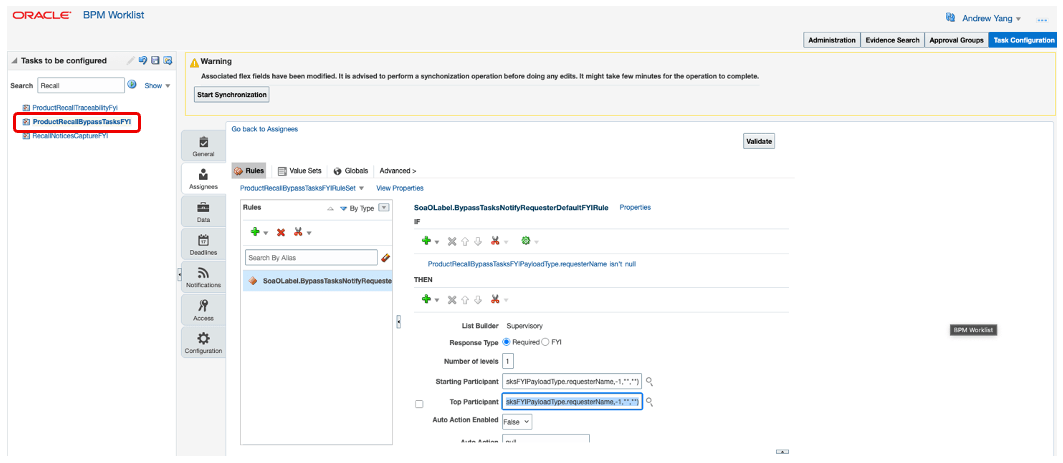
Seeded BPM rule to notify requesters
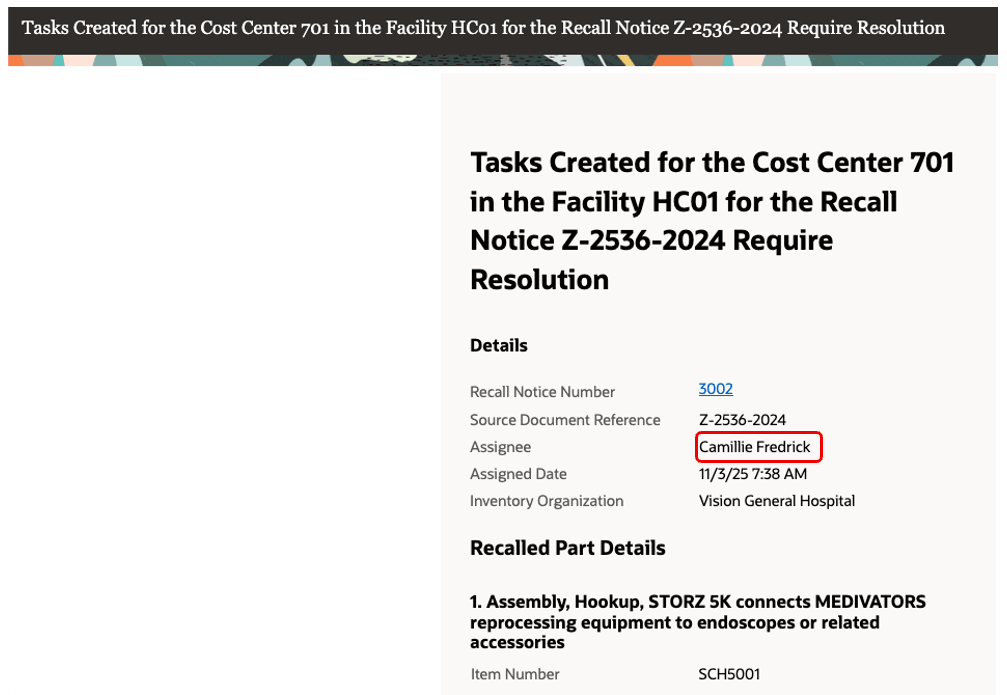
Notification content for the containment task with expense location
These capabilities apply to recalled items delivered to expense locations through purchase orders, transfer order issues, miscellaneous issues, account alias issues, and movement request issues, as well as inbound shipments against non-inventory orders.
Manual task creation continues to function at the cost center level.
Business Benefits
- Accelerate containment: Engage the requester closest to the transaction and capture self-attestation in the Bypass Count Tasks workflow.
- Strengthen compliance: Record requester and cost center in trace details for audit-ready tracking across expense and inbound flows.
- Reduce noise: Consolidate notifications by key attributes while still reaching additional stakeholders through cost-center-based rules.
- Extend coverage: Bring consistent recall handling to expense locations and in-transit non-inventory orders that were difficult to track previously.
Steps to enable and configure
You don't need to do anything to enable this feature.
Tips and considerations
If you don’t want to notify the requesters disable the seeded rule in BPM Worklist.
- In the Set up and Maintenance work area, use the Manage Task Configuration for Supply Chain Management task:
- Offering: Manufacturing and Supply Chain Materials Management
- Functional Area: Facilities
- In the BPM Worklist page Task configurations tab, search for RecallBypassTasksFYI task.
- Edit the task and go to Rule.
- Click on Properties and disable the Active flag.
Key resources
- Oracle Supply Chain Management guide, Using Product Recall Management guide, available on the Oracle Help Center.
- Oracle Supply Chain Management guide, Implementing Product Recall Management guide, available on the Oracle Help Center.
Access requirements
Users who are assigned with configured job role that contains the following privileges can access this feature:
- View Recall Trace Details and Tasks (SCH_VIEW_RECALL_TRACE_TASKS) - To access the notification content
- Complete Bypass Tasks for Recall (SCH_COMPLETE_RECALL_BYPASS_TASKS) - To report containment actions and complete the tasks
The configured job role must have a data security policy with data resource as Inventory Organization and the action as Maintain Item and Inventory Organization Parameter.