Automatically Close In-Transit Bypass Tasks When Sending Notifications
You can now automatically close recall tasks for inbound shipments once requesters or inventory coordinators are notified.
Use the new Recall Parameter option, “Auto close in-transit tasks after sending notifications,” to eliminate the need for manual updates of containment tasks after recipients are informed.
Notifications for in-transit tasks now also include substitute items for the recalled product, as defined in the product master. If multiple substitutes exist, all will be displayed along with their ranks.
This update streamlines recall handling by removing unnecessary follow-up steps when requesters or inventory planners will cancel and reorder substitutes, enabling a faster, notification-driven workflow.
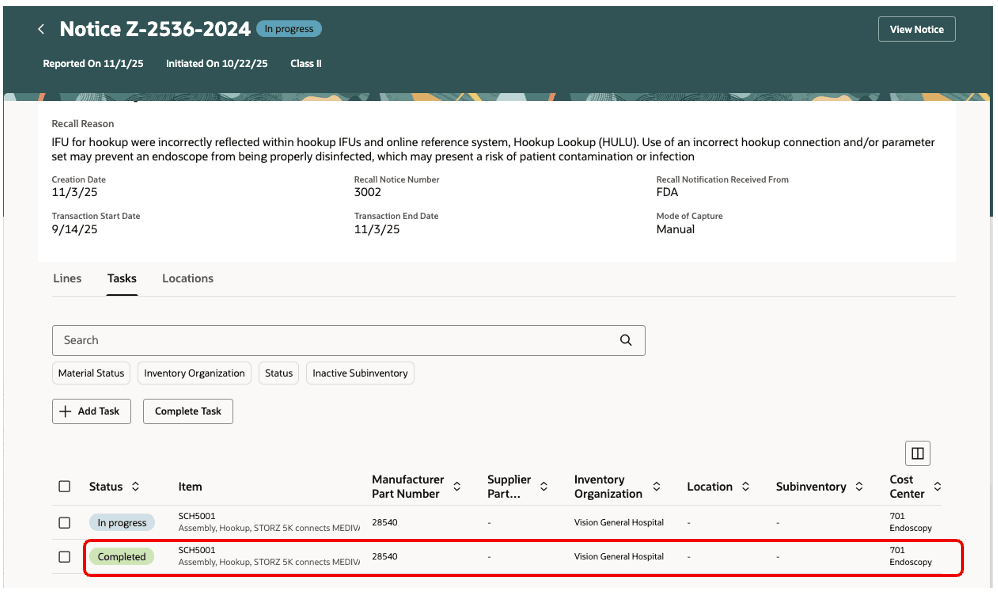
Containment task for in-transit shipment
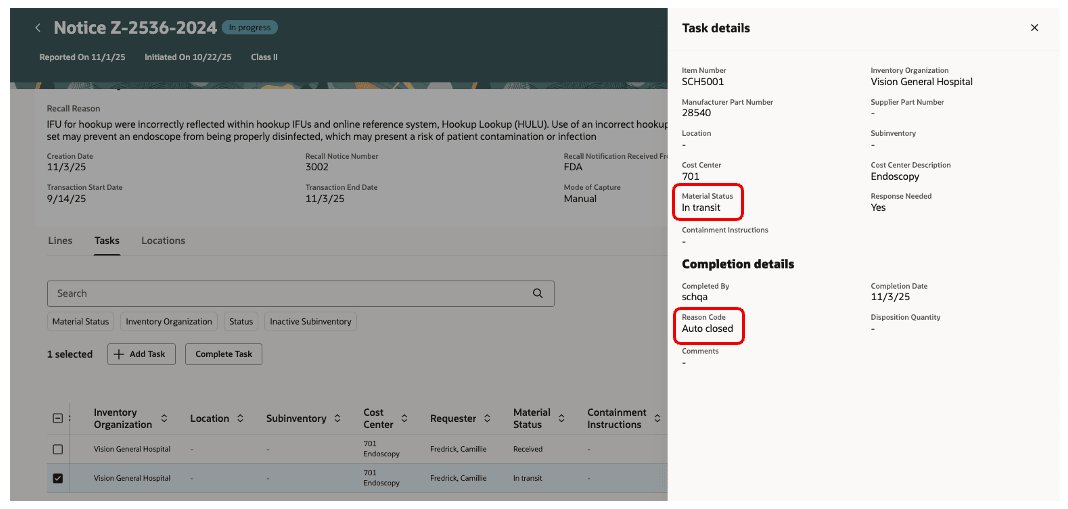
Auto close of in-transit bypass task
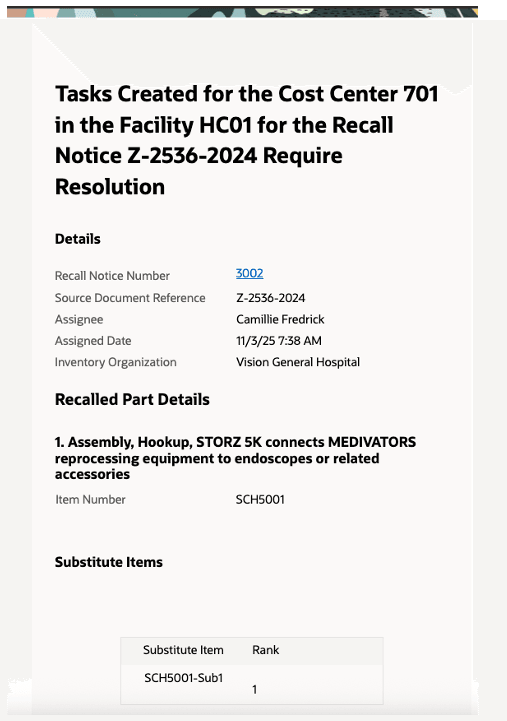
Task notification content with substitute item
Business Benefits
- Reduce manual effort of managing the containment tasks by auto-closing them after notifications.
- Accelerate containment while enabling quick re-ordering of substitutes.
- Improve requester experience with clear substitute options and ranking.
- Maintain control with a simple, configurable parameter.
Steps to enable and configure
To enable this feature, do the following:
- In the Set up and Maintenance work area, use the Manage Product Recall Parameters task:
- Offering: Manufacturing and Supply Chain Materials Management
- Functional Area: Product Recall Management
- Enable Auto close in-transit tasks after sending notifications attribute under the Global tab in the Recall Parameters page. This parameter will be visible only if Bypass Count and Disposal Tasks attribute is enabled.
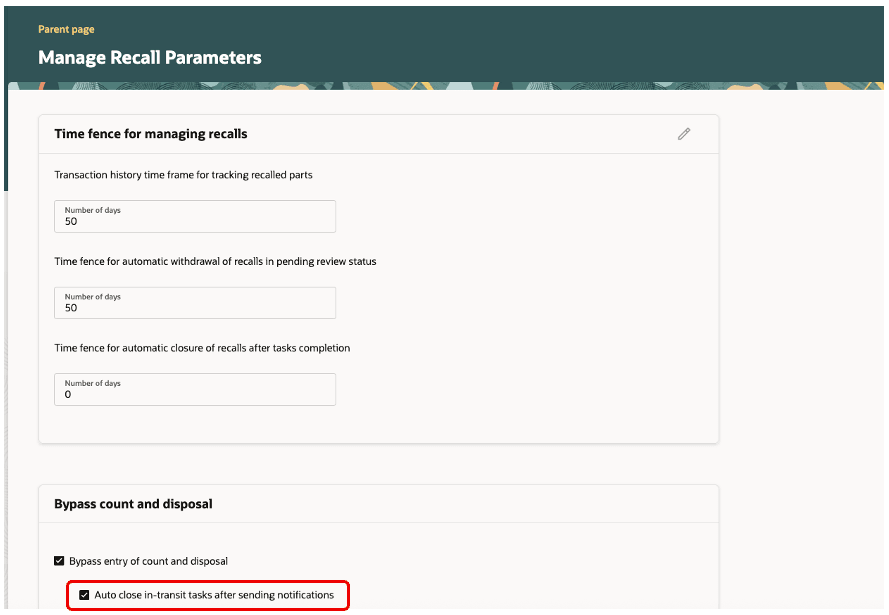
Recall parameters configuration
Tips and considerations
Enable this parameter only if:
- You don’t want to do a self-attestation on the recall tasks for inbound shipments by reporting the containment action code against each task.
- You want your requesters to be notified automatically for non-inventory orders when the recalled items have inbound shipments.
Key resources
- Oracle Supply Chain Management guide, Using Product Recall Management guide, available on the Oracle Help Center.
- Oracle Supply Chain Management guide, Implementing Product Recall Management guide, available on the Oracle Help Center.
Access requirements
Users who are assigned with configured job role that contains the following privileges can access this feature:
- Manage Product Recall Parameters (ENQ_MANAGE_PRODUCT_RECALL_PARAMETERS) – To enable this attribute in Recall Parameters page.
- View Recall Trace Details and Tasks (SCH_VIEW_RECALL_TRACE_TASKS) – To access the notification content