Calculate and Track Product Costs when Using an Ingredient Multiple Times in a Work Order Operation
You can now repeat a material using unique material sequences in an operation to maintain its granularity in a process manufacturing work definition, work order, and production transactions. For each instance of a material in an operation, you can specify different attributes such as quantity, basis type, supply type, and supply subinventory and locator. The material sequence is also carried forward to the list of materials displayed in the process manufacturing work order, reporting, reservation, picking, and execution, thereby displaying the order in which materials should be consumed in the operation.
Standard Cost Variance Calculation
The variance calculation now considers basis type, in addition to item and operation, for computing usage and batch size variance. Let's review an example of a work order where a single item is added multiple times with different basis types in the same operation, resulting in both usage and batch size variances.
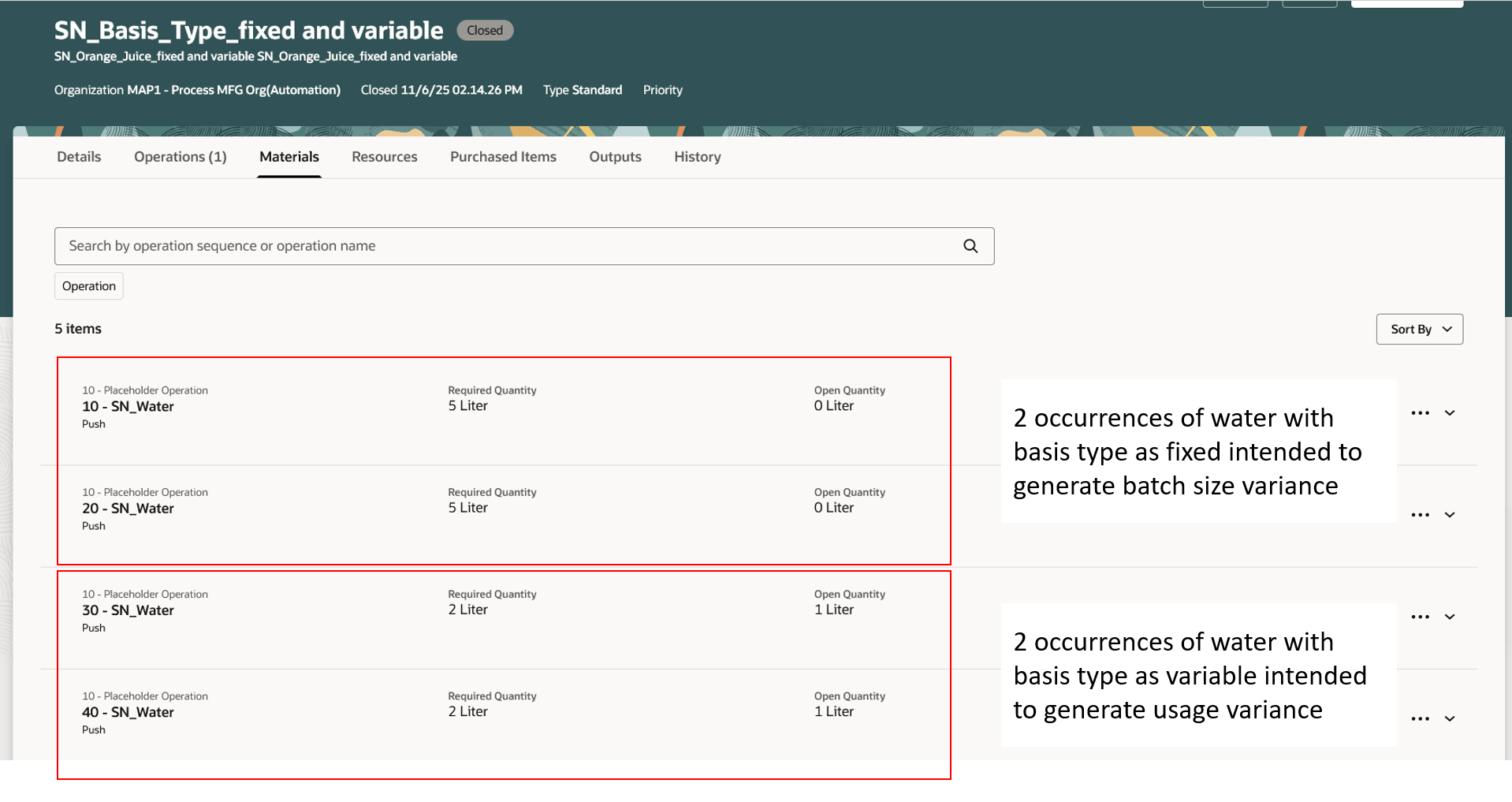
Work order where the material is assigned to an operation multiple times with different basis types
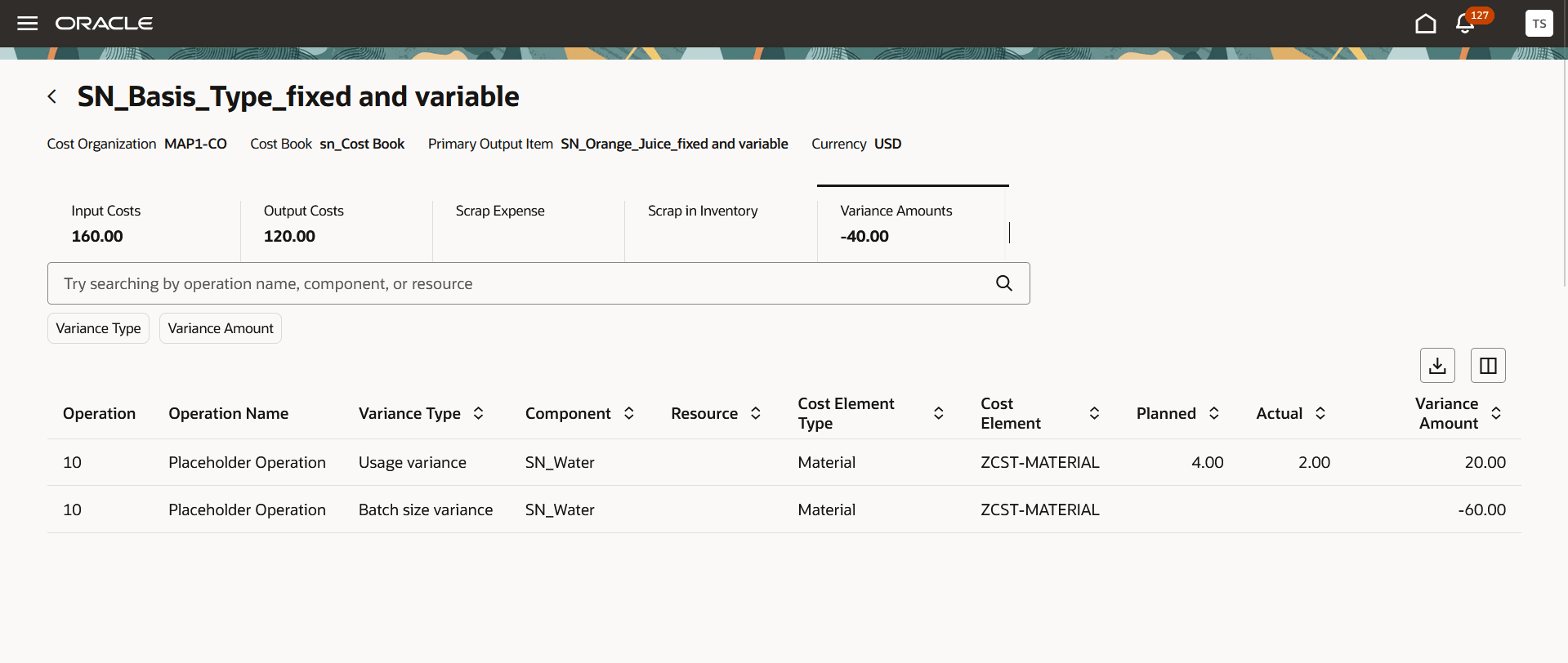
Work Order Costs page where the variance is computed at operation, item, and basis type level, generating both usage and batch size variance
Some of the benefits of this feature include:
- Improves cost accuracy by capturing variances at a more granular level.
- Reduces reconciliation effort by preventing variance distortion when materials are repeated in operations.
Steps to enable and configure
Set up the plant parameters to enable the variance computation at a granular level:
- In the Setup and Maintenance work area, search for and select the Manage Plant Parameters task.
- On the Manage Plant Parameters page, select the required inventory organization.
- On the Work Execution tab, under Manage Production, select the Allow repeated consumption of ingredients in the same operation checkbox.
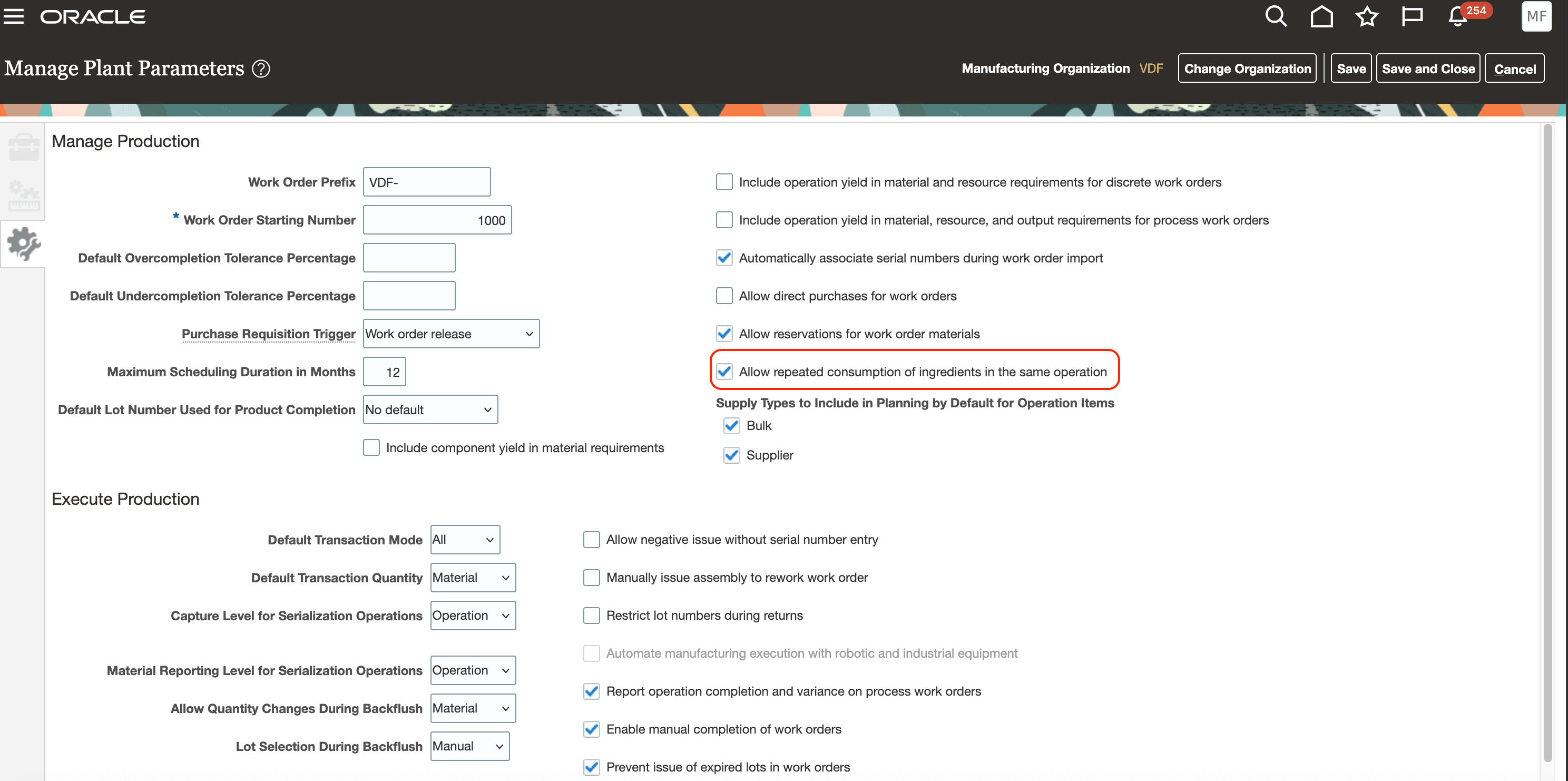
Manage Plant Parameters page
Tips and considerations
- For the best user experience, use the Redwood user experience because the material sequence attribute is visible only in Redwood pages for material transactions in Fusion Manufacturing.
- If you enable this feature, ensure it remains enabled through work order creation and costing. Disabling it in between may lead to inconsistent variance results.
Key resources
- Oracle Fusion Cloud SCM: Using Supply Chain Cost Management guide, available on the Oracle Help Center.
- Oracle Fusion Cloud SCM: Implementing Manufacturing and Supply Chain Materials Management guide, available on the Oracle Help Center.
Access requirements
Users who are assigned a configured job role that contains the following privileges can access this feature:
- Manage Cost Planning Scenario Definition (CST_MANAGE_SCENARIO)
- Perform Cost Rollup (CST_PERFORM_COST_ROLLUP)
- Review Rolled Up Costs (CST_REVIEW_ROLLEDUP_COSTS)
- Allows review of costs and balances by each individual work order (CST_REVIEW_WORK_ORDER_COSTS_PRIV)
These privileges were available prior to this update.