Account Process Manufacturing Work Orders with Calculated Batch Quantities
As a process manufacturer, it's important for you to manage intermediate quantities from one operation to the next, so that you can define and track batch quantities at a granular level. You can now model the work definition and the work order where you can select the operation inputs that contribute to the batch quantity and track intermediate inputs and outputs through each manufacturing step.
After you enable the capability by using the new Track intermediate batch quantities for process work orders plant parameter, any work definition created won't have a batch quantity nor a costing batch output size on the work definition header. The batch quantity would be automatically calculated based on the items that you issue to a work order.
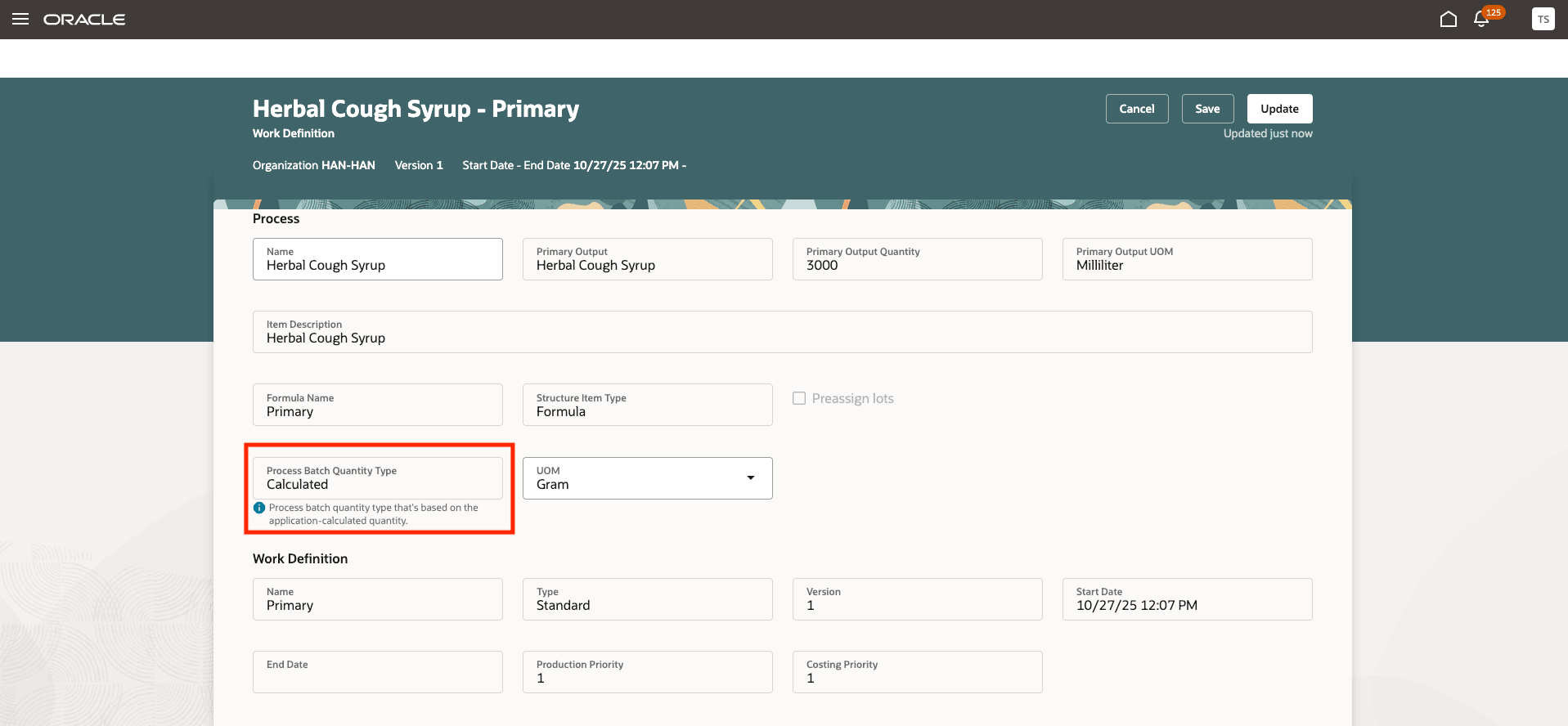
Work definition for a Calculated Process Batch Quantity Type
The Roll up Cost scheduled process uses the ingredient and resource quantities from the work definition to calculate the standard cost.
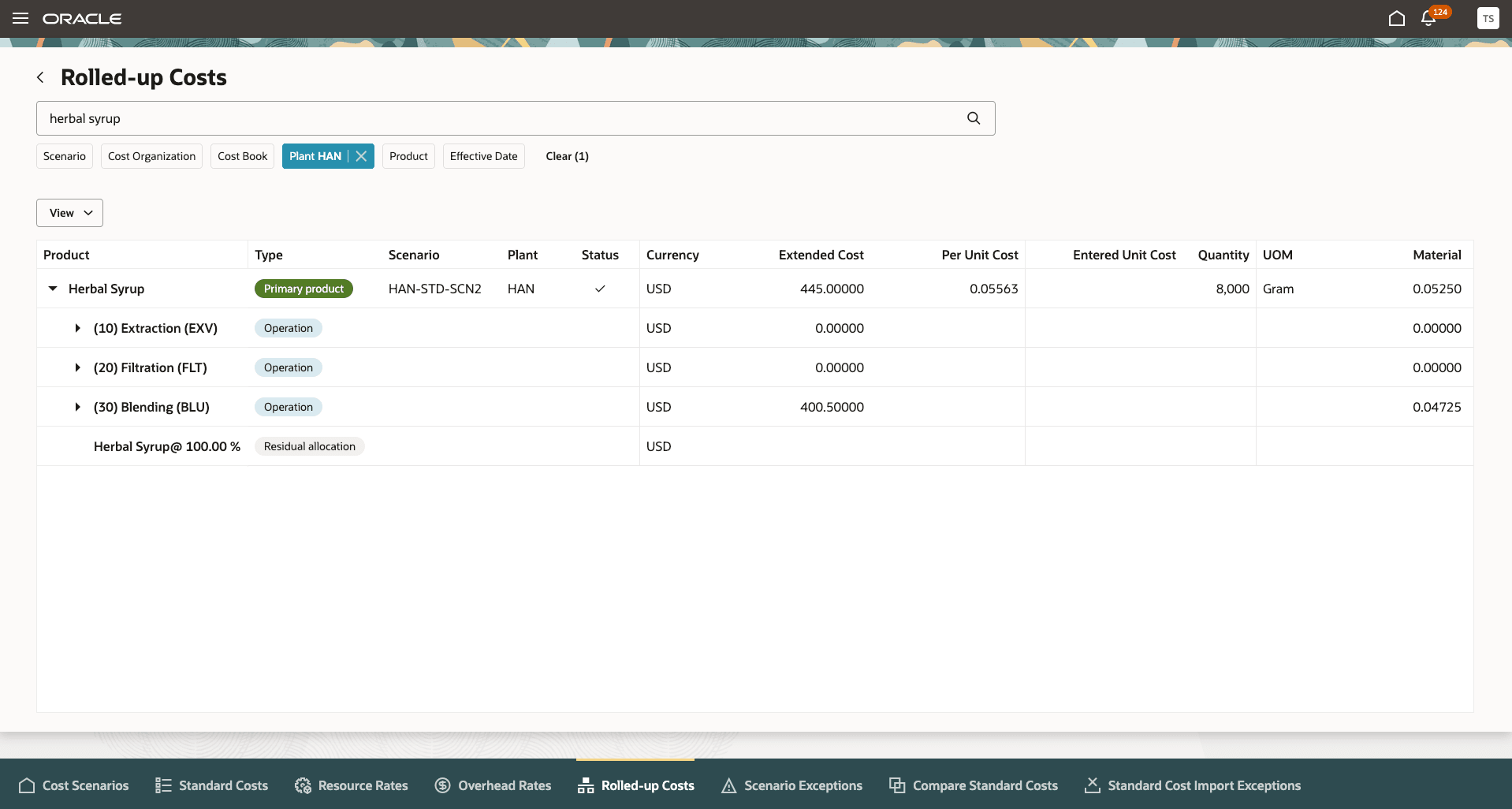
Standard Cost Calculation Based on Work Definitions
The quantities required for a work order would be scaled up based on the primary product quantity for work definitions that have the Process Batch Quantity Type option set as Calculated. Work orders that use work definitions with Process Batch Quantity Type set as User Defined will continue to be scaled using the batch quantity recorded on the work definition header.
The Work Order Costs page shows the completion quantity for each operation as follows:
- First operation: Sum of all ingredients - Sum of all products reported in the operation
- Subsequent operations: Carry forward from prior operation + Sum of ingredients - Sum of products reported in the operation
For calculating the cost of scrap and provisional completions using the accumulated work in process balances, the cost processor would use the physical quantities processed in each operation.
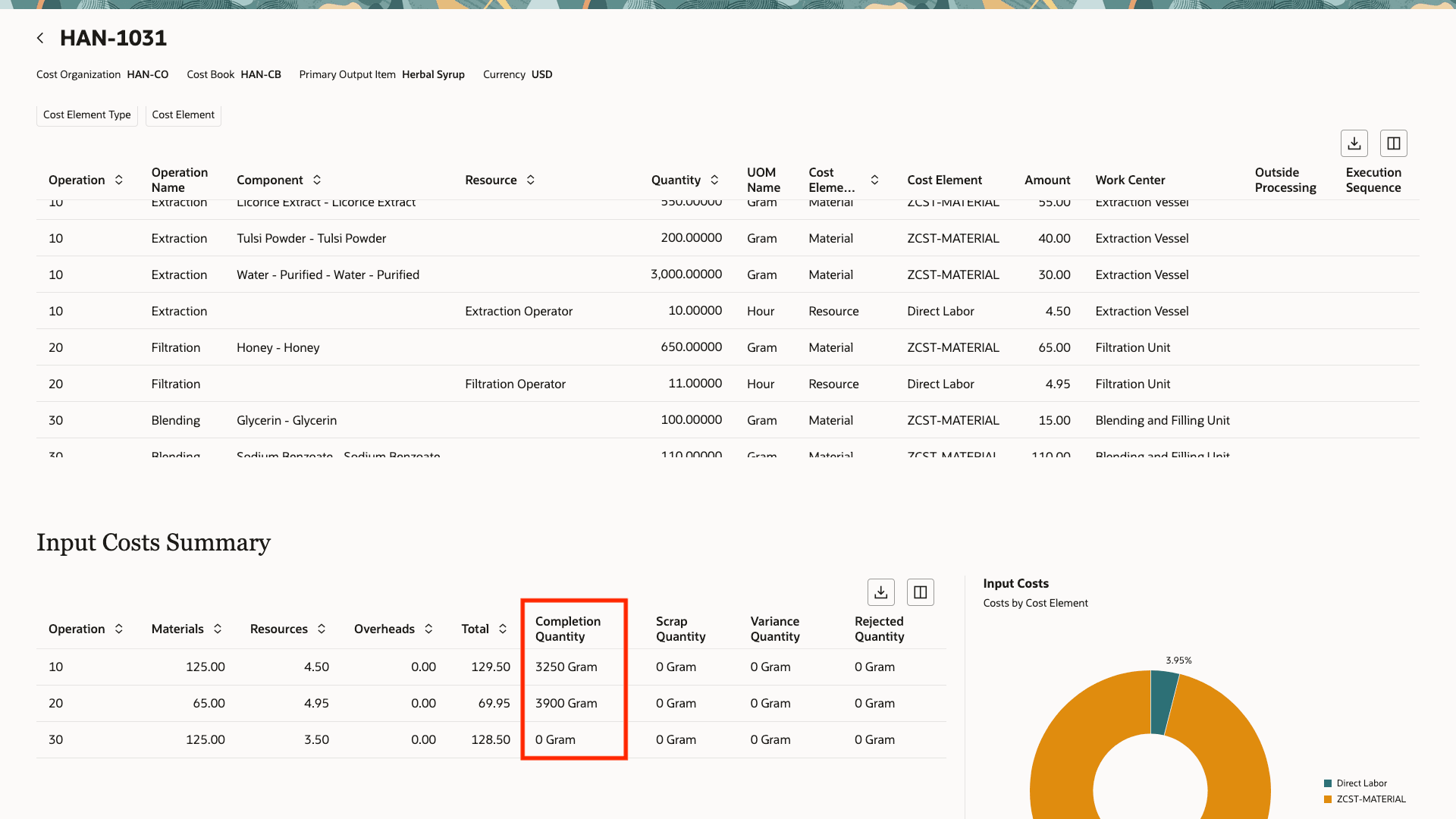
Work Order Costs Calculated Based on Completion Quantity for Actual Cost Calculations
This enhancement brings process manufacturing workflows closer to industry best practices, notably for sectors such as industrial process manufacturing, food & beverage, and consumer packaged goods. The cost calculation for such work definitions and work orders would use the physical batch quantities to ensure that the costs reflect the actual progression of value across the operations.
Steps to enable and configure
You don't need to do anything to enable this feature.
Tips and considerations
For calculating the required quantities of ingredients and resources to identify variances, the cost processor would use the planned primary product quantities to calculate the ingredient and resource requirements.
Key resources
- Oracle Fusion Cloud SCM: Implementing Manufacturing and Supply Chain Materials Management guide, available on the Oracle Help Center.
- Oracle Fusion Cloud SCM: Using Supply Chain Cost Management guide, available on the Oracle Help Center.
Access requirements
Users who are assigned a configured job role that contains the following privileges can access this feature:
- Manage Cost Planning Scenario Definition (CST_MANAGE_SCENARIO)
- Perform Cost Rollup (CST_PERFORM_COST_ROLLUP)
- Review Rolled Up Costs (CST_REVIEW_ROLLEDUP_COSTS)
- Allows review of costs and balances by each individual work order (CST_REVIEW_WORK_ORDER_COSTS_PRIV)
These privileges were available prior to this update.