AI Agent: Landed Cost Estimation Advisor
Estimating landed costs accurately before sourcing has traditionally required manual analysis of historical data and cost components, often leading to delays and inconsistencies in procurement planning. Users lacked an intelligent, data-driven tool to forecast expected landed costs early in the process.
The Landed Cost Estimation Advisor AI Agent analyzes historical landed cost transactions and estimates the probable landed costs for specific items and suppliers. Through a conversational interface, you can request landed cost estimates and receive detailed charge-wise insights, such as freight, insurance, and duties, helping assess costs upfront, improve accuracy, and make faster, informed sourcing decisions.
You can provide key details such as the item number, inventory organization, quantity, unit of measure, and time span. The AI agent uses these to retrieve the relevant historical landed cost data to estimate the probable landed cost across different suppliers. The AI agent can also present a detailed breakdown of charge components for each supplier, along with the overall estimated landed cost. You can review these insights and leverage them to finalize supplier selection and cost planning.
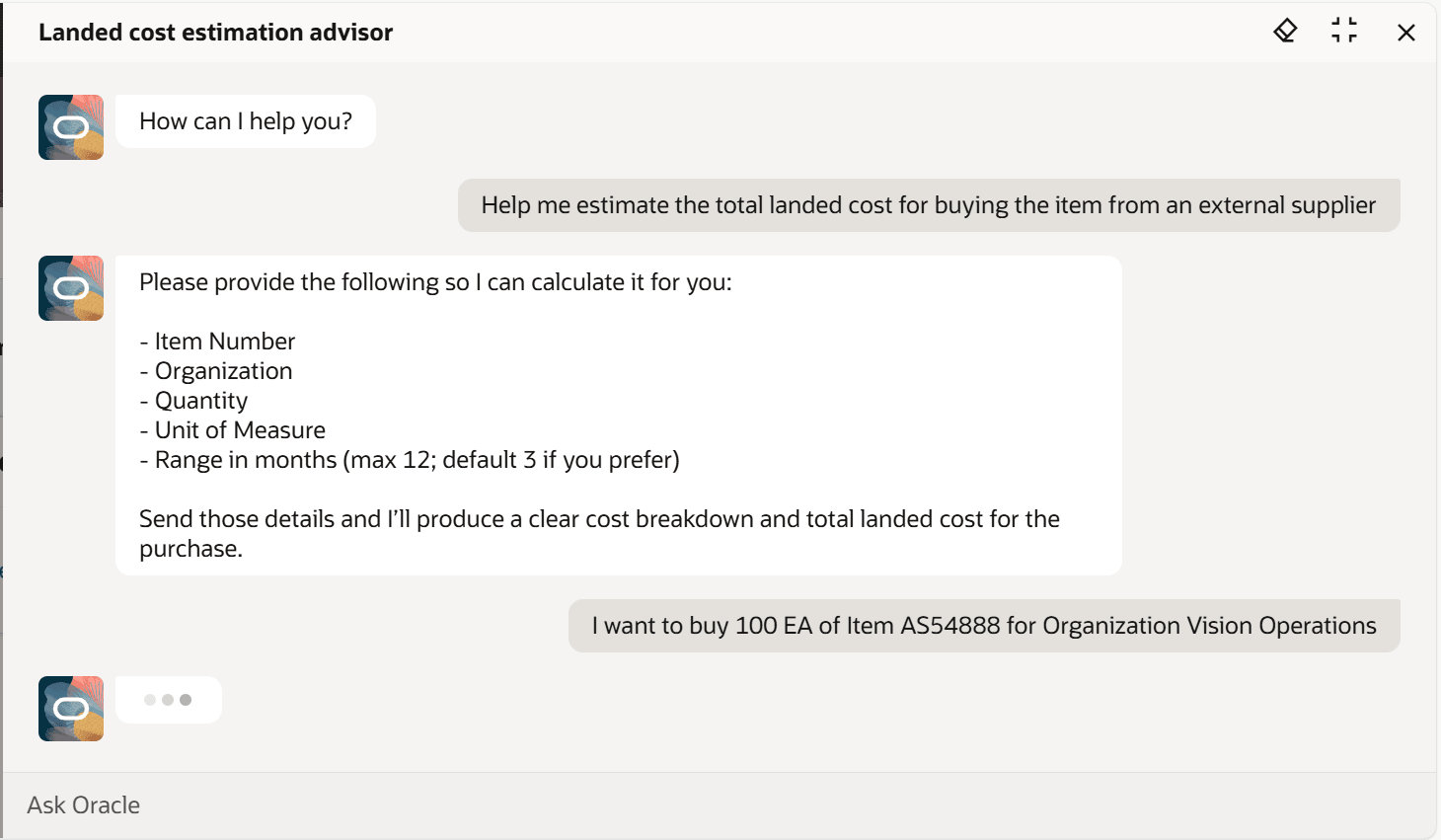
Key input parameters asked by agent for computing the estimates
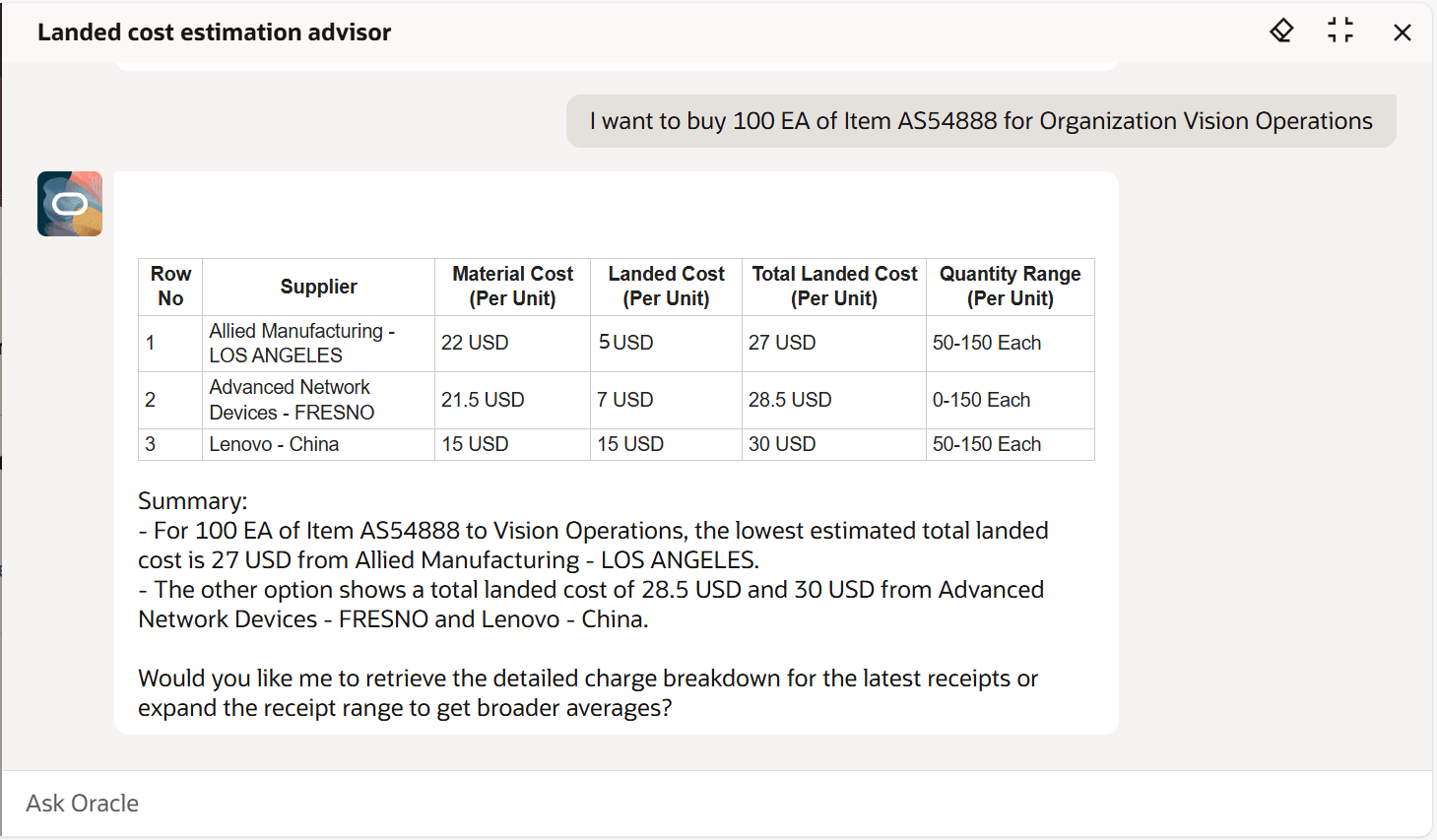
Estimated landed cost and total cost breakdown by supplier
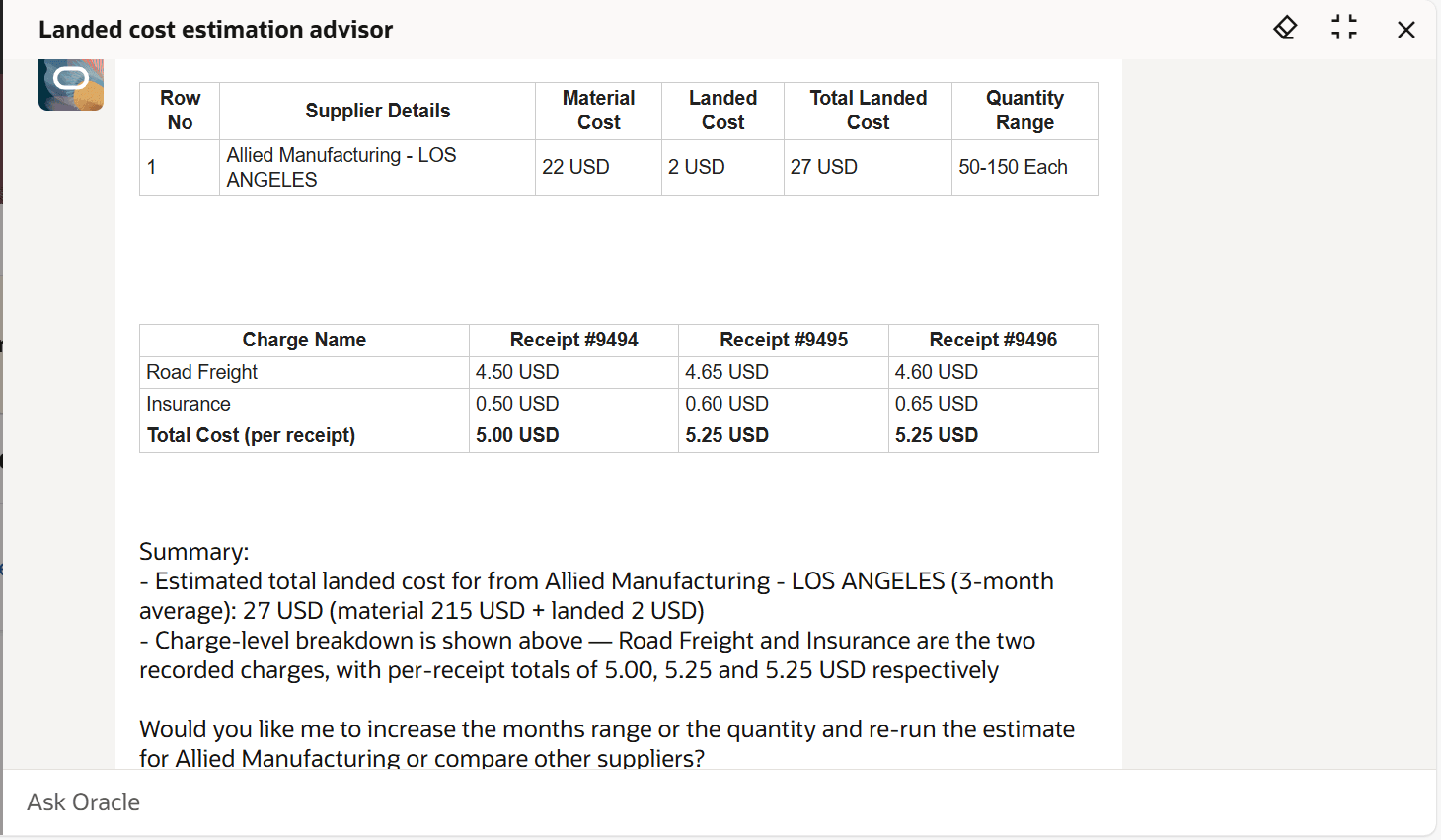
Estimated landed cost charge details for a particular supplier
Business Benefits
- Automates landed cost estimation using AI-driven predictions from historical data.
- Improves sourcing accuracy with supplier-wise cost visibility.
- Enables proactive cost forecasting before purchase order creation.
- Reduces manual analysis effort and speeds up decision-making.
- Enhances cost transparency with detailed charge-level insights.
Steps to enable and configure
To enable permission groups for roles, take these steps:
- In the Setup and Maintenance work area, search for the Manage Administrator Profile Values task using the search link in the Tasks panel tab.
- Search for the Enable Security Console External Application Integration (ORA_ASE_SAS_INTEGRATION_ENABLED) profile option and set the Site profile level to Yes.
You can use AI Agent Studio to use or copy a preconfigured agent template to create agents for your business processes. To automatically add a suffix to all artifacts in your agent team, you can use the Copy Template instead of Use Template button. When you copy a template, you're taken directly to the agent team canvas where you can edit the agent team settings, agents, tools, and topics. The Use Template option takes you through a step-by-step process for configuring each artifact in the agent team.
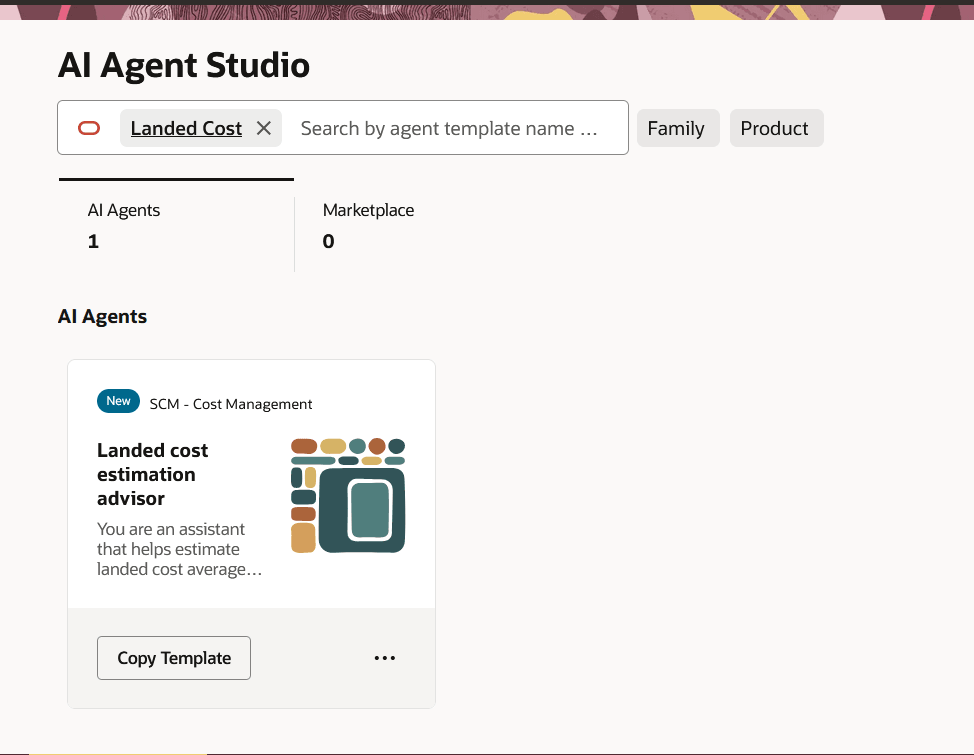
Landed Cost Estimation Advisor Template
For information on using AI Agent Studio, see How do I use AI Agent Studio?
Tips and considerations
- The AI agent provides estimated values based on historical landed cost data. The predictions are advisory in nature and may vary from actual landed costs depending on future charges, supplier rates, and shipment conditions.
- If the time range isn't provided during interaction, the AI agent automatically defaults to the last 90 days of landed cost data for estimation.
- The unit of measure (UOM) used for estimation is the document UOM and only purchase orders with the same UOM are considered in the analysis.
Key resources
- Oracle Fusion Cloud SCM: Implementing Manufacturing and Supply Chain Materials Management guide, available on the Oracle Help Center.
- Access Requirements for AI Agent Studio
- How can I give users access to AI agents?
- Create AI Agents
Access requirements
To access the Oracle AI Agent Studio for Fusion Applications and manage SCM AI agents, users must be assigned a configured job role that contains these duty roles:
- SCM Intelligent Agent Management Duty (ORA_RCS_SCM_AI_AGENT_MANAGEMENT_DUTY)
- SCM Intelligent Agent Management Duty (ORA_RCS_SCM_AI_AGENT_MANAGEMENT_DUTY_HCM)
- Fai Genai Agent SCM Administrator Duty (ORA_DR_FAI_GENERATIVE_AI_AGENT_SCM_ADMINISTRATOR_DUTY)
To interact with AI agents in product pages, users must be assigned a configured job role that contains this duty role:
- Fai Genai Agent Runtime Duty (ORA_DR_FAI_GENERATIVE_AI_AGENT_RUNTIME_DUTY)
To allow users to interact with agents, you must also enable permission groups in the Security Console on those users' configured job roles that contain the Fai Genai Agent Runtime Duty role. You can enable permission groups when you manage the basic information of your configured job roles.
Users' configured job roles must also contain privileges that allow access to the pages where AI agents are enabled.
- View Item Landed Costs for Purchase Order and Transfer Order In-transit Receipts by Web Service (CML_ITEM_LANDED_COSTS_WEB_SERVICES)
See Access Requirements for AI Agent Studio (for administrators) and How can I give users access to AI agents (for end-users) for more information.