Redwood: Define Asset Maintenance Parameters
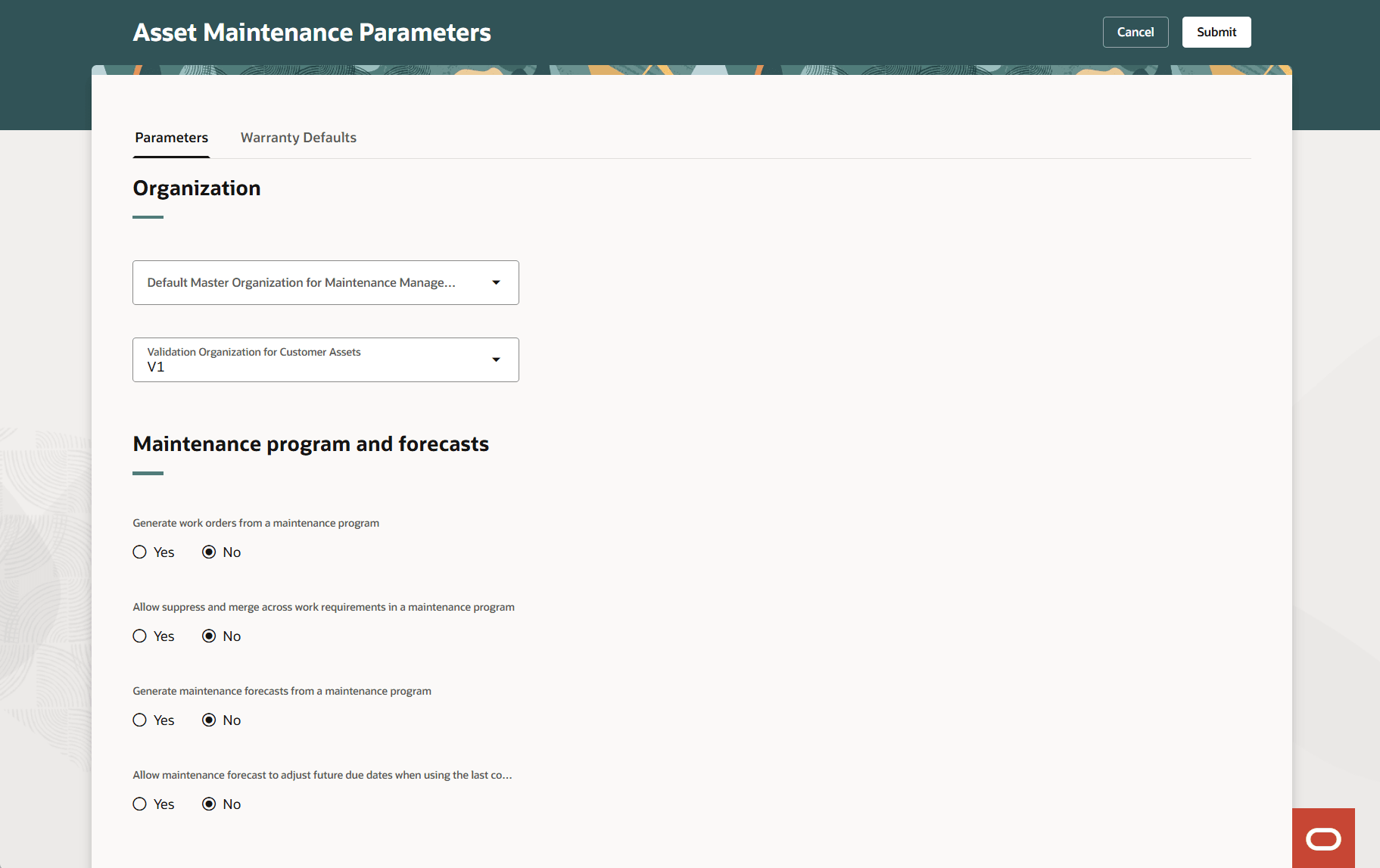
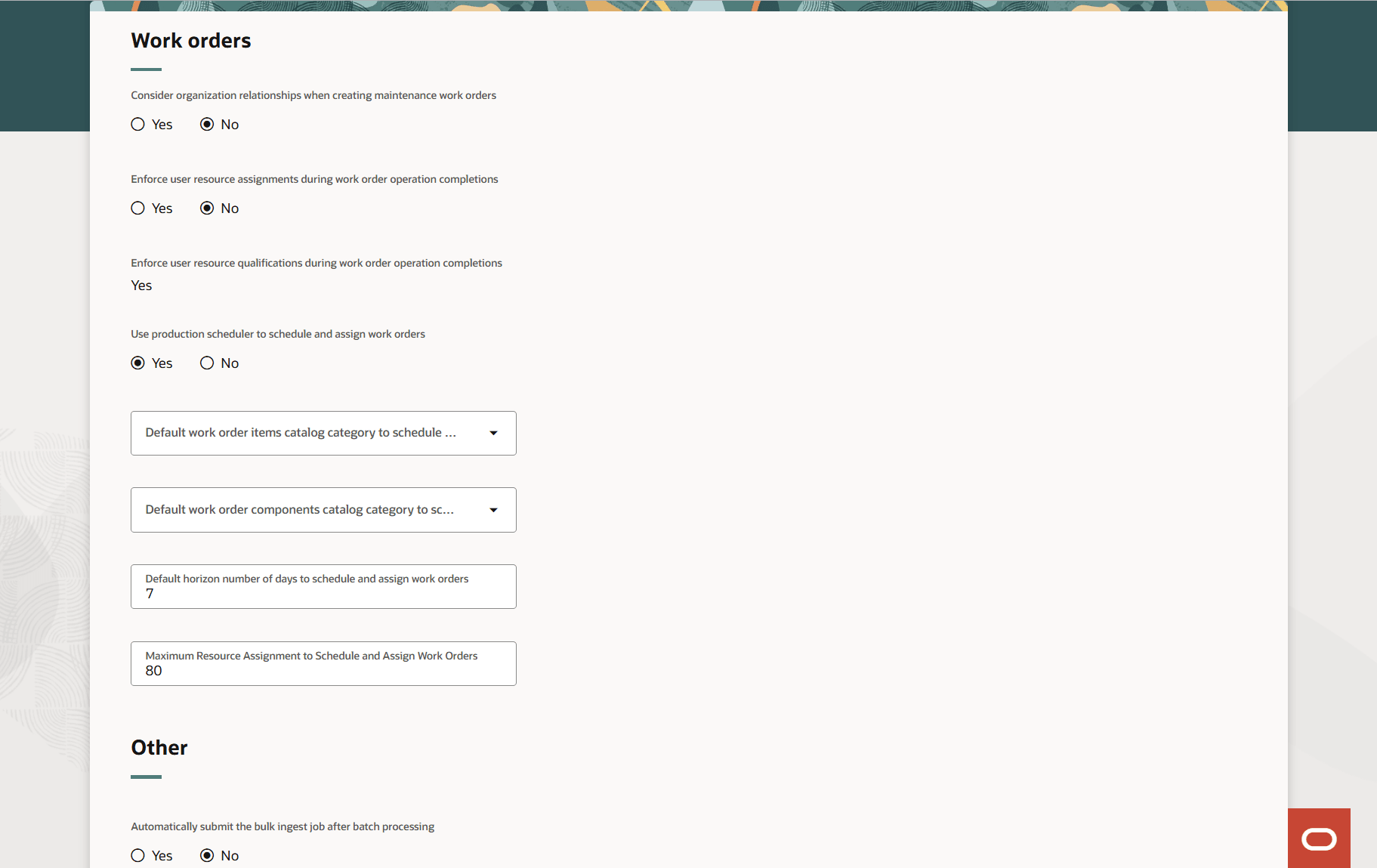
Configure Asset Maintenance parameters using a new Redwood user experience. The Parameters tab enables you to define default values and rules for the fields, Default Master Organization for Maintenance and Validation Organization for Customer Assets. In addition, you can define the behavior for Maintenance programs and forecasts and work orders.
Here's a screenshot of the Asset Maintenance Parameters page that shows organization parameters and maintenance program and forecasts parameters.
Asset Maintenance Parameters
Here's a screenshot of the Asset Maintenance Parameters page that shows fields for maintenance work orders.
Work Order and Other Parameters
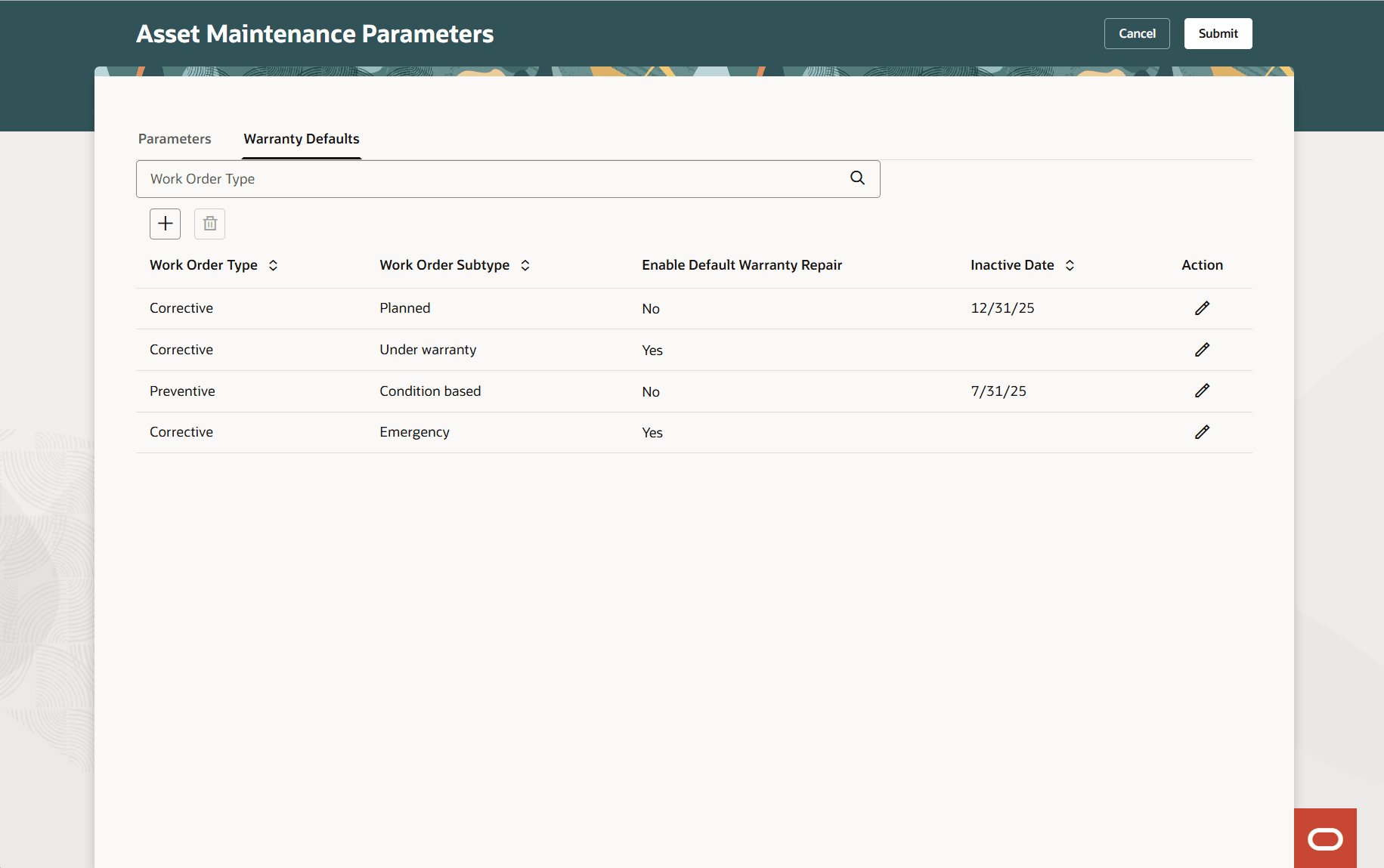
On the Warranty Defaults page, control the work order header attributes whether the work order asset has supplier warranty defined or not.
Here's a screenshot of warranty default settings you can set from the Asset Maintenance Parameters page.
Warranty Default Parameters
This feature enables you to streamline maintenance setups by letting you centrally control work order defaults and warranty processing rules. This reduces errors and ensures consistent maintenance operations.
Steps to enable and configure
- In the Setup and Maintenance work area, use the following:
- Offering: Manufacturing and Supply Chain Materials Management
- Functional Area: Maintenance Management
- Task: Asset Maintenance Parameter
- On the Asset Maintenance Parameters page, define the setups related to organization, maintenance programs and forecasts, work orders, and others.
- Save your changes.
Key resources
- See the Define Asset Maintenance Parameters subsection in the Setup Maintenance topic of the Maintenance chapter in the Implementing Manufacturing and Supply Chain Materials Management guide.