Redwood: View and Edit Asset Structure and Hierarchy
The new Redwood Asset Hierarchies page provides intuitive insights into an asset's relationship with other assets. You can easily model and understand an asset's physical hierarchy (parent-child relationship) as well as an asset's logical hierarchy (for example, model a facility, plant, production line irrespective of its physical structure) to provide more effective and efficient maintenance, repair, and service.
Search and View Asset Hierarchies
You can search and view logical asset hierarchies by navigating to the Hierarchies page from the Maintenance Execution landing page. In the following screenshot, you can see link to the Hierarchies page under Actions.
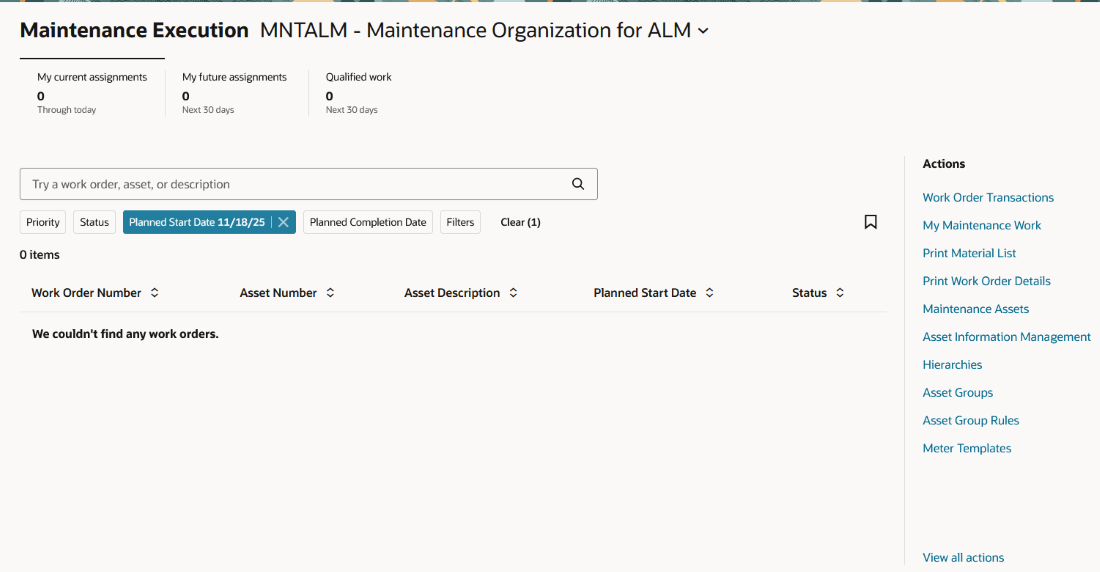
Navigation to Hierarchies from Maintenance Execution
The Hierarchies page displays logical asset hierarchies, as shown in the following screenshot.
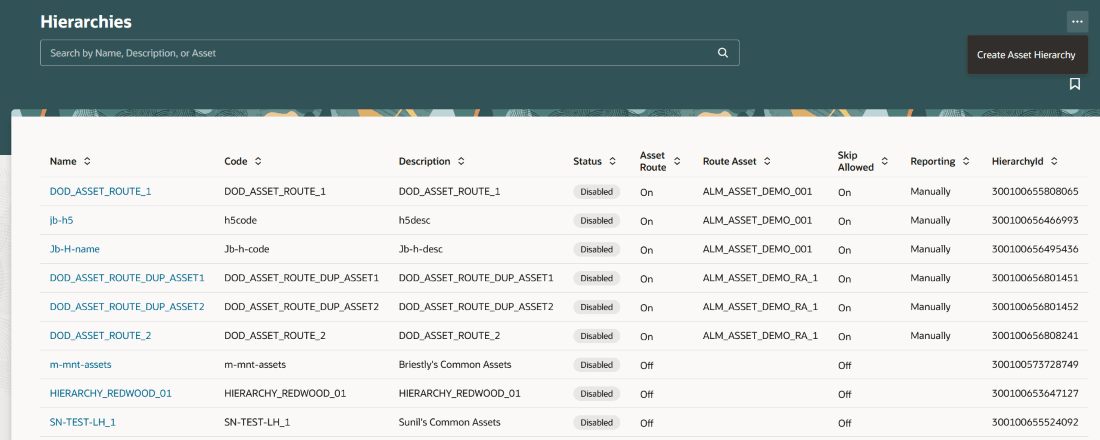
Hierarchies Page
Within a specific hierarchy, icons indicate whether it's a physical component (single cube) or logical hierarchy (three stacked cubes). They also indicate if you're viewing the top level of the hierarchy (document icon). See the following screenshot for the icons. You can expand, search, and refresh the hierarchy.
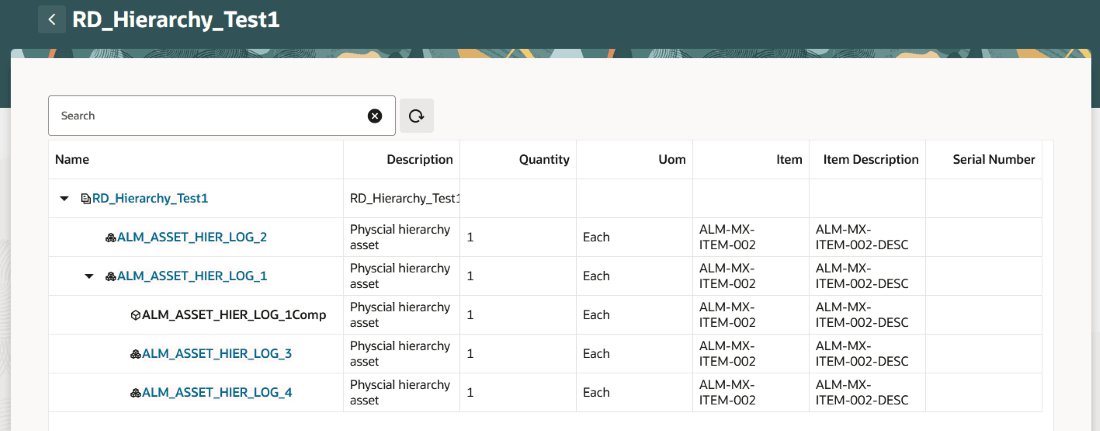
View Logical Hierarchy
You can also view the physical hierarchy for a specific asset by navigating to the Asset Details page in Asset Information Management and select the Hierarchy link in the left pane, as shown in the following screenshot.
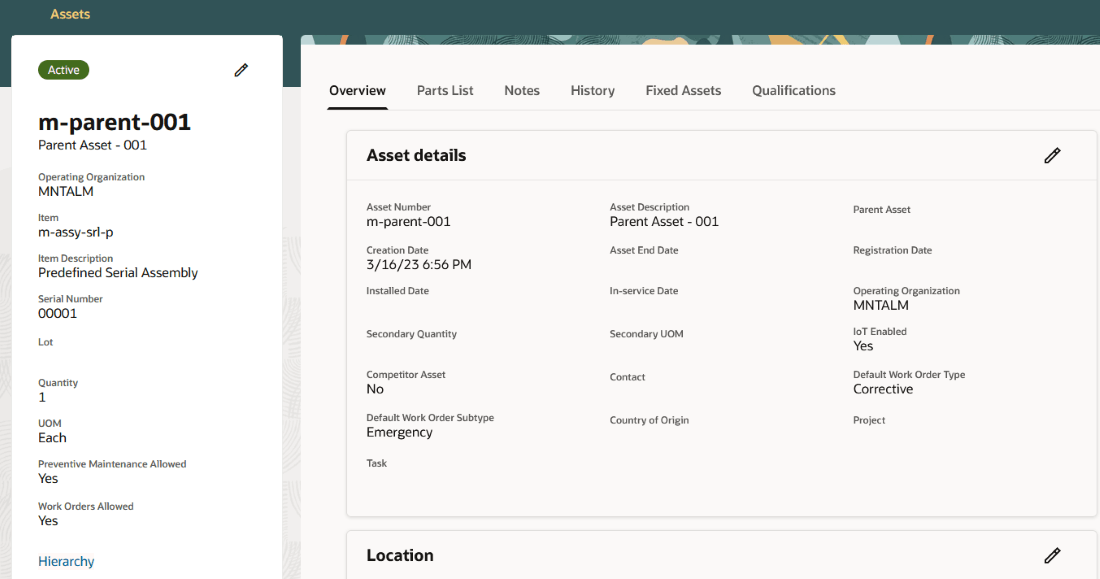
Navigation to Hierarchy from Asset Information Management
It opens the single-level hierarchy view of the asset's physical hierarchy (cube icons only), as shown in the following screenshot.
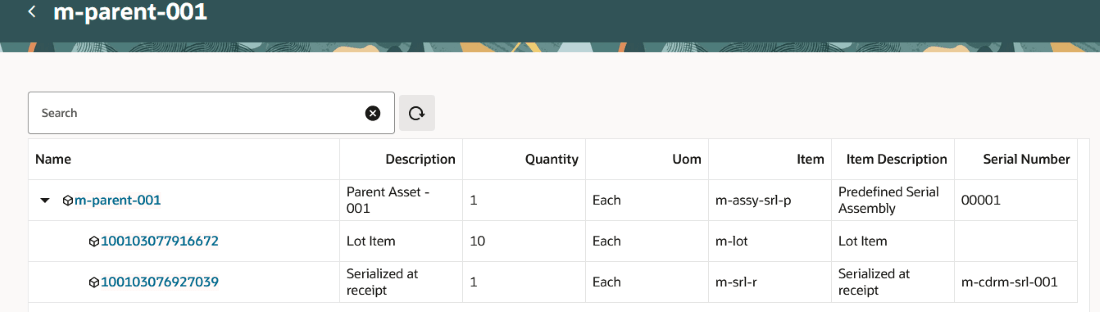
View Physical Hierarchy (Cube Icons Only) for a Specific Asset
Create Asset Hierarchy
You can create a logical asset hierarchy from within the Hierarchies page.
Logical hierarchies can also be used to model asset routes. Asset routes allow you to centrally plan, execute, and record maintenance for a collection of assets using a single work order. Asset routes are useful for repetitive or routine maintenance such as inspections or preventative maintenance, eliminating the overhead of creating multiple work orders for the same activity.
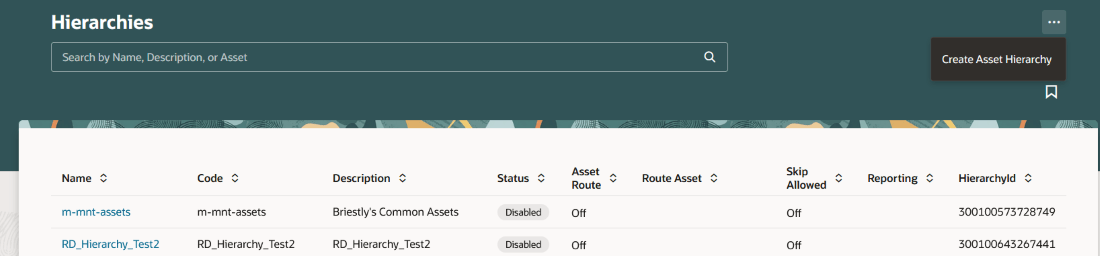
Create Asset Hierarchy
Edit Asset Hierarchy
In the Hierarchies page, shown in the following screenshot, you can edit a single logical level within the logical hierarchy. To edit, select a hierarchy.
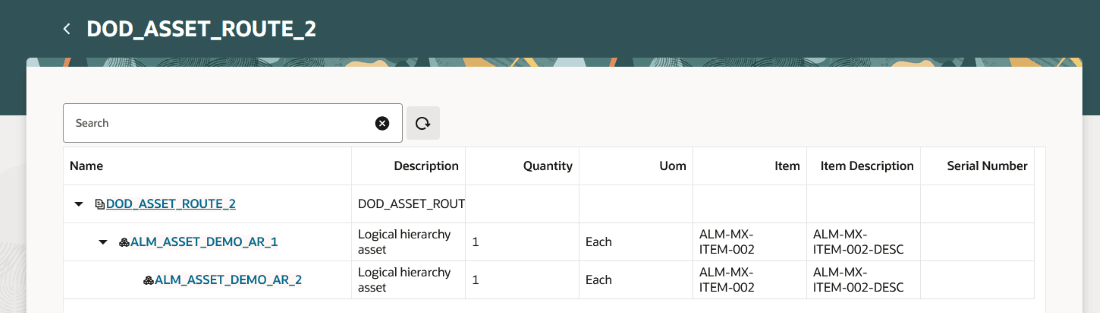
Select Logical Hierarchy to Edit
Then select a single level to edit, which opens a new tab where you can add or delete an asset as well as move an asset up or down within the single logical hierarchy. After closing the tab, you navigate back to the overall logical hierarchy, where you can refresh the page to see your edits.
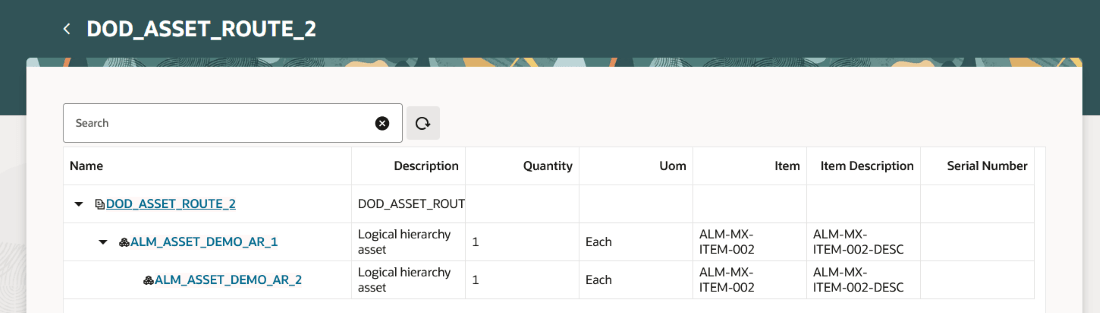
Select Logical Hierarchy Level
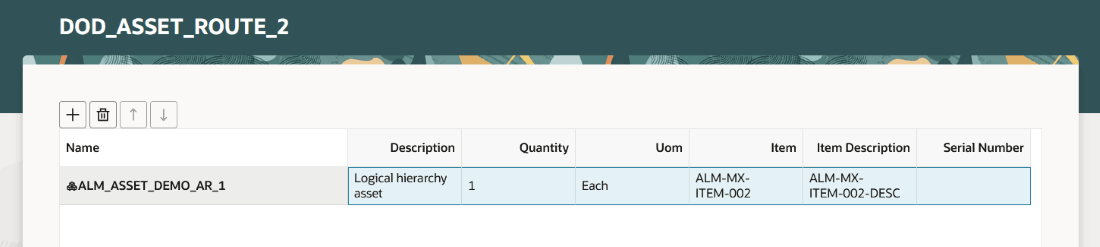
Edit Logical Hierarchy
To edit the physical hierarchy for a specific asset, navigate to the asset details page in Asset Information Management and select the Hierarchy link. It opens the single-level view of the asset's physical hierarchy, where you can add or delete an asset from the physical hierarchy.
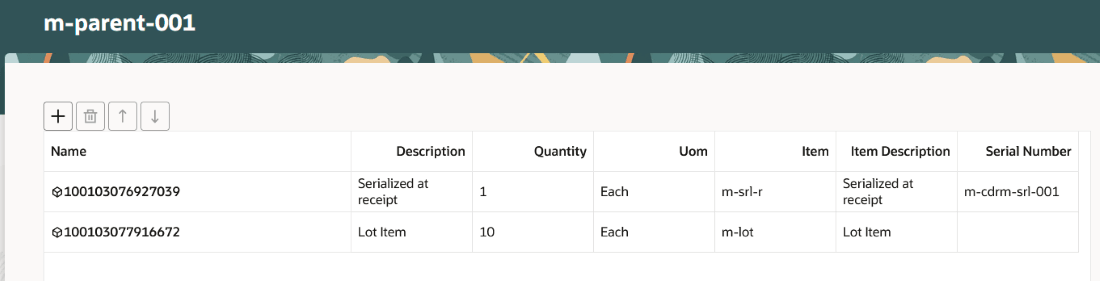
Edit Physical Hierarchy
Change Hierarchy Status
You can set the status of logical hierarchy to Active or Disabled, allowing you to maintain an accurate and up-to-date understanding of its current state.
Use the new Redwood Asset Hierarchy for an intuitive and comprehensive understanding of an asset's relationship to other assets. You can also easily model, find, and understand both physical as well as logical asset relationships in order to provide more effective and efficient repair, maintenance, and service for those assets throughout the entire asset lifecycle.
Steps to enable and configure
- In the Setup and Maintenance work area, search for and select the Manage Administrator Profile Values task.
- On the Manage Administrator Profile Values page, search for and select the following profile option code:
- ORA_CSE_ASSET_HIERARCHY_REDWOOD_ENABLED
- In the Profile Values section, set the Site level to Y or N. The default value of the profile option is N.
- Y = enables the feature
- N = disables the feature
- Click Save and Close. Changes in the profile value will affect users the next time they sign in.
Tips and considerations
The following functionality isn't available in this release:
- Move an asset to a new parent.
- Directly edit the hierarchy within the hierarchy page.
- Move an asset up or down within the physical hierarchy.
- View preventive maintenance programs for an asset.
- View open work orders for an asset.
- Update logical assets created by a BOM explosion to be a regularly tracked asset, while on the Hierarchies page.
- Ability to model a hierarchy that exceeds 20,000 rows.
Note: Logical hierarchies can contain a mix of enterprise and customer assets, depending on your user role and privilege.