Redwood: Capture Asset Meter Readings
You can now view asset meters and capture meter readings in the Work Order Charges UI. A new action has been added to view the meters associated to the asset on the debrief header (RCL_AS54888_ASSET).
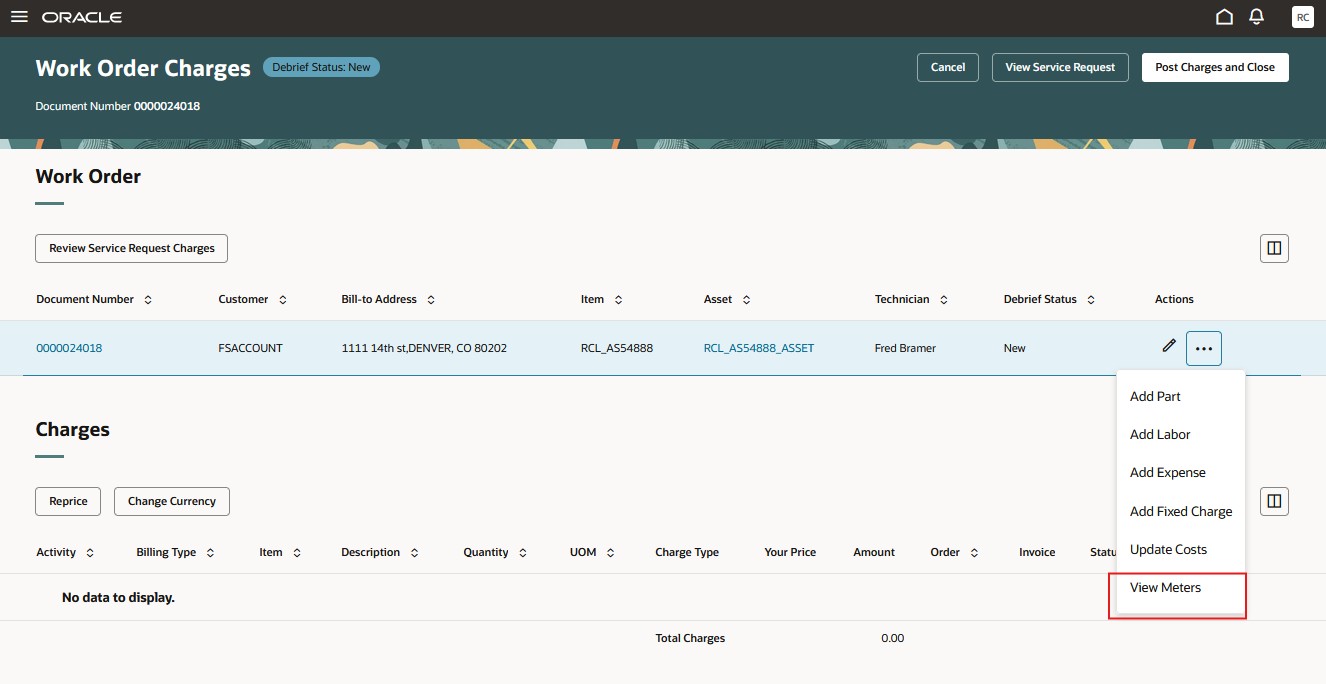
Work Order Charges View Meter Action
This action opens the View Meters UI.
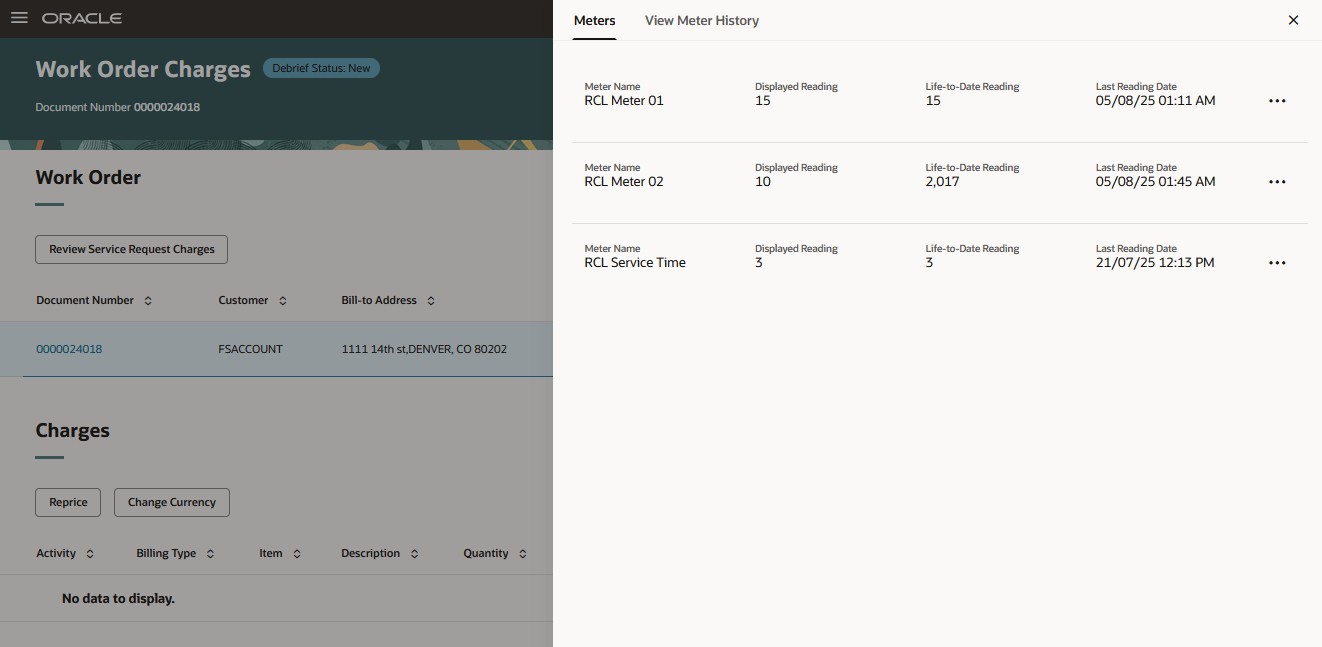
View Asset Meters UI
From here you can open the overflow actions menu to view a meters reading history and create a meter reading.
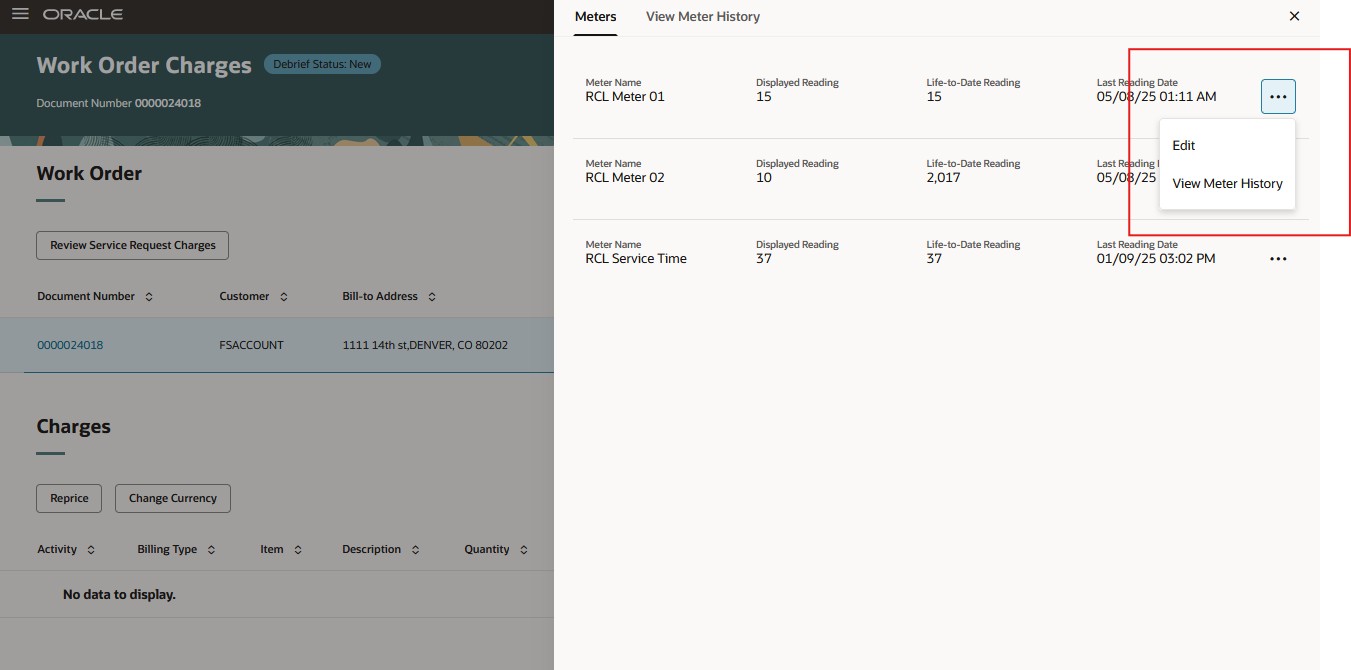
View Meters UI's Actions Menu
On the Edit Meter Readings UI you can create new meter readings.
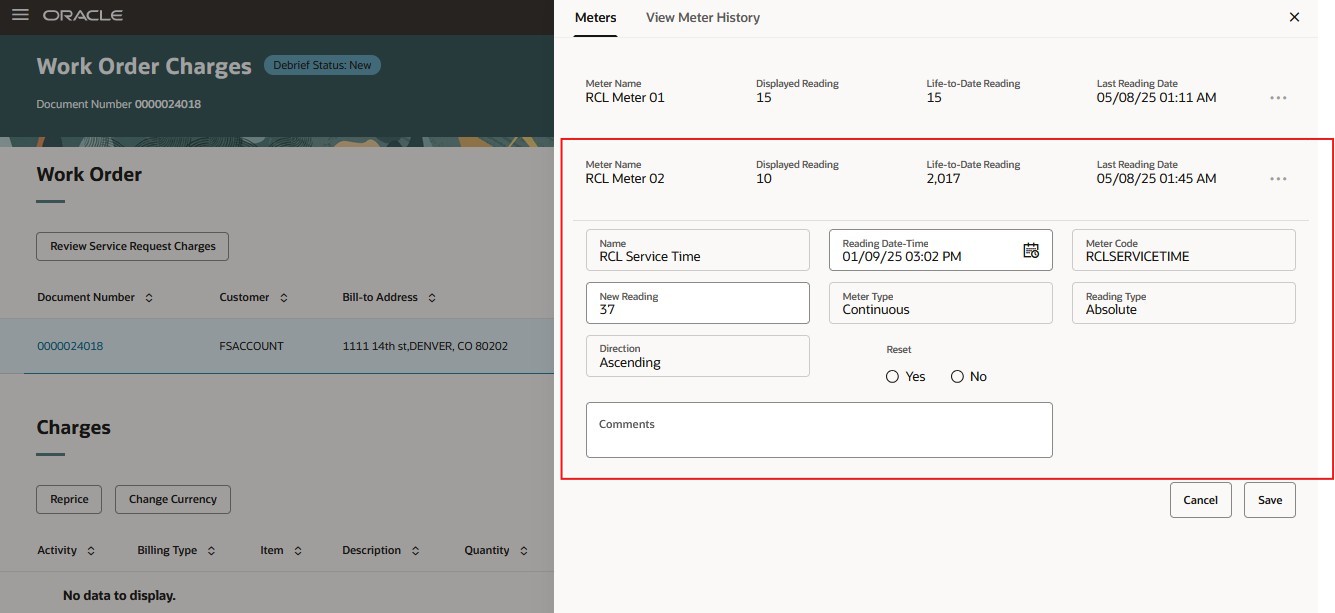
Edit Meter Readings UI
On the View Meter History UI you can see all of the meter's readings
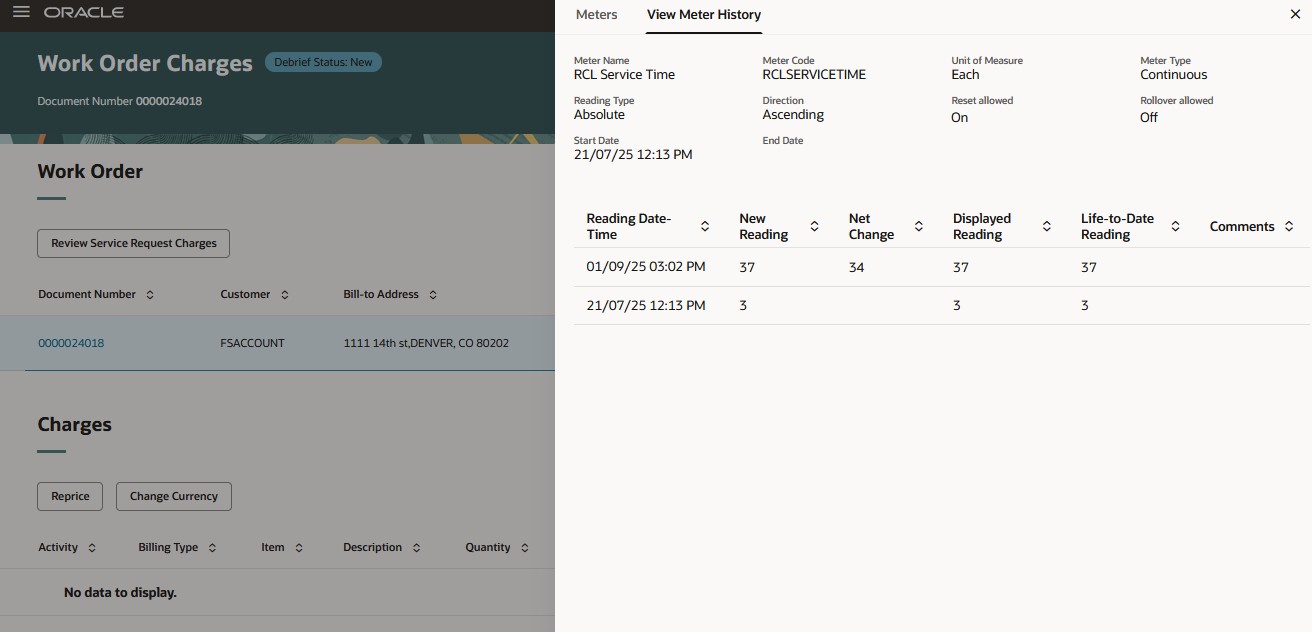
View Meter History UI
This feature saves time and increases meter reading accuracy by enabling you to view meter history and record readings directly in the Work Order Charges UI.
Steps to enable and configure
You don't need to do anything to enable this feature.
Access requirements
Users who are assigned a job role that contains these privileges can access this feature:
- Record Meter Readings by Service ( MNT_RECORD_METER_READINGS_BY_SERVICE_PRIV)
- Manage Meter Reading History ( MNT_MANAGE_METER_READING_HISTORY_BY_SERVICE_PRIV)