Redwood: Enhance Disposition and Processing of Returns
Enhance Disposition and Processing of Returns to Ensure Efficient and Effective Utilization of Returned Assets:
Reverse logistics disposition and returns processing functionality has been enhanced with several new features that improve efficiency, visibility, and control. You can now create transfer orders directly from the Reverse Logistics Dispositions UI, creating seamless interorganization subinventory transfers. The introduction of item status by revision functionality allows for precise tracking and management of items at the revision level. Additionally, you can now view and enter cost details for miscellaneous transactions. The ability to delete dispositions ensures that obsolete or incorrect records can be easily managed, while the attachments feature allows you to add supporting documents or notes. The inventory item status gives visibility of the selected item's inventory across multiple organizations. This ensures consistent monitoring and management of inventory.
1. Transfer Order:
In reverse logistics and depot repair operations, items marked for disposition whether for resale, recycling, refurbishment, or disposal often must be physically transferred between stocking locations. This new functionality provides the option to create a transfer order directly from the Reverse Logistics Dispositions UI for items in the subinventory. You can now easily perform interorganization stocking locations, by creating a transfer order from either the Reverse Logistics Dispositions search results or from the Details UI. It's mandatory to specify a disposition code before creating a transfer order, along with other required information. Once the details are validated, you'll see a confirmation message.
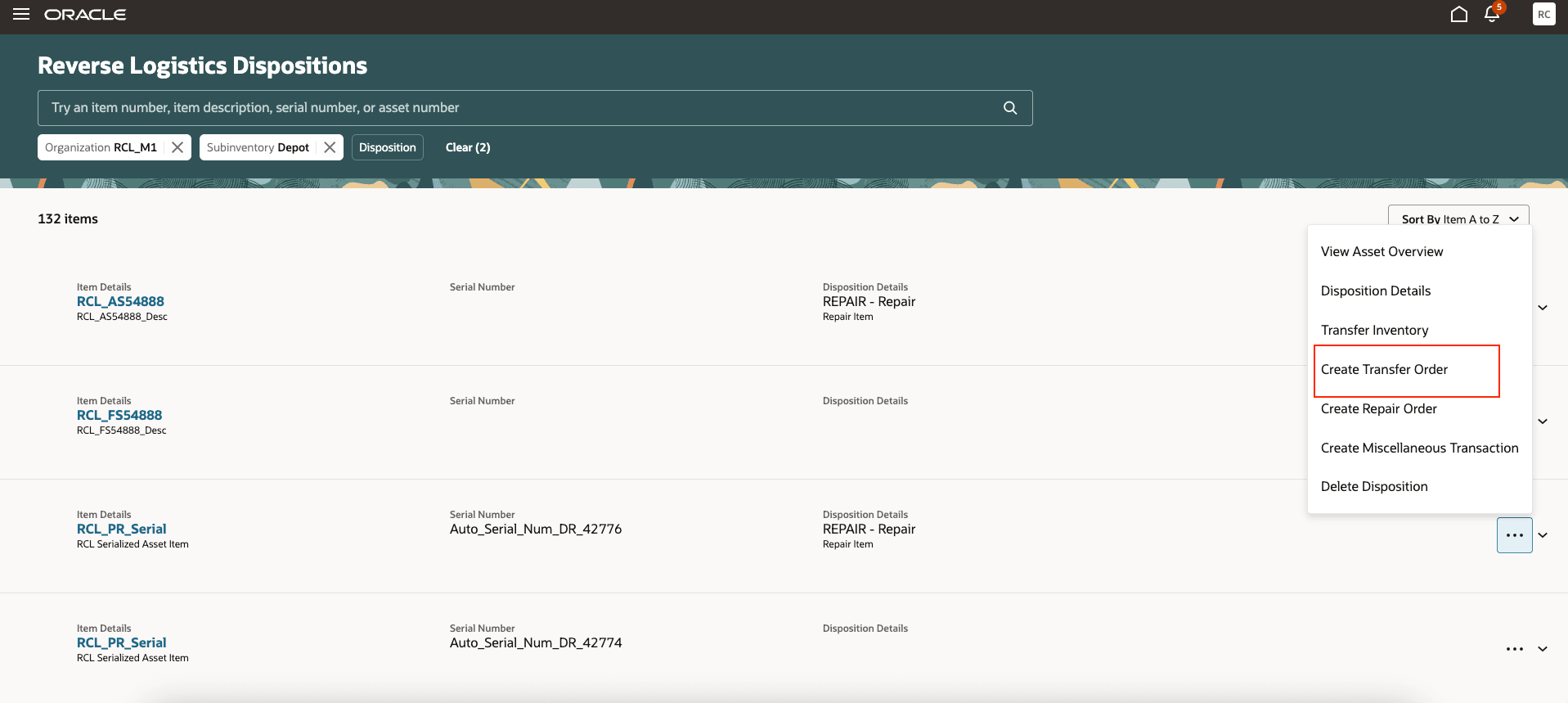
Search List: Reverse Logistics Dispositions
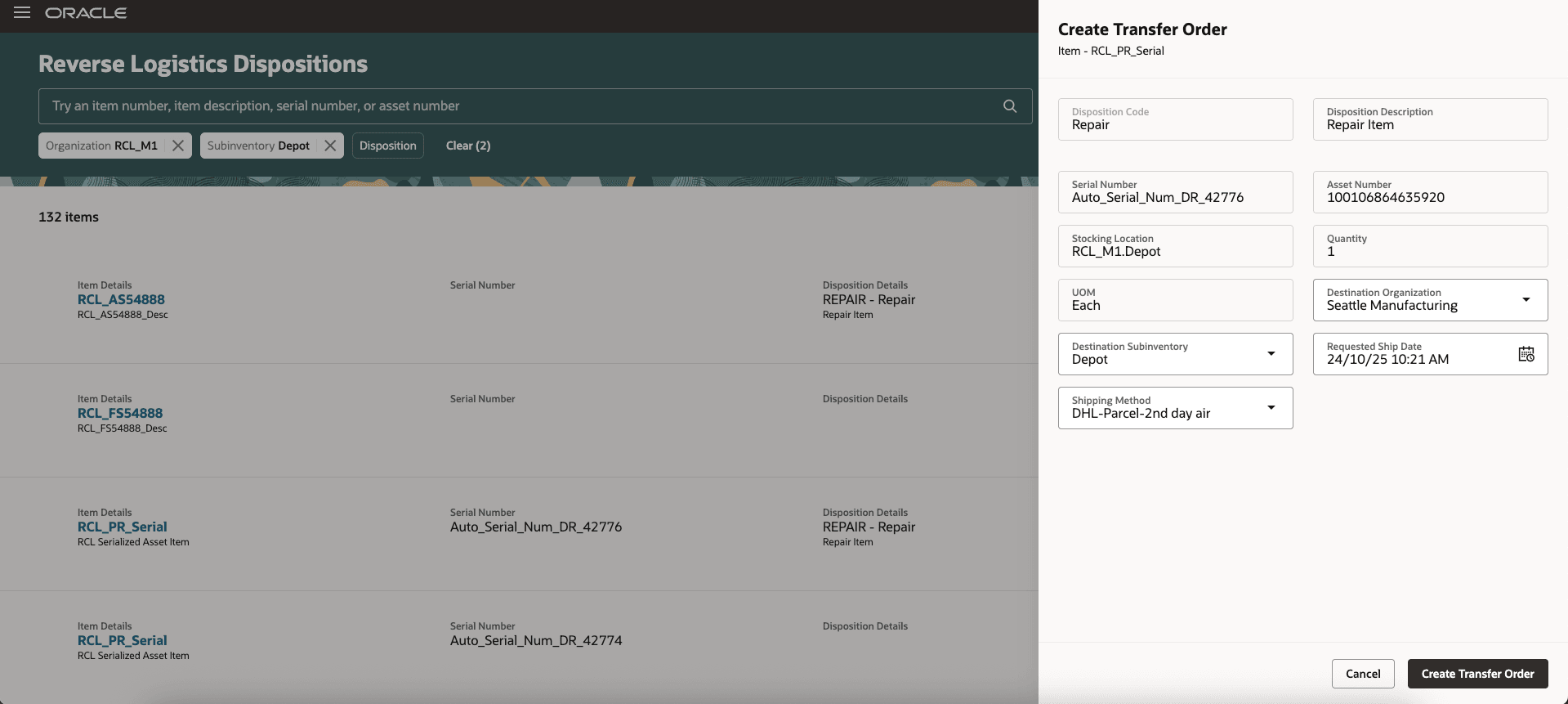
Reverse Logistics Dispositions: Create Transfer Order
2. Item Status by Revision:
You can now view item quantities by their specific revisions, not just at the subinventory level. This provides better visibility for monitoring inventory, tracking repair and return progress, and managing revision controlled items. You can now track each revision’s condition, quantity, and status more accurately, leading to improved inventory management, decision-making, and workflow efficiency. Service Logistics now shows the item revision in the header, such as RCL_Revision_Item.RevA. For each selected item and revision, the On-Hand Quantity, Usable Quantity, and Defective Quantity columns list quantities by stocking location.
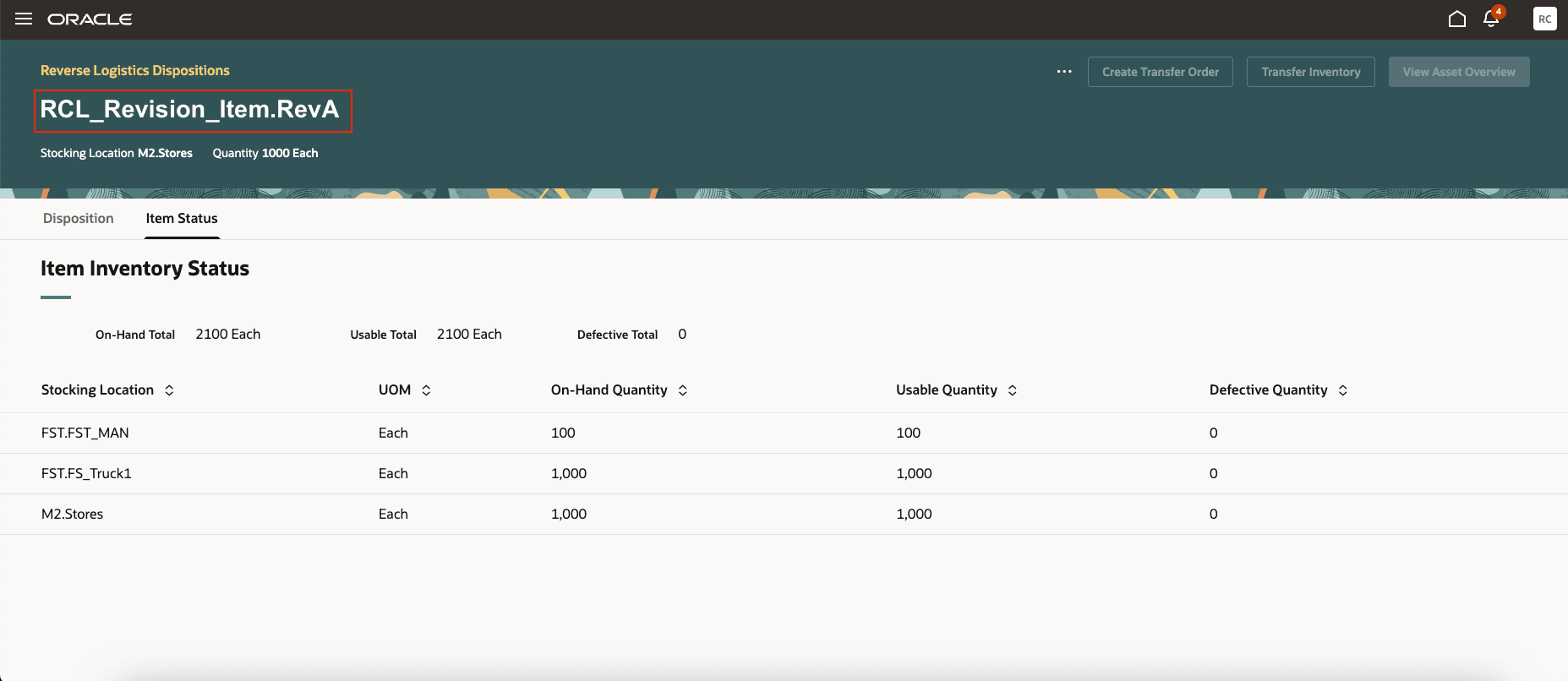
Reverse Logistics Dispositions: Item Status by Revision
3. Item Cost Details in Reverse Logistics Dispositions, Miscellaneous Transaction Screen
You can now enter cost-related information for miscellaneous issue transactions on items that are processed through reverse logistics for scrapping. You can enter costs such as an item price or nonrecoverable tax in the Cost Component fields. This provides visibility into the financial aspects of the transaction. Additionally, the Use Current Cost option automatically populates based on the Use Current Item Cost setting in the Manage Inventory Organization Parameters. Cost details will be validated and stored in the transaction history and financial records for accurate tracking. This update improves cost tracking, financial transparency, and integration with broader financial systems.
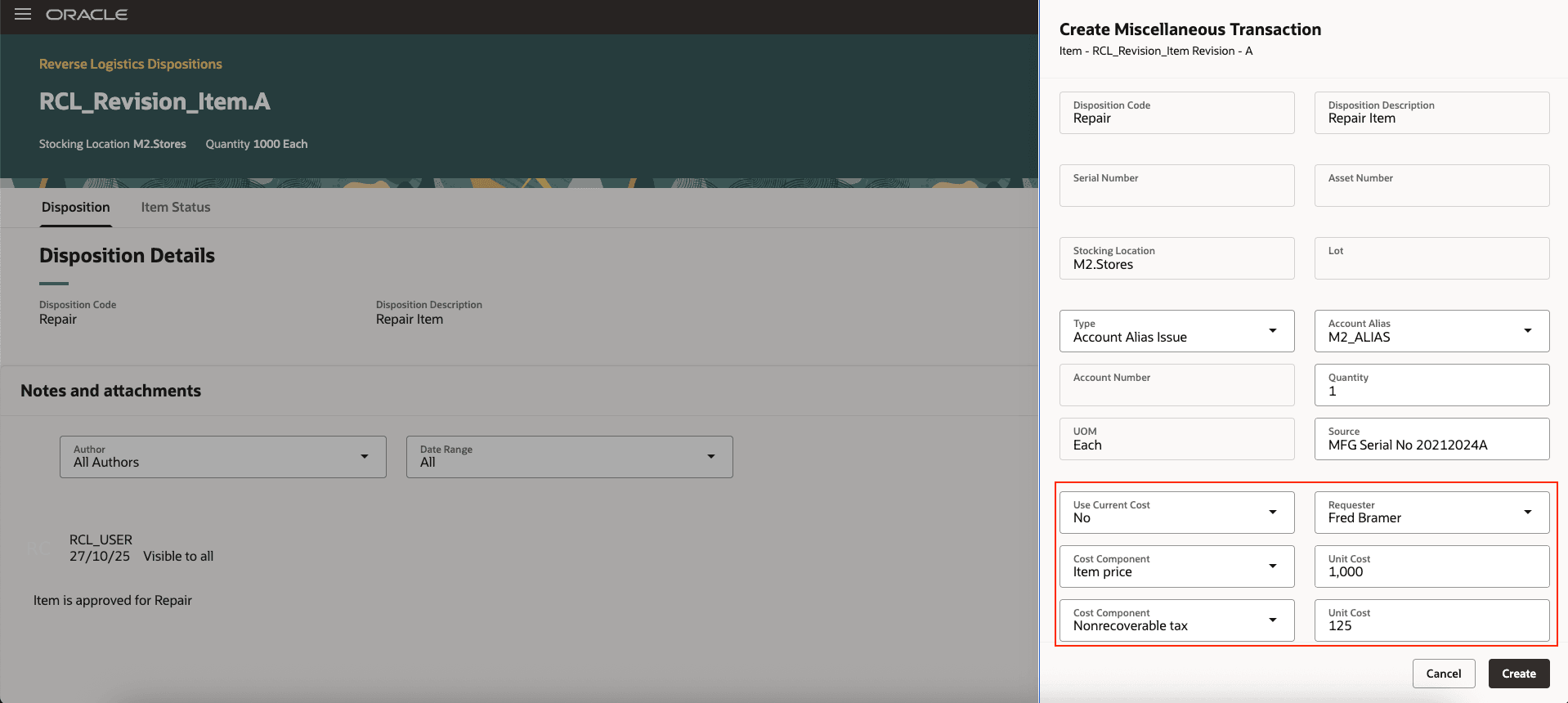
Reverse Logistics Dispositions: Create Miscellaneous Issue Transaction Screen
4. Delete Disposition
You can now use the Delete Disposition action to delete a disposition record for a returned item before you perform any inventory or repair order transactions. This gives you the flexibility to correct errors or adjust dispositions without impacting downstream processes or data integrity. If transactions exist, the deletion option is disabled. Once a disposition is deleted, it can't be recovered. If notes are linked to the disposition, they will also be deleted. After deletion, you can enter a new disposition code, allowing you to proceed with inventory and other relevant transactions.
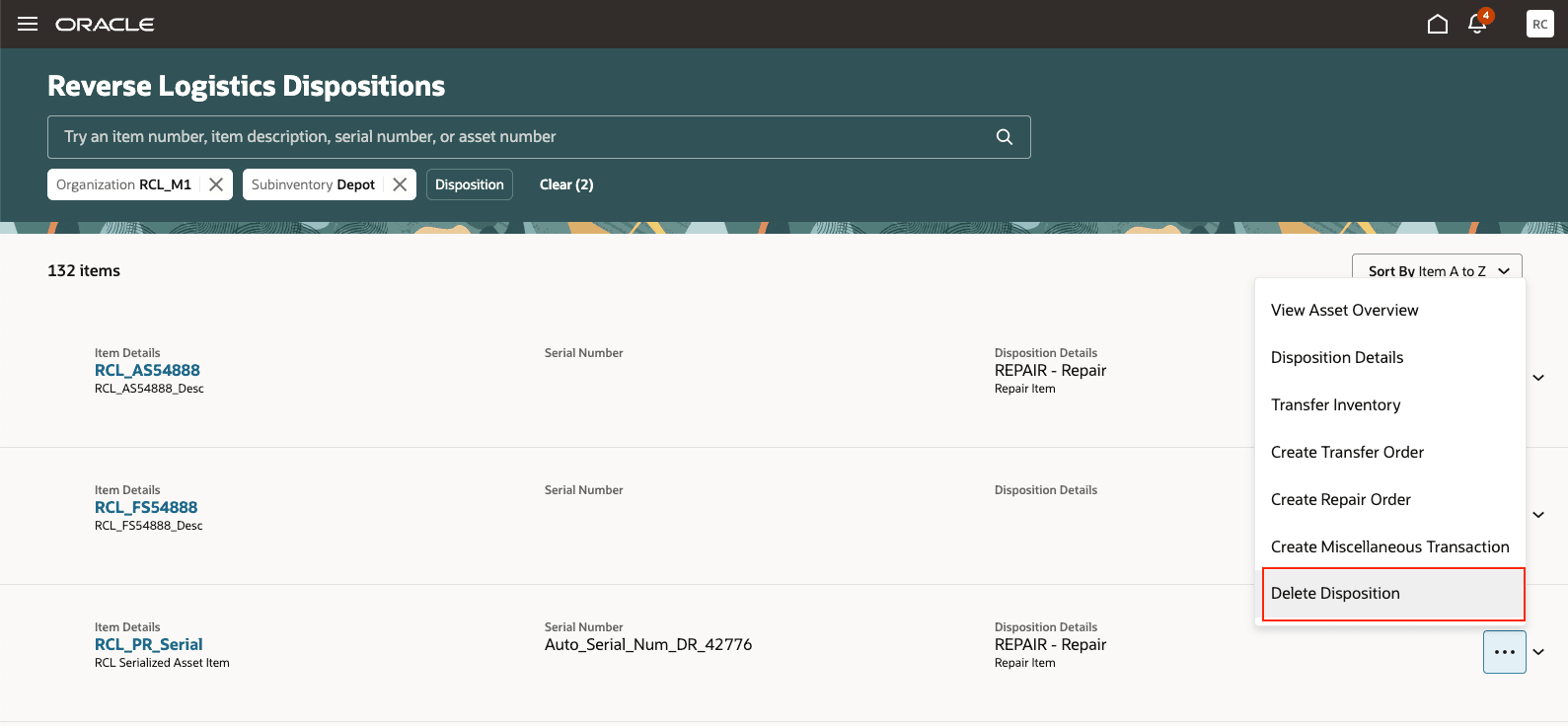
Reverse Logistics Dispositions: Delete Disposition
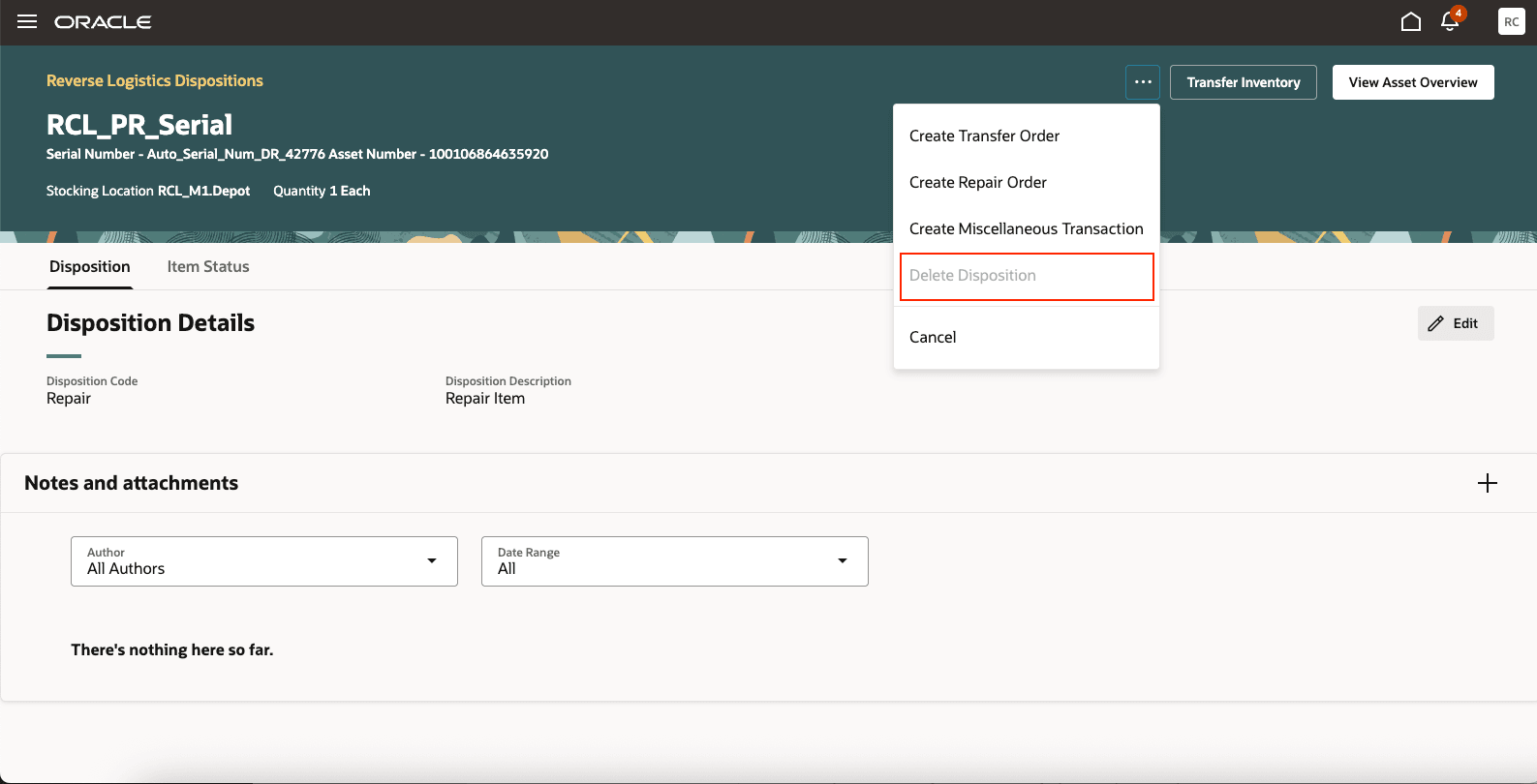
Reverse Logistics Dispositions: Delete Disposition Disabled
5. Attachments:
You can now attach files such as images, documents, and notes when performing disposition actions. This improves documentation for returned items by providing visual or supporting evidence for issues, conditions, or related decisions for each disposition. You can upload one or more attachments in common formats, including JPEG, PNG, PDF, DOCX, and XLSX. These uploads are directly linked to the corresponding disposition record. Both notes and attachments are saved as part of the disposition action, ensuring complete and traceable documentation. You can view, download, or delete attachments as needed, maintaining control and compliance. This enhancement improves communication, audit readiness, and traceability, which improves reverse logistics decision-making.
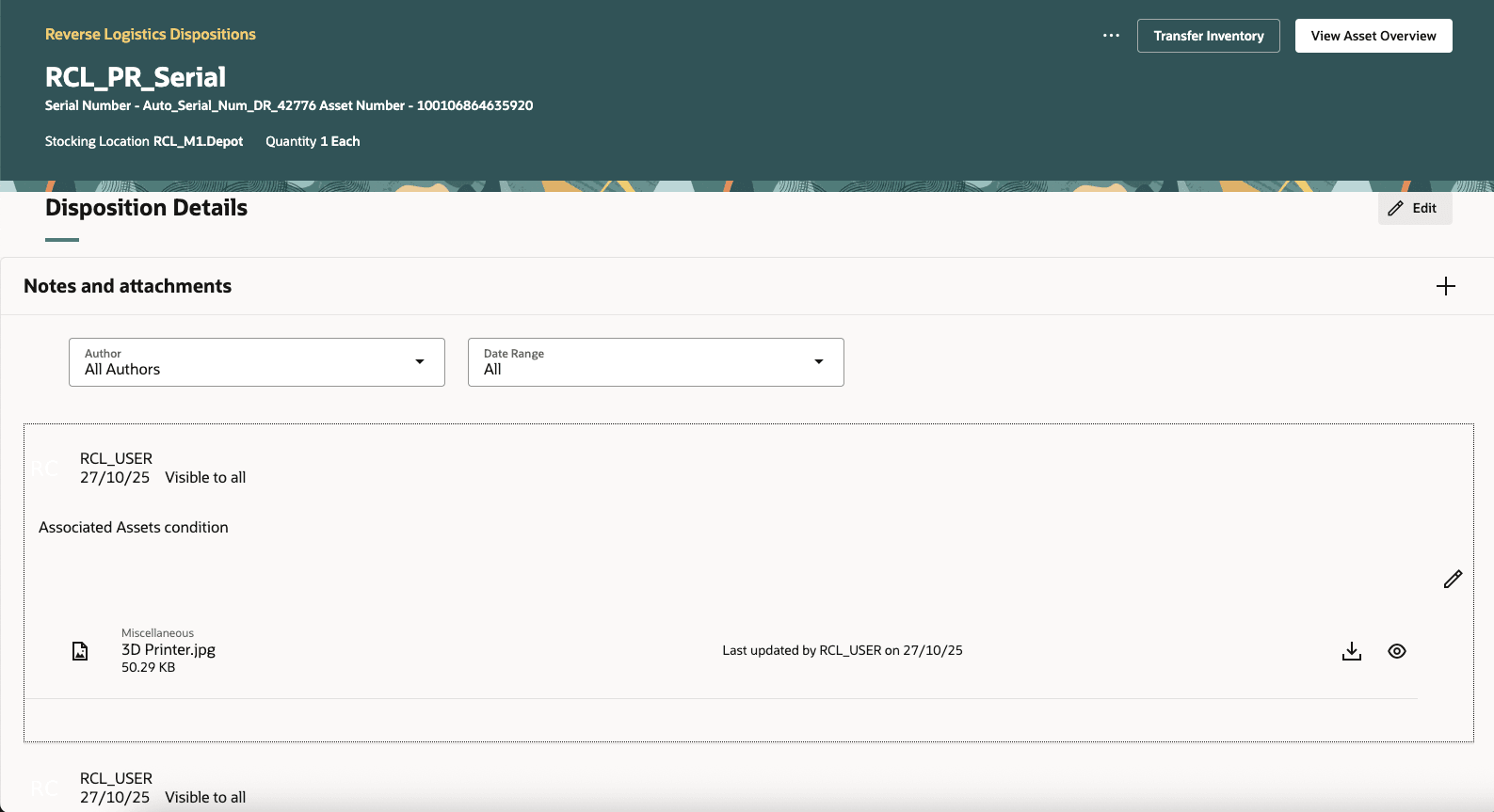
Reverse Logistics Dispositions: Attachments
6. Item Status Across Multiple Organizations:
Managers now have the ability to view item quantity status across multiple organizations and subinventories. The system now displays key inventory details, including On-Hand Quantity, Usable Quantity, and Defective Quantity, for each item, along with support for revision-controlled items. This ensures traceability and compliance with service and quality standards. A centralized, real-time visibility enables managers to monitor inventory levels, track the progress of repairs and returns, identify and resolve bottlenecks in repair cycles, and make informed decisions on parts allocation and replenishment.
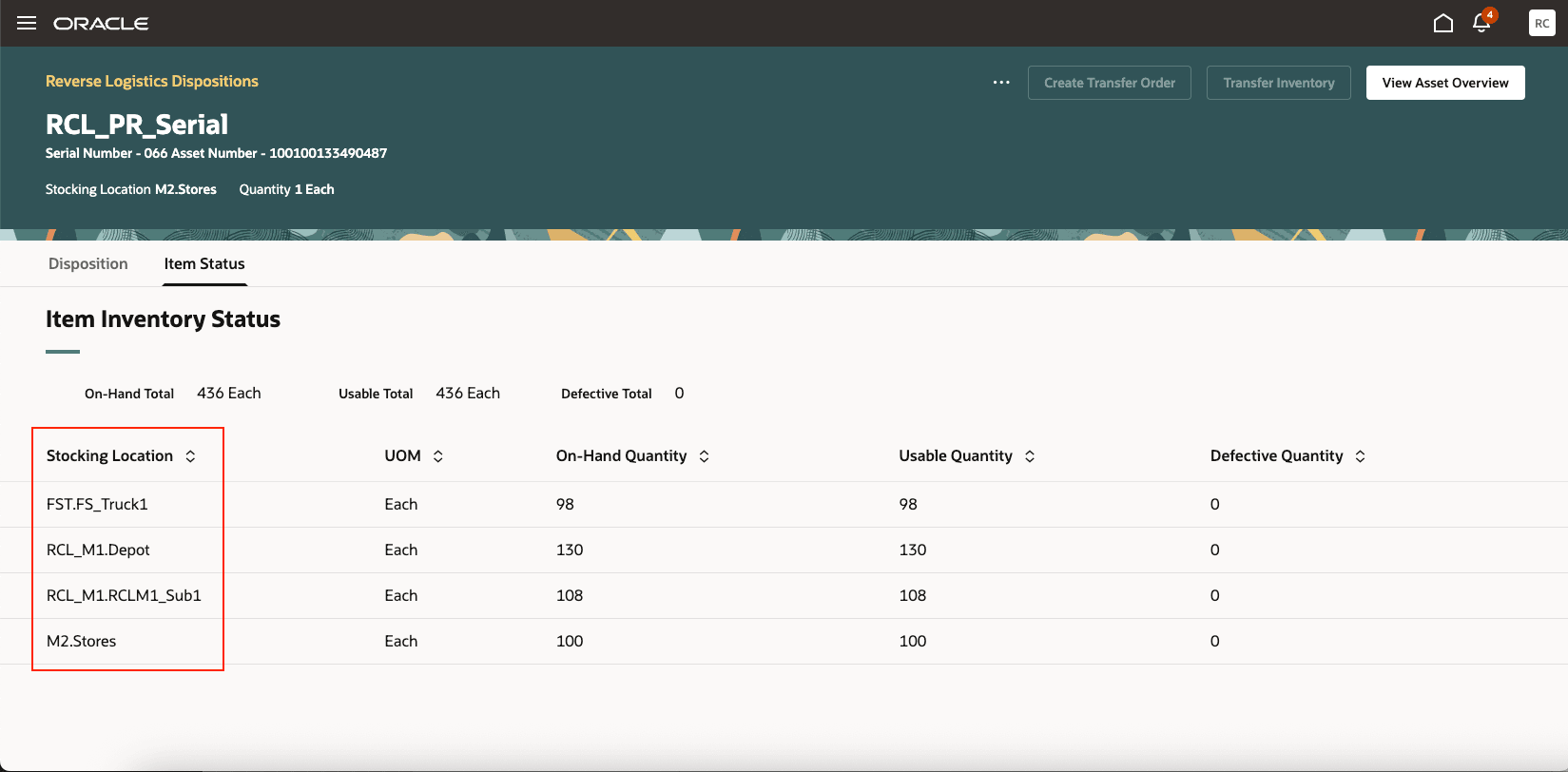
Reverse Logistics Dispositions: Item Status at Multiple Organizations
7. Work Order Description in Create Repair Order:
You can now capture and maintain a meaningful work order description when creating a repair order in the reverse logistics and depot repair process. The Create Repair Order UI now includes the Work Order Description field for entering a descriptive purpose, scope, or specific instructions for the repair.
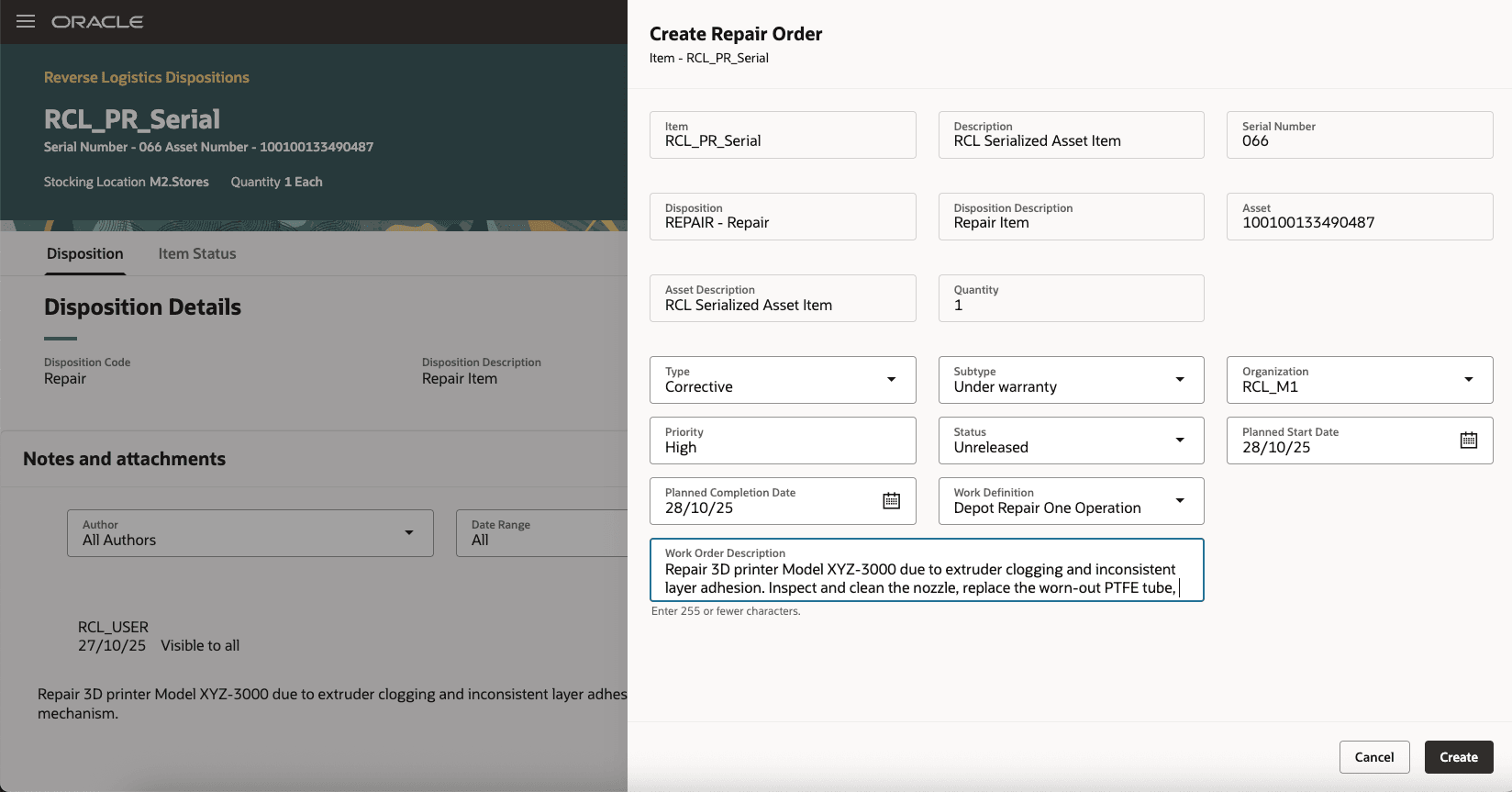
Create Repair Order: Work Order Description
Optimize operations, reduce delays, and make informed decisions in the reverse logistics and depot repair process.
Steps to enable and configure
You don't need to do anything to enable this feature.
Access requirements
No additional access requirements to enable this feature