Navigate to Redwood Self Service Procurement from Manage Maintenance Work Orders
Use the new Redwood Self Service Procurement application to manage requisitions for maintenance work orders from both Redwood and classic work order pages, ensuring a unified experience across both interfaces. When reviewing a maintenance work order, you can navigate from the classic Edit Work Order page to the Review Purchased Item Details page. From there, click the Create Requisition button to open the Create Requisition drawer as shown in the screenshot below, that has work order, Deliver-to Location, and Business Unit in context. Select the required operation from the operation sequence and click OK.
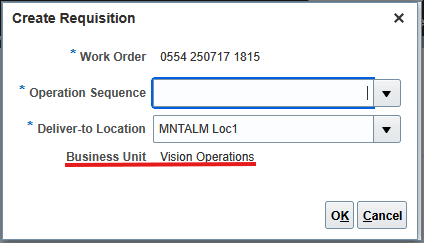
Create Requisition
The Redwood Purchase Requisitions work area opens in a new tab that lets you create a requisition for the maintenance work order and operation in the context.
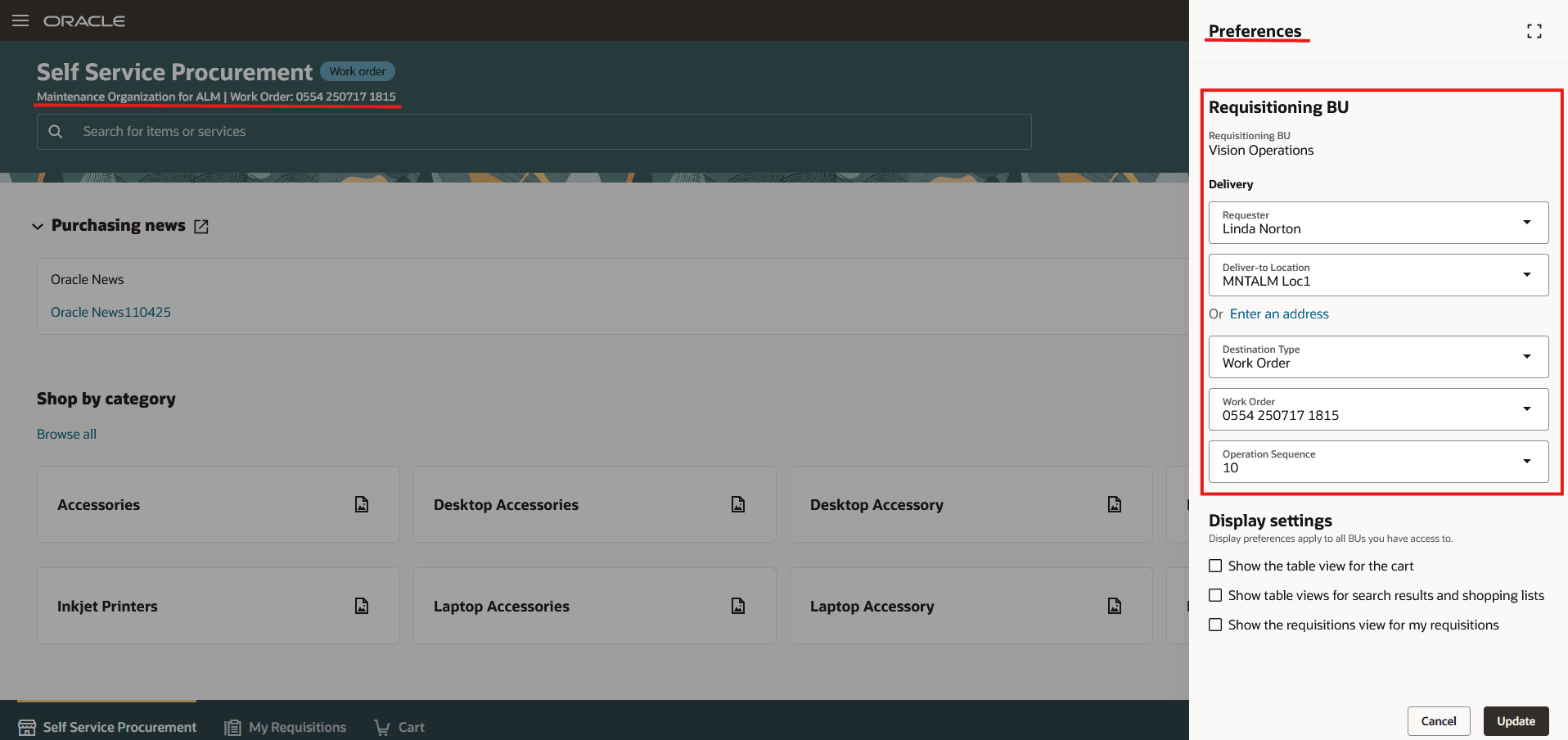
Redwood Self Service Procurement page with context maintenance work order details in Preference drawer
After shopping for the required items, submit the requisition and then view the requested items in the Purchased Item Details page. To view the Requisition from the Purchased Item Details page, click Requisition.
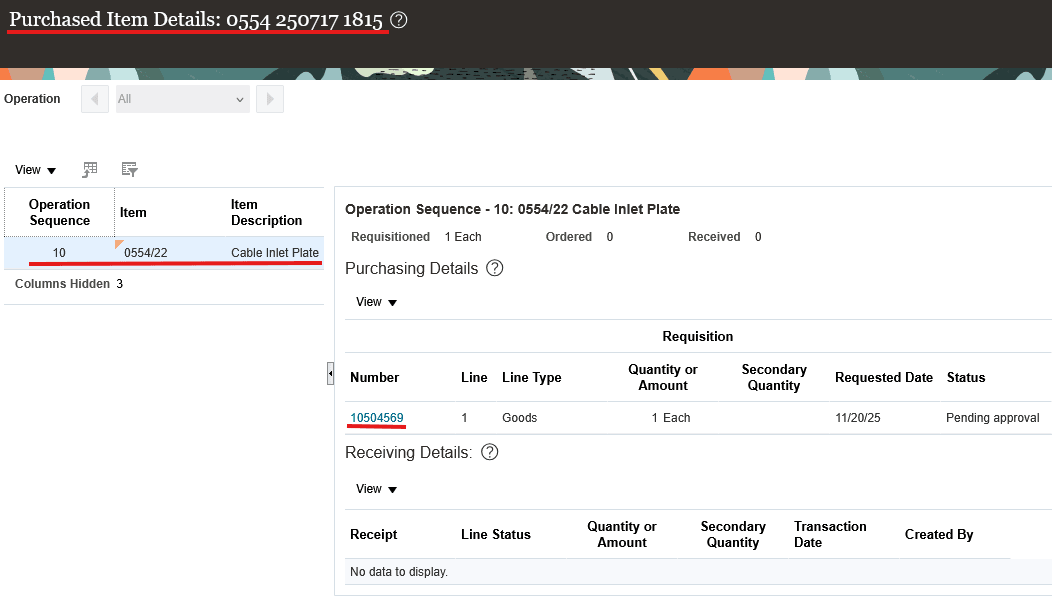
View Purchased Item Details
When you select the requisition number, it opens the new Redwood page in a new tab to view a requisition. 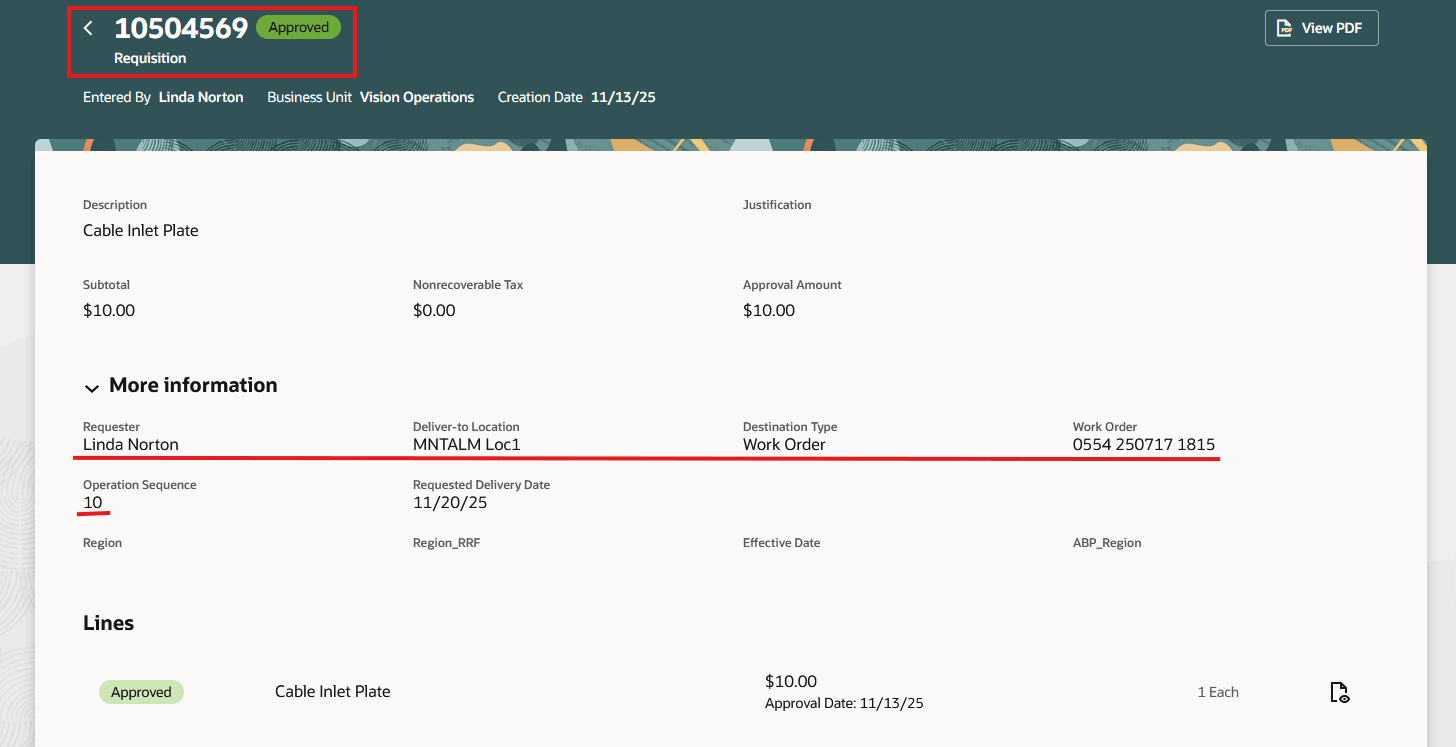
View Requisition
Navigating directly from the Edit Work Order page to the new Redwood Self Service Procurement application streamlines the procurement process for maintenance work orders.
Steps to enable and configure
You don't need to do anything to enable this feature.
Tips and considerations
On the Review Purchased Item Details page, only the Requisition Number link opens in a new Redwood tab. Other links, such as Purchase Order Number and Receipt Number, continue to open in the classic ADF view as they do today.
Key resources
- You can review the following links to enable Redwood Self Service Procurement:
- What's New to Enable the Redwood Version as the Default Self Service Procurement Application: https://docs.oracle.com/en/cloud/saas/readiness/scm/24d/ssproc24d/24D-ssproc-wn-f33153.htm#Steps-to-Enable
- Implementing Procurement: https://docs.oracle.com/en/cloud/saas/procurement/25d/oapro/configure-a-connection-to-symmetric.html#21-Self-Service-Procurement-Configuration-147
- Elastic Search: https://docs.oracle.com/en/cloud/saas/procurement/25d/oapro/set-up-elastic-search-for-catalog-shopping.html
Access requirements
Users who are assigned a configured job role that contains these privileges and codes can access this feature:
- Manage Requisition of Items with Work Order Destination Type (WIP_MANAGE_ITEM_PURCHASES_FOR_WORK_ORDER_PRIV)
- Manage Requisition with the Redwood Self Service Procurement Application (POR_MANAGE_REQ_WITH_PWA_PRIV) if Enable the Redwood Version as the Default Self Service Procurement Application feature isn't opted-in.
- Get Work Orders by Service (WIP_GET_WORK_ORDERS_SERVICE)
- View Maintenance Work Orders by Service (MNT_GET_WORK_ORDERS_BY_SERVICE_PRIV)
These privilege were available prior to this update.