Redwood: Access the Setup and Maintenance Page for Manufacturing Resource Instances for the Selected Organization
The Redwood experience is now enabled for the Manufacturing Resource Instances task within the Setup and Maintenance work area of the Manufacturing and Supply Chain Materials Management offering.
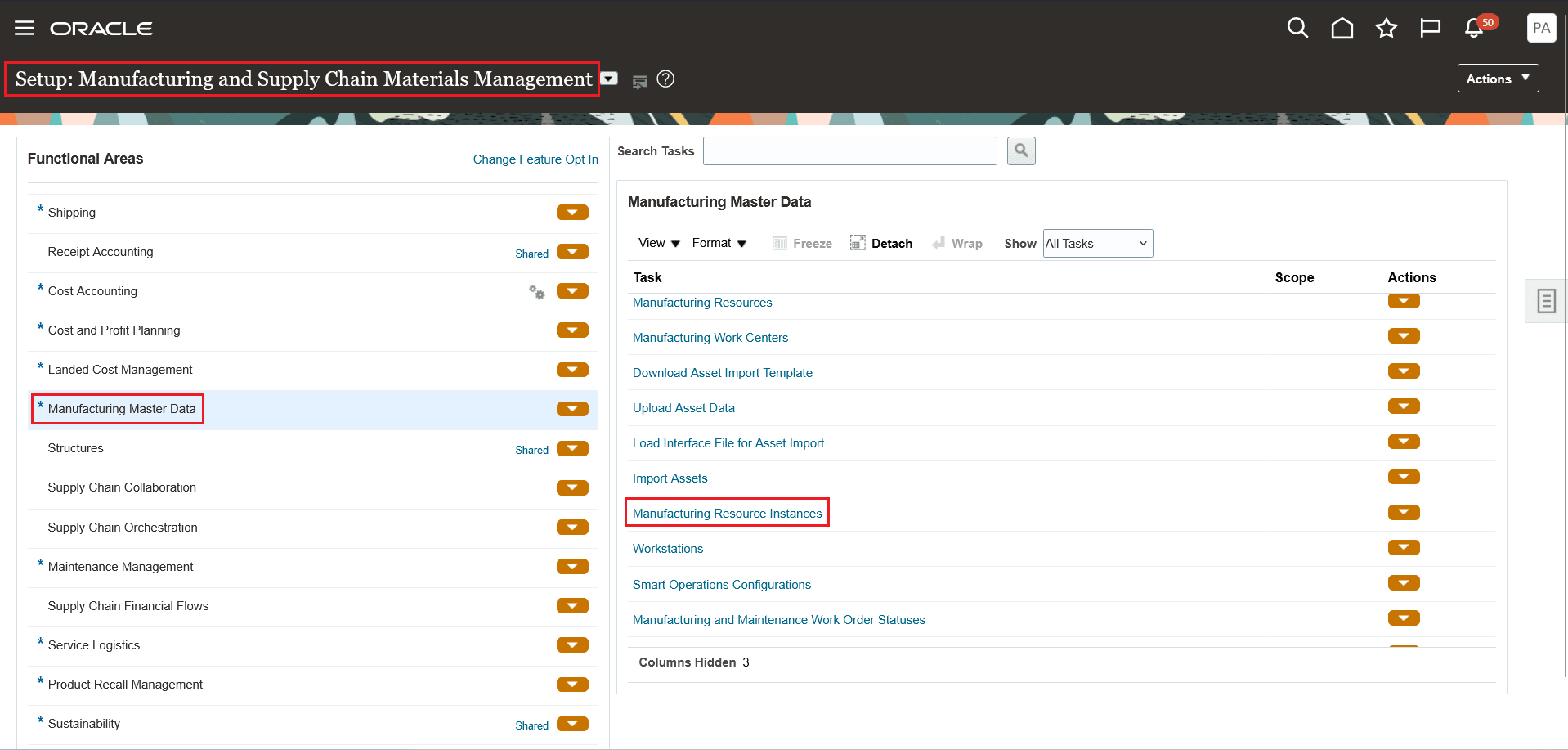
Manufacturing and Smart Operations Setup Tasks
The following screenshot shows the Resource Instances section on the Resources page where you can add, edit, and delete a resource instance.
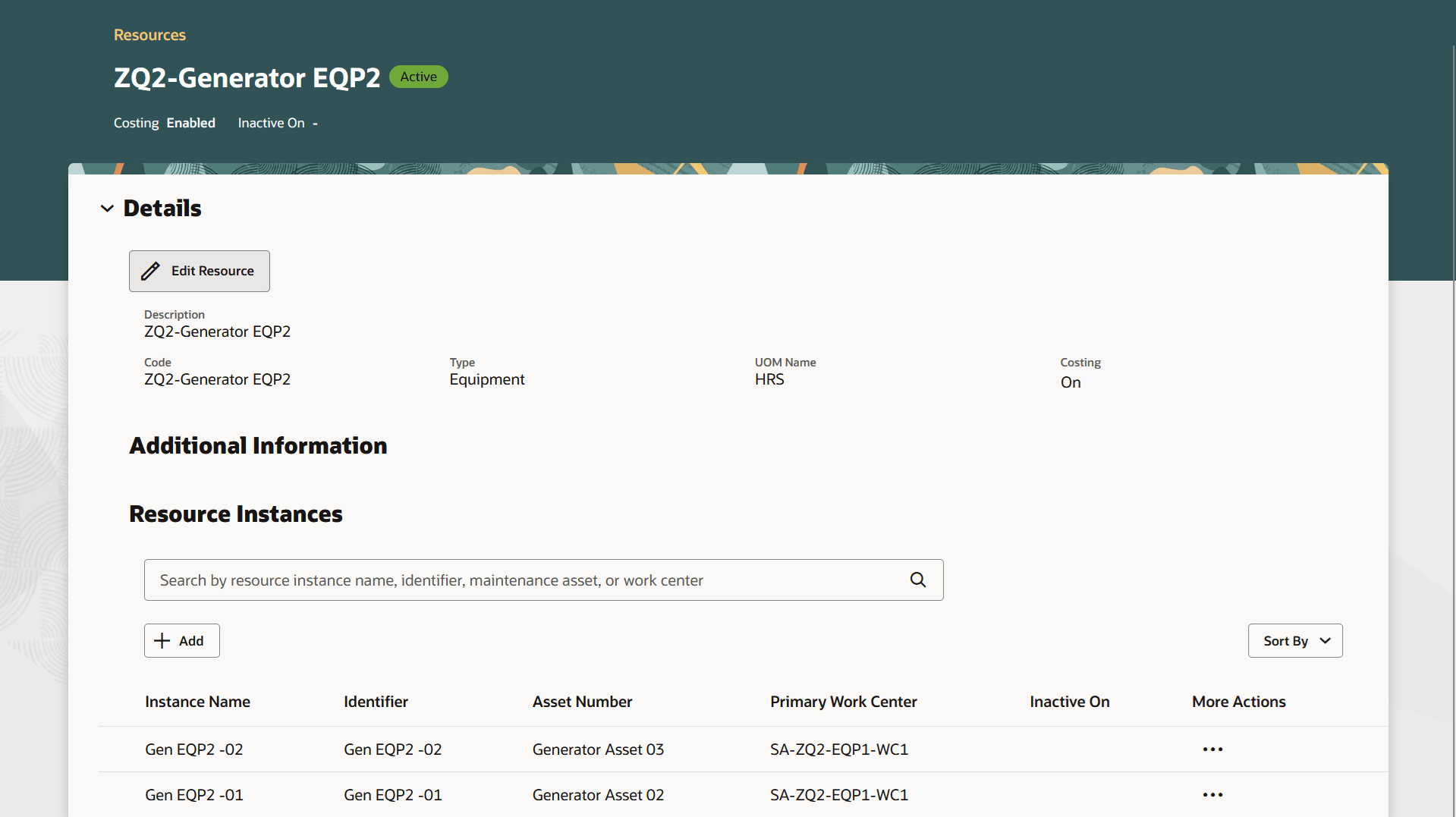
Resource Instances
The new Redwood Manufacturing Resource Instances page provides a consistent Redwood experience with the other Manufacturing and Smart Operations setups within the Setup and Maintenance work area of the Manufacturing and Supply Chain Materials Management offering.
Steps to Enable and Configure
You don't need to do anything to enable this feature.
Tips And Considerations
- When launched from the Setup and Maintenance work area, the Manufacturing Resource Instances page is always rendered in Redwood regardless of the profile option setting.
- Selecting the Manufacturing Resource Instances task opens the Resources page. Search for a resource and click View Details in the Actions menu for the resource to access the Resource Instances section.
Key Resources
- Oracle Fusion Cloud SCM: Refer to the Using Manufacturing guide, available on the Oracle Help Center.
- Oracle Fusion Cloud SCM: Refer to the Implementing Manufacturing and Supply Chain Materials Management guide, available on the Oracle Help Center.
Access Requirements
Users who are assigned a configured job role that contains this privilege can use this feature:
- Manage Production Resources (WIS_MANAGE_PRODUCTION_RESOURCES_PRIV)
This privilege was available prior to this update.