Track Intermediate Inputs and Outputs for Calculated Batch Quantities in Process Manufacturing
Process manufacturing companies that manage intermediate quantities from one operation to the next need to define and track batch quantities at a granular, operational level. Tracking batch quantities at the operation level helps these companies manage real-world process flows.
With this update, users can now:
- Select the operation inputs that contribute to the batch quantity and track intermediate inputs and outputs through each manufacturing step.
- Make use of the “Process Batch Quantity Type” attribute to use calculated values for formulas in the process work definition and process work orders.
- Leverage enhanced UI, FBDI, ADFdi, and REST API support for process work definitions and work orders, including operation-level reporting and new validation rules.
Use the formula definition in Product Management as the basis for your process work definition and process work order. Use the Production Supervision and Production Execution pages to create, manage, and execute your work orders.
Create the formula for the primary product along with the co-products and by-products. The ingredients are defined in the formula.
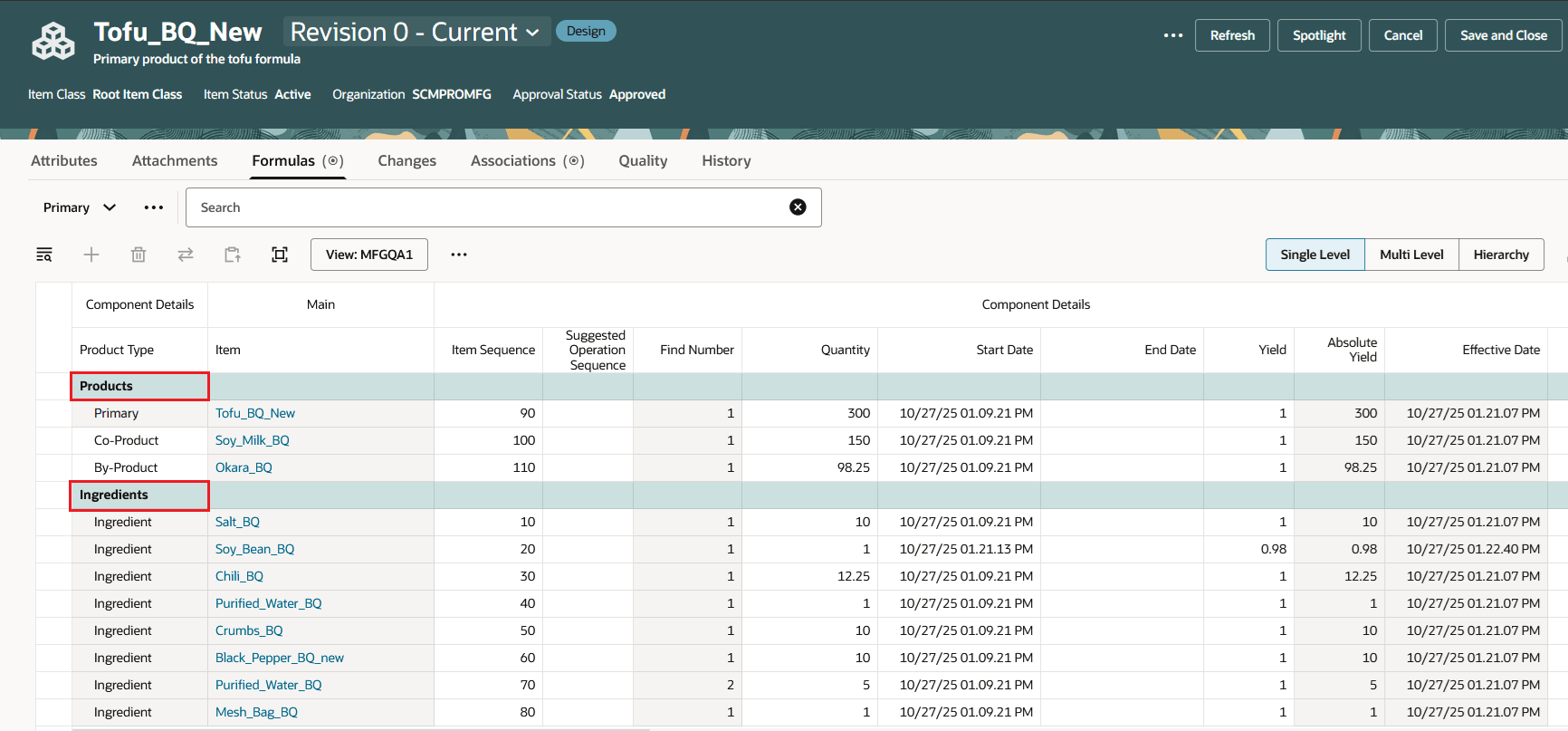
Formula Definition
Create the process work definition that refers to the formula. The Process Batch Quantity Type uses Calculated by default.
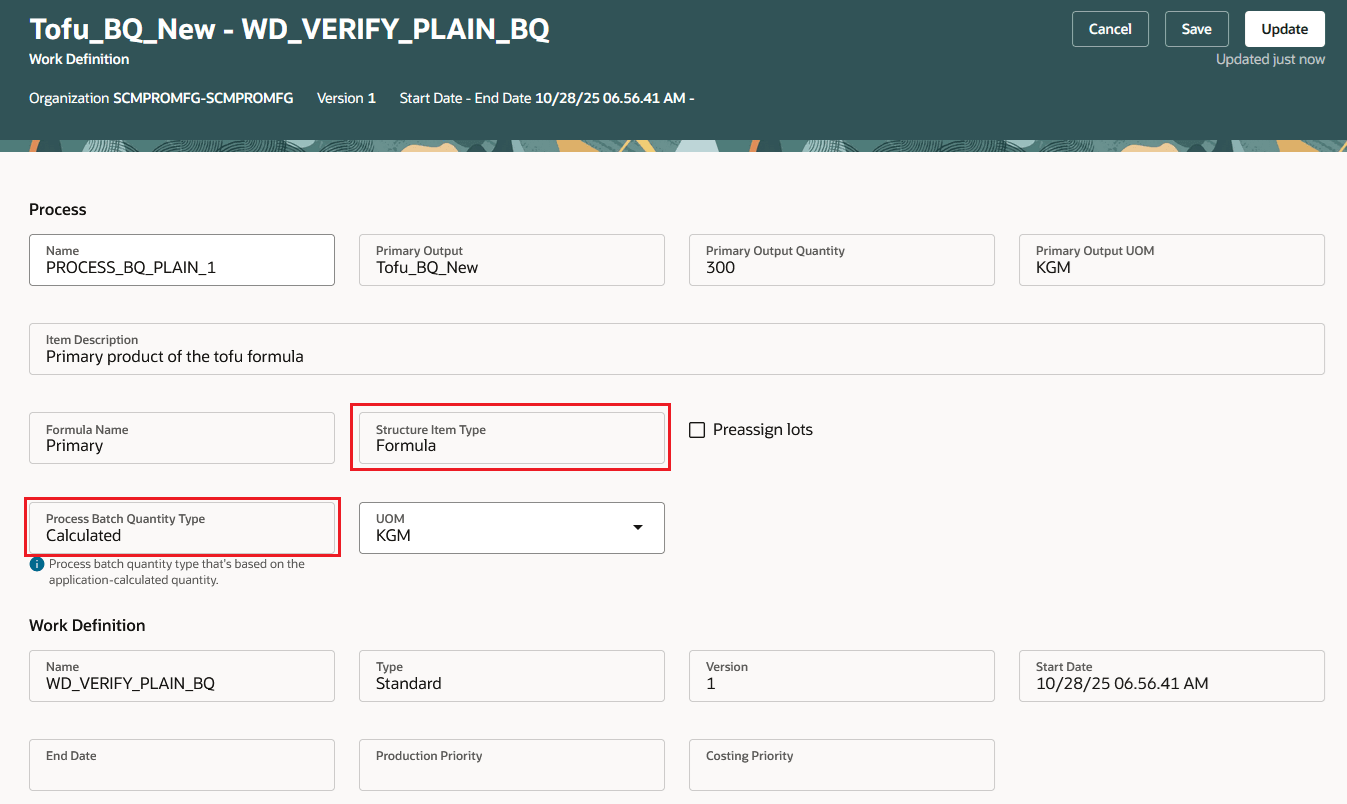
Work Definition (Calculated Batch Quantity Type) Based on the Formula
Create the process work order that refers to the process name or the work definition of the primary output. The Process Batch Quantity Type uses Calculated by default.
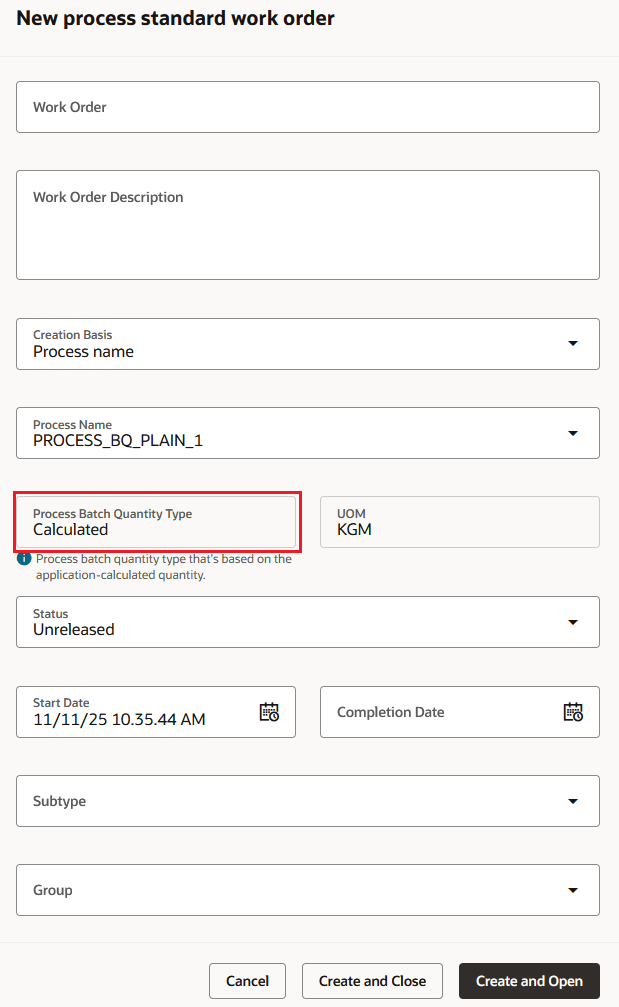
Process Work Order (Calculated Batch Quantity Type)
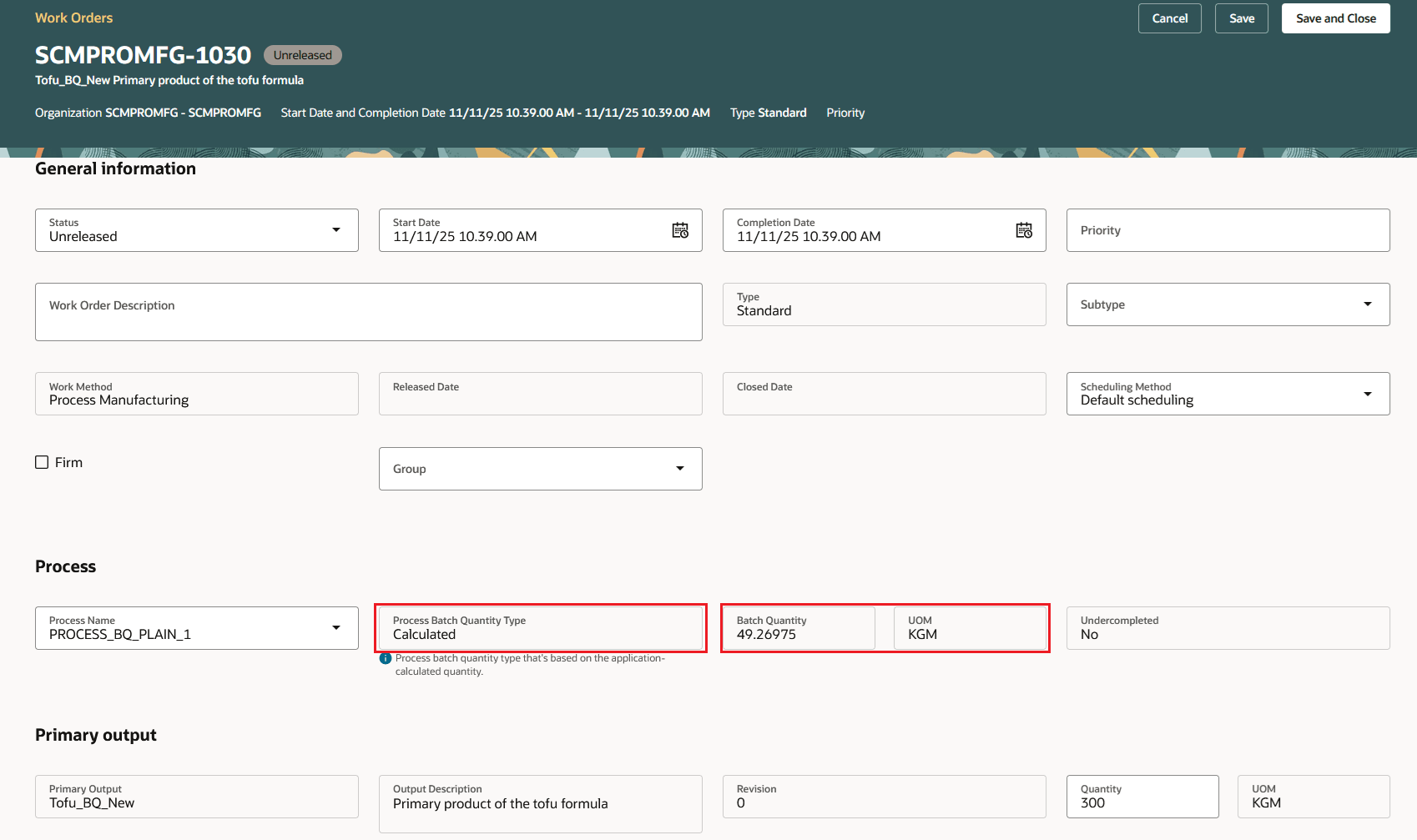
Process Work Order - Header details
In Production Supervision, you can make status changes and update the priority of the process manufacturing work order.
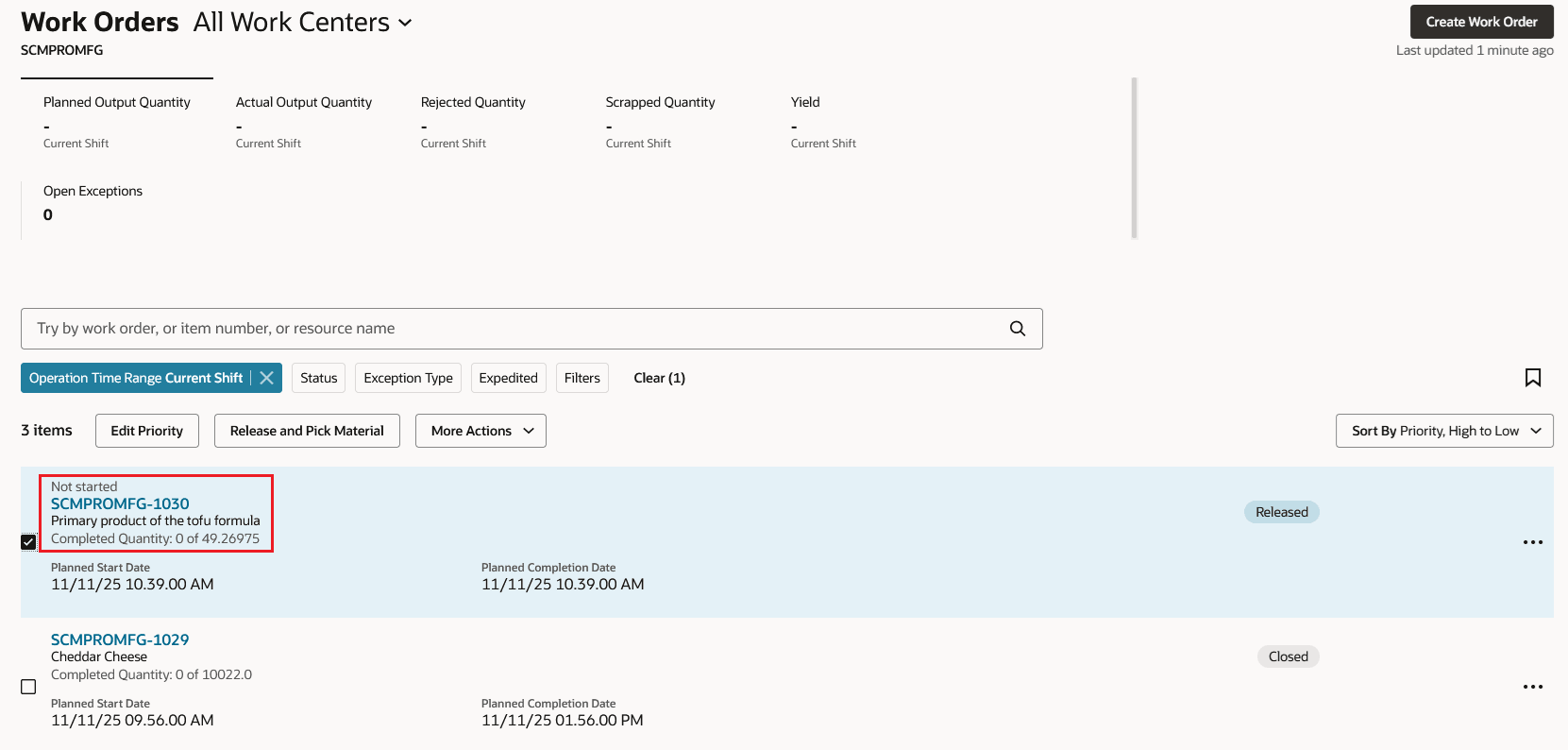
Production Supervision - Process Work Order
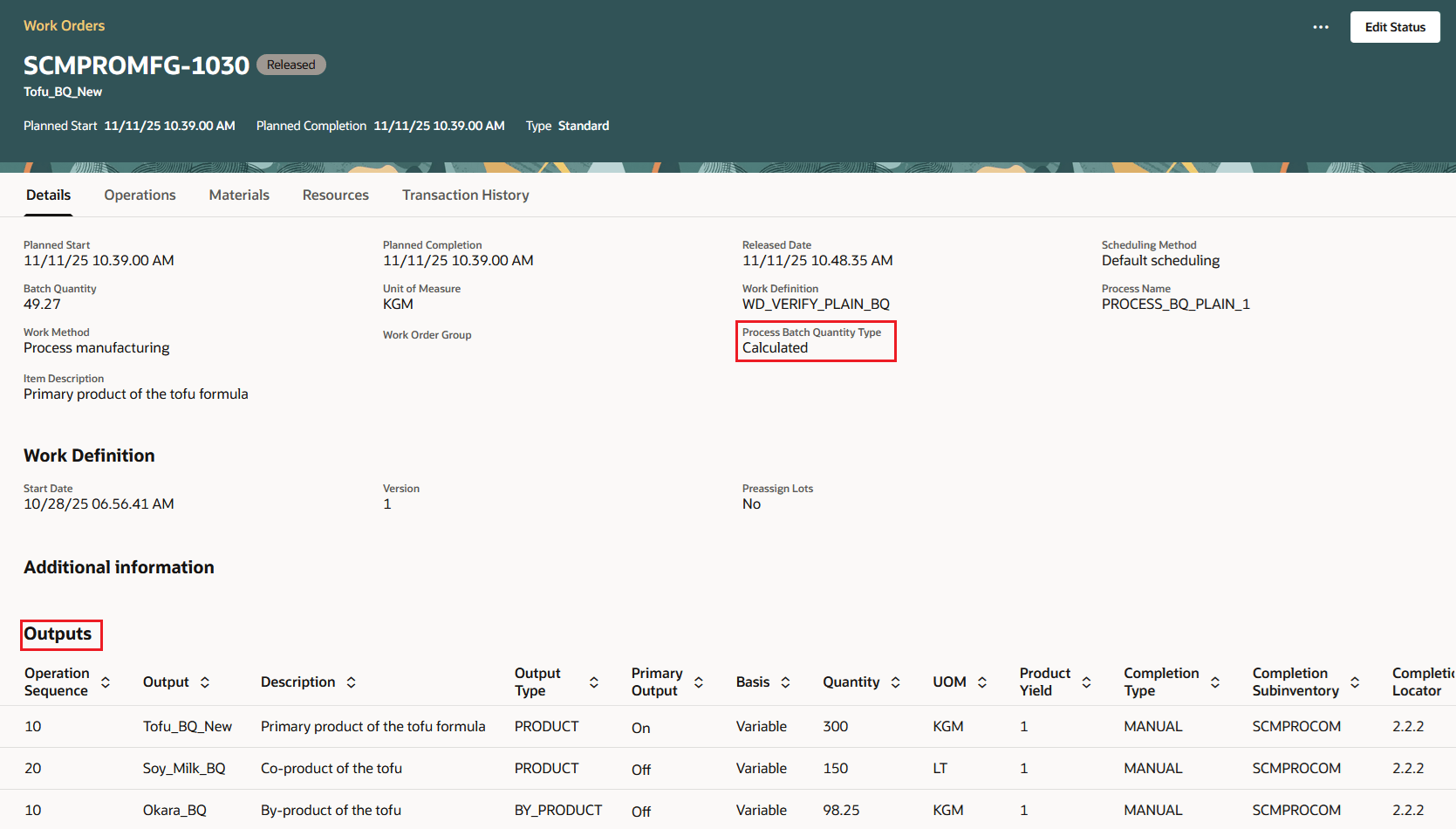
Production Supervision - Process Work Order Header
Use the Production Execution action for work order execution to report materials, output, operation completions, scrap and reject transactions.
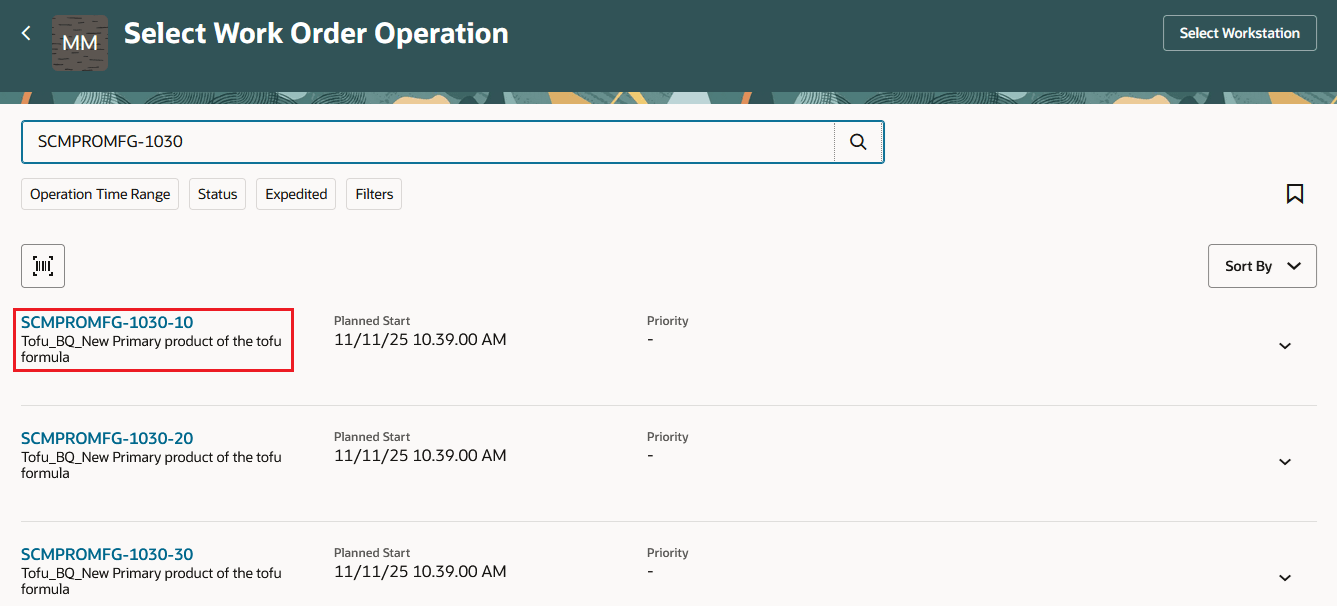
Production Execution - Operation Selected for Execution
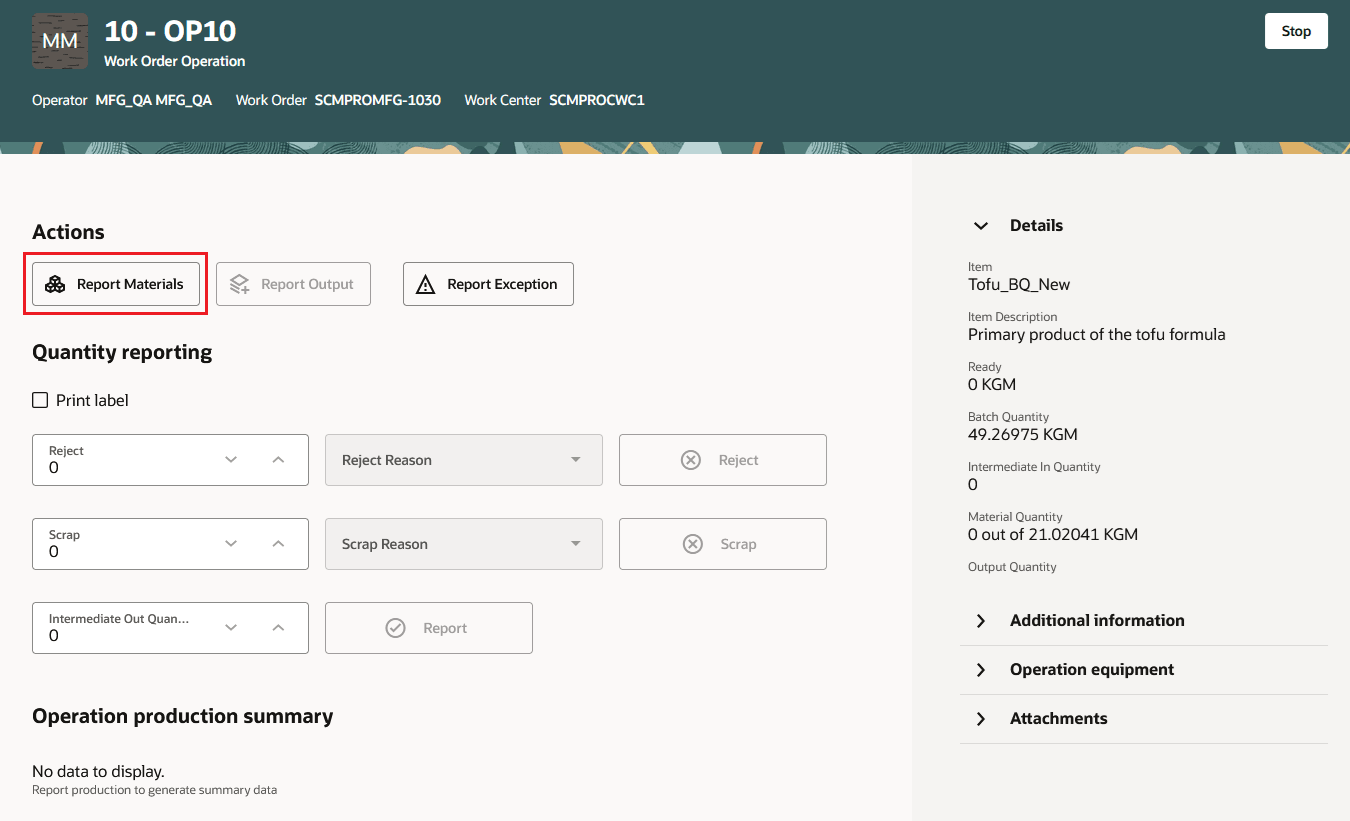
Production Execution - Report Materials
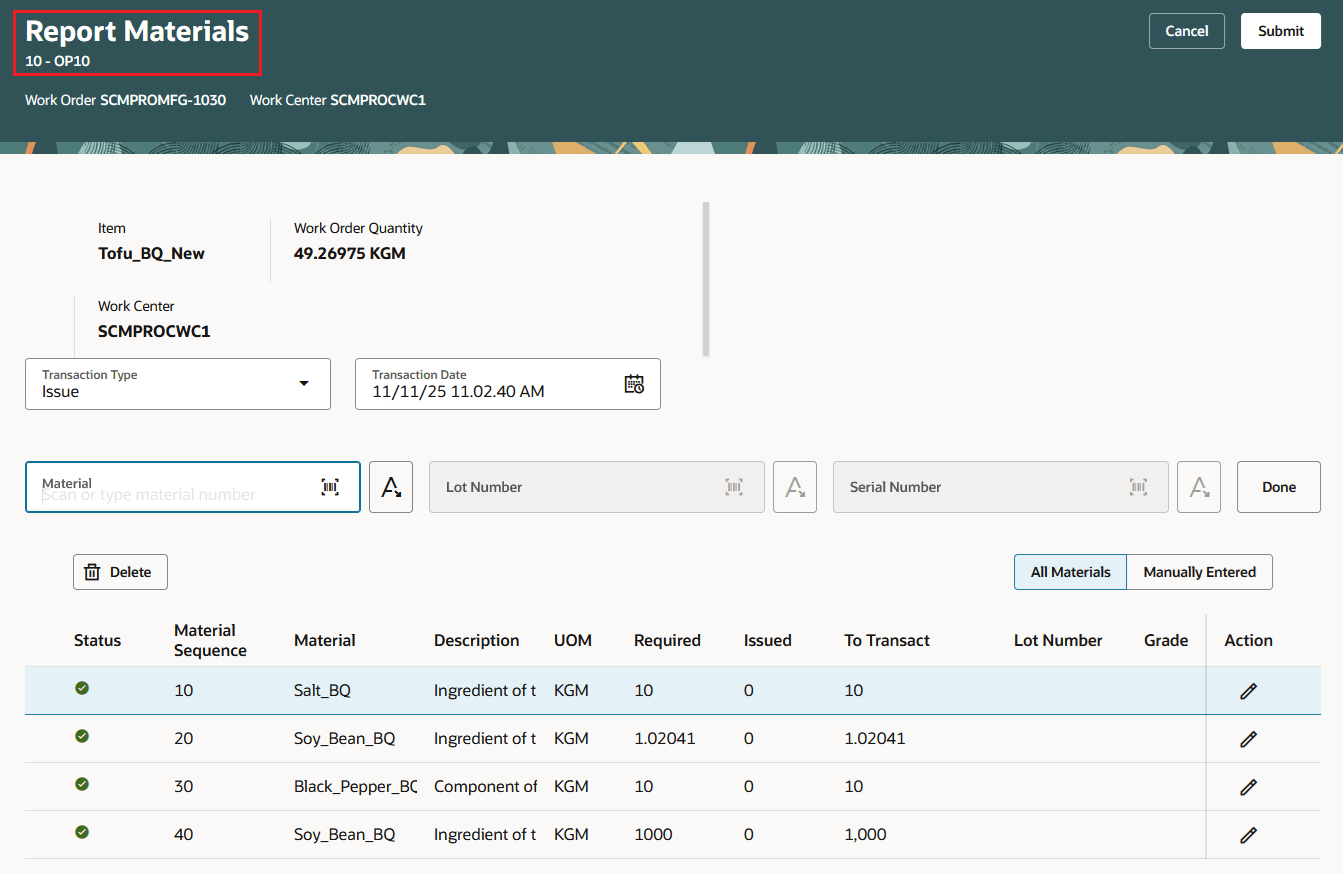
Production Execution - Report Materials
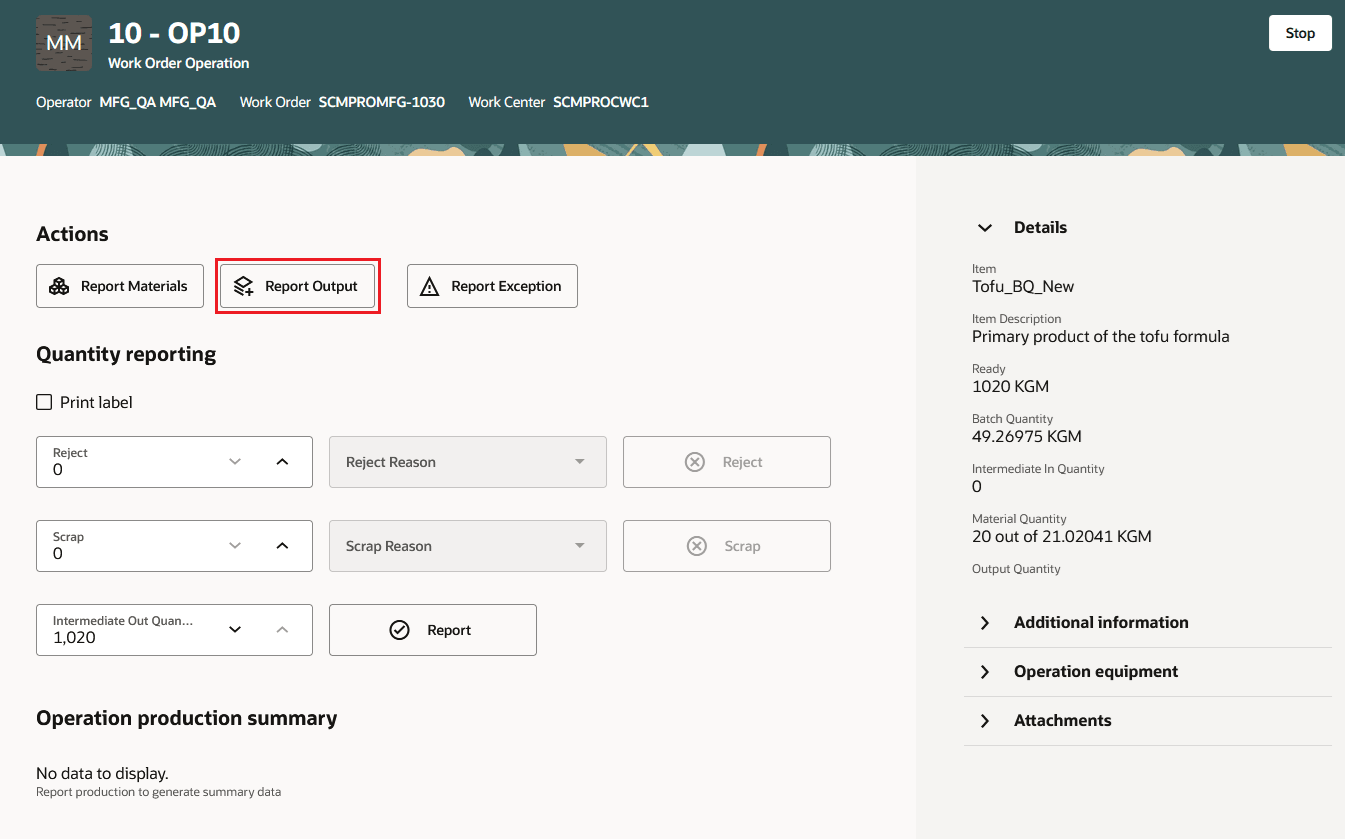
Production Execution - Report Output
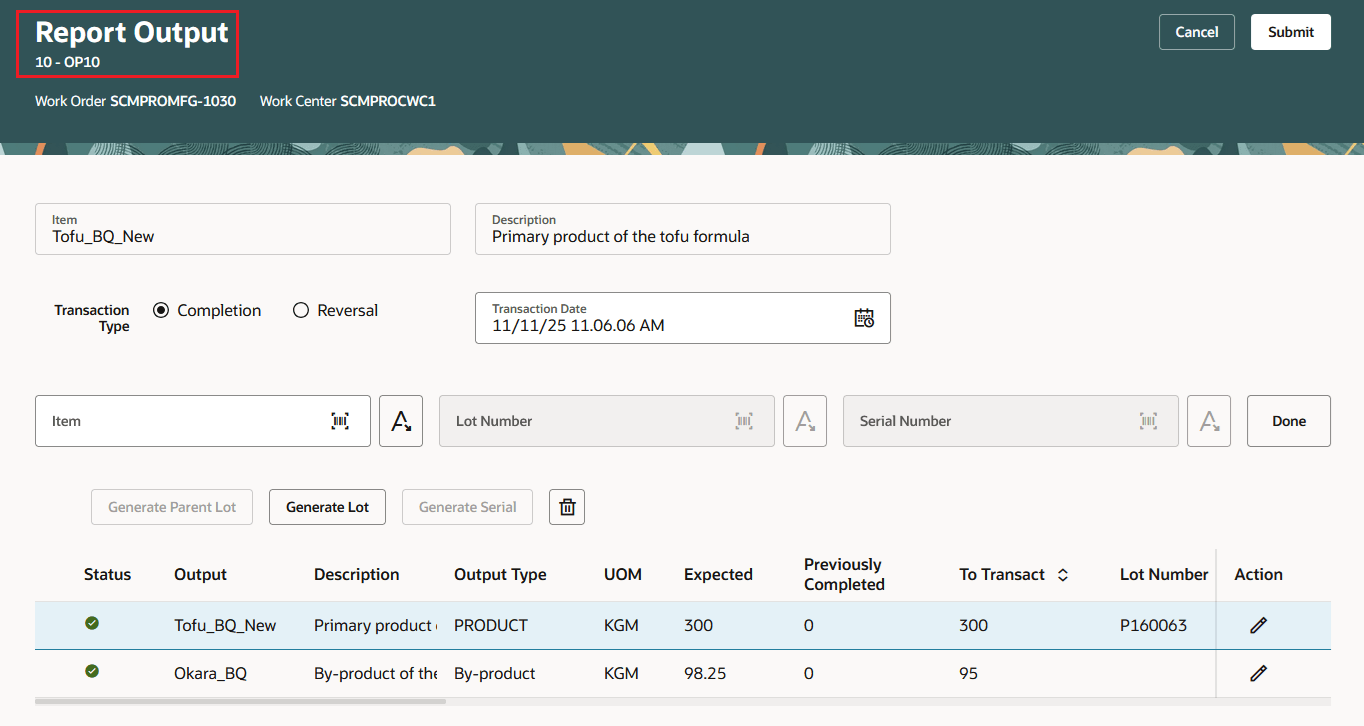
Production Execution - Report Output
During operation completion, the intermediate output quantity is based on the outputs reported at the operation. You can choose to report the same quantity or a lesser quantity as the Intermediate Out Quantity and the balance quantity is considered as the variance. This intermediate output quantity reported at the operation is considered as the Intermediate In Quantity for the subsequent operation.
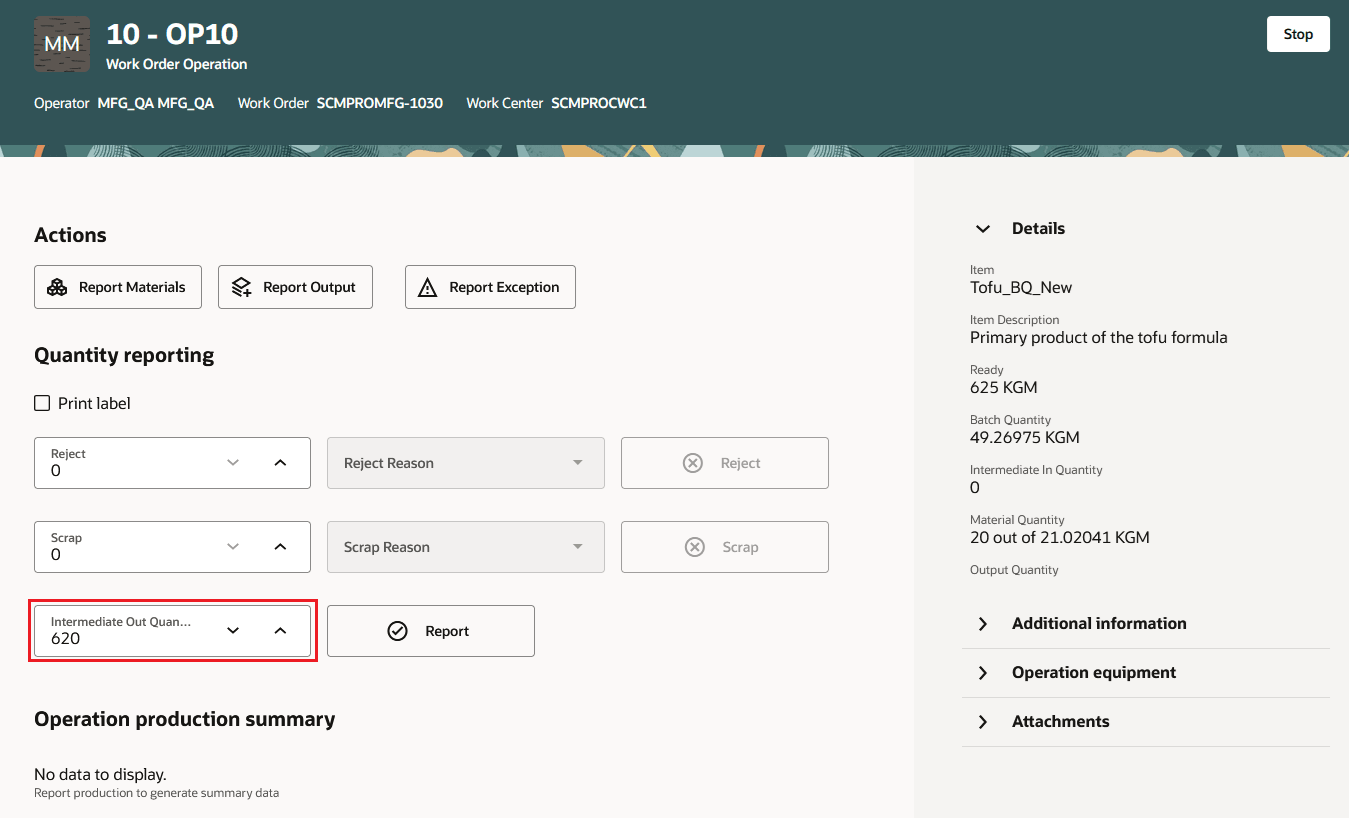
Production Execution - Operation Completion
You can review the operation completion details, including the Intermediate In Quantity and the Intermediate Out Quantity, for the process work order in Production Supervision and the Work Order pages.
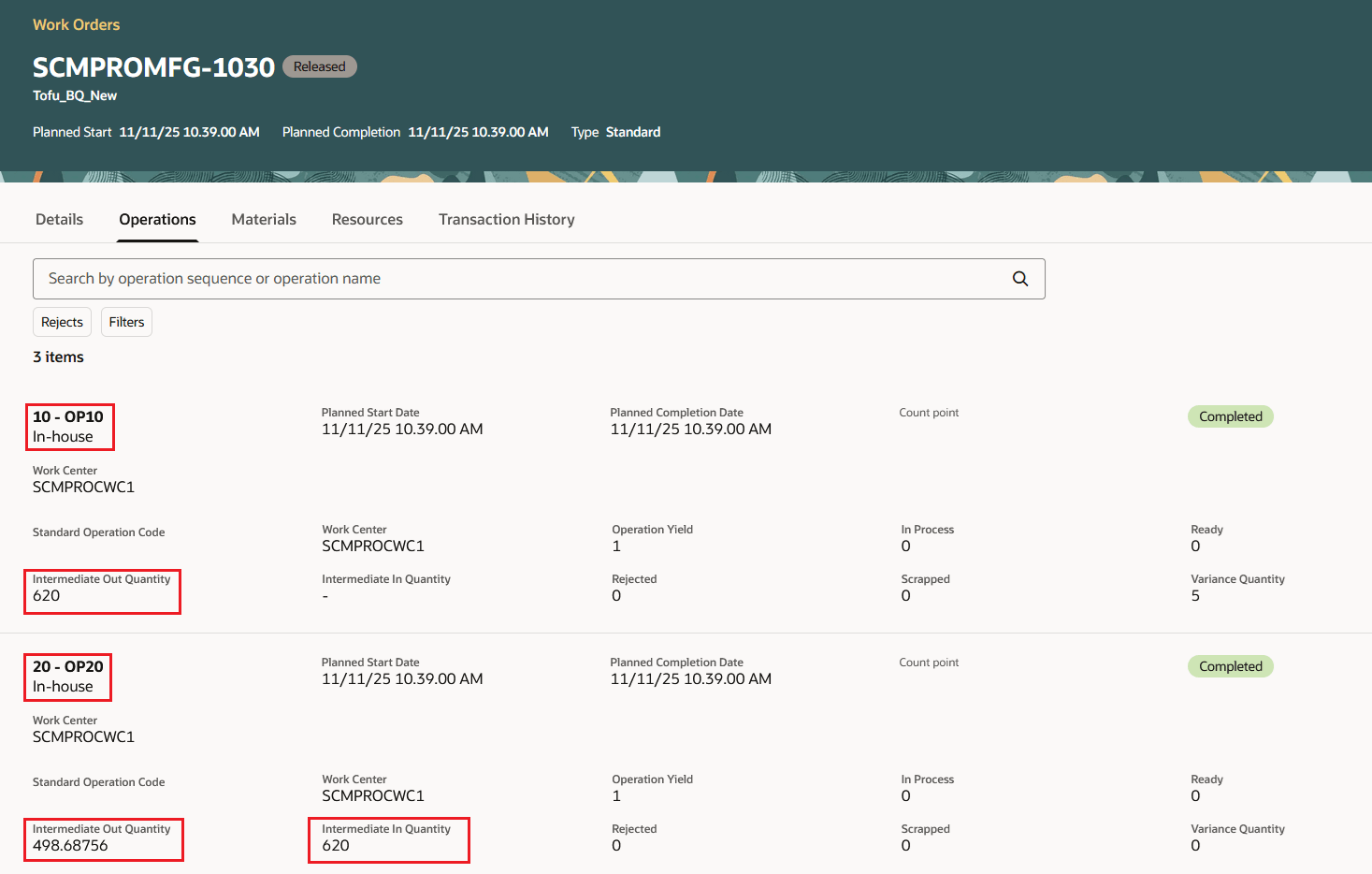
Production Supervision - Review Completed Operation Quantities
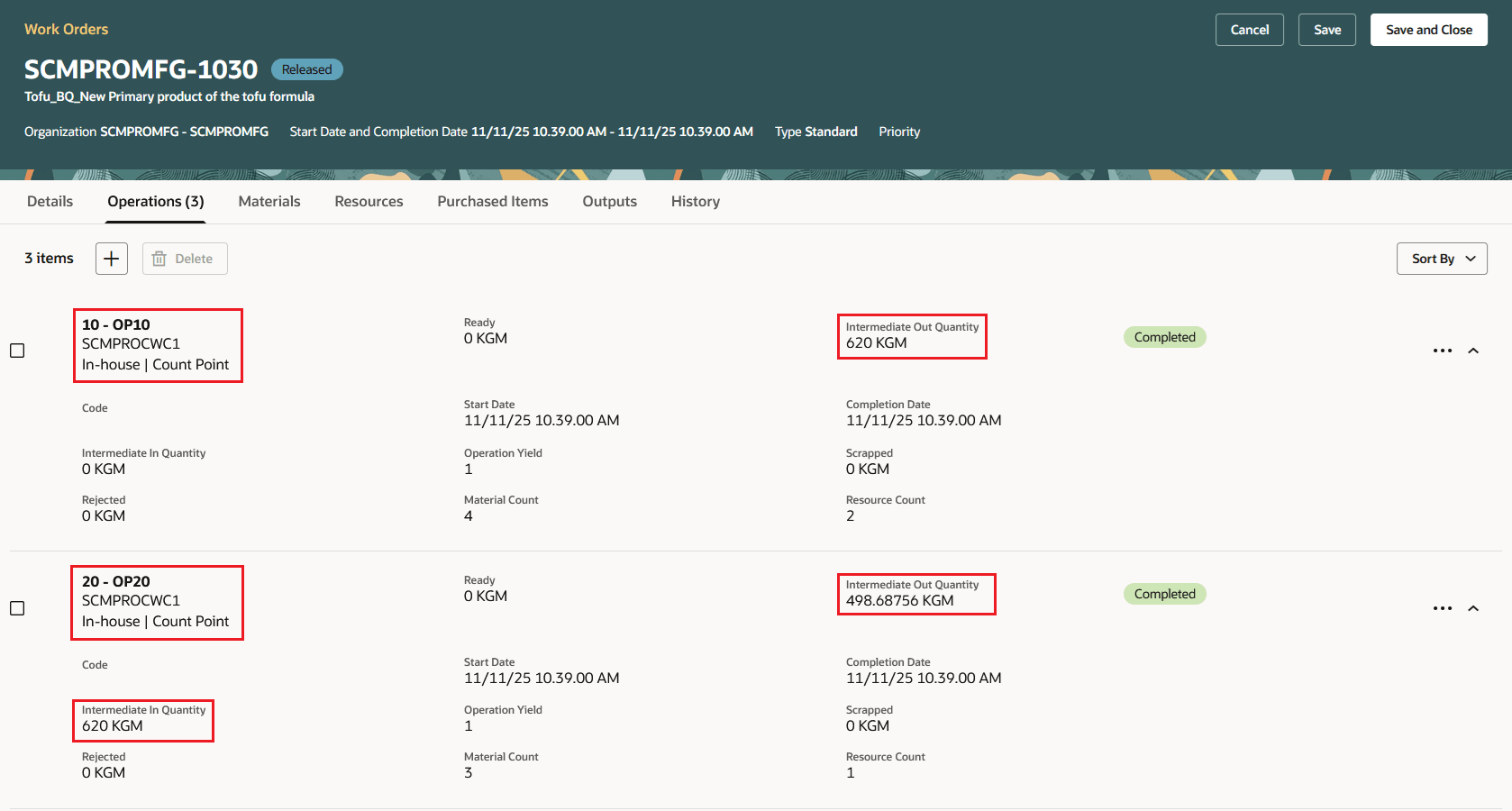
Manage Work Orders - Review Completed Operation Quantities
This enhancement brings process manufacturing workflows closer to industry best practices, notably for sectors such as Industrial Process Manufacturing, Food & Beverage, and Consumer Packaged Goods. Key benefits include:
- Comprehensive Batch Control: Batch quantities are dynamically determined from actual usage and outputs, providing auditable, real-world representations of batch flow and regulatory compliance.
- Improved Operational Flexibility: Intermediate inputs, outputs, and batch quantity calculations support complex, multi-operation recipes with greater accuracy, minimizing manual reconciliation.
Here's the demo of these capabilities:
Steps to Enable and Configure
Enable the capability using the new plant parameter “Track intermediate batch quantities for process work orders”.
The parameter is only available for organizations enabled for process manufacturing.
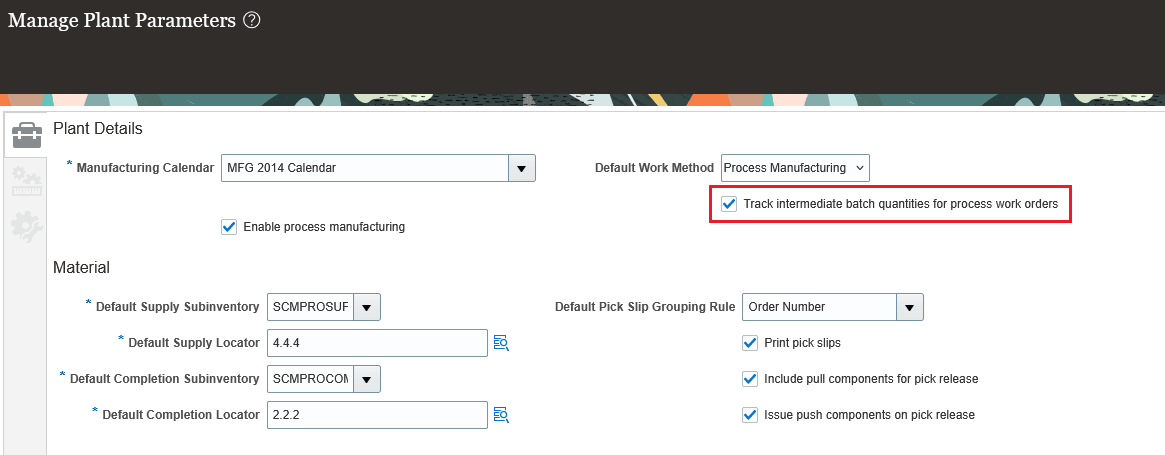
Plant Parameter - Track Intermediate Batch Quantities for Process Work Orders
Tips And Considerations
- Plant Parameter Control: Enable the feature using the plant parameter “Track intermediate batch quantities for process work orders”. After the parameter is enabled, you can create process work definitions and work orders using formulas or calculated batches only. User-defined batch methods are not supported in this mode.
- Impact Scope: Returns and reversals for calculated batch process work orders are not supported in this release. Use the Production Execution and Production Supervision pages; other interfaces such as dispatch list and mobile are not supported for calculated batch flows.
- Configuration: Use the “Contribute to Yield” flag for operation materials to specify inclusion in batch and yield calculations.
- Maintain UOM consistency by ensuring that appropriate Unit of Measure conversions are in place for materials and outputs.
- Re-sequencing operations and supplier operations is not supported.
Key Resources
- Watch the Track Intermediate Inputs and Outputs for Calculated Batch Quantities in Process Manufacturing demo.
- Watch the Define Operation Yield for Calculated Batch Quantities in Process Manufacturing demo.
- Oracle Fusion Cloud SCM: Refer to the Using Manufacturing guide, available on the Oracle Help Center.
- Oracle Fusion Cloud SCM: Refer to the Implementing Manufacturing and Supply Chain Materials Management guide, available on the Oracle Help Center.
Access Requirements
Users who are assigned a configured job role that contains these privileges can access this feature:
- Manage Plant Parameters (RCS_PLANT_PARAMETERS_PRIV)
- Manage Work Definitions (WIS_MANAGE_WORK_DEFINITIONS_PRIV)
- Manage Work Order Headers (WIP_MANAGE_WORK_ORDER_HEADERS_PRIV)
- Manage Work Order Operations (WIP_MANAGE_WORK_ORDER_OPERATIONS_PRIV)
- Supervise Production (WIP_SUPERVISE_PRODUCTION_PRIV)
- Report Operation Transactions (WIP_REPORT_OPERATION_TRANSACTIONS_PRIV)
- Report Material Transactions (WIP_REPORT_MATERIAL_TRANSACTIONS_PRIV)
- Execute Production at a Workstation (WIP_EXECUTE_WORKSTATION)
These privileges were available prior to this update.