Redwood: Resequence and Execute Work Order Operations During Production Execution
The resequencing of operations feature in Oracle Manufacturing allows production operators to change the order in which specific manufacturing steps are executed within a work order, rather than strictly following the original sequence defined in the work definition. After completing the initial mandated operation, operators can choose to perform subsequent tasks in any sequence, according to resource or material availability, thereby reducing potential delays and improving overall efficiency. With this update operators can perform resequencing of operations using Production Execution.
The following screenshot highlights how operators can perform resequencing of operation using the Production Execution UI:
On the Select Work Order Operation page, all operations eligible for resequencing are shown with a Resequence execution icon next to them.
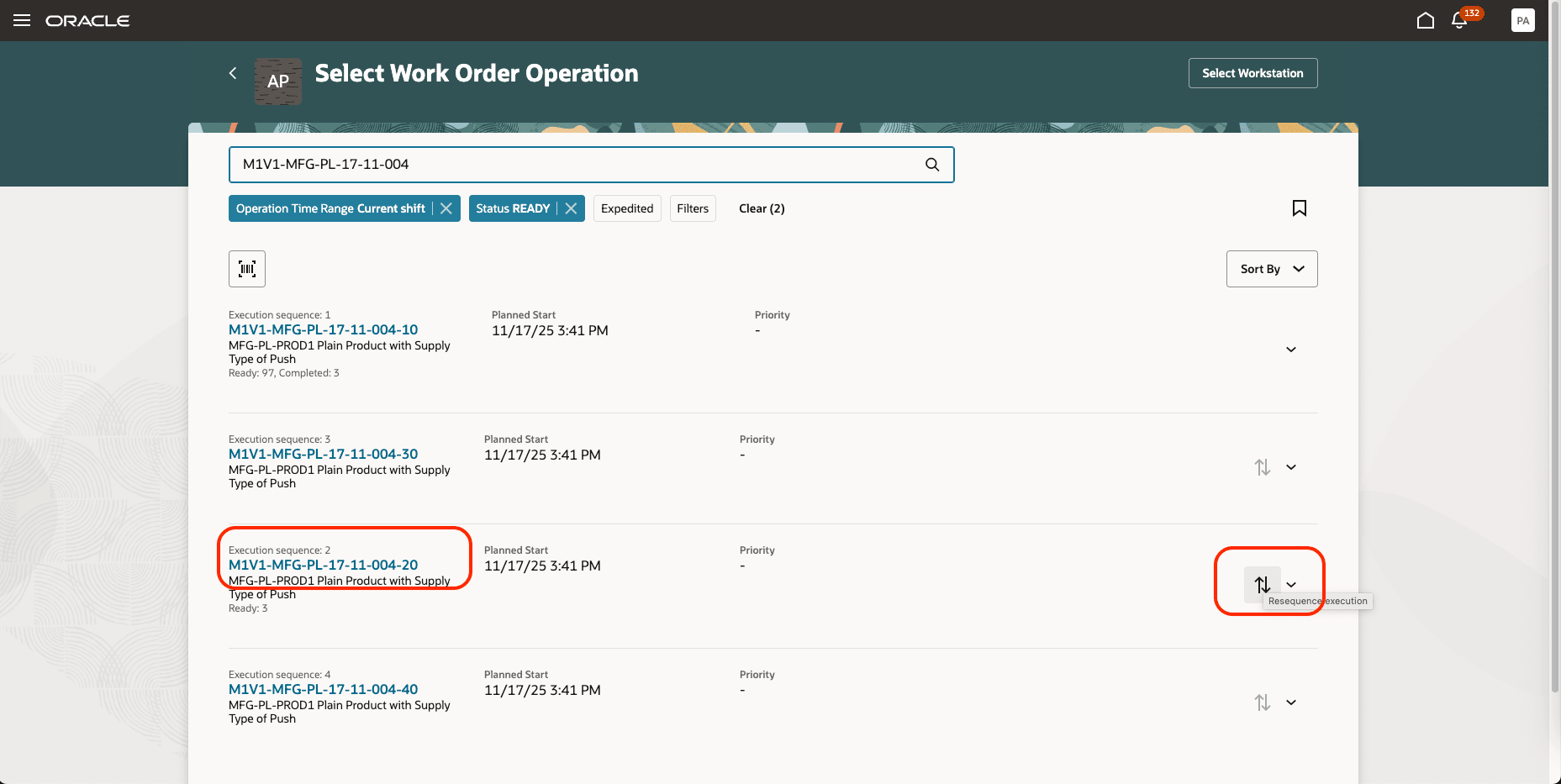
Work Order Operation Page with the Resequence Option
Operators can choose which operation to execute next, rather than following the original sequence.
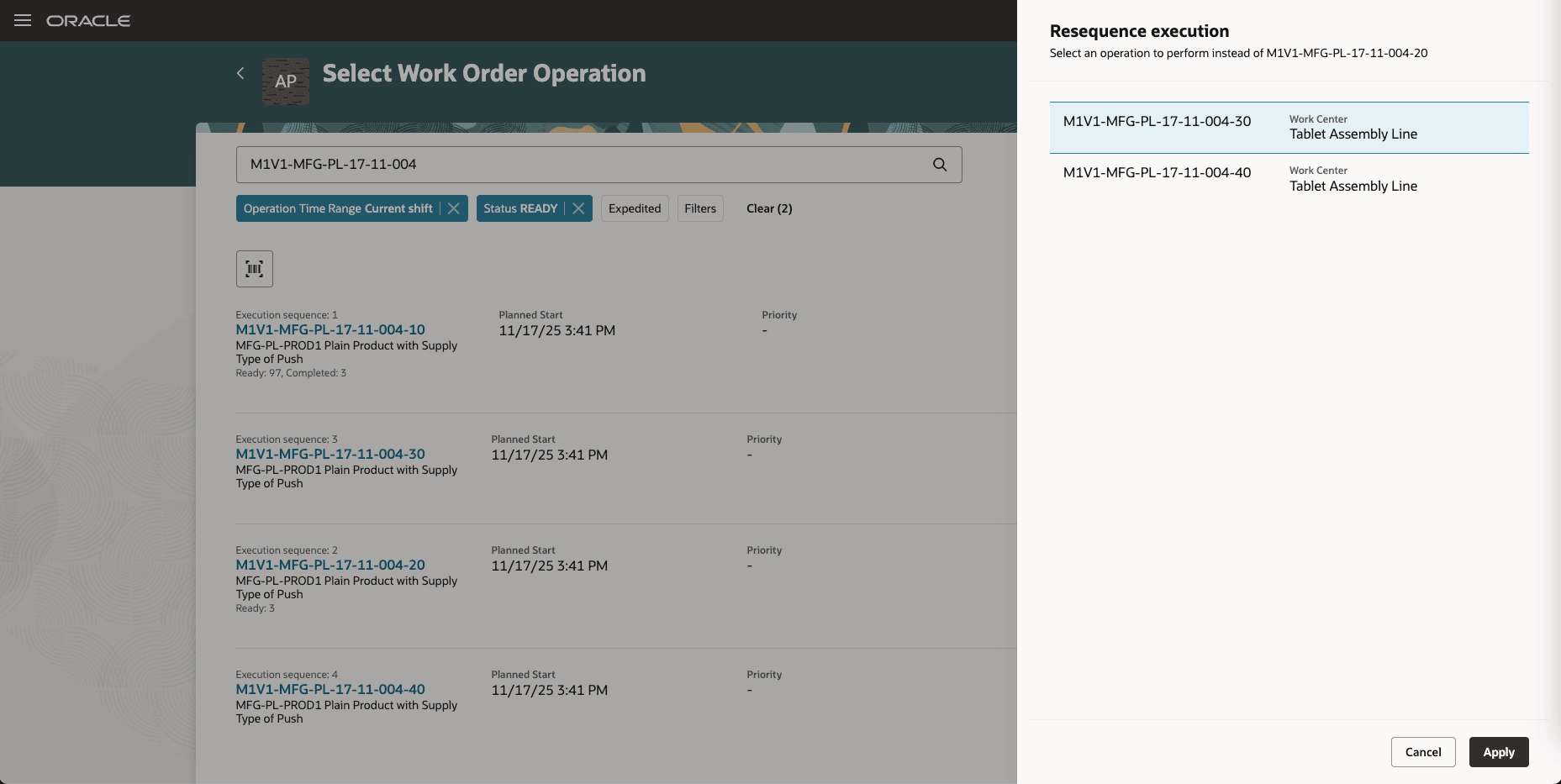
Drawer to Select the Operation to Execute Next
The operation selected by the operator takes the place of the next executable operation in the sequence.
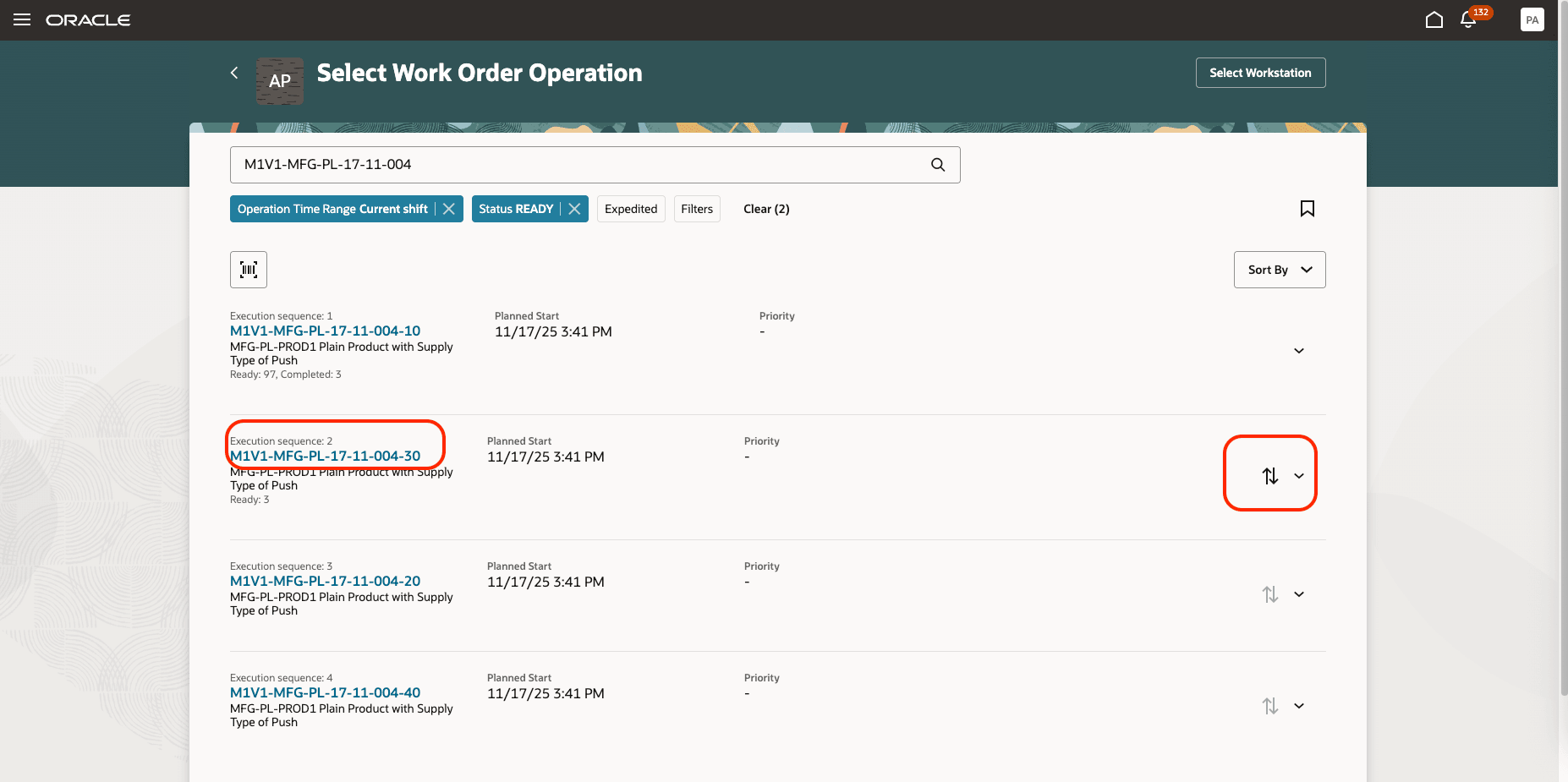
The Chosen Operation Becomes the Next Operation to Be Performed in the Execution Sequence
The resequencing of operations feature provides significant business benefits by enabling manufacturers to maintain continuous production even when certain resources or materials are temporarily unavailable. By allowing operators to adjust the execution order of manufacturing steps, businesses can better utilize available assets, decrease overall lead times, and respond dynamically to unexpected changes or bottlenecks in the shop floor process.
Here's the demo of these capabilities:
Steps to Enable and Configure
Use the Opt In UI to enable this feature. For instructions, refer to the Optional Uptake of New Features section of this document.
Offering: Manufacturing and Supply Chain Materials Management No Longer Optional From: Update 26C
Tips And Considerations
- Manual output reporting is disabled for resequencable operations, so users will not see the manual output reporting option while executing these operations.
- The "Enforced with Sequence" setting in the Smart Operations configuration requires operators to execute operations strictly in the assigned order at the workstation, thereby restricting the operator's ability to dynamically resequence operations during execution. If resequencing has been performed prior to or outside the enforcement context, the execution sequence at the workstation must be updated accordingly to reflect the new order for the operator to follow.
Key Resources
- Watch the Resequence and Execute Work Order Operations During Production Execution demo.
- Refer to the Oracle Fusion Cloud SCM: Using Manufacturing guide, available on the Oracle Help Center.
- Refer to the Oracle Fusion Cloud SCM: Implementing Manufacturing and Supply Chain Materials Management guide, available on the Oracle Help Center.
Access Requirements
Users who are assigned a configured job role that contains these privileges and codes can access this feature:
Redwood Production Execution Privileges:
- Execute Production at a Workstation (WIP_EXECUTE_WORKSTATION)
- View Workstations (WIS_VIEW_WORKSTATIONS_PRIV)
- Report Operation Transactions (WIP_REPORT_OPERATION_TRANSACTIONS_PRIV)
- Report Scrap Transactions (WIP_REPORT_SCRAP_TRANSACTIONS_PRIV)
Guided Journeys: Role Codes
- Use REST Service - Guided Journeys Read Only (Role Code ORA_PER_REST_SERVICE_ACCESS_GUIDED_JOURNEYS_RO)
- Use REST Service - Guided Journey Responses (Role Code ORA_PER_REST_SERVICE_ACCESS_GUIDED_JOURNEY_RESPONSES)
These privileges were available prior to this update.