Redwood: Report Work Order Transactions Post Production Using a New User Experience
When reporting production transactions after the production process has completed, business users and data entry specialists need a convenient way to accurately update transactions for multiple work orders in a timely manner. This update provides a comprehensive and intuitive post-production reporting experience for discrete and process manufacturing work orders, available through a new action 'Postproduction Reporting'. Users can efficiently record production transactions for multiple work orders across operations, materials, resources, and outputs after the production activities have completed. A unified entry point, and a flexible, user-friendly interface, helps you streamline post-production reporting.
With this new user experience, you can:
- Record operation, material, resource, and output transactions for multiple work orders from a single user interface.
- Use the advanced search and filter capabilities to select work orders by key attributes, such as status, dates, item, and group.
- Automatically validate inputs for work order, resource, output, lots, and serial numbers before saving the transaction.
- Manage both in-house and supplier post-production flows.
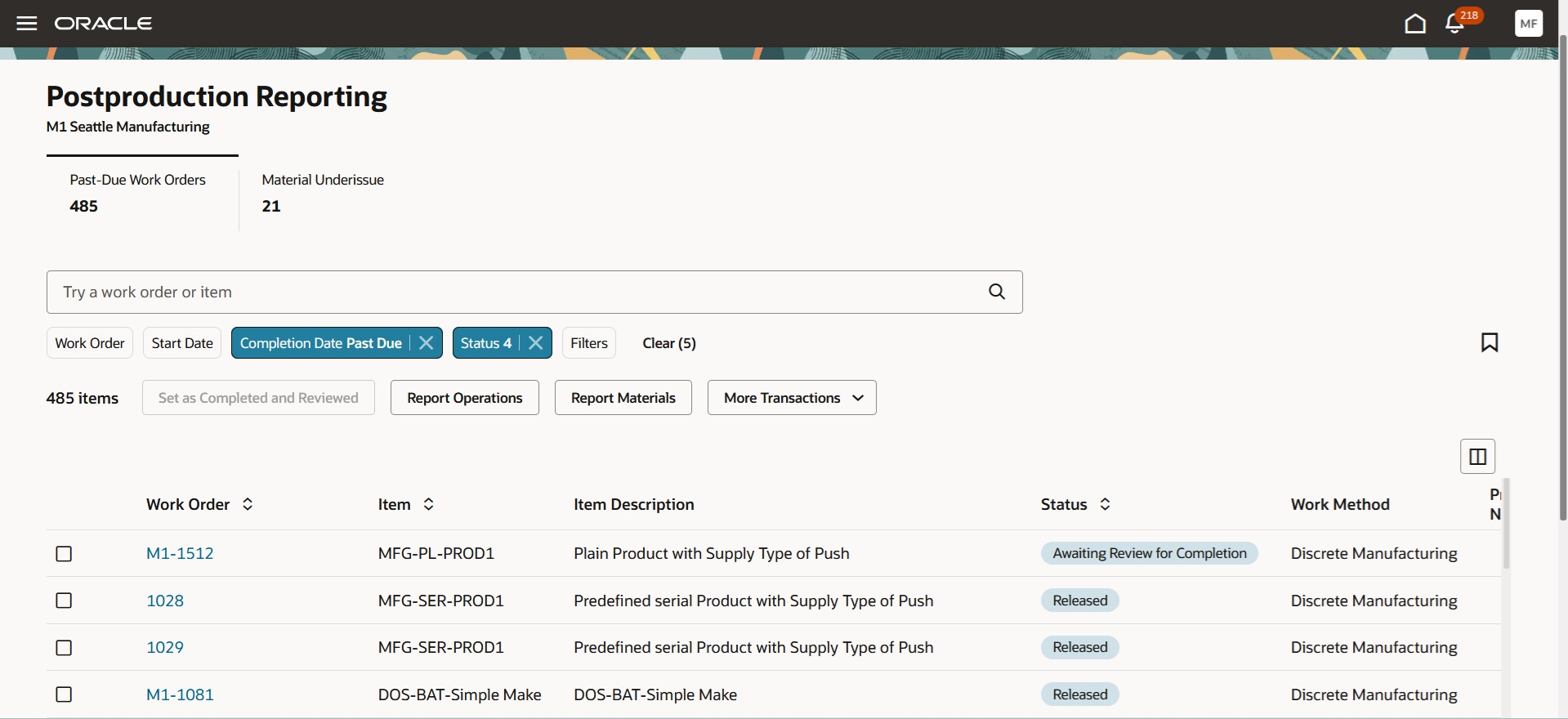
Post Production Reporting of Work Order Transactions
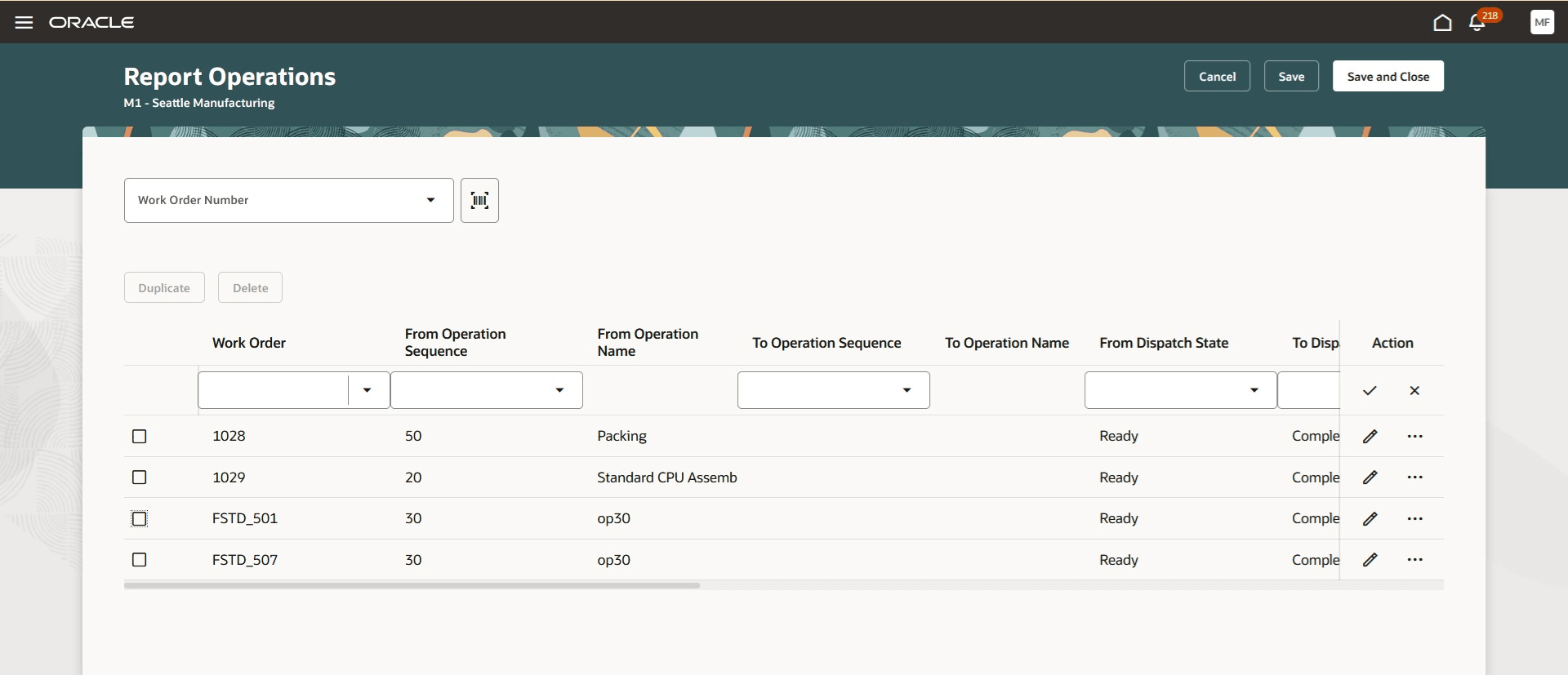
Post Production Reporting of Operation Transactions for Multiple Work Order Operations
Post production reporting provides the following business benefits:
- Greater Efficiency: Unified reporting lets you reduce the manual steps and data entry efforts for all transaction types, including outputs and resources.
- End-to-End Visibility: Get a comprehensive, unified view of production activities by linking operations, components, resource usage, and output completion at the work order level.
- Accurate Output Tracking: Ensure that finished goods, by-products, and related lot and serial details are captured and available for downstream processes, inventory traceability, and compliance.
- Error Prevention: Mandatory field checks and real-time validations minimize the risk of incomplete or incorrect data entry across transaction types.
- Report for multiple wok orders: You can report transactions for multiple work orders and work order operations in a single submission.
Here's the demo of these capabilities:
Steps to Enable and Configure
You don't need to do anything to enable this feature.
Tips And Considerations
- Manual Input Required: Transactions requiring lot or serial numbers must be entered manually, whether for outputs, components, or resources. Ensure that all mandatory fields values are provided before saving.
- ERES Support: Electronic Records and Electronic Signatures (ERES) for transactions submitted through postproduction reporting is not supported in this update.
- Pre-populated records: The resource and output transaction pages open without pre-populated records. Add and fill out all the required records for each reporting event.
Key Resources
- Refer to Redwood: Report Work Order Transactions Post Production Using a New User Experience demo
- Oracle Fusion Cloud SCM: Refer to the Using Manufacturing guide, available on the Oracle Help Center.
- Oracle Fusion Cloud SCM: Refer to the Implementing Manufacturing and Supply Chain Materials Management guide, available on the Oracle Help Center.
Access Requirements
Users who are assigned a configured job role that contains the following privilege can access this feature:
- Manufacturing Privilege:
-
Report Postproduction Transactions (WIE_REPORT_POSTPRODUCTION_TRANSACTIONS)
-
This is a new privilege for post production reporting of work order transactions.
You can access the page by selecting the Postproduction Reporting action from the list of actions in the Wok Execution work area.