AI Agent: Outside Processing Shipping Assistant
Companies operating in regulated industries that outsource manufacturing operations typically retain control over components, shipping them along with the partially finished assemblies to their suppliers.
Without Ready to Use support to ship the components in outside processing, customers must handle the shipment of components outside the system, which is tedious, time-consuming, and prone to human error.
For a given manufacturing work order, the Outside Processing Shipping Agent provides an interactive chat experience and performs the following actions:
- Determines if there are any supplier operations, and any components associated to it that need to be shipped.
- Calculates the quantity of components that need to be shipped.
- Determines if there is sufficient component on-hand to ensure “Clear to Ship”.
- Creates shipment lines for the components.
- Creates a consolidated shipment, combining the shipment line auto-created for the partially finished assembly and the shipment lines for the components.
.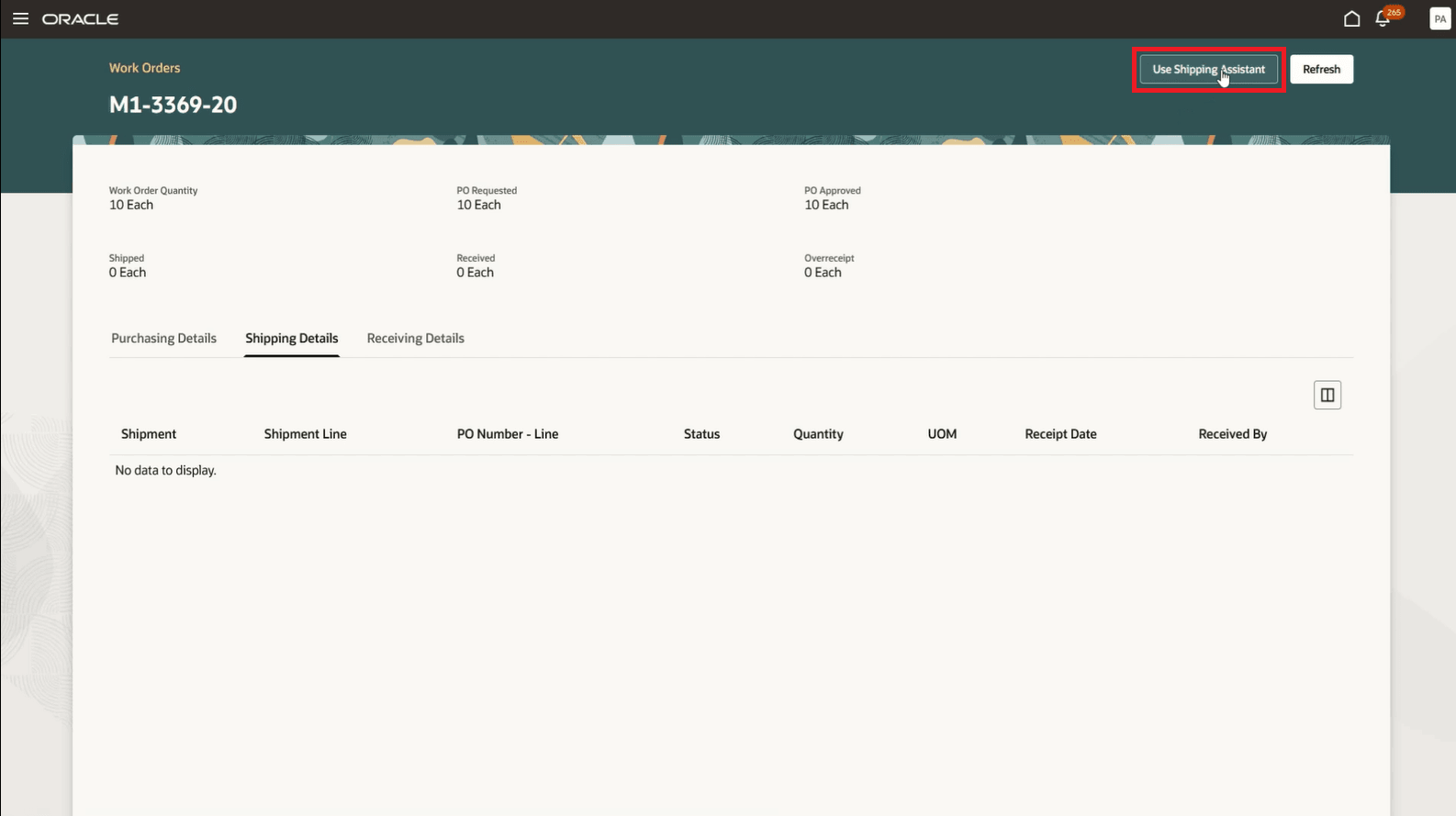
Using Outside Processing Shipping Assistant
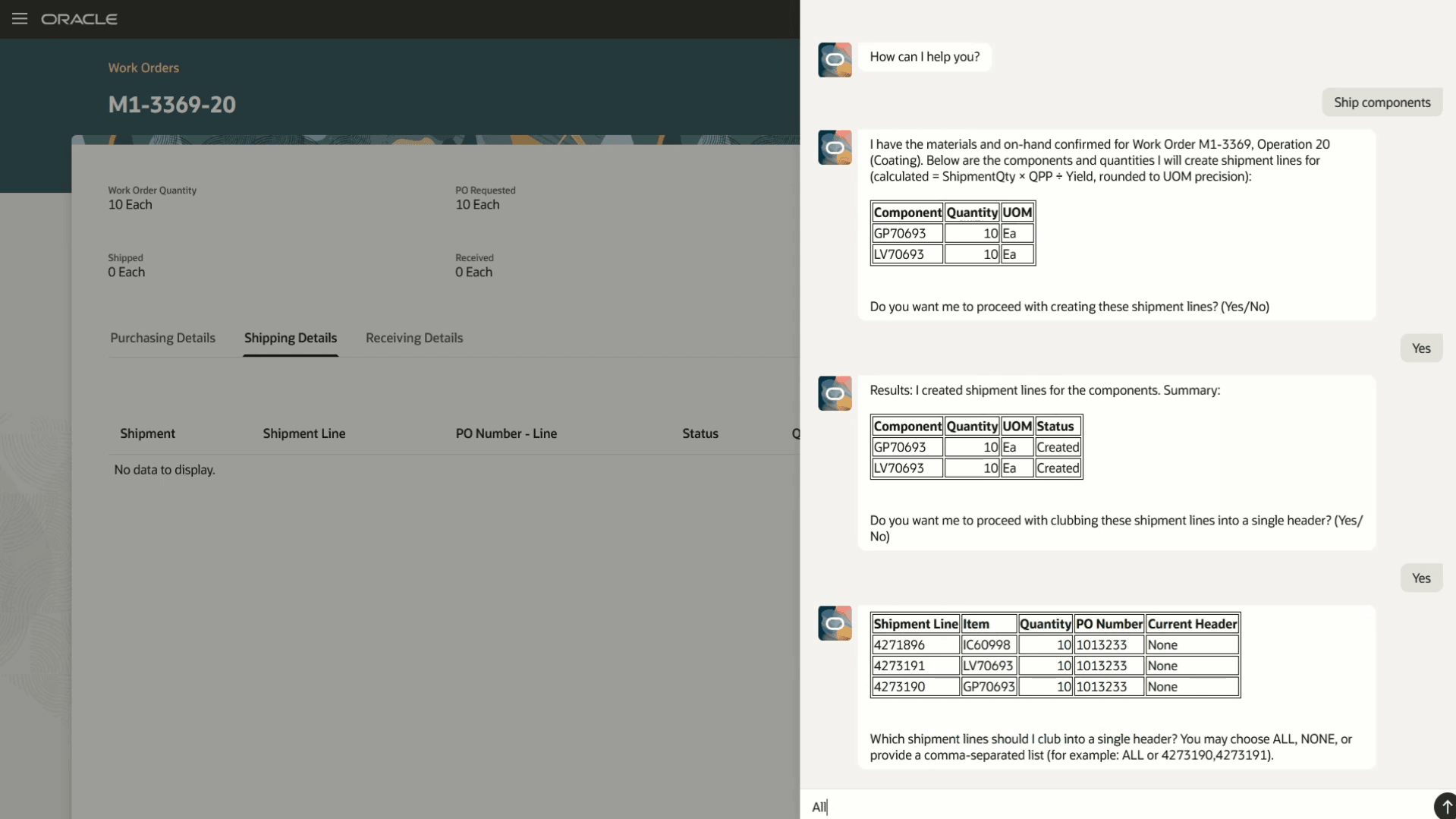
Managing Component Shipments with Outside Processing Shipping Agent
Manufacturers gain improved efficiency and reduced human errors when managing material movement in outside processing execution by automating tasks that are repetitive and time consuming.
Here's the demo of these capabilities:
Steps to Enable and Configure
1. Create and Publish Agents Using AI Agent Studio
You can use AI Agent Studio to use or copy a preconfigured agent template to create Agents for your business processes. To automatically add a suffix to all artifacts in your agent team, you can Copy Template instead of Use Template. When you copy a template, you're directly taken to the agent team canvas, where you can edit the agent team settings, agents, tools, and topics.
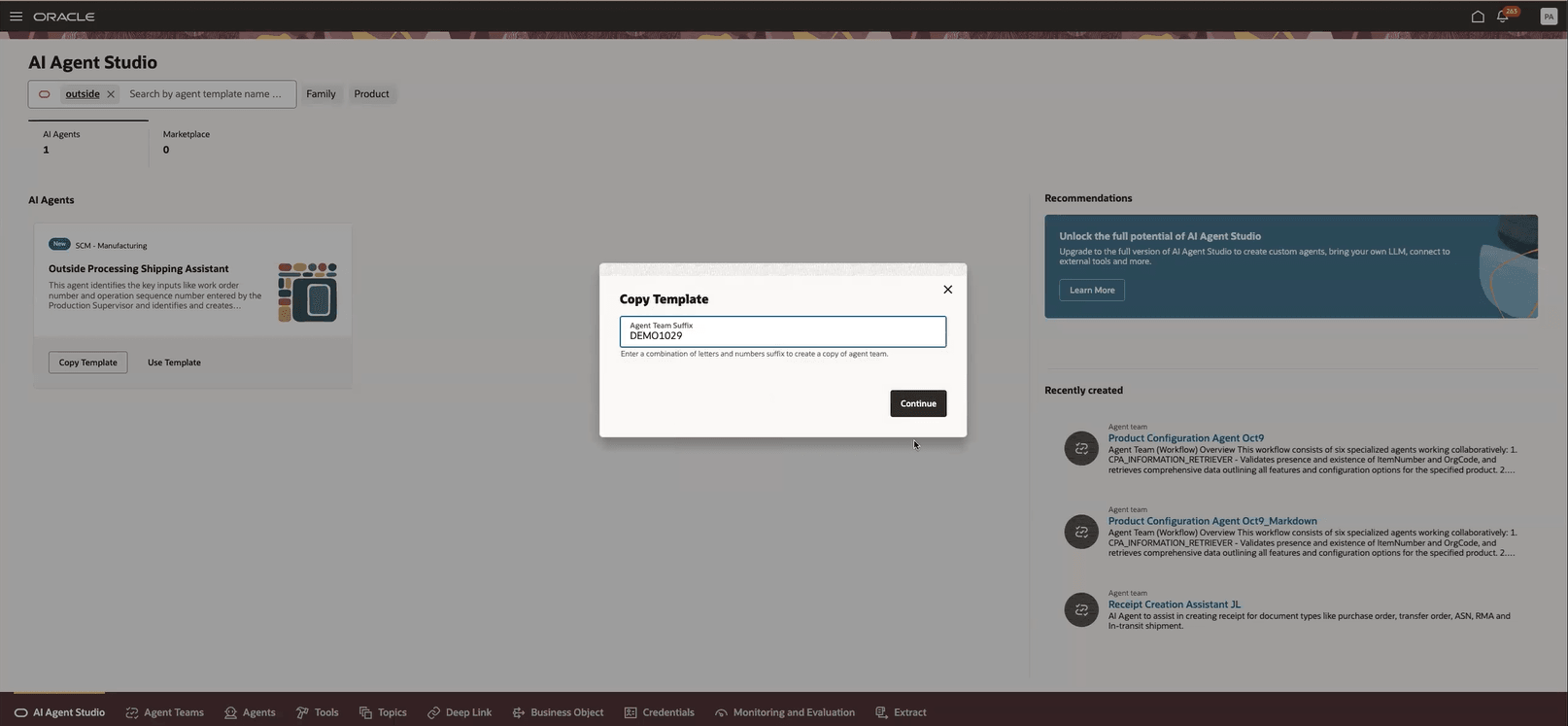
Creating an Agent Team by Copying the Template
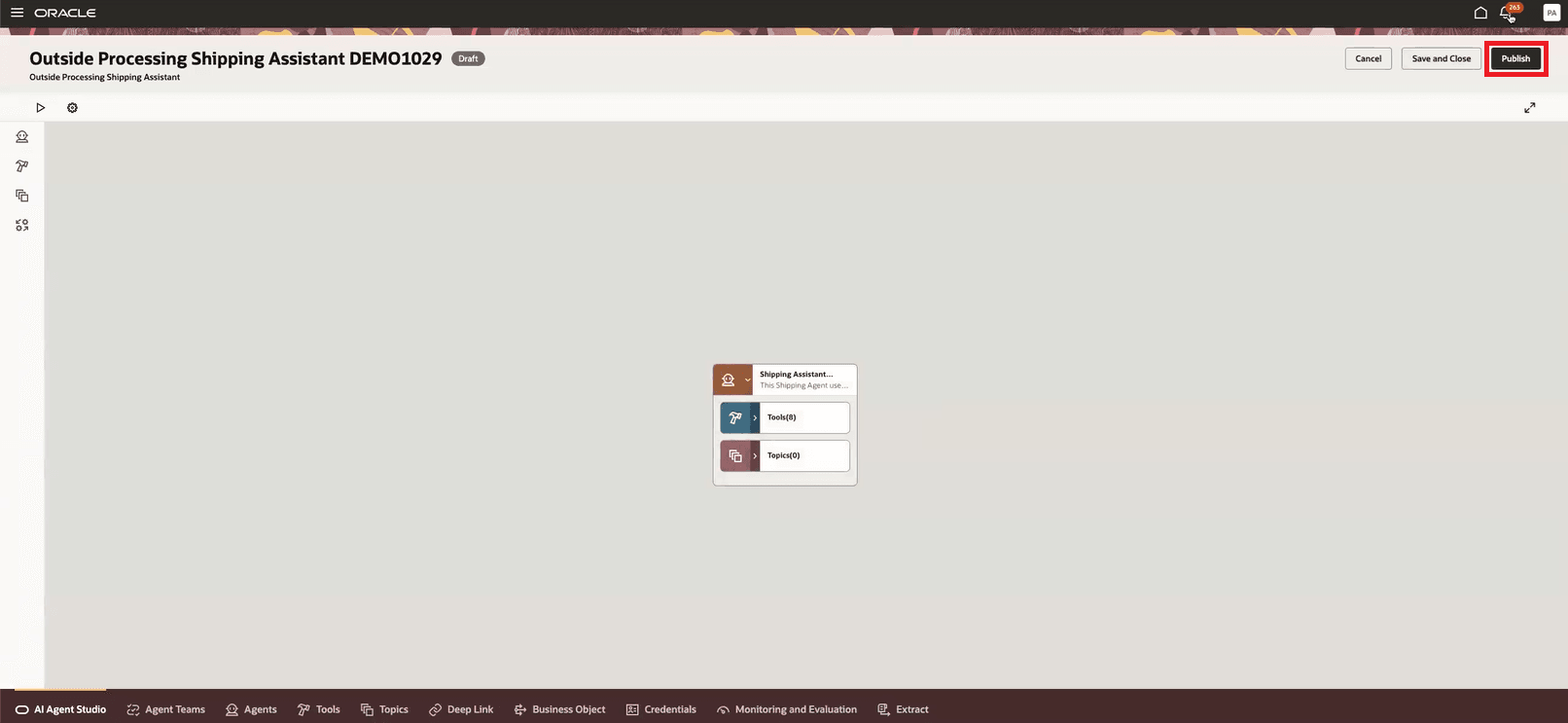
Reviewing the Draft and Publishing the Agent Team
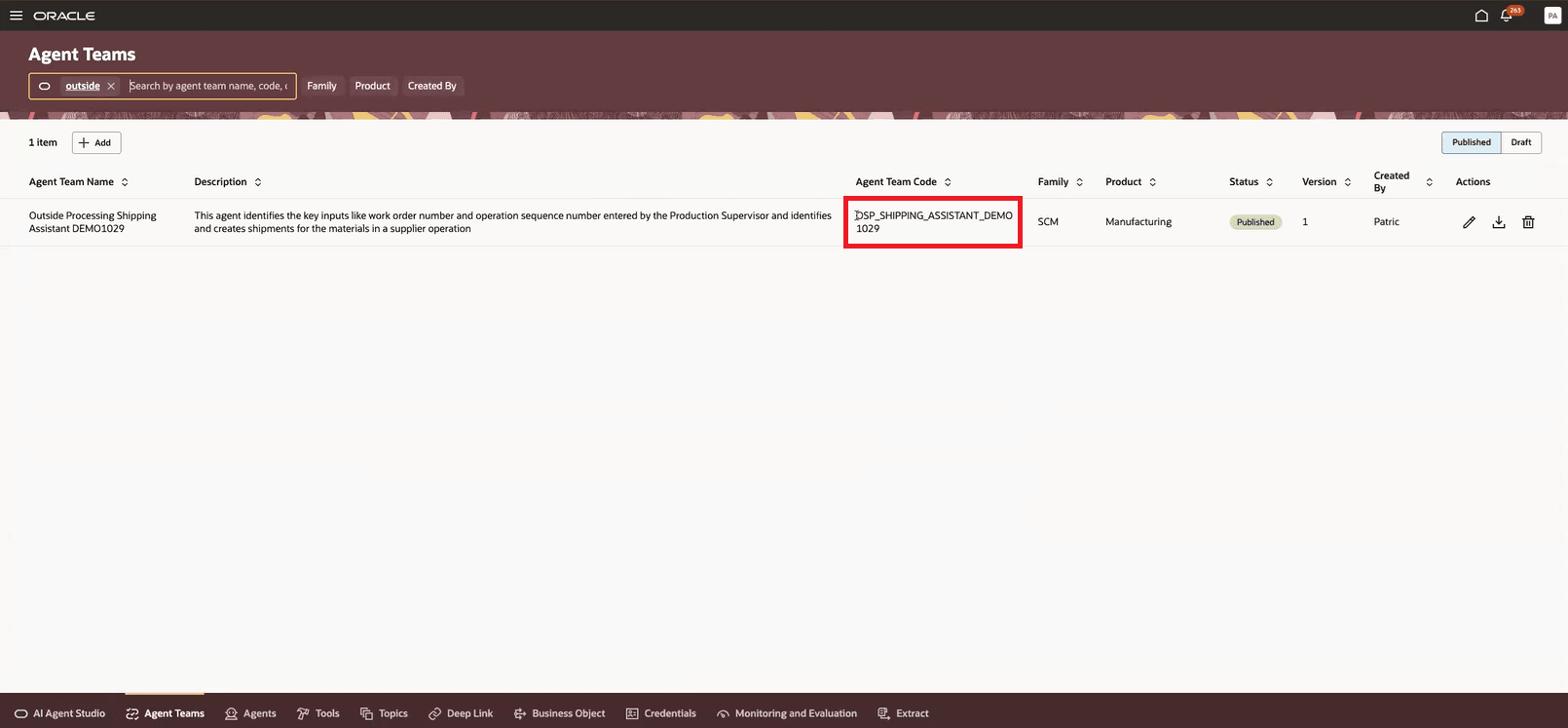
Reviewing the Published Agent Team
2. Add the Agent Team to the Review Supplier Operation Details Page
- Navigate to Visual Builder from the Review Supplier Operation Details page for a work order supplier operation.
- Add the Agent Team Code to the field as shown in the image and publish the changes.
- Review the Use Shipping Assistant button in the Shipping Details tab.
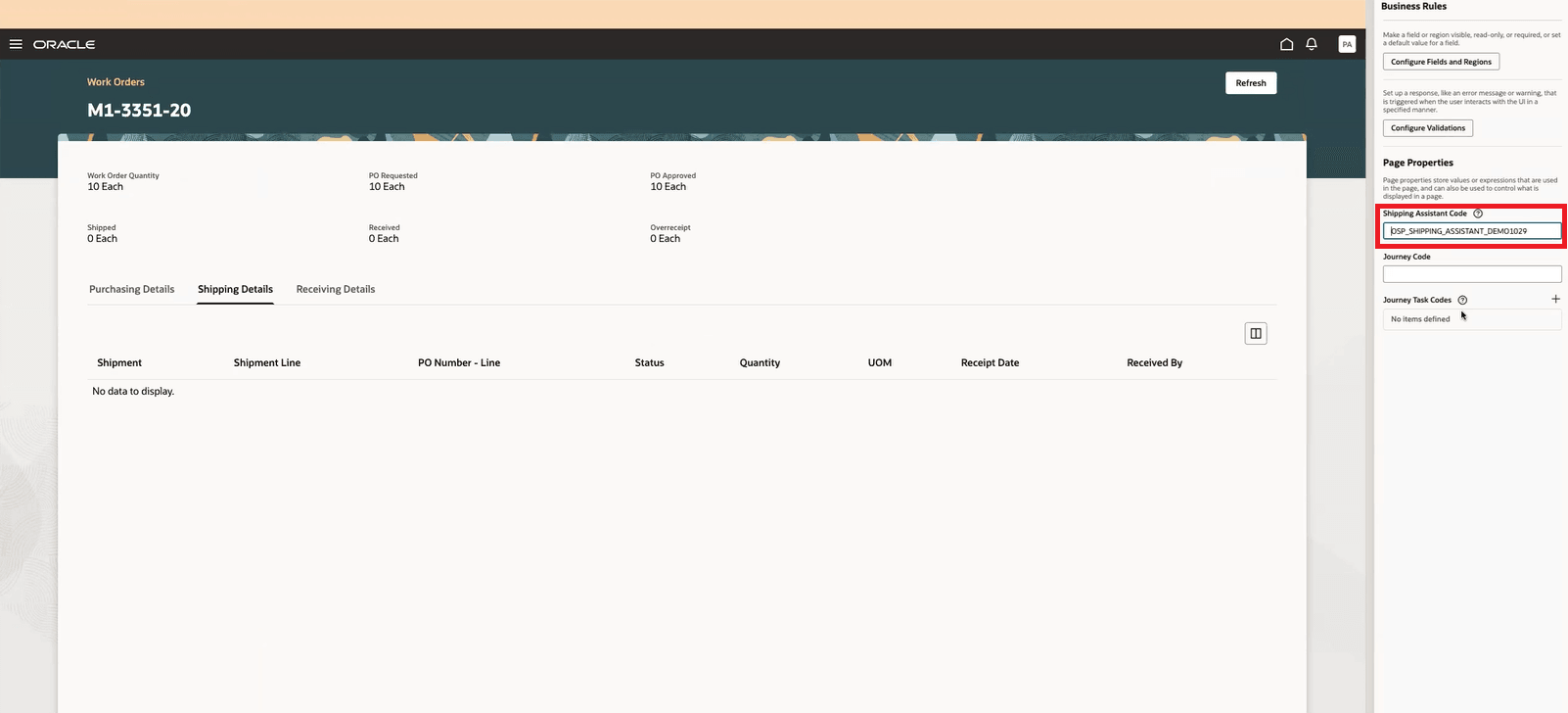
Adding the Agent to the Supplier Operation Details Page
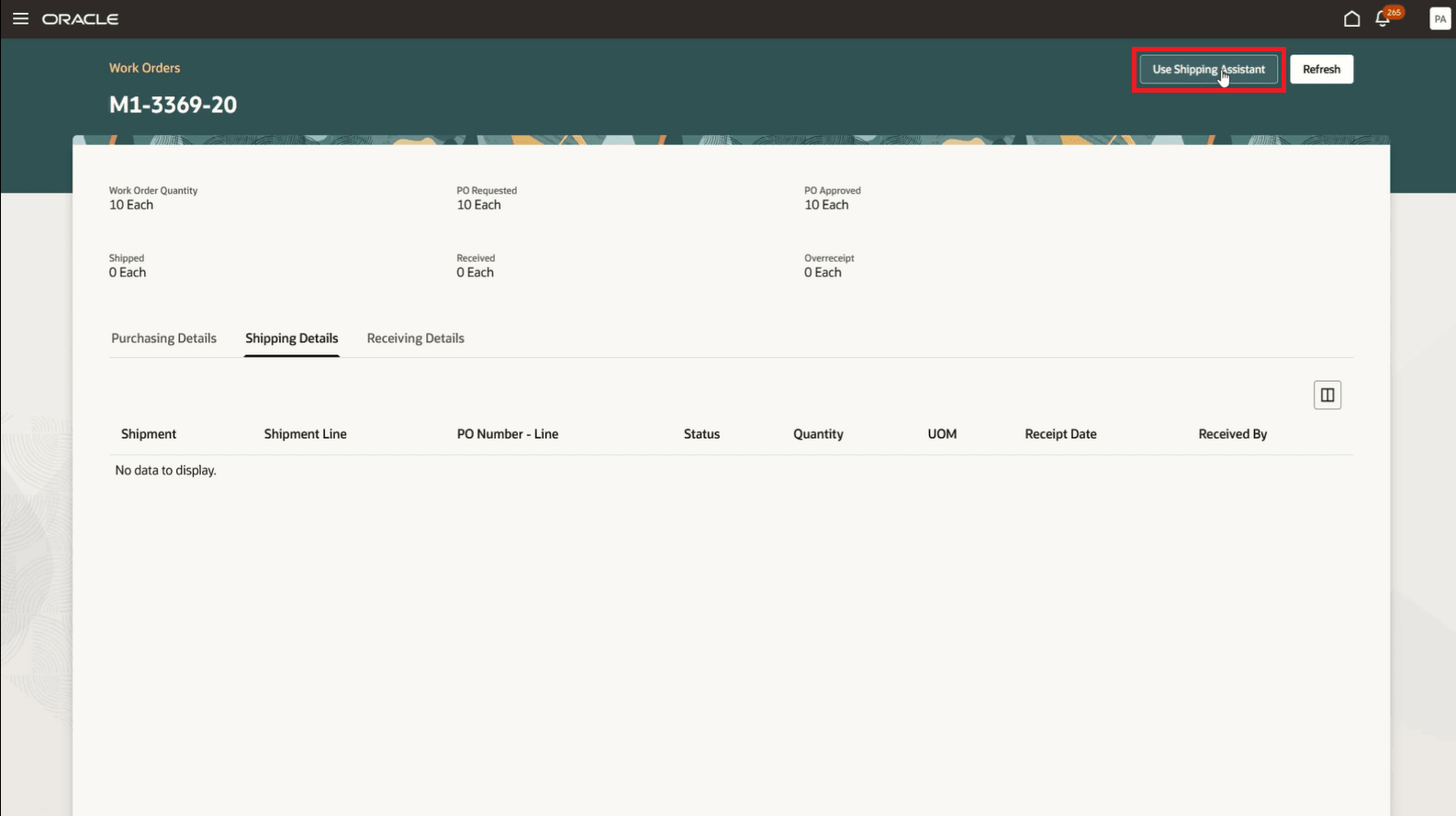
Use the Shipping Assistant Button in the Review Supplier Operation Details Page
Tips And Considerations
- On-hand balances of material associated with supplier operations are not deducted upon confirmation of shipment of the material along with the partially finished assembly. Consider defining the supply type of such material as "Pull" to automatically deduct the on-hand balances upon receipt of the goods from supplier, or "Push" to manually issue the appropriate quantity of the material at the supplier operation upon confirmation of shipment.
- Although Outside Processing Purchase Orders do not carry the information related to the material that is shipped to the supplier, the material details are captured and displayed in shipping documents such as the Packing Slip and Bill of Lading.
Key Resources
- Watch the demo for AI Agent: Outside Processing Shipping Assistant.
- For information on using AI Agent Studio, see How do I use AI Agent Studio?
- Refer to the Oracle Fusion Cloud SCM: Using Manufacturing guide, available on the Oracle Help Center.
- Refer to the Oracle Fusion Cloud SCM: Implementing Manufacturing and Supply Chain Materials Management guide, available on the Oracle Help Center.
Access Requirements
To access the Oracle AI Agent Studio for Fusion Applications and manage SCM AI agents, users must be assigned a configured job role that contains these duty roles:
-
SCM Intelligent Agent Management Duty (ORA_RCS_SCM_AI_AGENT_MANAGEMENT_DUTY and ORA_RCS_SCM_AI_AGENT_MANAGEMENT_DUTY_HCM – both duty role codes are required)
-
Fai Genai Agent SCM Administrator Duty (ORA_DR_FAI_GENERATIVE_AI_AGENT_SCM_ADMINISTRATOR_DUTY)
In the Security Console, filter by Roles and Privileges to find the SCM Intelligent Agent Management Duty role. Filter by Roles and Permission Groups to find the Fai Genai Agent SCM Administrator Duty role.
To interact with AI agents in product pages, users must be assigned a configured job role that contains this duty role:
-
Fai Genai Agent Runtime Duty (ORA_DR_FAI_GENERATIVE_AI_AGENT_RUNTIME_DUTY)
In the Security Console, filter by Roles and Permission Groups to find this duty role.
To allow users to interact with agents, you must also enable permission groups in the Security Console on those users’ configured job roles that contain the Fai Genai Agent Runtime Duty role. You can enable permission groups when you manage the basic information of your configured job roles.
User configured job roles must also contain privileges that allow access to the pages where AI agents are enabled.
To create shipment lines and shipment, the following privilege is required:
Manage Shipment Web Service - WSH_MANAGE_SHIPMENT_WEB_SERVICE
This privilege was available before this update.
Access Requirement for Guided Journey:
To create and use Guided Journeys, the following privileges are required:
- Manage Guided Journeys (ORA_PER_MANAGE_GUIDED_JOURNEYS)
- Use REST Service - Guided Journey Responses (ORA_PER_REST_SERVICE_ACCESS_GUIDED_JOURNEY_RESPONSES)
- Use REST Service - Guided Journeys Read only (ORA_PER_REST_SERVICE_ACCESS_GUIDED_JOURNEYS_RO)
These privileges were available before this update.
To access the Oracle AI Agent Studio for Fusion Applications and manage SCM AI agents, users must be assigned a configured job role that contains these duty roles:
- SCM Intelligent Agent Management Duty (ORA_RCS_SCM_AI_AGENT_MANAGEMENT_DUTY and ORA_RCS_SCM_AI_AGENT_MANAGEMENT_DUTY_HCM – both duty role codes are required)
- Fai Genai Agent SCM Administrator Duty (ORA_DR_FAI_GENERATIVE_AI_AGENT_SCM_ADMINISTRATOR_DUTY)